TrustRadius: an HG Insights company

Amazon CloudWatch

Score8.2 out of 10

169 Reviews and Ratings

What is Amazon CloudWatch?

Amazon CloudWatch is a native AWS monitoring tool for AWS programs. It provides data collection and resource monitoring capabilities.

Media

How Amazon CloudWatch works - high-level overview
CloudWatch Application Monitoring
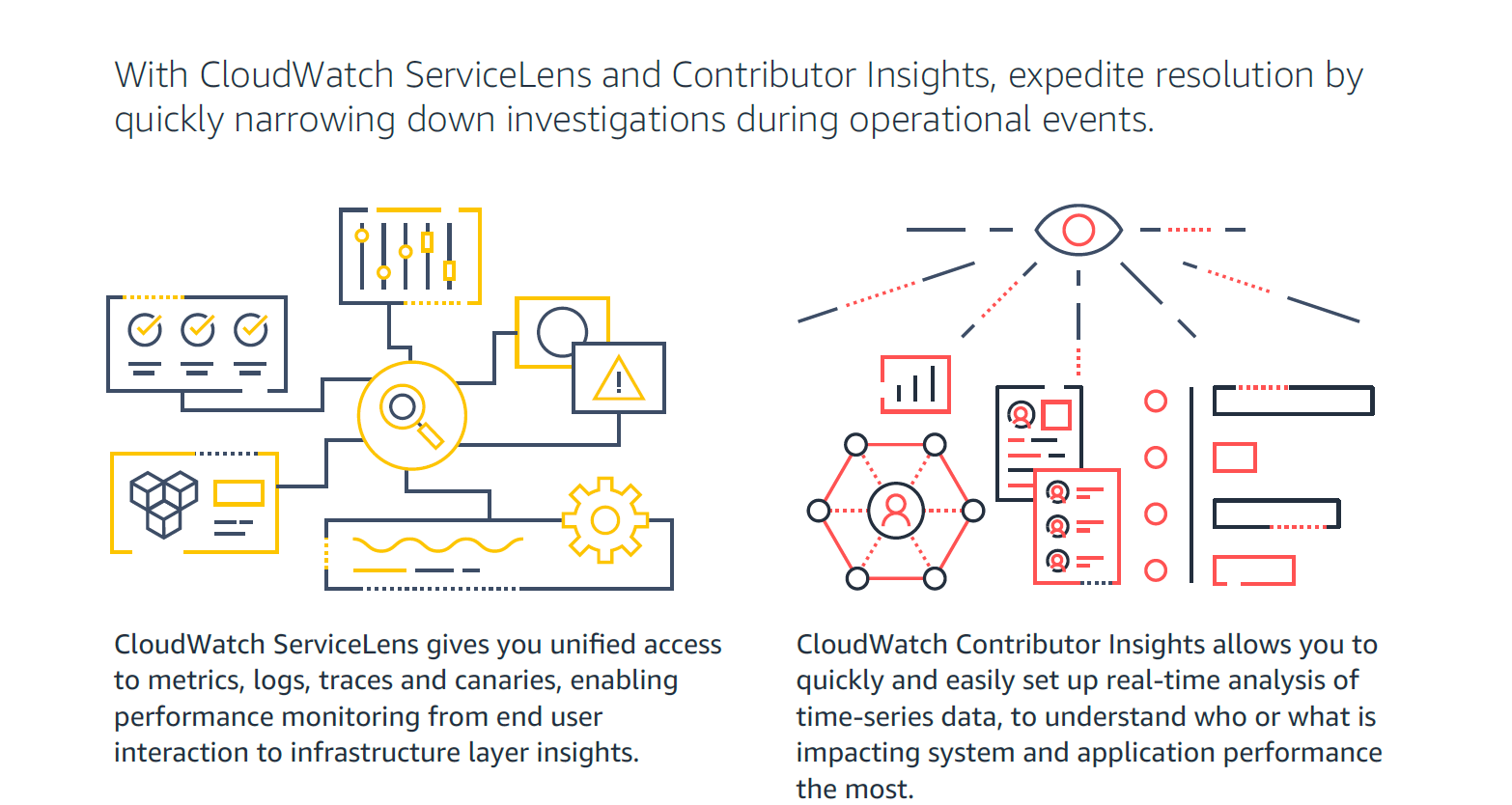
CloudWatch ServiceLens and Contributor Insights - expedite resolution time
Improve Observability with Amazon CloudWatch
Visual overview of Amazon CloudWatch

1 / 5

Cloudwatch provides quick and easy access to your AWS Service metrics with dashboarding and alerting.

Use Cases and Deployment Scope

We use Amazon Cloudwatch to monitor the health of our infrastructure running on Amazon Web Services (AWS). Particularly the health of EC2 instances and RDS to ensure that our services are performing as expected. The service provides us with visibility and alerting helps us address problems quickly before they have an impact on customers.

Pros

  • Cloudwatch allows us to configure thresholds to trigger alerts
  • We can combine different metrics onto dashboards for different stakeholders
  • We can go back and look at trends over time for particular metrics

Cons

  • Dashboards are relatively basic
  • Its not possible, or difficult to write queries to correlate easily between different metrics
  • Searching through logs can be difficult if they are not structured well in advance

Return on Investment

  • Cloudwatch provides similar functionality to other tools available. However, it is easily available within AWS and can be used with minimal setup.
  • It is easy to let costs add up if using multiple custom metrics or more detailed metrics and retentions than necessary; we ensure that we retain the data in Cloudwatch for the minimum amount of time to be of value for Ops monitoring and then move to other tools such as Splunk for longer retention.
  • Alerting within Cloudwatch allows us to react quickly when thresholds are unmet or exceeded.

Usability

Alternatives Considered

Splunk IT Essentials, Splunk Cloud, Splunk IT Service Intelligence (ITSI) and Splunk On-Call

Other Software Used

Splunk Cloud, Splunk Synthetic Monitoring, Splunk IT Service Intelligence (ITSI)

CloudWatch - Centralize logging for your AWS workload.

Use Cases and Deployment Scope

If you use any AWS service, CloudWatch is a must-have. Imagine having multiple services deployed & running on AWS. The services work interdependently. CloudWatch allows viewing logs of all those services in a central place. With CloudWatch Log Insights, you can make custom queries for your log across multiple streams. If you set up AWS Organizations, CloudWatch can help centralize logs from all accounts.

Pros

  • Easy to use GUI to browse & query log events.
  • Query & view events spanning multiple log streams.
  • Centralized logging at organization level.

Cons

  • The query syntax could have better examples.
  • Log Insights should support saving a "view" of a certain set of log streams.
  • The whole log group vs log stream hierarchy takes time getting used to.

Return on Investment

  • We can trace errors, exceptions much easier, hence problems are resolved very quickly.
  • We can trace errors and exceptions across multiple services, which helps to pin down the issue.
  • Logs are collected & available for view with minimal delay, tightening the feedback loop.

Usability

Other Software Used

AWS CloudFormation, AWS Certificate Manager, AWS CodeArtifact

Amazon CloudWatch review from a dev

Use Cases and Deployment Scope

We majorly use Amazon CloudWatch to track and get alerts on the metrics of RDS, Elasticache and other services of AWS in use. We do have it for logging Lamda runs in some cases, but not a significant requirement for us, as we use lambda with minimal logic and nothing complicated at all

Pros

  • Track and trace of metrics
  • Provide easy way to build dashboards

Cons

  • Log retention is quite expensive as querying cost increases as well with log size
  • Query lookup can be slow if the ingest data is of significant volume
  • Dashboarding is simple, however is limited in customizations

Return on Investment

  • Helps in real-time alerting esp. for RDS and Elasticache which are critical resources
  • Periodic analysis of metrics using dashboards makes it easier to monitor system's availability

Usability

Alternatives Considered

Grafana, VictoriaMetrics Community, Prometheus and Elasticsearch

Amazon Cloud Watch Publication

Use Cases and Deployment Scope

Amazon Cloud watch is primarily used for watching all the requests coming into any of the AWS services our organization is using. It can tracks all the requests, with the IP address and can help in monitoring the requests/ sec. Also helps to filter what requests need to be searched based on different criteria like Access Key, and IP address.

Pros

  • Tracking all the incoming requests.
  • Filtering the requests.
  • It can collect and access all your performance and operational data in the form of logs and metrics from a single platform rather than monitoring them in a server, database, or network.

Cons

  • Integration of Cloud watch to other tools to export data and analyze it on premise.
  • Improved formatting of log datas in various formats.
  • Better searching capability and narrow down searching capability to controlled users.

Most Important Features

  • Storing, archiving, filtering the logs so that we can focus on our business needs.
  • Simplified access to lengthy log files and can view history of data.
  • Simplified collaboration around log files.

Return on Investment

  • It is a monitoring and observability service built for DevOps engineers, developers, site reliability engineers (SREs), and IT managers.
  • It provides you with data and actionable insights to monitor your applications, respond to system-wide performance changes, and optimize resource utilization.
  • It can be used to detect anomalous behavior in your environments, set alarms, and visualize logs and metrics side by side.

Alternatives Considered

Datadog

Other Software Used

Datadog, Splunk Log Observer

Amazon CloudWatch Review

Pros

  • Alarms on disk and thresholds for CPU and all vitals on ec2 systems.
  • Billing and cost metric for advisor alerts to manage bills.
  • DNS alerting for and critical issues with resolution to any of our sites.

Cons

  • Possible better visual graphs are basic.
  • More exports of the data types.
  • Easier topics for initial setup to alams data.

Most Important Features

  • Trends and metric graphic, exports for reports.
  • Alarms for critical alerting of any resources.
  • Billing and cost alarms without using budgets to manage cost changes.

Return on Investment

  • Positive for alarms and alert notifications once configured/customized.
  • Has upfront learning curve, and cost can increase as does the alarm activity and monitoring details you may require.
  • Cost-effective for any size organization keeping with AWS and utilizing its native tools is a savings in long-term ROI.

Alternatives Considered

SolarWinds Network Performance Monitor (NPM) and Zoho IT Management

Other Software Used

SolarWinds Engineer's Toolset, Site24x7 CloudSpend, Sophos Cloud Optix
