TrustRadius: an HG Insights company

Adobe Learning Manager

Score8 out of 10

283 Reviews and Ratings

What is Adobe Learning Manager?

Adobe Learning Manager is a Learning Management System developed by Adobe Inc. that offers personalized learning at scale to employees, partners and customers alike. Compliant with GDPR guidelines, SOC2 TYPE 2 and FedRAMP Certifications, Adobe Learning Manager integrates with Adobe Experience Manager Sites, Adobe Commerce, Marketo Engage with out-of-the-box components and any other application through Open APIs, offering hybrid learning programs and detailed analytics.

Adobe Learning Manager is powered with Adobe’s Artificial Intelligence that offers an array of recommendations based on learner history, peer activities, skills and interests. Learning Manager also offers state of the art gamification tools to keep learners engaged and motivated for continuous learning.

Adobe Learning Manager comes with Learning Experience Platform capabilities with immersive browsing and seamless content consumption, xAPI capabilities to bring in external content into learning programs and a range of customized reporting capabilities.

Learning Manager also allows organizations to train external ecosystems such as partners and customers with extended enterprise features, reduced administrative burdens with the power of automation, and social learning capabilities allowing user-generated content around learning programs.

Media

the platform for all learning needs.
guided learning journeys.
gamification.
actionable insight from analytics.
learning that’s engaging.
measurable analytics.
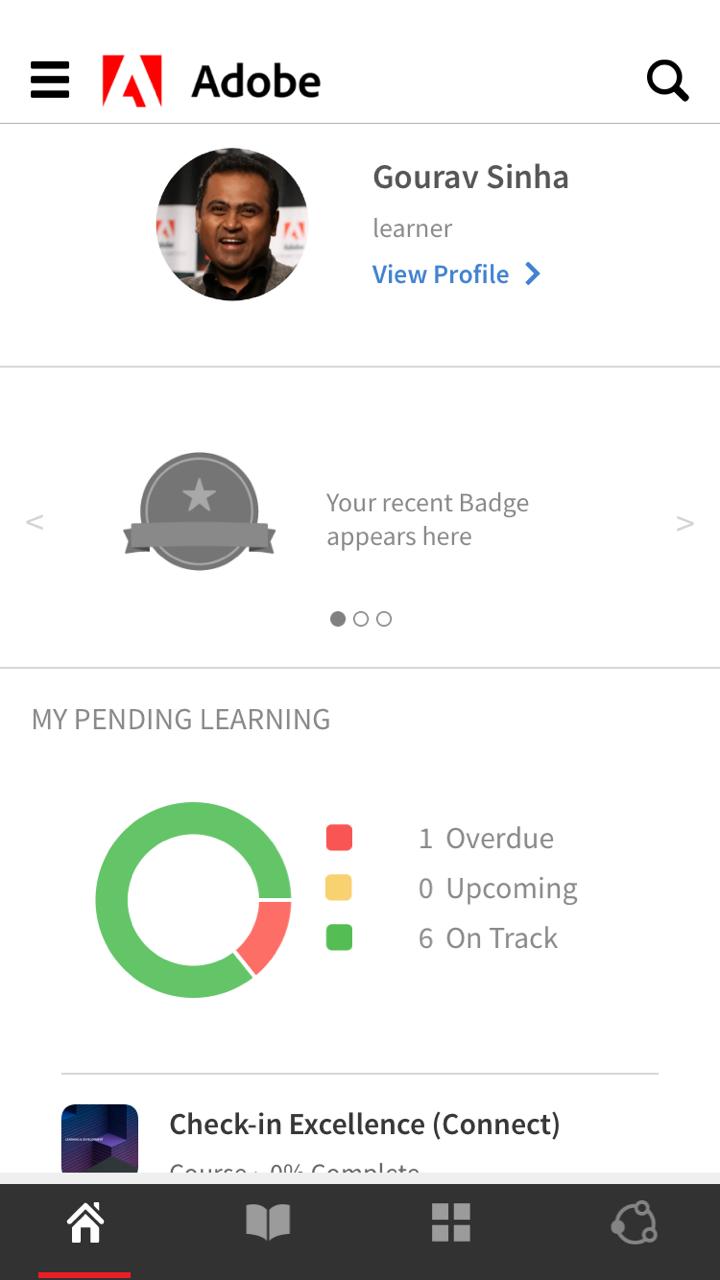
the mobile app.
the mobile app

1 / 8

Top Performing Features

  • Single Sign On (SSO) Enabled Learning

    Utilizes SSO technology to ease the login process for users.

    Category average: 8.8

  • Course authoring

    Users can develop and assemble online learning content.

    Category average: 8.5

  • Course catalog or library

    Learning content is organized into a course catalog or browsable library.

    Category average: 8.4

Areas for Improvement

  • Learning reporting & analytics

    Provides insights into course completion, engagement with learning content, etc.

    Category average: 8.1

  • Mobile friendly

    Students or employees can access content from mobile devices. Course authors can develop responsive learning content.

    Category average: 7.5

  • Progress tracking & certifications

    The system tracks individuals’ progress on courses, scores, transcripts, certificates, etc.

    Category average: 8.3

Adobe Learning Manager Review

Use Cases and Deployment Scope

For our company group L&D this is working perfectly. However for an individual business unit it is a complex system to integrate with our business processes and cannot accommodate most of our regulatory processes. For learners the interface is beautiful and perfect, however for administrators having to manage courses, user admin (non-employed) it becomes a problem with licenses as our industry has a high turn-over of resources who are not employed.

Pros

  • User interface
  • Learning paths

Cons

  • Non-Scorm format tests
  • Non-Scorm format courses
  • User administration (external)
  • Development to fit business processes

Return on Investment

  • For our business unit it is expensive compared to other LMS platforms

Usability

Other Software Used

TalentLMS

Great Learning Platform from Adobe Captivate Prime

Use Cases and Deployment Scope

We use Adobe Captivate Prime LMS module to provide learning facilities to employees and managers. This will also keep track on individual learning summary, reporting, employee learning plan and etc. It been rollout to the whole organization with the collaboration effort between HR and IT. With LMS, we have consolidated various platform from different offices for easier tracking of completion training and reporting. There's a cost saving for such consolidation initiative and we also obtained a good discount for mass enrolment to Adobe LMS, LinkedIn/ Adobe learning contents. Mandatory, foundational and soft skills courses available and accessible for all internal employees and contractors.

Pros

  • Fast implementation and roll-out to whole organization
  • Good customer support
  • Great support from Customer Success Manager

Cons

  • High initial set-up cost and licensing fees for all employees at one go
  • Once a courses been enrolled by employee, there's no function to remove those courses by themselves.
  • Mobile version not working very well and some contents not able to load, e.g. Leaderboard, Level.

Return on Investment

  • Employee able to pick up the skill immediately without waiting for scheduled training.
  • Saving on maintaining multiple learning platform from various offices.
  • Easier administration and have a holistic view on the employee completion progress.

Alternatives Considered

LinkedIn Learning (Lynda.com)

Adobe Learning Manager an excellent option for virtual learning

Use Cases and Deployment Scope

At Instituto SantaFe we use Adobe Learning Manager for external customer training. Thanks to this platform, it has been possible to solve the challenge of continuing with virtual education in a sustained and efficient way. The Adobe Learning Manager functionalities, as well as its intuitive interface, make it a great ally for online training.

Pros

  • Suitable functionalities
  • Intuitive interface
  • Complete reports

Cons

  • Include the possibility of having course templates to save time in the configuration
  • Include several access options through other emails or platforms such as facebook, linkedin, etc.
  • Probably include the possibility of integrating AI

Return on Investment

  • Significant savings in business training management
  • Better understanding of the results, thanks to the complete reports
  • Increase in the commitment of the collaborators participating in the training courses, thanks to the functionalities and interface

Usability

Adobe Learning Manager Review

Use Cases and Deployment Scope

I'm not using this one because I'm a reseller, but the main companies that I'm trying to resell, are using it for internal training content that they are providing to their own resources.

Pros

  • I think the way that the tool does the beginning to the end of the path of the training for research. I mean, when I start to use this one, I can check all my life inside the tool about learning.

Cons

  • I think that the license model is not a good one because sometimes it does not fit what the customer is asking us. So I think that should be a little flexible, the license model can be better.

Return on Investment

  • It's the part of the knowledge. It's very important for the company. If you lose one research, you lose the knowledge. So I think that the LMS is something that is really, really good for the company. So the knowledge should be inside the company. That's the best part of the tool.

Usability

EHR Learning for Healthcare Organizations

Use Cases and Deployment Scope

We are creating custom content for Healthcare Organizations nationwide and are using Adobe Learning Manager as the LMS platform. We are creating a learning ecosystem for new and current end users within the organization teaching them how to effectively use their electronic health records. We have experienced that our training is improving end user adoption, reducing physician burnout and enhancing the overall learning experience improving adoption and retention.

Pros

  • Creates an easy navigation journey for the learner.
  • It allows end users to stop and take notes in the middle of learning as well as print notes.
  • Easy search functionality.

Cons

  • An easier way to "rewatch" completed learning.
  • An easier way to "watch again"...without having to search or go to the My Learning section.

Return on Investment

  • The features of Adobe Learning Manager have made it really easy to capture new clients because of its sleek look and ease-of-use.

Usability

Alternatives Considered

Adobe Captivate