

Adobe Acrobat Sign
558 Reviews and Ratings
What is Adobe Acrobat Sign?
Acrobat Sign is an e-signature solution that combines simple and secure e-signatures with Adobe Acrobat. With Acrobat Sign, the user can create, sign, send for signature, manage, and track documents from one Adobe platform. The user can create signing experiences for customers and teams by enabling them to sign documents on any device or browser – anytime, anywhere. No additional software download or accounts are needed.
As Microsoft’s e-signature solution, Acrobat Sign integrates with any preferred Microsoft apps, so that users can save time by signing and requesting signatures from Microsoft 365, Teams, and Outlook. Plus, users can access integrations with Salesforce, Workday, and other apps they use every day.
Adobe Sign also helps to minimize legal and compliance risks, and it is designed to be globally compliant and legally-binding in nearly every country in the world.
The vendor's value proposition for Acrobat Sign:
· Global Adobe brand, trusted by Fortune 500 companies and 300K+ customers around the world
· Preferred e-signature solution with Microsoft – with comprehensive integrations with Microsoft apps
· 80+ integrations with key business apps
· Full portfolio of digital solutions – Access to a range of solutions built to grow with the company's needs, no matter the size of the business
· Transparent, all-inclusive pricing – no hidden fees or extra charges
Categories & Use Cases







Videos
Screenshots

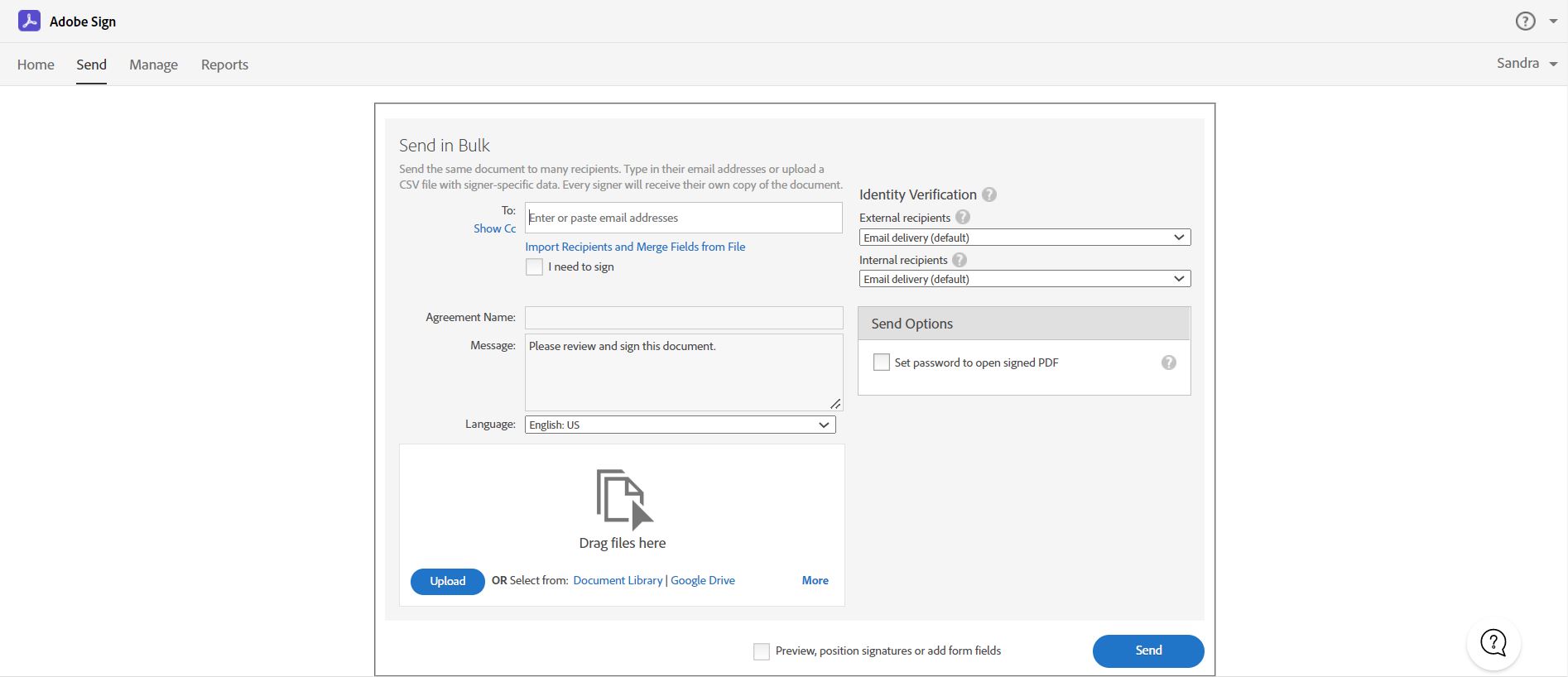
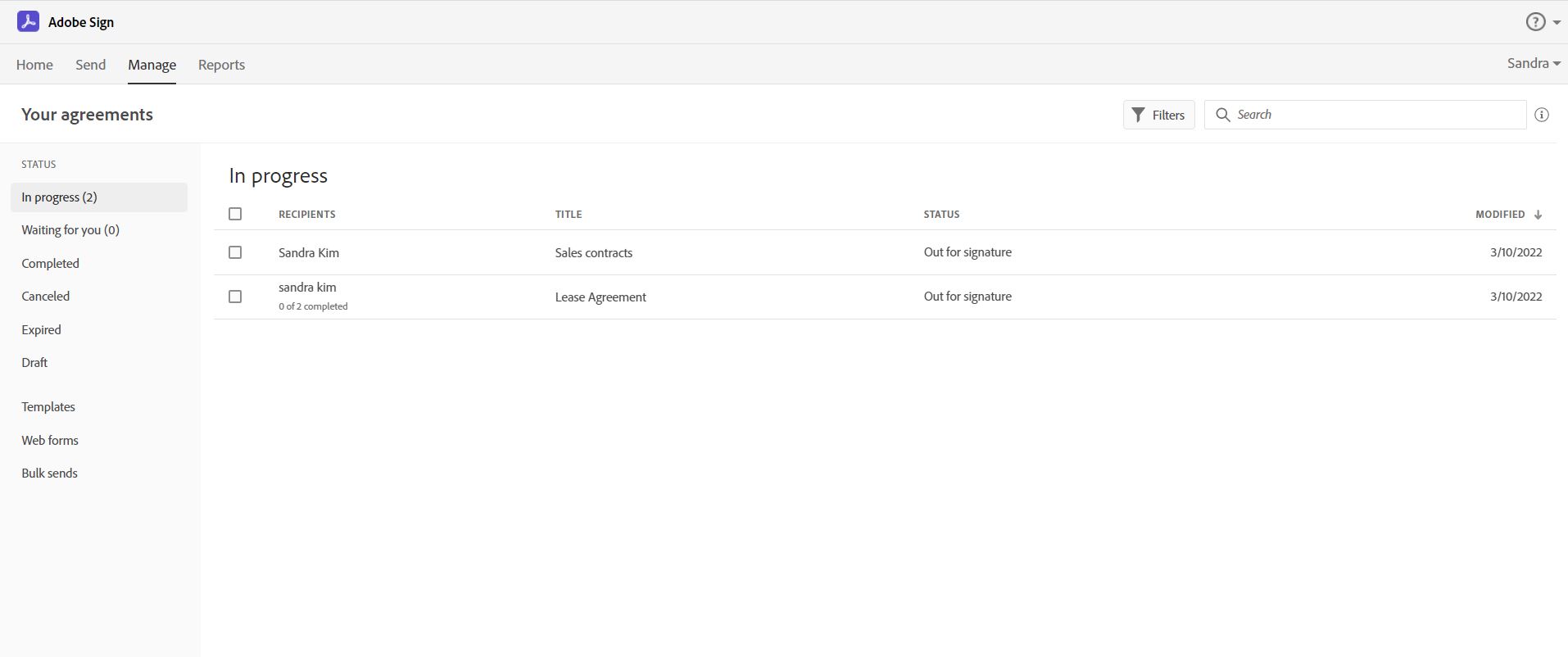

1 / 4
Screenshot of Send, sign, manage and archive documents with 100% legal e-signatures. Collecting e-signatures is as easy as swipe and tap with Adobe Sign. Sign from any device. Legally binding. Works with multiple apps. extremely cost-effective.
Technical Details
| Deployment Types | SaaS |
|---|---|
| Mobile Application | Apple iOS, Android, Mobile Web |
| Supported Countries | Andorra, Austria, Belgium, Bermuda, Bulgaria, Canada, Cayman Islands, Cyprus, Estonia, Faroe Islands, French Guyana, French Polynesia, Gibraltar, Greece, Greenland, Guadeloupe, Guam, Hungary, United States, United Kingdom, France, Germany, Spain, Portugal, Brazil, Japan, Indonesia, Malaysia, Thailand, Vietnam, Croatia, Czech Republic, Poland, Romania, Russia, Slovenia, Turkey, Ukraine, Denmark, Finland, Hungary, Iceland, Italy, Norway, Sweden, Australia, New Zealand, Singapore, India, Hong Kong, Taiwan, Philippines, Indonesia, South Korea, Ireland, Italy, Jersey, Liechtenstein, Lithuania, Luxembourg, Malta, Martinique, Mexico, Monaco, Netherlands, New Zealand, North Mariana Island, Poland, Puerto Rico, Reunion, Romania, San Marino, Slovakia, South Africa, St. Helena, Sweden, Switzerland, US Virgin Islands, Vatican City |
| Supported Languages | US English, UK English, French, German, Spanish, Catalan, Basque, Brazilian Portuguese, Portuguese, Japanese, Chinese (Simplified), Chinese (Traditional), Korean, Indonesian, Malay, Thai, Vietnamese, Croatian, Czech, Polish, Romanian, Russian, Slovenian, Slovak, Turkish, Ukrainian, Danish, Dutch, Finnish, Hungarian, Icelandic, Italian, Norwegian, Swedish |