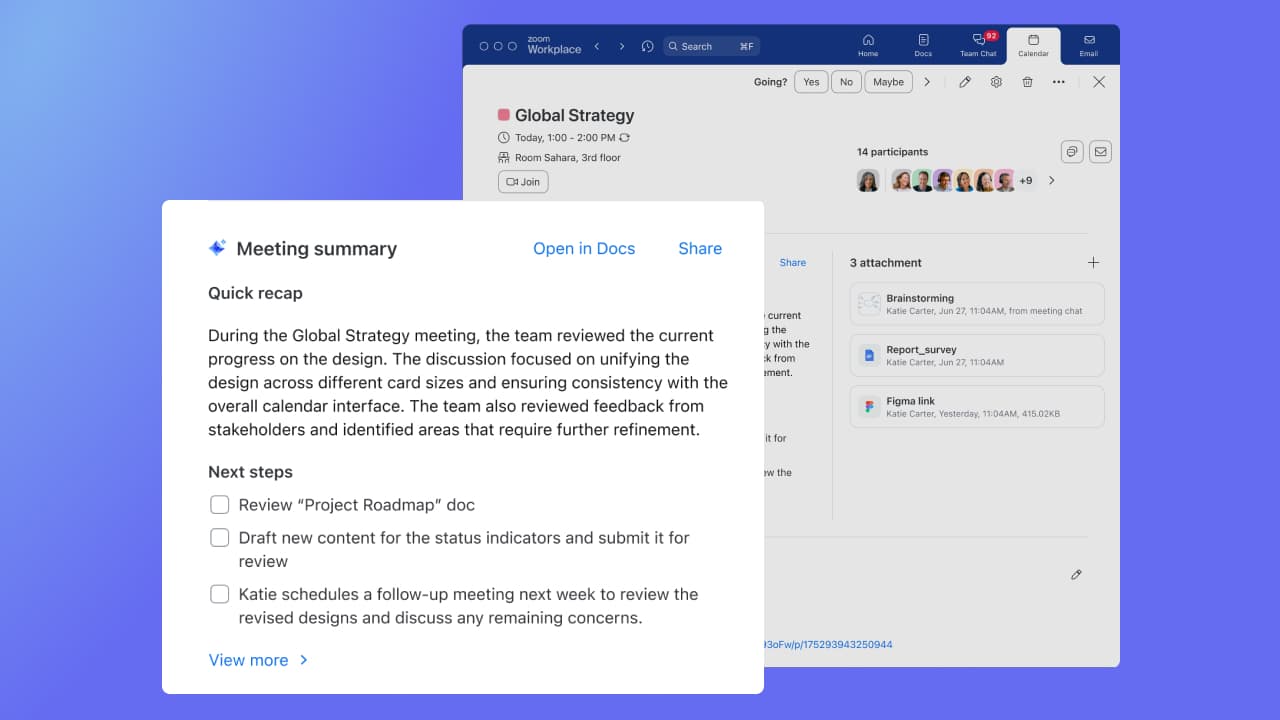
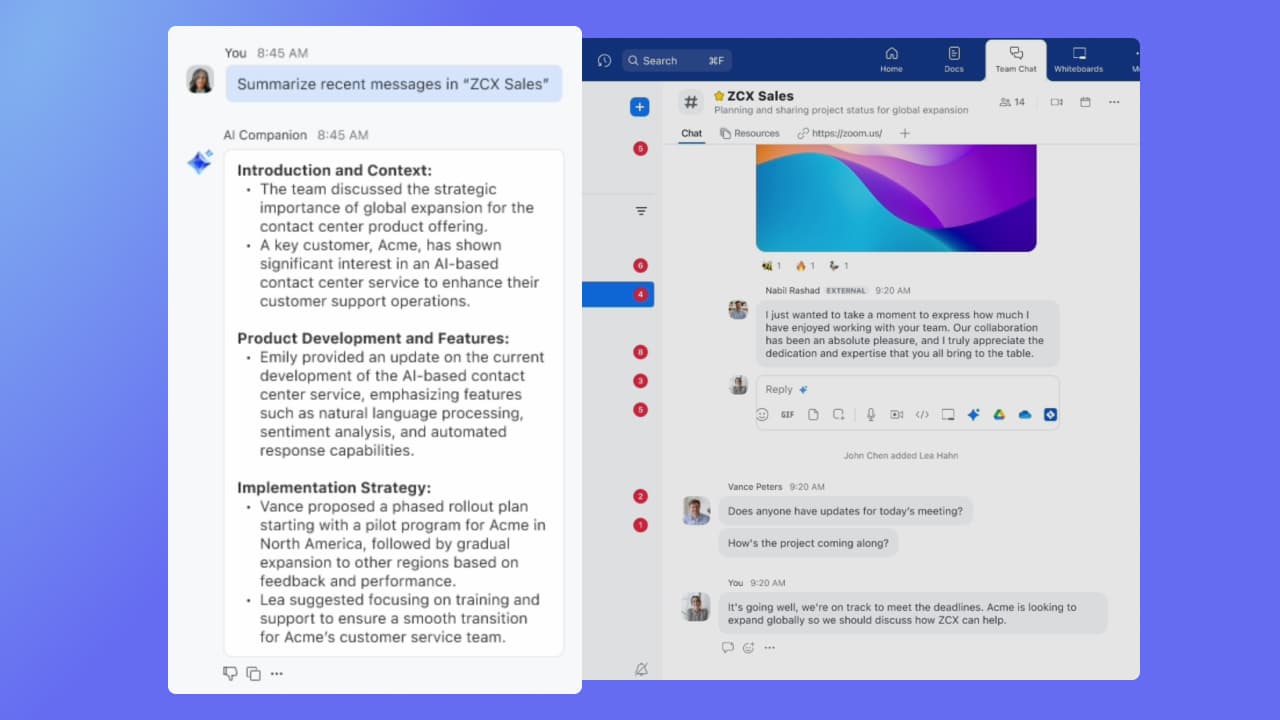
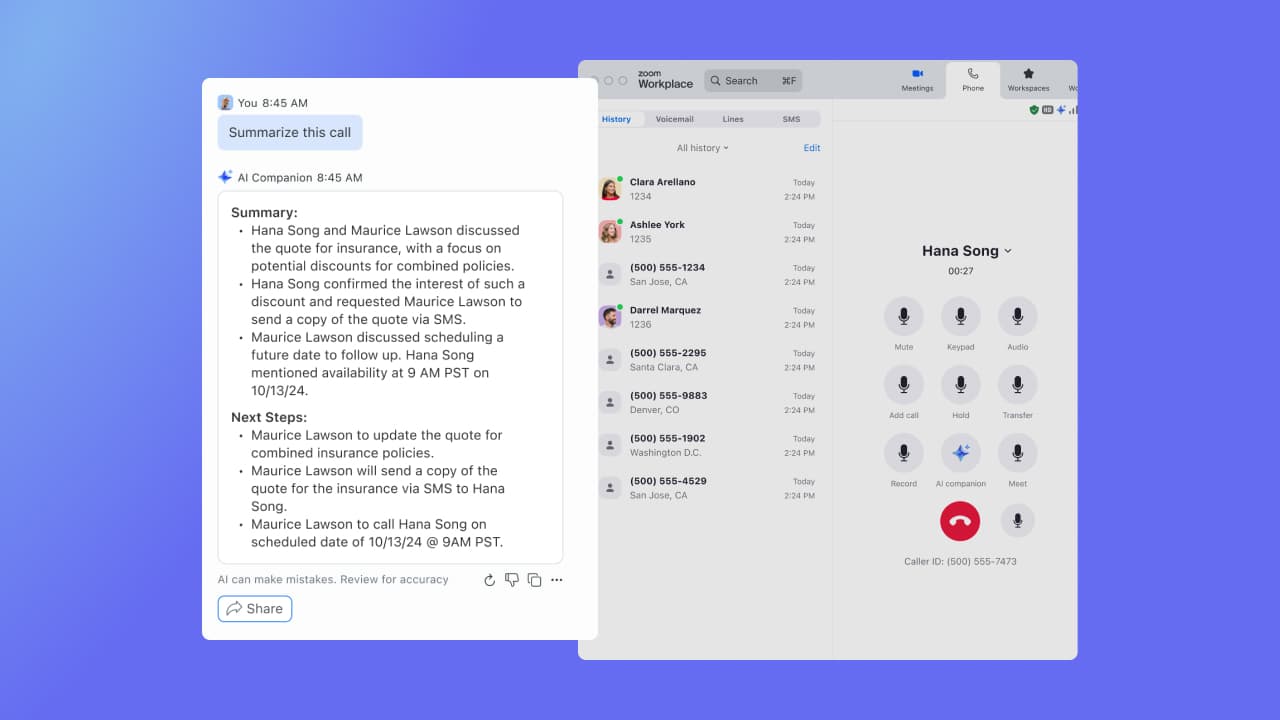
Zoom Custom AI Companion gives admins the ability to customize AI Companion outputs by accessing an organization’s internal data sources, as well as third-party applications within Zoom AI Studio for expanded knowledge, helping users drive decisions, actions, and complete tasks.
$14.99
per month (the cost of Zoom Workspace Pro)
Pricing
Zoom AI Companion
Editions & Modules
No answers on this topic
Offerings
Pricing Offerings
Zoom AI Companion
Free Trial
No
Free/Freemium Version
No
Premium Consulting/Integration Services
Yes
Entry-level Setup Fee
No setup fee
Additional Details
—
More Pricing Information
Community Pulse
Zoom AI Companion
Considered Both Products
Zoom
Verified User
Chose Zoom AI Companion
I think Zoom AI Companion works really well with ChatGPT, our teams use both and we need both - Zoom AI for the Zoom Meetings and ChatGPT for searching the web. Azure isn't as smart as Zoom AI, at least in the use cases that we used them for in construction.
A de minimis incentive was given to thank the reviewer for their time. The incentive was not used to bias or drive a particular response, nor was the incentive contingent on a positive endorsement. More Info
Verified User
Chose Zoom AI Companion
Teams seems to provide better quality overall when it comes to video or calls. Teams being a Microsoft product integrates well with Office 365 as well. We ended up switching from Zoom Workplace to Microsoft Teams due to more features and overall better experience for our …
A de minimis incentive was given to thank the reviewer for their time. The incentive was not used to bias or drive a particular response, nor was the incentive contingent on a positive endorsement. TR verified that a representative sample of customers was invited. More Info
Verified User
Chose Zoom AI Companion
In our experience, CloudCall was horrible. Zoom Workplace phone has been a life saver and better in every way.
A de minimis incentive was given to thank the reviewer for their time. The incentive was not used to bias or drive a particular response, nor was the incentive contingent on a positive endorsement. More Info
Verified User
Chose Zoom AI Companion
Compared to Microsoft Teams, Zoom AI Companion is a clear pioneer in this remote and virtual collaboration platform, leading the way. It is possible to have a remote meeting on both Microsoft Teams and Zoom AI Companion. But Zoom AI Companion provides
more productivity and time …
A de minimis incentive was given to thank the reviewer for their time. The incentive was not used to bias or drive a particular response, nor was the incentive contingent on a positive endorsement. TR verified that a representative sample of customers was invited. More Info
Network Engineer in Information Technology at Fakeeh Medical Group (Hospital & Health Care, 1001-5000 employees)
Chose Zoom AI Companion
Zoom Workplace was a great choice to host grand meeting; we were having quarterly grand meeting more than 500 staff in the meeting with the owner of the company. Zoom was able to host these grand meeting perfectly with high quality and stable call all while sharing screen and …
A de minimis incentive was given to thank the reviewer for their time. The incentive was not used to bias or drive a particular response, nor was the incentive contingent on a positive endorsement. TR verified that a representative sample of customers was invited. More Info
Director of Bioinformatics and Statisics Core in Research & Development at Clemson University (Research, 1001-5000 employees)
Chose Zoom AI Companion
Zoom has better compatibility compared to Teams at our institution. It also supports a wider array of codecs. We like using Zoom despite the fact that both Teams and Zoom are supported at an enterprise level at our academic institution. Zoom also seems to have better video and …
A de minimis incentive was given to thank the reviewer for their time. The incentive was not used to bias or drive a particular response, nor was the incentive contingent on a positive endorsement. TR verified that a representative sample of customers was invited. More Info
Verified User
Chose Zoom AI Companion
As a videoconferencing tool, Zoom stacks up similarly. There are AI Companion tools we haven't seen with Teams yet, but they may be there now or coming soon with Co-Pilot in play on the Microsoft side. I do like having Teams and Sharepoint connections with being able to share …
A de minimis incentive was given to thank the reviewer for their time. The incentive was not used to bias or drive a particular response, nor was the incentive contingent on a positive endorsement. TR verified that a representative sample of customers was invited. More Info
Verified User
Chose Zoom AI Companion
Better screen sharing functionality. Better sound quality and better video quality. Less lagging on Zoom Workplace as well
A de minimis incentive was given to thank the reviewer for their time. The incentive was not used to bias or drive a particular response, nor was the incentive contingent on a positive endorsement. More Info
A de minimis incentive was given to thank the reviewer for their time. The incentive was not used to bias or drive a particular response, nor was the incentive contingent on a positive endorsement. More Info
Verified User
Chose Zoom AI Companion
I think the user experience on Zoom Workplace is better than Microsoft Teams
A de minimis incentive was given to thank the reviewer for their time. The incentive was not used to bias or drive a particular response, nor was the incentive contingent on a positive endorsement. TR verified that a representative sample of customers was invited. More Info
Verified User
Chose Zoom AI Companion
We continue to use Slack over Zoom chat. Zoom chat is used for meetings only.
A de minimis incentive was given to thank the reviewer for their time. The incentive was not used to bias or drive a particular response, nor was the incentive contingent on a positive endorsement. More Info
Verified User
Chose Zoom AI Companion
My current workplace uses Google Chat, which is sometimes blocked by certain institutions for whatever reason. Zoom Workplace is available and a great solution.
Both Google and Teams have issues with video playback on my current Surface Laptop. Zoom has no issues and the video …
A de minimis incentive was given to thank the reviewer for their time. The incentive was not used to bias or drive a particular response, nor was the incentive contingent on a positive endorsement. More Info
Verified User
Chose Zoom AI Companion
We chose Zoom Workplace over Slack due to its integrated video conferencing, enhanced collaboration tools, and robust meeting capabilities. Zoom Workplace excels in video-centric communication, virtual events, and room scheduling. Slack is ideal for real-time messaging and file …
A de minimis incentive was given to thank the reviewer for their time. The incentive was not used to bias or drive a particular response, nor was the incentive contingent on a positive endorsement. More Info
Managing Director in Corporate at Mediacurrent (Information Technology & Services, 11-50 employees)
Chose Zoom AI Companion
You couldn't pay me enough money to use Microsoft Teams on a regular basis. In my opinion, Zoom Workplace is in a class of its own as compared to Teams. I think the Teams experience is clunky, cumbersome and includes too many features. I was glad to see the one feature that I …
A de minimis incentive was given to thank the reviewer for their time. The incentive was not used to bias or drive a particular response, nor was the incentive contingent on a positive endorsement. More Info
Verified User
Chose Zoom AI Companion
Teams has never worked for our organization, it constantly crashes the computers, freezes up, and is not as easy to navigate for us.
A de minimis incentive was given to thank the reviewer for their time. The incentive was not used to bias or drive a particular response, nor was the incentive contingent on a positive endorsement. More Info
Verified User
Chose Zoom AI Companion
I think Zoom Workplace Clips is much better than the free versions of Loom and Screencastify.
I like the UI for Teams better, but I have not been able to use the other features in teams to accurately compare.
A de minimis incentive was given to thank the reviewer for their time. The incentive was not used to bias or drive a particular response, nor was the incentive contingent on a positive endorsement. More Info
A de minimis incentive was given to thank the reviewer for their time. The incentive was not used to bias or drive a particular response, nor was the incentive contingent on a positive endorsement. More Info
Verified User
Chose Zoom AI Companion
Zoom Workplace has the most reliable video and audio connectivity, especially for large audiences. No dropped calls or meetings, hi def video streaming, intuitive controls for showing or hiding video, mute/unmute, gestures, a marketplace of apps that are seamlessly integrated. …
A de minimis incentive was given to thank the reviewer for their time. The incentive was not used to bias or drive a particular response, nor was the incentive contingent on a positive endorsement. More Info
Verified User
Chose Zoom AI Companion
Zoom Workplace has better-quality video and the AI feature is defiantly a plus
A de minimis incentive was given to thank the reviewer for their time. The incentive was not used to bias or drive a particular response, nor was the incentive contingent on a positive endorsement. More Info
If you have a colleague who is based in a remote location or is part of a remote team, Zoom is a vital collaboration tool for your day-to-day work. Zoom AI Companion is easier and more effective for working with a colleague at a remote location rather than making a call. You can share your non-verbal reactions through video, which brings a close experience to face-to-face interactions.
A de minimis incentive was given to thank the reviewer for their time. The incentive was not used to bias or drive a particular response, nor was the incentive contingent on a positive endorsement. TR verified that a representative sample of customers was invited. More Info
Large meeting rooms that our marcomms team is able to navigate and problem solve with quickly and easily.
Ability to schedule meetings with internal and external team members for workshops. Provides us with several tools to communicate and share ideas without having to even turn your mic on.
AI companion to remember points that were made and provide a summary to those who were unable to attend after the meeting.
A de minimis incentive was given to thank the reviewer for their time. The incentive was not used to bias or drive a particular response, nor was the incentive contingent on a positive endorsement. More Info
Although the whiteboard is nice, it's not as advanced as I'd like to be. For example, navigating it can sometimes be tricky, and it doesn't have nearly as many features as a tool like Miro.
The Zoom integration for Outlook has issues, it doesn't always sync
The React feature on Zoom calls doesn't always work and sometimes isn't visible
A de minimis incentive was given to thank the reviewer for their time. The incentive was not used to bias or drive a particular response, nor was the incentive contingent on a positive endorsement. TR verified that a representative sample of customers was invited. More Info
It's really easy to use - the AI icon is everywhere all over the place in the Zoom client so it's easy to be able to leverage AI whenever you need it, and similarly in the meeting it's easy to find and to use. I don't have complaints here that I can think of
Zoom has better compatibility compared to Teams at our institution. It also supports a wider array of codecs. We like using Zoom despite the fact that both Teams and Zoom are supported at an enterprise level at our academic institution. Zoom also seems to have better video and audio quality and lower drop rates.
A de minimis incentive was given to thank the reviewer for their time. The incentive was not used to bias or drive a particular response, nor was the incentive contingent on a positive endorsement. TR verified that a representative sample of customers was invited. More Info
A de minimis incentive was given to thank the reviewer for their time. The incentive was not used to bias or drive a particular response, nor was the incentive contingent on a positive endorsement. More Info