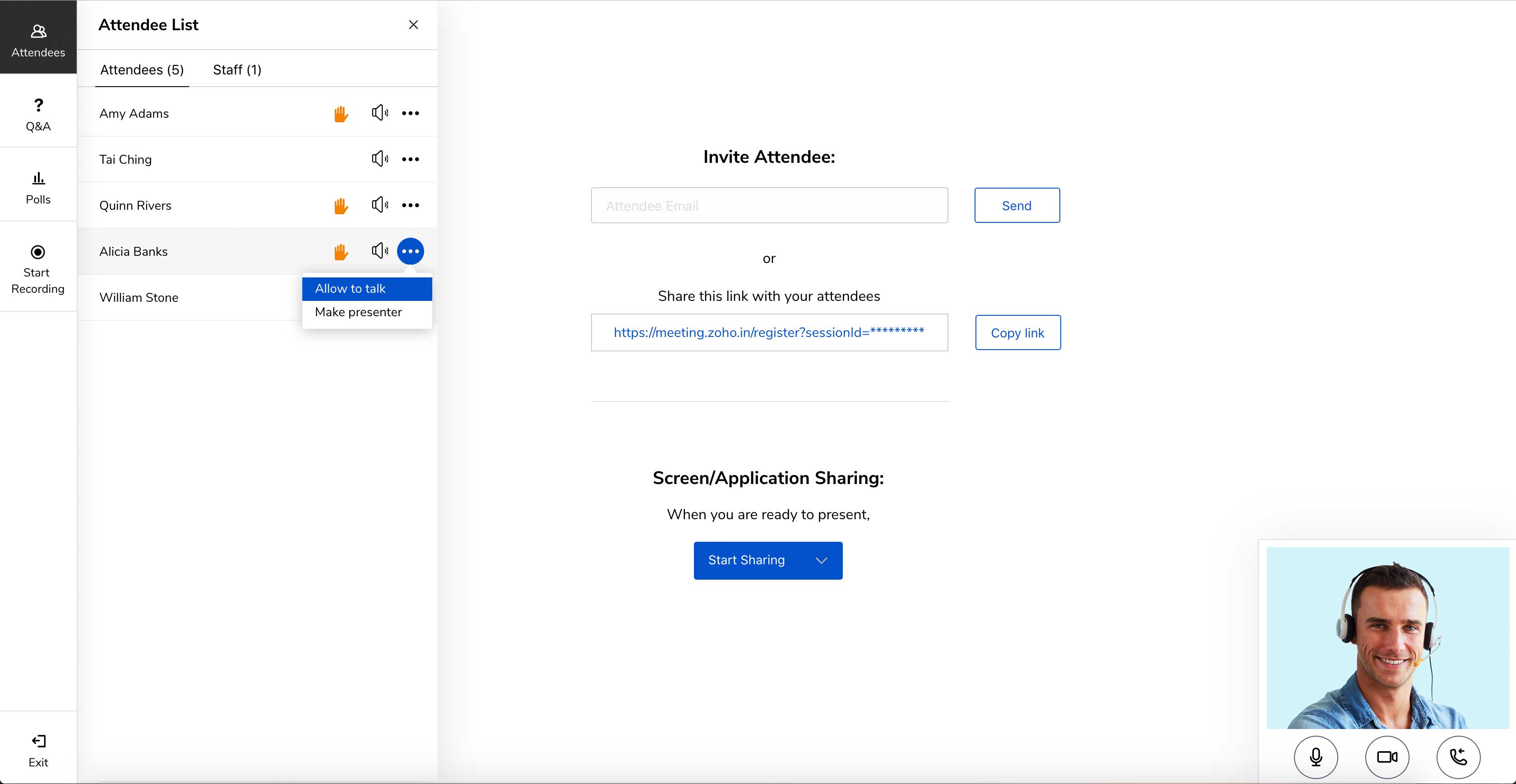
Zoho Meeting is a web-based online meeting solution.
$3
per month
Zoom Rooms
Score 8.7 out of 10
N/A
Zoom's conference rooms that make it easy to run or join video meetings with a tap of a button. Zoom Rooms bring HD video collaboration into any space – in the office, in the classroom, or at home – and enables in-person and remote participants to interact in real time. The solution also makes it simple to start a meeting, book a room, and share content.
N/A
Pricing
Zoho Meeting
Zoom Rooms
Editions & Modules
MEETING - 10
$3
per month
MEETING - 50
$9
per month
MEETING-100
$12
per month
MEETING - 250
$18
per month
Webinar -25
$19
per month
Webinar - 50
$29
per month
Webinar - 100
$39
per month
Webinar - 250
$79
per month
Webinar - 500
$125
per month
Webinar - 1000
$200
per month
No answers on this topic
Offerings
Pricing Offerings
Zoho Meeting
Zoom Rooms
Free Trial
Yes
No
Free/Freemium Version
Yes
No
Premium Consulting/Integration Services
No
No
Entry-level Setup Fee
No setup fee
No setup fee
Additional Details
You can also get the toll-free add-on at $20/month and additional storage space for 200 sessions recording at $20/month for your organization.
—
More Pricing Information
Community Pulse
Zoho Meeting
Zoom Rooms
Features
Zoho Meeting
Zoom Rooms
Performance & Compatibility of Online Events Software
Comparison of Performance & Compatibility of Online Events Software features of Product A and Product B
Zoho Meeting
8.5
Ratings
7% above category average
Zoom Rooms
8.5
Ratings
7% above category average
High quality audio
8.80 Ratings
8.70 Ratings
Low bandwidth requirements
8.00 Ratings
8.00 Ratings
Mobile support
8.80 Ratings
00 Ratings
High quality video
00 Ratings
8.70 Ratings
Screen Sharing
Comparison of Screen Sharing features of Product A and Product B
Zoho Meeting
8.9
Ratings
12% above category average
Zoom Rooms
7.5
Ratings
6% below category average
Desktop sharing
8.90 Ratings
7.50 Ratings
Online Meetings / Events
Comparison of Online Meetings / Events features of Product A and Product B
Zoho Meeting
8.9
Ratings
7% above category average
Zoom Rooms
8.7
Ratings
5% above category average
Calendar integration
9.00 Ratings
8.00 Ratings
Meeting initiation
8.70 Ratings
8.40 Ratings
Record meetings / events
9.00 Ratings
8.60 Ratings
Slideshows
00 Ratings
10.00 Ratings
Online Events Collaboration
Comparison of Online Events Collaboration features of Product A and Product B
Zoho Meeting
8.5
Ratings
4% above category average
Zoom Rooms
8.2
Ratings
0% above category average
Live chat
8.50 Ratings
8.20 Ratings
Audience polling
8.50 Ratings
00 Ratings
Q&A
8.50 Ratings
00 Ratings
Online Events Security
Comparison of Online Events Security features of Product A and Product B
I would definitely like to say that for a team lead who sends pie charts, surveys and questions to the teams, this software would be his best choice as the analytics of this all data by Zoho Meeting is one of the best in the market. The only downside of Zoho Meeting is its webinar pricing which could be a bit tough to pay for NGO's or less earning companies.
User friendly, reliable and inclusive to remote audiences. The product grows organically for us which speaks for itself ; the business at sites we could not equip with our initial investments requests it. We have made the choice of Zoom rooms 5 years ago and it is still one our our star products supporting frictionless collaboration.
Support is prompt, but not always the most immediately knowledgable or helpful.
Admin portal is convoluted. There's gotta be a better way to assign scheduling permisissions.
Zoom account managers are constantly being reassigned. It is nearly impossible to keep track of who presently is our account manager. When we were going through the process of looking into Zoom Phone, our manager was literally switched twice, resulting in us working with three total managers during that two-month process.
Zoho Meeting is very easy to use and very effective collaborating tool. If I say about the usability, this application is highly usable because oaf it's cost effective nature, user friendly interface, empathetic customer services and amazing application features. Most importantly, it ensures data security for the company. Overall, the usability of the application is trustworthy.
User friendliness (experience very similar to the already familiar Zoom app), consistency of the UX across locations and manufacturers. Screen sharing is made super easy (proximity). Zoom rooms support strategic needs for Hybrid work and reduced travels. Backend admin interface is simple (that's good) and provides useful dashboards for trend analysis.
Zoho Meeting is fantastic in terms of proper after sale service as well as delivering the expectations of the clients. We, as a business, successfully achieved the engaging organisation status through this platform. Our employees are also happy with the supports from Zoho. We appreciate the efforts of Zoho and recommend to others.
Zoom focuses on video webinars, meetings, chat options, integration, and high-definition video conferencing, whereas Microsoft Teams focuses on Microsoft integrations that include real-time video chat. Both Google Meet and Zoho Meeting offer various features, including HD video conferencing, scheduling, recording, app sharing, and HD videoconferencing in private meeting rooms. In addition to the unique characteristics of Zoho's UI, embedding meeting links, and so forth, these are excellent features that help the end-user tremendously.
I personally think Zoom Rooms is superior to Teams. I have setup 3 or 4 Zooms Rooms for my organisation and it is pretty straightforward to do without any formal training or education on Zoom Rooms. My experience with Teams was the opposite. A horrible interface and options deliberately hidden away in menus levels deep. On top of which, Zoom Room outperforms Teams Rooms in both video and audio. On the desktop, Teams is a bloated app whereas, in my experience, Zoom Rooms works well.