Microsoft Power Automate vs. Zenphi

Overview
ProductRatingMost Used ByProduct SummaryStarting Price
Microsoft Power Automate
Score 8.2 out of 10
N/A
Microsoft Power Automate is an advanced automation platform offering a range of features, including AI-powered automation, robotic process automation (RPA), business process automation (BPA), digital process automation (DPA), and process/task mining. The platform aims to empower organizations to securely automate their operations at scale by leveraging low-code and AI technologies.
$15
per month per user
Zenphi
Score 0.0 out of 10
Mid-Size Companies (51-1,000 employees)
Zenphi is an AI-powered no-code process automation platform designed for teams looking to build workflows while fully leveraging their existing Google Workspace environment. With in-built AI models for document generation, text recognition, sentiment analysis, and other capabilities, Zenphi enables users to automate a business processes from employee onboarding and offboarding to invoice processing, Google Workspace administration, and approval workflowswithin familiar tools…
$500
per month (billed annually)
Pricing
Microsoft Power AutomateZenphi
Editions & Modules
Power Automate Premium
$15
per month per user
Power Automate Process
$150
per month per bot
Hosted RPA add-on
$215
per month per bot
Process Mining add-on
$5,000
per month per tenant
Pro
$500
per month (billed annually)
Ultimate
$2,084
per month (billed annually)
Enterprise
POA
Offerings
Pricing Offerings
Microsoft Power AutomateZenphi
Free Trial
YesYes
Free/Freemium Version
YesNo
Premium Consulting/Integration Services
NoNo
Entry-level Setup FeeNo setup feeOptional
Additional DetailsDiscounts available for educational institutes and not-for-profit organizations.
More Pricing Information
Community Pulse
Microsoft Power AutomateZenphi
User Ratings
Microsoft Power AutomateZenphi
Likelihood to Recommend
7.8
(0 ratings)
-
(0 ratings)
Likelihood to Renew
9.3
(0 ratings)
-
(0 ratings)
Usability
9.0
(0 ratings)
-
(0 ratings)
Support Rating
7.9
(0 ratings)
-
(0 ratings)
In-Person Training
9.0
(0 ratings)
-
(0 ratings)
Online Training
8.9
(0 ratings)
-
(0 ratings)
Implementation Rating
7.6
(0 ratings)
-
(0 ratings)
Configurability
9.0
(0 ratings)
-
(0 ratings)
Ease of integration
8.5
(0 ratings)
-
(0 ratings)
Vendor post-sale
9.0
(0 ratings)
-
(0 ratings)
Vendor pre-sale
10.0
(0 ratings)
-
(0 ratings)
User Testimonials
Microsoft Power AutomateZenphi
Likelihood to Recommend
We replaced all the classic SharePoint and Nintex-based workflows with Power Automate. This saved extra licensing costs and getaways from managing legacy workflows. Power Automate Designer is very user-friendly and requires no additional learning curve. We also use it to replace RPA solutions created with other platforms using the Power Automate Desktop application.
Read full review
No answers on this topic
Pros
  • Sending confirmation email to clients and user once the flow is triggered.
  • Fetching or Dumping files from one location to another if the flow is triggered.
  • Schedule flow helps to send alerts and triggers the flow at a specific interval of time to carry out the required task.
  • Power Automate also be used to convert any file format to a specific file format and save it to the required location
Read full review
No answers on this topic
Cons
  • No activity disable feature in the workflow, this would have saved lot of time
  • Allow turn off feature to not trigger any pending runs in the queue or add new feature to just run pending runs when the workflow is turned off
  • Allow easy copy and paste activities from UI
Read full review
No answers on this topic
Likelihood to Renew
Power Automate is a great product that has a vast array of options on how to use it. Your imagination is the only hurdle with using Power Automate as there is no limit to what can be done with the system. It has brought a lot of value to our business through the use of custom systems, connectors, and streamlining processes.
Read full review
No answers on this topic
Usability
For most tasks WinAutomation is great and easy to use. You just set up tasks on a step by step basis and you can even tell the program what to do when there is an error (such as continue with job). Sometimes with complicated web extraction jobs it would be good to be able to easily extract data from the web page source.
Read full review
No answers on this topic
Support Rating
both Community support and Microsoft official support typically respond to (and resolve) reported issues in a VERY expedient manner, usually going above and beyond for education and bugfixing. I have been thoroughly impressed with the level of support I had been provided in the past.
Read full review
No answers on this topic
In-Person Training
after reviewing the main features of Power Automate, the Microsoft trainer focused on some of our real life use cases implementation, from simple to more advanced.
Read full review
No answers on this topic
Online Training
although it was productive, it is more difficult to stay focused and in a 7 hours a day online training (including screen share issues and the fact that the trainer just can't precisely show the exact location of your mistake)
Read full review
No answers on this topic
Implementation Rating
I had to migrate from Robocorp to Power Automate. The automation was using API and sharepoint. So it was better to use Power Automate instead of Robocorp so we did the migration. in some areas the migration was easy but creating flows and making it smaller codes was difficult. Debugging the code was tough so we took lots of time.
Read full review
No answers on this topic
Alternatives Considered
Power Automate can do many things that most platforms can't do as a 'citizen-developer' with no access to coding tools and deployment. It allows you to develop and deploy low/no-cost automation flows quickly. The blocks in Powert Automate do the API work for you, where you only need to connect the key data points and actions taken.
Read full review
No answers on this topic
Return on Investment
  • Automating emails for finance and payroll has not only saved hours of work for those departments but lowers the risk of human error.
  • Creating workflows and approvals for our goals and bonus system has saved everyone in the organization hours of manual work and MATH!
Read full review
No answers on this topic
ScreenShots

Microsoft Power Automate Screenshots

Screenshot of Microsoft Power Automate (Interface Screenshot) - Work Queues, Initial pageScreenshot of Microsoft Power Automate (Interface Screenshot) - Signed-in web portal home pageScreenshot of Microsoft Power Automate (Interface Screenshot) - Signed-in web portal create pageScreenshot of Microsoft Power Automate (Interface Screenshot) - Desktop designerScreenshot of Microsoft Power Automate (Interface Screenshot) - Hosted RPAScreenshot of Microsoft Power Automate (Interface Screenshot) - Display of DLP violations (on Run)

Zenphi Screenshots

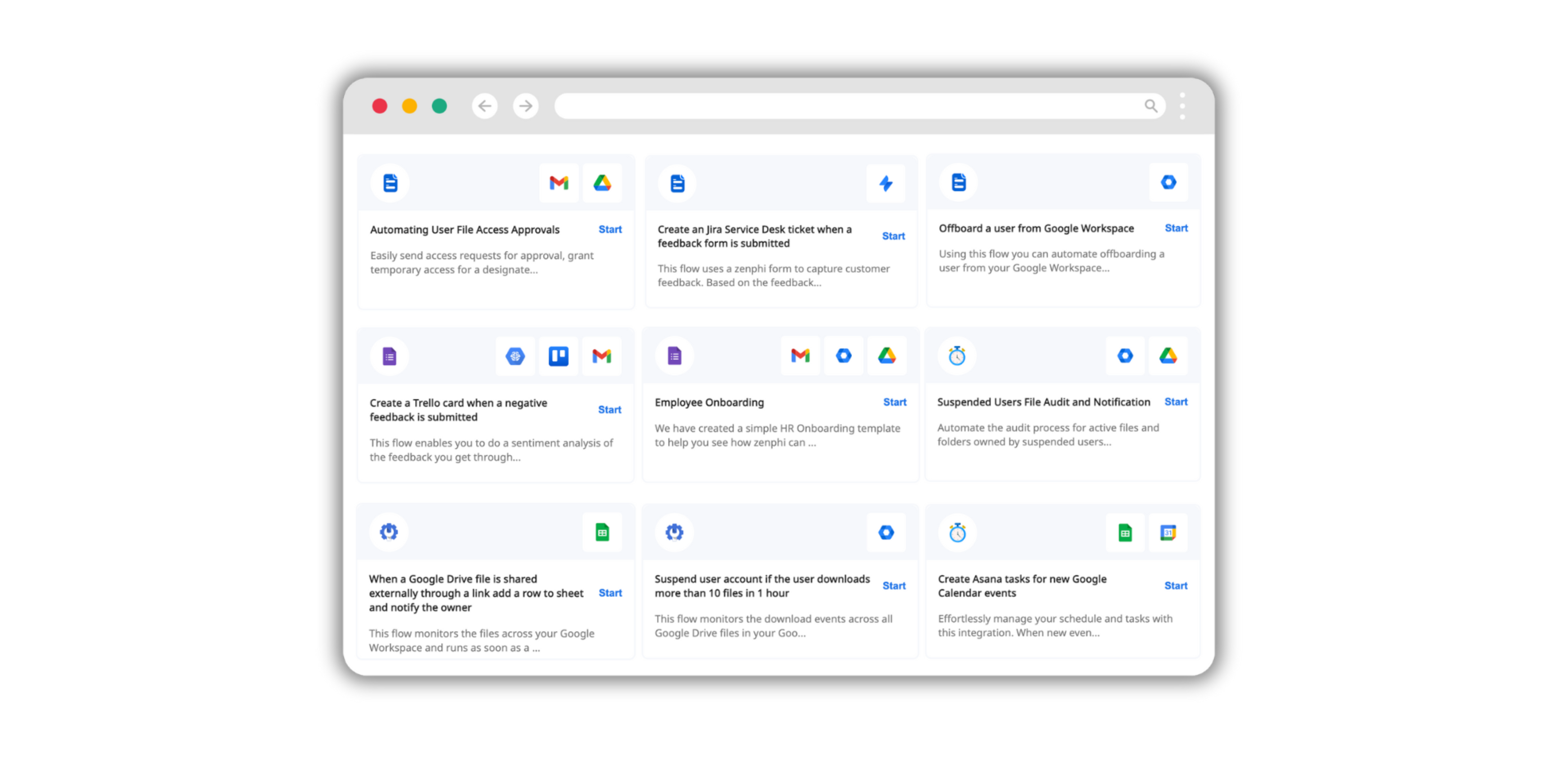
Screenshot of an example workflow. These can be created for any business process with Zenphi's workflow design features.Screenshot of Zenphi's AI models for OCR, image and text processing and generation, automated translation, and data extraction. These become available within the organization's workflows.Screenshot of ready-to-use workflow templates.Screenshot of Zenphi's integrations, available with existing business tools.Screenshot of triggers that start automated workflows.