GoToWebinar is GoTo’s webinar and online conferencing solution, and offers features like audience polling and Q&A, flexible scheduling experiences, and webinar templates. It offers CRM integrations and reporting & analytics tools to help engage clients’ audiences.
$49
per month per organizer
Webex Webinars
Score 9.1 out of 10
N/A
Webex Webinars is a scalable webinar platform that helps users to create engaging and impactful experiences for everyone, from small sessions to massive global audiences.
N/A
Pricing
GoTo Webinar
Webex Webinars
Editions & Modules
Lite
$49/month
per month per organizer
Standard
$99/month
per month per organizer
Pro
$199/month
per month per organizer
Enterprise
$399/month
per month per organizer
Webex Events
Contact Sales
Offerings
Pricing Offerings
GoTo Webinar
Webex Webinars
Free Trial
Yes
No
Free/Freemium Version
Yes
No
Premium Consulting/Integration Services
Yes
No
Entry-level Setup Fee
No setup fee
No setup fee
Additional Details
—
—
More Pricing Information
Community Pulse
GoTo Webinar
Webex Webinars
Considered Both Products
GoTo Webinar
Verified User
Account Manager
Chose GoTo Webinar
GoTo Webinar seemed to have a lot fewer glitches and was easier for users to figure out than when we used Webex Webinars.
Zoom and GoTo Webinar are probably my 2 most commonly used hosting softwares. They are both quite intuitive and contain similar features and both have become quite user-friendly.
GoTo provides features that others vendors don't have, analytics dashboard is exclusive for webinars sessions and it provides value to the complete solution, styling invite emails is another feature that will not find on other solutions. The advantage of other vendors is the …
It has higher functionality and better overall features. We used WebEx because it was preferred by a partner, but we have since shifted focus and priority to GoTo Webinar.
Zoom is great for Meetings (as is Google Hangouts) - The other platforms were either too costly or we couldn't get the data we needed. GoTo can do everything above in a similar fashion. Other webinar platforms we've reviewed/used not listed above: Omnovia, Big Market
ReadyTalk was good but unfortunately is discontinued. Webex Events had awful sound quality and we never wanted to use it as it wouldn't provide our attendees with a proper experience. GoTo Webinar alleviates those issues and allows us to focus on driving the registration and …
We are actually in a situation where we chose Cisco WebEx over GoToWebinar. GoToWebinar was our standard for years and it was falling short time and time again. There were also issues our InfoSec were concerned about and were unable to overcome with GoToWebinar that WebEx …
Zoom Video Webinar is probably the only one that comes close. And it is probably a toss-up between the two. Long term I see Zoom winning because their tech is newer. Blue Jeans, Slack, and Skype don't have the sophistication needed to run a webinar. WebEx is the worst. …
WebEx is a solid webinar performer, but I've found it to not have all of the features I need and is not as Mac friendly as GoToWebinar, which is extremely important for me. I have used both and just preferred the interface of GoToWebinar over WebEx. While they are comparable, I …
As I've mentioned, the GoToWebinar integration with Act-On is much better, and that saves us time and effort. In addition, WebEx has a proprietary encoder that makes it difficult to download, edit and transcribe sessions especially when you use a Mac OS.
One of the main reason we chose Webex Webinar was because trainers like the in-webinar/training emoticons that stick next to a user's name on the participant panel. Other products just have the emoji's that pop up, but you can't easily tell who posted them. Those are important …
I enjoy the fact that it is very simple and easy to use when joining a meeting. You can see all sides and chat boxes with everyone who may share comments. I liked that you could easily create web conferences that are user-friendly. The options are available to schedule an event …
Cisco is one of the true leaders. However several of the others have freemium products, which can distract.
In terms of using the platform, new setup is easy, but again that's multiple products versus one application. This is similar to Goto products and Zoom. If Cisco can …
Pricing is the main thing. The support we get from Cisco also matters for us. We need to resolve any problems immediately which Cisco teams do on time, and the customer service department is also really cool.
It is great for big events like training or product demos. It's good for marketing webinars with features like polls and Q&A. It's not ideal for small, casual meetings. It can be too expensive for some businesses. For smaller events, other tools might be better.
I'd say mainly well suited for larger audiences. I think there's probably some products that are a little more economical for smaller audiences, but if you need a solid, reliable platform for larger audiences, say more than a hundred people. So this is the best product for that or at least top two.
Cisco Webex Events is very straightforward and easy to use. Setting up an event within the platform is quite simple - anyone can do it.
Webex Events is a great add-on feature to the Webex conferencing platform to allow a one-way broadcast of information, rather than worrying about attendees being able to interrupt the presentation.
Recording a session is fairly simple and accessing the recordings post-event is quite reliable. I believe you can also upload .mp4 files into the Webex Events platform to serve as a host.
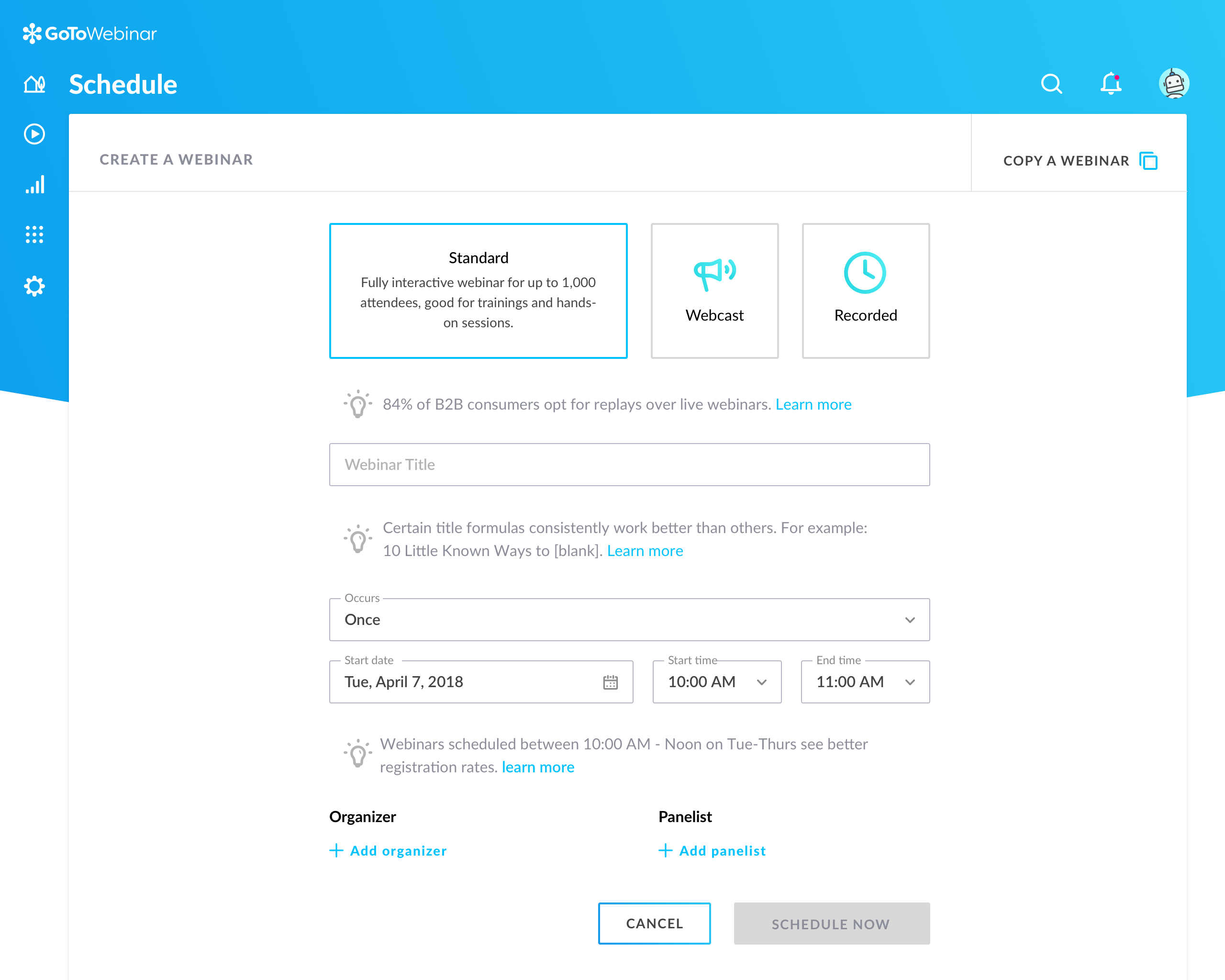
Can't schedule recurring webinars twice per week or every other week--must manually add or delete instances.
Can't schedule recurring webinars more than 'x' number of instances (less than a year's worth).
If you want a recurring webinar to continue past the last instance (in order to keep the same link), your only option is to manually add future instances before the last one occurs. If the last instance occurs, the webinar (and corresponding link) are archived with no recourse and you must recreate it from scratch and update every bit of external collateral with a new link. So I have to have reminders on my calendar every 6 months to go in and add additional dates for all my recurring webinars in order to keep my links active.
Canceling/changing seats is a huge pain.
The default 'join' screen is app-based rather than web based, so registrants often have to download GTW. I have a lot of clients whose computers are locked down from unapproved apps and have missed the webinar because the ability to join on the web is very unintuitive.
Our largest issue with GoTo have been the limitations on recording and using recordings to host a webinar, and the biggest of those is the ability to record. We have had most of our webinars recorded successfully, but when it failed to save, it failed in a big way. Their customer service team was there to help, but they were unable to truly fix the problem. There are, of course, other providers, but as we are still seeing where hosted webinars fit in our marketing strategy, cost is an important factor. Since our company already uses GoToMeeting, it makes more sense for us to stay with the entire suite of products, especially while we are testing the strategy as a whole.
Webex Webinars continues to provide exceptional value as a community engagement and professional education platform. As long as there are a multitude of event offerings and the product continues to be supported with periodic software and security updates, I can anticipate using Webex Webinars for the foreseeable future. Overall a great product!
This is very easy to set up, configure, onboard, and use. The features can be explored without much ado. In-webinar and post-webinar features are also used seamlessly. Any new person can self-train in minutes and be hands-on. I love the overall usability of this tool.
My experience with this software is fantastic; it's so satisfying that it only took me a week to go through an internal training program to use this software, actually, I don't think this training program was necessary. Usability is one of the most fantastic features to guarantee the increase of members in remote events.
I rated GoTo Webinar a 9 out of 10 for availability because it generally performs reliably, with minimal application errors or unplanned outages. The platform’s high uptime ensures that it’s usually accessible when needed, supporting a seamless experience for scheduling and conducting webinars. While occasional minor issues may arise, they are infrequent and typically well-managed, contributing to a strong overall rating for availability.
Webex Webinars are available 24/7 and is based on your license purchase and usage. Webex Webinars needs maximum bandwidth consumption for sending and receiving videos and listed below are some examples. High-Definition Video: 2.5 Mbps (Receive) and 3.0 Mbps (Send)· High Quality Video: 1.0 Mbps (Receive) and 1.5 Mbps (Send)· Standard Quality Video: 0.5 Mbps (Receive) and 0.5 Mbps (Send) Webex Webinars makes it easy to analyze attendance statistics, send participants to a post-webinar landing page, and integrate data into CRMs and marketing automation.
I rated GoTo Webinar an 8 out of 10 for performance due to its generally robust capabilities. Pages load quickly, and reports are generated efficiently, even for complex data sets. The platform’s integration with other systems typically doesn’t introduce significant latency or performance issues. However, during peak usage times or when handling very large data volumes, there can be occasional slowdowns. Despite these instances, GoTo Webinar consistently provides strong performance and reliability in its core functions.
You can turn around WebEx Attendance reports within 24 hours. Sign in to Webex Site Administration and go to Reports - Access Anywhere. Select the beginning and ending dates for the report. Report data is available only for sessions conducted up to three months before the current date depending on your administration set-up. From the Sort results by drop-down list, select the sort order criteria for the report. After hosting a WebEx Webinar, you have the ability to create a report of all of the participants and the times that they entered and left the meeting. Reports cannot track emoji's or reactions. Best practice for Q&A and tracking you can integrate SLIDO. You cannot save individual polling results. Also the polling report does not include who asked and answered the questions. This limitation does not apply to SLIDO. Closed captions and transcriptions are only saved if the Webinar is recorded. If you face problems during a webinar, you can hit then button which creates and send a report to Cisco who will then look into the problems to avoid future occurrences
I was always able to get someone on the phone when I needed to. They were very thorough and ensuring my questions were answered. And if I was asking for a solution or request that they didn't offer, they told me so I could at least stop trying to search for it.
I love the control that this product gives to those running the meetings. It allows you to assign presenter roles to people and everyone else that is an attendee can be totally controlled, like whether they can unmute, use video or just sit there and watch. It really gives control of the meeting to those who are running it. And we love that ability for those meetings that we are trying to make sure people are listening in on instead of trying to participate.
I didn't participate in the implementation nor did my company. As far as I know we have an IT office running alla these projects and we just use the final products for our educational purposes. I also didn't notice implementation at any level while using the desktop interface, but would immediately recognize it, if so.
GoToWebinar has a user-friendly interface and intuitive controls. When comparing it with other platforms, assess how easily you can navigate through features, set up events, and engage with participants. Connection stability, audio and video quality seem pretty much ok. Interactive polls, Q&A sessions, recording options are also working fine and provide to the user experience
ON24 has a lot more bells and whistles, which is great when you need them but when you're looking for a straight up platform to host a stand alone webinar, Webex Webinars is a good alternative. We've selected Webex Webinars when we don't need such a customized webinar console.
I rated GoTo Webinar an 8 out of 10 for scalability because it effectively supports deployment across multiple departments and sites with its flexible features. It allows for easy management of large-scale webinars and integration with various systems, accommodating a growing number of users and sessions. However, some users might find limitations in advanced customization or specific integration needs as their requirements become more complex. Overall, its robust capabilities and adaptability make it a strong choice for scalable webinar solutions.
Webex Webinars is a scalable platform designed for interactive experiences. It can accommodate attendees from 100 up to 100,000 attendees depending on the purchase of your license. The scalability is based on each company's requirements and usage. Webex Webinars can offer key features like real-time translations, moderated Q&A, live polling, and chat, making it suitable for both small and large audiences and can be deployed across multiple departments and sites as needed.