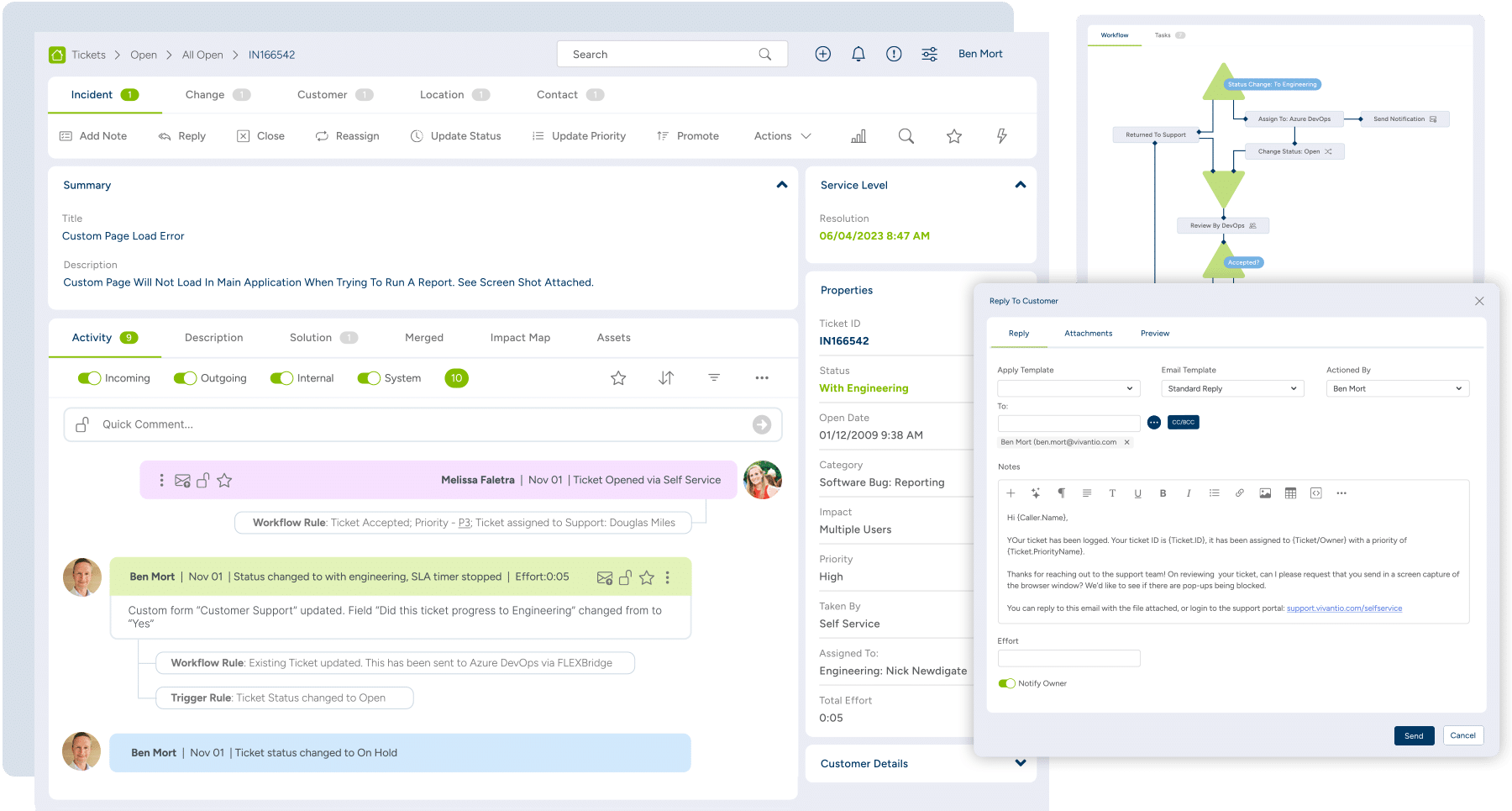
Vivantio vs. Zoho Desk

Overview
ProductRatingMost Used ByProduct SummaryStarting Price
Vivantio
Score 8.2 out of 10
Mid-Size Companies (51-1,000 employees)
Founded in 2003, Vivantio is a provider of customer service optimization software and solutions for B2B service teams. By combining enterprise-level software with the flexibility of a cloud-based solution, Vivantio provides a unified service management platform. The platform scales to meet the complex business needs of large, multi-site organizations, to optimize workflows across several departments including IT, operations and customer service.
$5,940
per year (5 user licenses)
Zoho Desk
Score 7.7 out of 10
N/A
Zoho Support is a Saas help desk / ticketing system aimed at SMBs. I competes most often with Zendesk, and Desk.com.
$9
per month per user
Pricing
VivantioZoho Desk
Editions & Modules
No answers on this topic
Free
$0
Express
$9
per month per user
Standard
$20
per month per user
Professional
$35
per month per user
Enterprise
$50
per month per user
Offerings
Pricing Offerings
VivantioZoho Desk
Free Trial
YesYes
Free/Freemium Version
NoYes
Premium Consulting/Integration Services
YesYes
Entry-level Setup FeeRequiredRequired
Additional DetailsAccess to the Vivantio Platform always includes: 1) every available feature, 2) the user's choice of data centers, 3) in-house professional services, 4) a Customer Success Manager, 5) US and UK telephone, email, and self-service support. Pricing varies based on number of licenses: 500 system users - $59 per named license / $89 per concurrent license 200 users - $69 / $104 100 users - $78 / $118 50 users - $83 / $125 25 users - $91 / $137 15 users - $95 / $143 5 users - $99 / $149 Enterprise licensing available for teams >500. Volume discounts start at 15 users and continue to rise to 40%. Educational institutions automatically qualify for a 5% discount; non-profits for 10%. Pricing is per user, per month, paid annually.A discount is offered for yearly billing.
More Pricing Information
Community Pulse
VivantioZoho Desk
Features
VivantioZoho Desk
Incident and problem management
Comparison of Incident and problem management features of Product A and Product B
Vivantio
7.6
1 Ratings
6% below category average
Zoho Desk
8.6
4 Ratings
7% above category average
Organize and prioritize service tickets8.21 Ratings8.94 Ratings
Expert directory6.41 Ratings7.93 Ratings
Subscription-based notifications8.21 Ratings7.93 Ratings
ITSM collaboration and documentation7.31 Ratings10.01 Ratings
Ticket creation and submission8.21 Ratings8.54 Ratings
Ticket response7.31 Ratings8.54 Ratings
Self Help Community
Comparison of Self Help Community features of Product A and Product B
Vivantio
7.3
1 Ratings
7% below category average
Zoho Desk
8.8
4 Ratings
11% above category average
Internal knowledge base7.31 Ratings8.84 Ratings
External knowledge base00 Ratings8.84 Ratings
Multi-Channel Help
Comparison of Multi-Channel Help features of Product A and Product B
Vivantio
6.2
1 Ratings
23% below category average
Zoho Desk
7.4
4 Ratings
5% below category average
Customer portal6.41 Ratings8.04 Ratings
IVR4.51 Ratings00 Ratings
Social integration6.41 Ratings6.02 Ratings
Email support6.41 Ratings6.64 Ratings
Help Desk CRM integration7.31 Ratings8.93 Ratings
Best Alternatives
VivantioZoho Desk
Small Businesses
Agiloft Service Desk (discontinued)
Score 9.0 out of 10
Agiloft Service Desk (discontinued)
Score 9.0 out of 10
Medium-sized Companies
Agiloft Service Desk (discontinued)
Score 9.0 out of 10
Agiloft Service Desk (discontinued)
Score 9.0 out of 10
Enterprises
SysAid
SysAid
Score 9.0 out of 10
SysAid
SysAid
Score 9.0 out of 10
All AlternativesView all alternativesView all alternatives
User Ratings
VivantioZoho Desk
Likelihood to Recommend
8.2
(1 ratings)
7.8
(23 ratings)
Usability
9.1
(1 ratings)
9.4
(12 ratings)
Support Rating
-
(0 ratings)
8.7
(12 ratings)
User Testimonials
VivantioZoho Desk
Likelihood to Recommend
Vivantio
I’d recommend Vivantio as an ITSM platform because it combines powerful functionality with ease of use. Its customizable workflows and automation streamline IT service management, saving time and improving efficiency. The platform scales well, making it suitable for businesses of all sizes, and it integrates seamlessly with other tools, ensuring smooth operations. Vivantio also offers excellent reporting capabilities, helping teams track performance and identify areas for improvement. If you’re looking for a reliable, flexible, and user-friendly ITSM solution, Vivantio is a great choice.
Read full review
Zoho
Zoho Desk is a great customer service tool. It is very easy to track the ability to receive tickets and send responses in Zoho Desk. There are lots of options for customization. The knowledge base feature is very extensive and powerful. It makes creating internal and external FAQs easy.
Read full review
Pros
Vivantio
  • Incident Tracking
  • Reporting
  • Customisation
Read full review
Zoho
  • It provides a simple widget code with a few clicks once you decide to integrate it with your website or application.
  • There is a very user friendly dedicated mobile application for Zoho Desk for Android and IOS devices.
  • You can easily track all of your tickets and agents from the dashboard interface.
  • You can insert tags with each ticket to group them into specific categories for analysis and troubleshooting.
Read full review
Cons
Vivantio
No answers on this topic
Zoho
  • The biggest drawback that I am facing while using the platform is that their ticketing system is not that great [in my opinion]. It does not give us the option to add sales tax and other charges in the invoices which leads to a big problem for us.
  • [I feel] its customer support needs improvement.
Read full review
Usability
Vivantio
i find the system easy to navigate and customise
Read full review
Zoho
I give [Zoho Desk] [an] overall usability score of 9. This is partly due to the search functionality needs improvement. There are several times where I am left unable to find a ticket and have to generate a new one. I am hoping in the future that they will make some changes!
Read full review
Support Rating
Vivantio
No answers on this topic
Zoho
As Zoho Support is based in a different timezone to ours it can be an issue that we cannot get an immediate response to an issue. But I will say that once their Support is in the office they are fairly good to respond. they have resolved almost all issues I have told them about, but Zoho have also made system changes and not communicated these beforehand which means we are faced with something new and cannot get support on this until their support team is in the office
Read full review
Alternatives Considered
Vivantio
Vivantio's extensive customization features ensure it always balances in its favor by allowing businesses to tailor workflows, forms, and processes to their unique needs. This flexibility means the platform adapts to your organization, not the other way around, enabling seamless alignment with changing requirements and maximizing efficiency over time.
Read full review
Zoho
We selected Zoho Desk as we needed a platform that was going to allow the business to grow through both usage and staffing numbers. We wanted something cost-effective but still offered standard features in an effective cloud-delivered solution but would still allow customization by our internal dev team, to derive better value from the service where it natively didn't do what we needed it to. FreeAgent was okay for a while, but Zoho Desk has allowed a vast improvement in our service offering to end customers.
Read full review
Return on Investment
Vivantio
  • Positive - Reporting
Read full review
Zoho
  • Zoho Desk has created an organised sytem of support which alows me to help my customers more efficiently.
  • By saving resolutions as articles, Zoho Desk has provided a training resource for current customers and support staff as part of solving problems.
  • All new customers become part of a database of customers who continue to receive support and education from forums created by the articles and customer questions.
Read full review
ScreenShots

Vivantio Screenshots

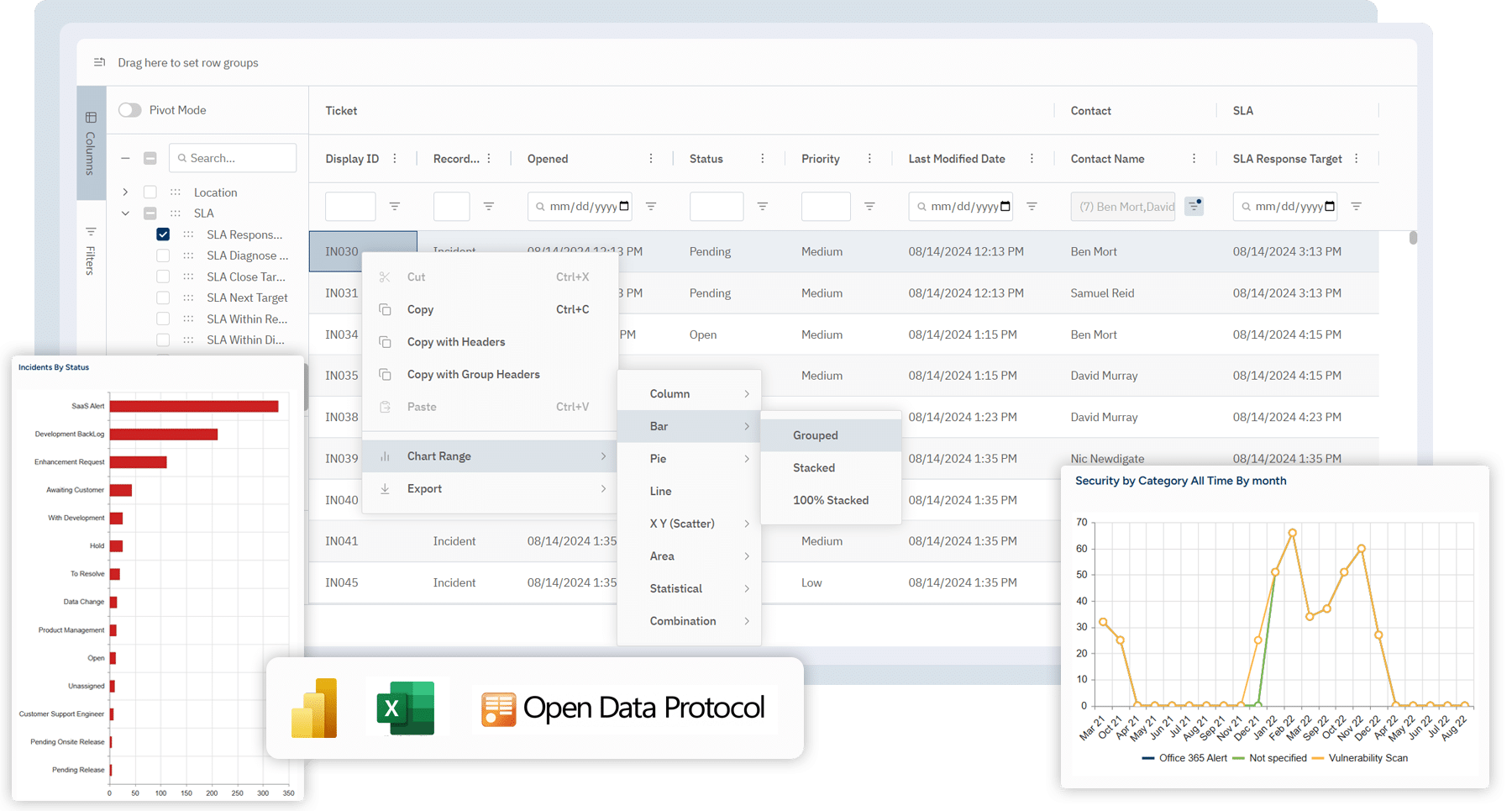
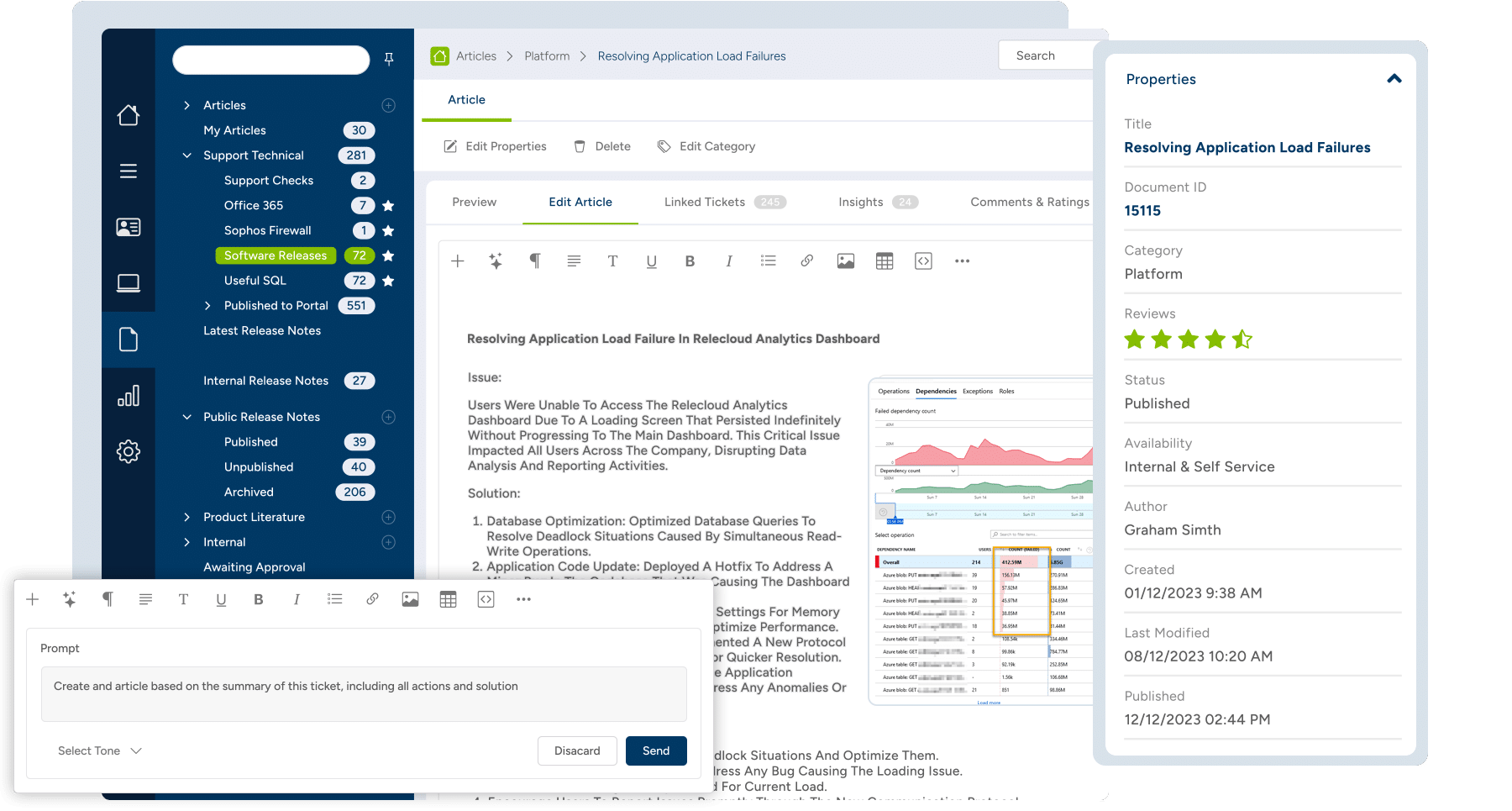
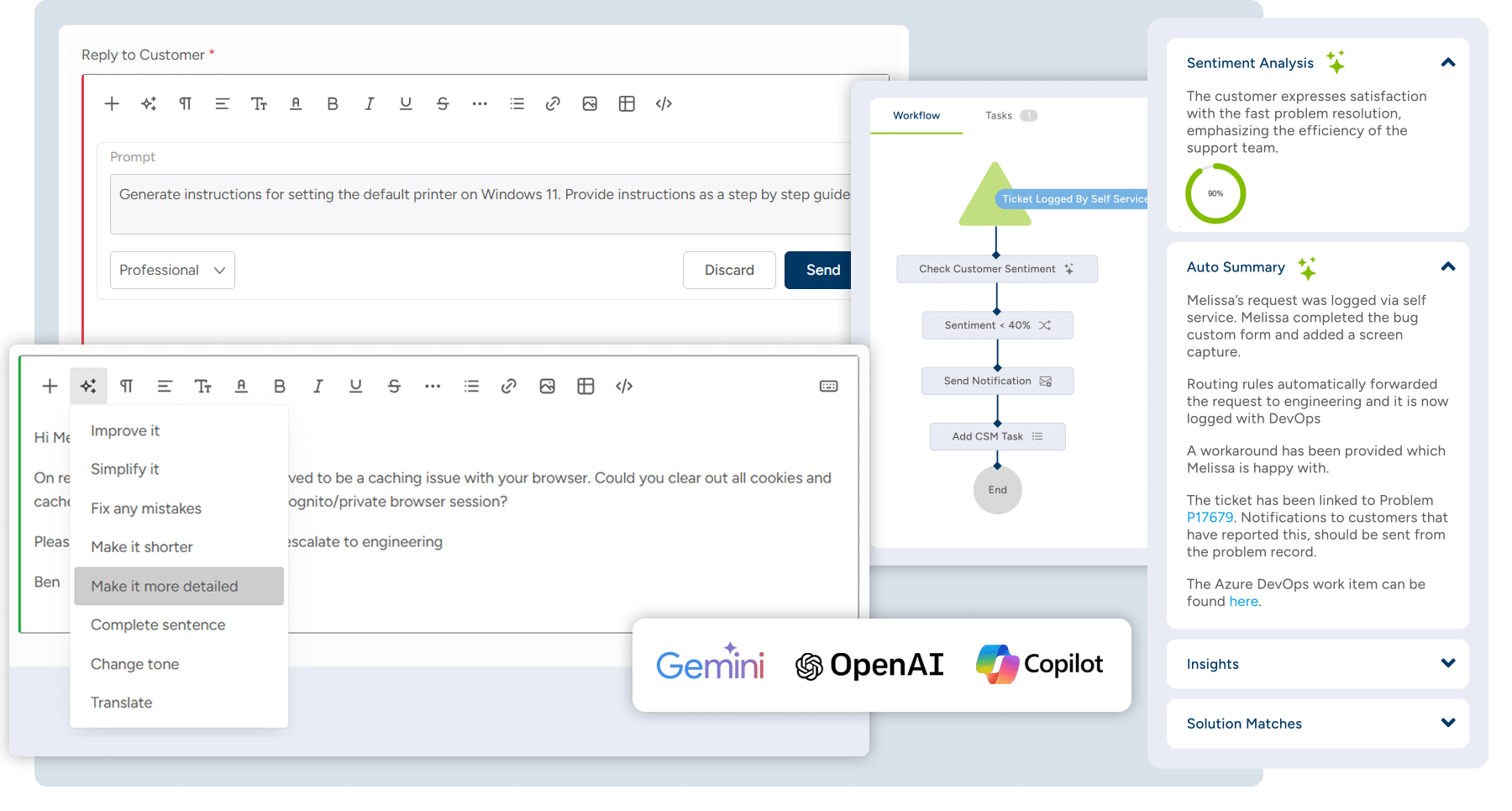
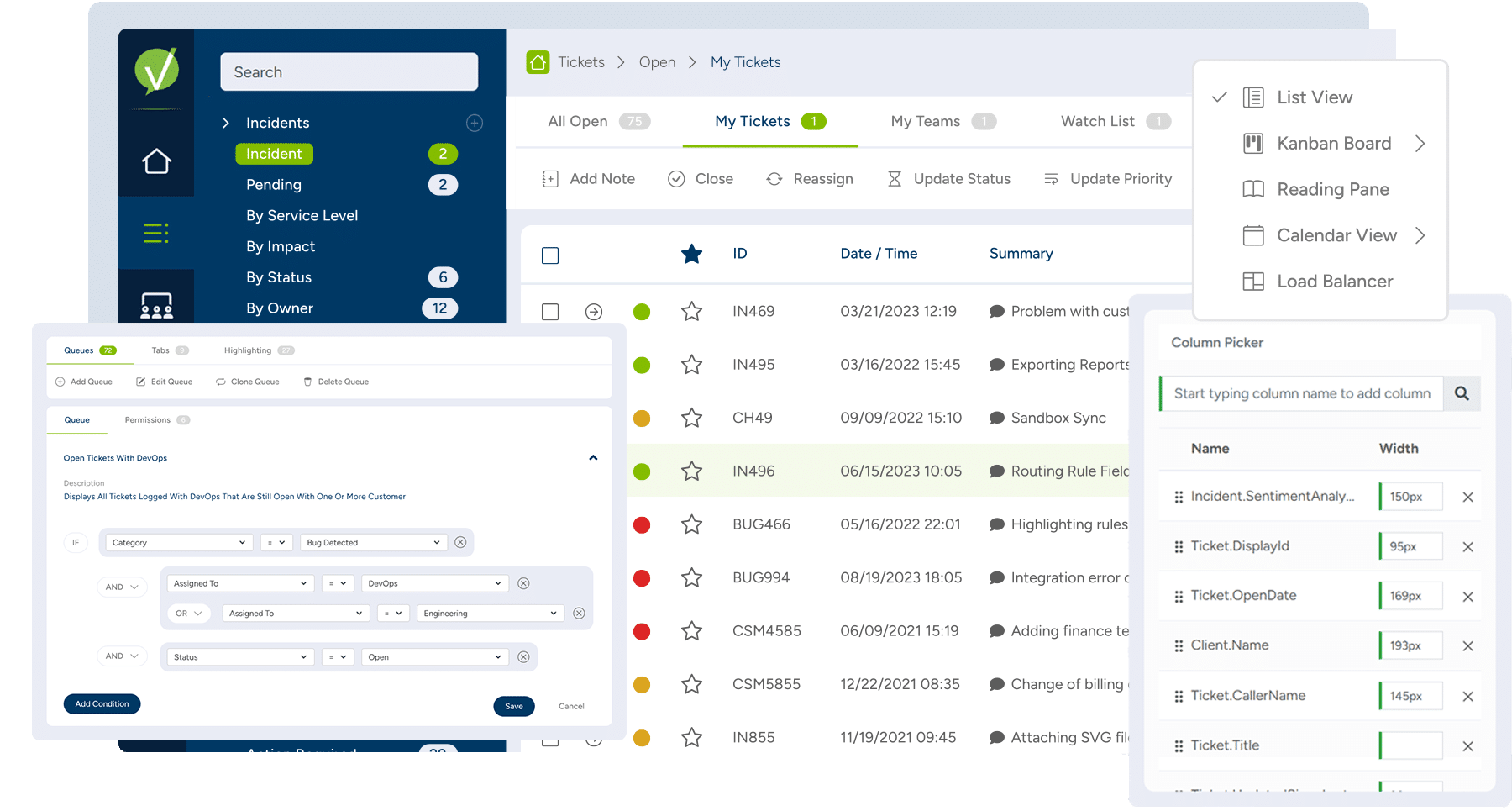
Screenshot of Reporting & Analytics: Reports surface business-critical insights like overall customer sentiment and expected EoL for employee machines using dashboards, reports, Vivantio FLEXGrid or through oDataScreenshot of Knowledge Base: For internal private articles to aid service delivery team, or public articles to help customersScreenshot of Integrated AI: Generates AI feedback from across the knowledge base, analyzes customer sentiment, or helps write detailed feedback to customersScreenshot of Queues: For managing incidents, problems, service requests, change management, and more in customized interfaces based on ticket type or team, ensuring the most important information is always at agents’ fingertipsScreenshot of Ticketing: For unlimited ticket types that can be used by teams, each with a dedicated configuration (categories, priorities, custom forms, and fields)

Zoho Desk Screenshots

Screenshot of Log and monitor phone conversations, convert them into new tickets, or attach them to existing ones. Convert social media interactions and live chat into tickets at the click of a button.Screenshot of Bring a Help Center directly into a website to strengthen self-service. Chat with Zia, an AI-powered conversation assistant. Customers can chat with Zia right from a mobile app or website. Zia processes their questions and suggests appropriate solutions from the Knowledge Base.Screenshot of With advanced process automation, internal processes can be setup within the help desk, implement them automatically, and make sure that all processes are followed precisely.Screenshot of Instant responses for instant happiness. Respond to customers the minute they reach out with Zoho Desk's embeddable chat widget. Customers can get in touch with agents instantly, right from the Help Center, so agents can respond and help them find answers faster.Screenshot of Monitor a team's performance, customize and schedule reports. Custom dashboards can be created.Screenshot of Zia brings together predictions across anomalies, sentiment, trending ticket tags, and more into a common dashboard for decision-makers to consume. They can drill down further into the details from the same dashboard to investigate further.