TrustRadius: an HG Insights company

Save this comparison

Save this comparison

Add Product

Recommended Comparisons

    Overview
    ProductRatingMost Used ByProduct SummaryStarting Price

    Spiceworks Cloud Help Desk

    Score6.9 out of 10
    N/ASpiceworks offers a set of free tools for IT network management and help desk support ticketing. The inventory management system essentially provides comprehensive device information for asset management.

    $0

    (free for 1-5 Seats)

    Vivantio

    Score8.2 out of 10
    Mid-Size Companies (51-1,000 employees)
    Founded in 2003, Vivantio is a provider of customer service optimization software and solutions for B2B service teams. By combining enterprise-level software with the flexibility of a cloud-based solution, Vivantio provides a unified service management platform. The platform scales to meet the complex business needs of large, multi-site organizations, to optimize workflows across several departments including IT, operations and customer service.

    $5,940

    per year (5 user licenses)

    Pricing
    Spiceworks Cloud Help DeskVivantio
    Editions & Modules
    Core Plan
    $0
    Premium
    $6
    per month per user
    No answers on this topic
    Offerings
    Pricing Offerings
    Spiceworks Cloud Help DeskVivantio
    Free Trial
    NoYes
    Free/Freemium Version
    YesNo
    Premium Consulting/Integration Services
    NoYes
    Entry-level Setup FeeNo setup feeRequired
    Additional DetailsAccess to the Vivantio Platform always includes: 1) every available feature, 2) the user's choice of data centers, 3) in-house professional services, 4) a Customer Success Manager, 5) US and UK telephone, email, and self-service support. Pricing varies based on number of licenses: 500 system users - $59 per named license / $89 per concurrent license 200 users - $69 / $104 100 users - $78 / $118 50 users - $83 / $125 25 users - $91 / $137 15 users - $95 / $143 5 users - $99 / $149 Enterprise licensing available for teams >500. Volume discounts start at 15 users and continue to rise to 40%. Educational institutions automatically qualify for a 5% discount; non-profits for 10%. Pricing is per user, per month, paid annually.
    More Pricing Information
    Features
    Spiceworks Cloud Help DeskVivantio
    Incident and problem management
    Comparison of Incident and problem management features of Spiceworks Cloud Help Desk and Vivantio
    Feature
    Spiceworks Cloud Help Desk
    8.5
    55 Ratings
    6% above category average
    Vivantio
    7.6
    1 Ratings
    6% below category average
    Organize and prioritize service tickets8.054 Ratings8.21 Ratings
    Expert directory8.047 Ratings6.41 Ratings
    Subscription-based notifications9.042 Ratings8.21 Ratings
    ITSM collaboration and documentation6.045 Ratings7.31 Ratings
    Ticket creation and submission10.054 Ratings8.21 Ratings
    Ticket response10.053 Ratings7.31 Ratings
    Self Help Community
    Comparison of Self Help Community features of Spiceworks Cloud Help Desk and Vivantio
    Feature
    Spiceworks Cloud Help Desk
    7.0
    52 Ratings
    11% below category average
    Vivantio
    7.3
    1 Ratings
    7% below category average
    External knowledge base7.048 Ratings00 Ratings
    Internal knowledge base7.048 Ratings7.31 Ratings
    Multi-Channel Help
    Comparison of Multi-Channel Help features of Spiceworks Cloud Help Desk and Vivantio
    Feature
    Spiceworks Cloud Help Desk
    8.9
    52 Ratings
    13% above category average
    Vivantio
    6.2
    1 Ratings
    23% below category average
    Customer portal9.046 Ratings6.41 Ratings
    IVR7.011 Ratings4.51 Ratings
    Social integration8.927 Ratings6.41 Ratings
    Email support10.046 Ratings6.41 Ratings
    Help Desk CRM integration9.928 Ratings7.31 Ratings
    Best Alternatives
    Spiceworks Cloud Help DeskVivantio
    Small Businesses
    Help Scout
    Score7.9 out of 10
    Help Scout
    Score7.9 out of 10
    Medium-sized Companies
    LiveAgent
    Score9.7 out of 10
    LiveAgent
    Score9.7 out of 10
    Enterprises
    Front
    Score7.1 out of 10
    Front
    Score7.1 out of 10
    All AlternativesView all alternativesView all alternatives
    User Ratings
    Spiceworks Cloud Help DeskVivantio
    Likelihood to Recommend
    10.0
    (83 ratings)
    8.2
    (1 ratings)
    Likelihood to Renew
    10.0
    (29 ratings)
    -
    (0 ratings)
    Usability
    9.0
    (9 ratings)
    9.1
    (1 ratings)
    Availability
    10.0
    (3 ratings)
    -
    (0 ratings)
    Performance
    8.0
    (1 ratings)
    -
    (0 ratings)
    Support Rating
    8.7
    (26 ratings)
    -
    (0 ratings)
    Implementation Rating
    10.0
    (7 ratings)
    -
    (0 ratings)
    Product Scalability
    10.0
    (1 ratings)
    -
    (0 ratings)
    User Testimonials
    Spiceworks Cloud Help DeskVivantio
    Likelihood to Recommend
    Spiceworks Ziff Davis
    It's a great helpdesk solution - we currently have five years of data within it, roughly 25,000 tickets. The older edition is a great inventory and software license tracking tool. It is easy for users to use the interface and submit tickets and requests on the web, and its email integration is solid. The new version is a below-average system monitoring tool, only giving up/down status and a few other metrics.
    Incentivized
    Read full review
    Vivantio
    I’d recommend Vivantio as an ITSM platform because it combines powerful functionality with ease of use. Its customizable workflows and automation streamline IT service management, saving time and improving efficiency. The platform scales well, making it suitable for businesses of all sizes, and it integrates seamlessly with other tools, ensuring smooth operations. Vivantio also offers excellent reporting capabilities, helping teams track performance and identify areas for improvement. If you’re looking for a reliable, flexible, and user-friendly ITSM solution, Vivantio is a great choice.
    Read full review
    Pros
    Spiceworks Ziff Davis
    • It helps to multitask, even on the go with the mobile App.
    • We can customize to meet your needs with automated responses, notifications, and templates.
    • Detailed reports allow managers to keep track [of] and analyze data.
    • Allows for a database to store notes helpful for future tickets.
    Incentivized
    Read full review
    Vivantio
    • Incident Tracking
    • Reporting
    • Customisation
    Read full review
    Cons
    Spiceworks Ziff Davis
    • I have always wanted a way to redirect a support request into another IS bin, such as a development task.
    • It's possible to extract the data from the Spiceworks database, but it would be helpful if the process to do so were easier.
    • Improved ability to customize the system generated emails to improve the formatting and company branding.
    Incentivized
    Read full review
    Vivantio
    No answers on this topic
    Likelihood to Renew
    Spiceworks Ziff Davis
    Spiceworks is a free tool, so there would be no hesitation if we are required to upgrade it. We have installed Spiceworks on a dedicated server with more than enough resources to get the most from this tool, so we will have this running in our department for years to come.
    Incentivized
    Read full review
    Vivantio
    No answers on this topic
    Usability
    Spiceworks Ziff Davis
    Spiceworks is user friendly and easy to set up. It can be customized to suit your needs. If there are any problems, you can go to the community forums for support and be in contact with many IT Pros, as well as the Spiceworks support staff and development teams who are always happy to help users out
    Incentivized
    Read full review
    Vivantio
    i find the system easy to navigate and customise
    Read full review
    Reliability and Availability
    Spiceworks Ziff Davis
    We use it both locally on our own server so up time is decided by us and we also use the hosted help desk. We have never had an outage of that.
    Incentivized
    Read full review
    Vivantio
    No answers on this topic
    Support Rating
    Spiceworks Ziff Davis
    Spiceworks has been working out of the box, and some of the basic customizations have been successful with just our internal staff handling. We don't have any other issues with the tool. It provides us with the inventory information we want in a quick and concise report in a variety of formats for our team.
    Incentivized
    Read full review
    Vivantio
    No answers on this topic
    Implementation Rating
    Spiceworks Ziff Davis
    If you can spin up a VM to run it on, you'll thank yourself later. If you have remote sites, set up a local server (or dedicated computer) at each site and set them up as remote collectors for the main site. You'll save time and bandwidth
    Incentivized
    Read full review
    Vivantio
    No answers on this topic
    Alternatives Considered
    Spiceworks Ziff Davis
    EGroupware UI is clunky and hard to use, Jira is great but the pricing is expensive in comparison with spice works that has a free version and you can test it out properly before buying and make a correct decision based on your business plan and company objectives with the right software.
    Incentivized
    Read full review
    Vivantio
    Vivantio's extensive customization features ensure it always balances in its favor by allowing businesses to tailor workflows, forms, and processes to their unique needs. This flexibility means the platform adapts to your organization, not the other way around, enabling seamless alignment with changing requirements and maximizing efficiency over time.
    Read full review
    Return on Investment
    Spiceworks Ziff Davis
    • Positive - Allow organizations to implement structured Help Desk procedures.
    • Positive - IT can begin to quantify their tickets and uncover needs within the organization.
    • Positive - IT can develop a solid roadmap with [the] management of future needs, equipment refresh schedules, etc.
    • Positive - IT can pinpoint employees who may need extra training or updated equipment based on historical ticketing data.
    Incentivized
    Read full review
    Vivantio
    • Positive - Reporting
    Read full review
    ScreenShots

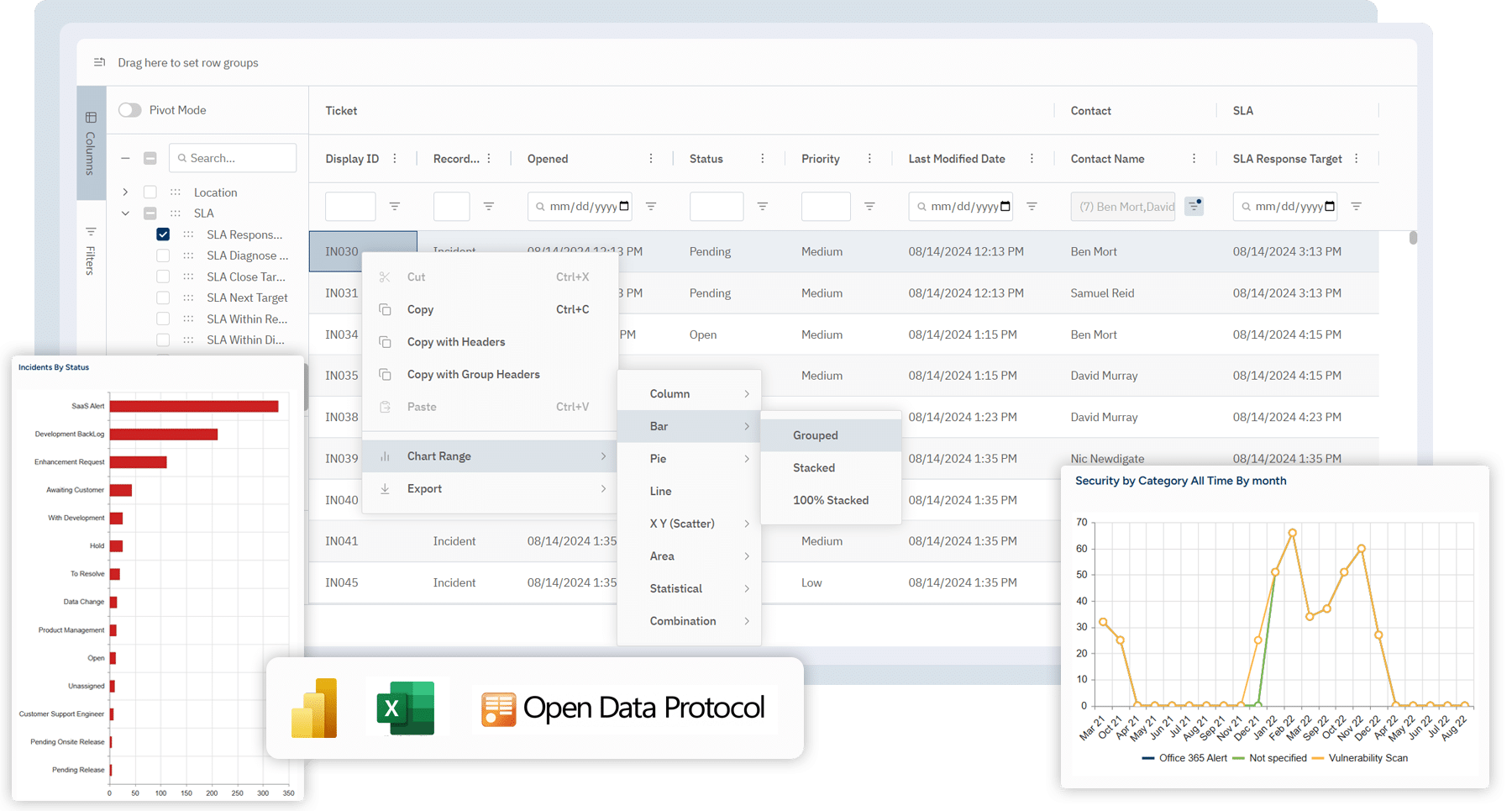
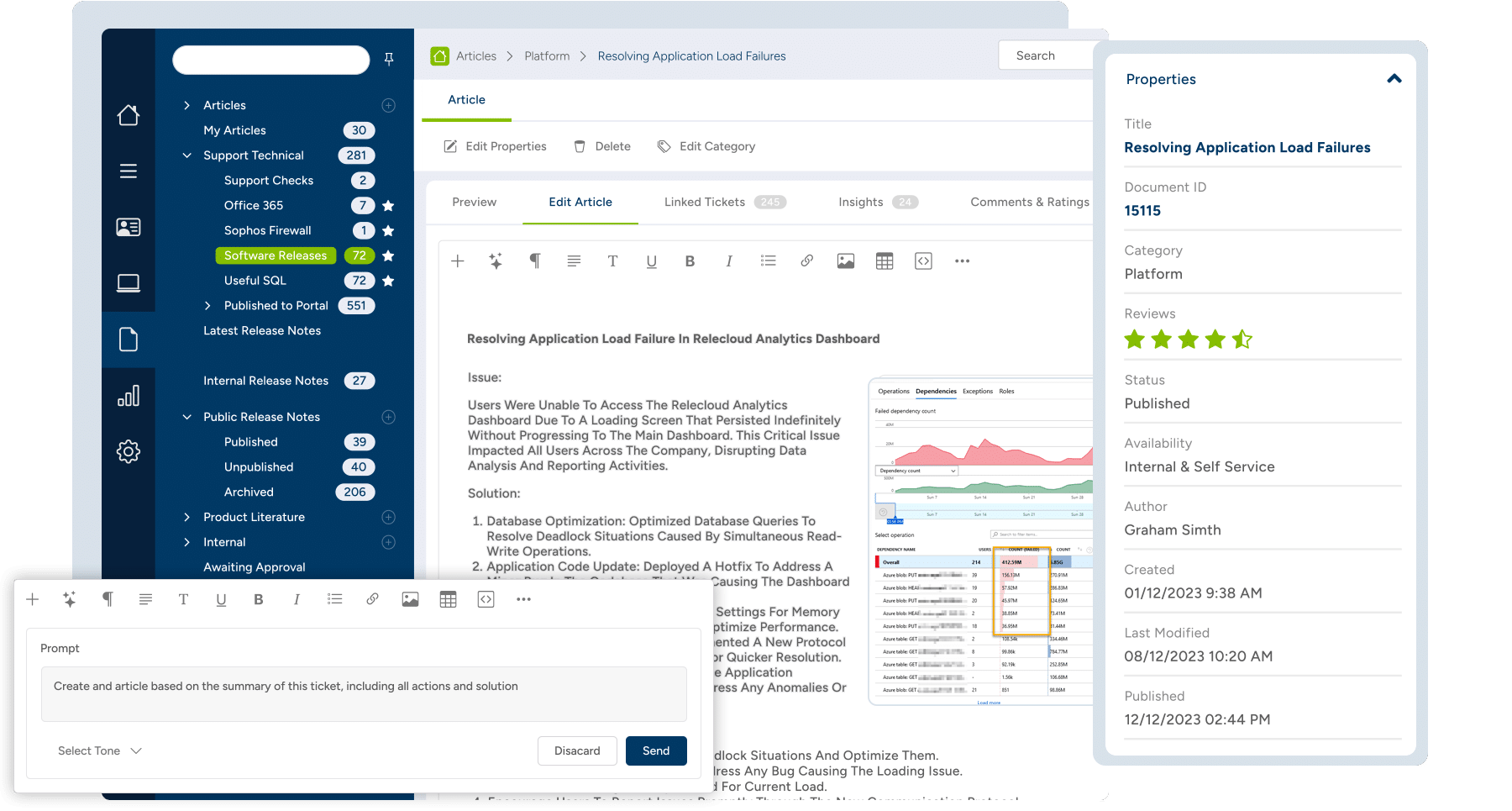
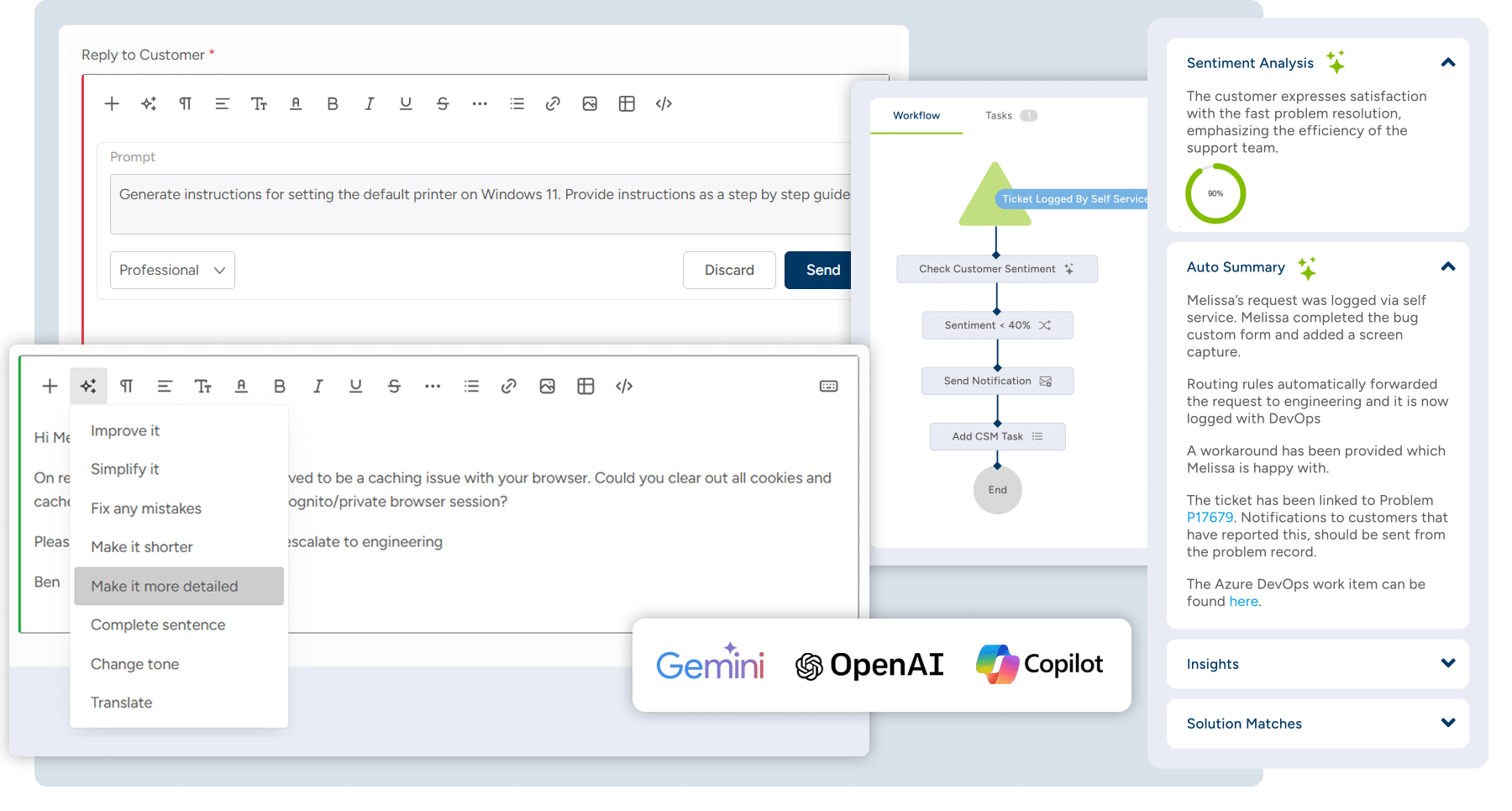
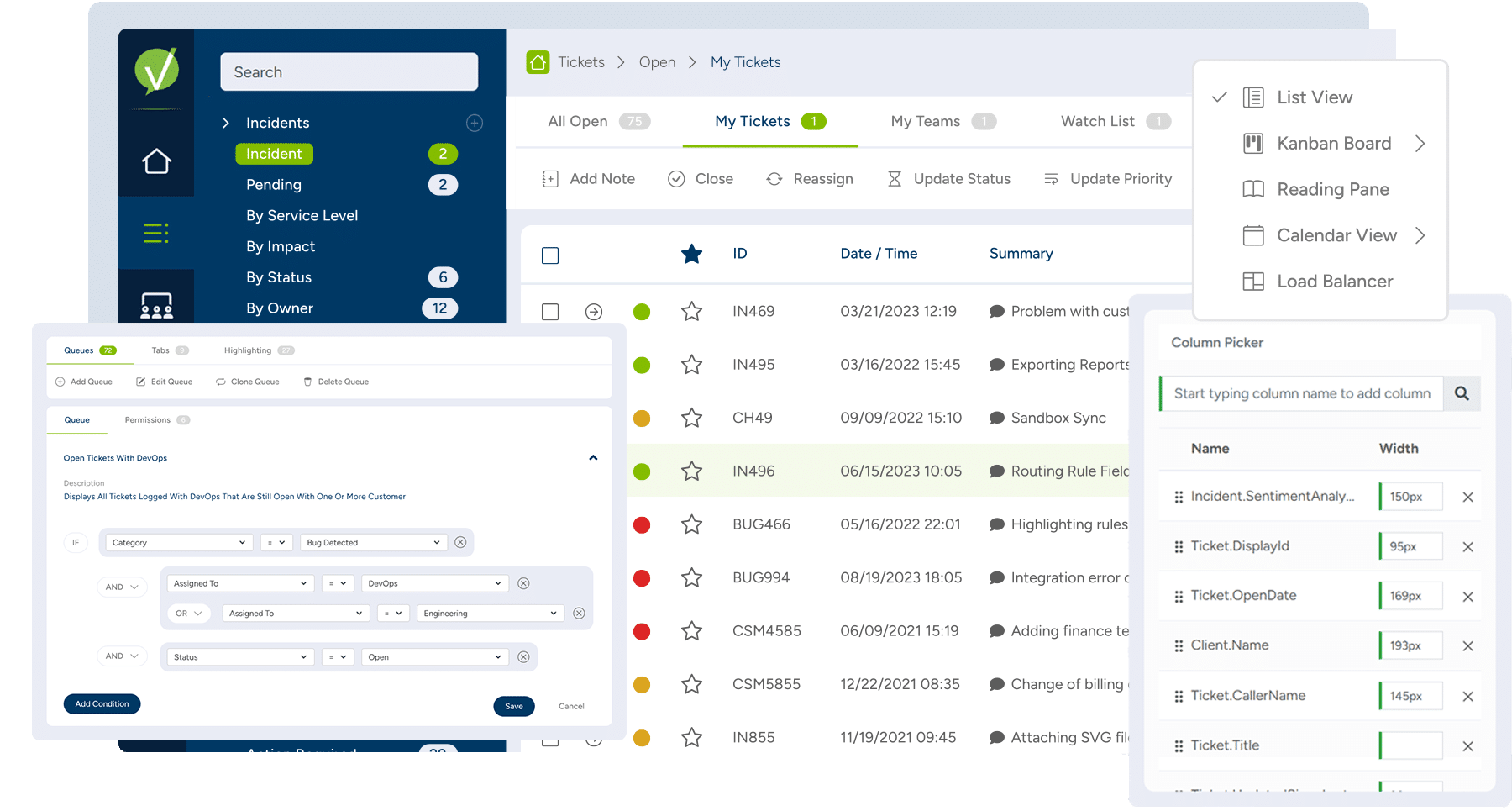
    Vivantio Screenshots

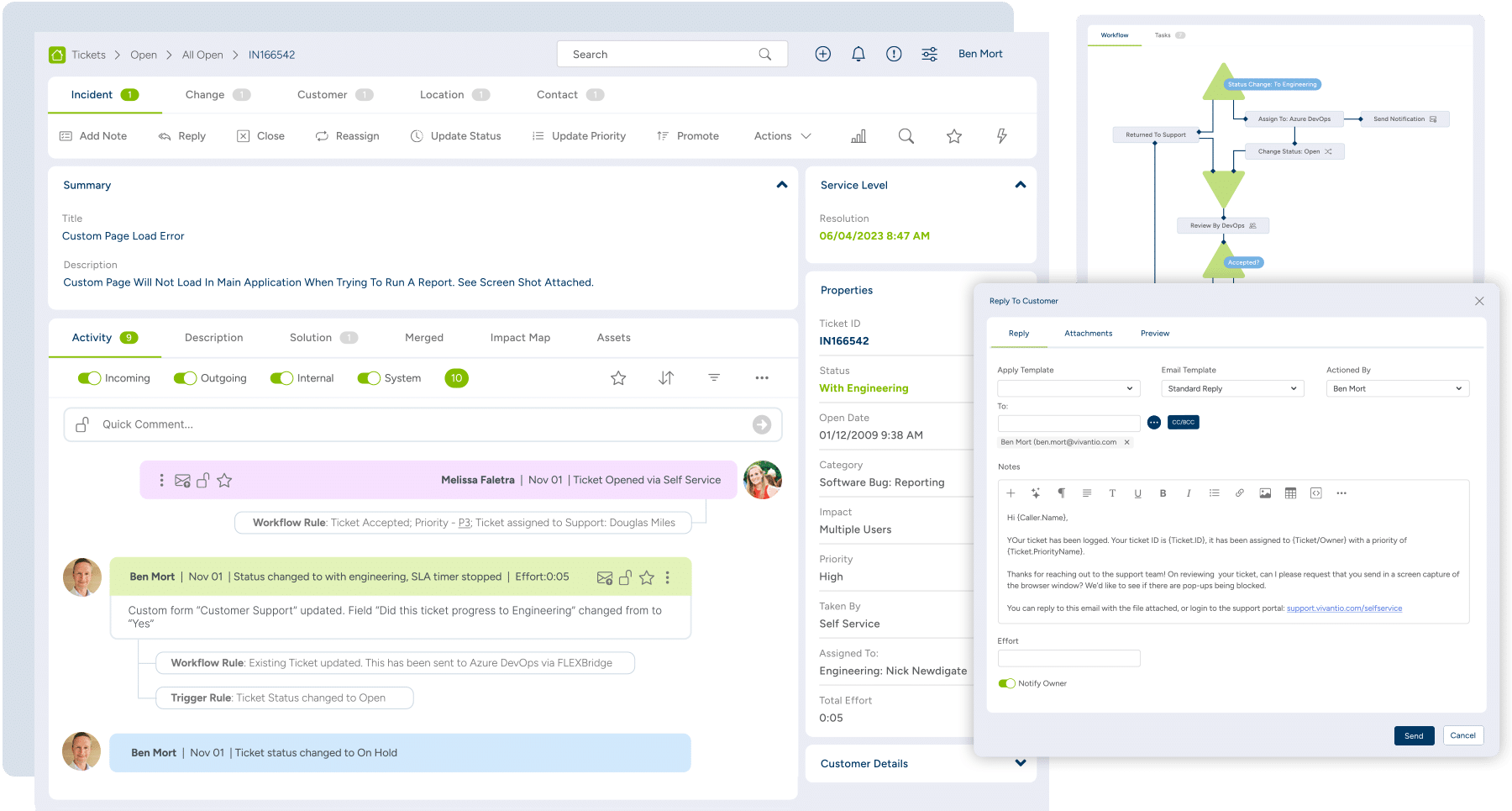
    Screenshot of Reporting & Analytics: Reports surface business-critical insights like overall customer sentiment and expected EoL for employee machines using dashboards, reports, Vivantio FLEXGrid or through oDataScreenshot of Knowledge Base: For internal private articles to aid service delivery team, or public articles to help customersScreenshot of Integrated AI: Generates AI feedback from across the knowledge base, analyzes customer sentiment, or helps write detailed feedback to customersScreenshot of Queues: For managing incidents, problems, service requests, change management, and more in customized interfaces based on ticket type or team, ensuring the most important information is always at agents’ fingertipsScreenshot of Ticketing: For unlimited ticket types that can be used by teams, each with a dedicated configuration (categories, priorities, custom forms, and fields)