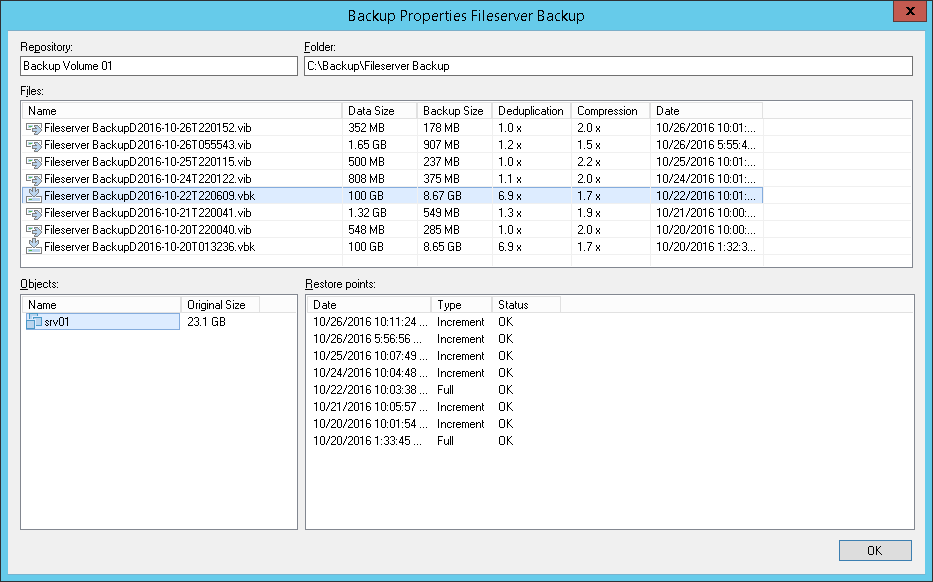
Veeam’s® premier product, Veeam Backup & Replication™, delivers availability for all cloud, virtual, Kubernetes and physical workloads. Through a management console, the software provides backup, archival, recovery and replication capabilities.
$428
per year per 5 instances
Veeam ONE
Score 8.2 out of 10
N/A
Veeam ONE is virtualization management technology from Ohio based VMware partner Veeam Software.
N/A
Pricing
Veeam Data Platform
Veeam ONE
Editions & Modules
Veeam Data Platform Essentials
$428
per year per 5 instances
Veeam Data Platform
Contact sales team
No answers on this topic
Offerings
Pricing Offerings
Veeam Data Platform
Veeam ONE
Free Trial
Yes
No
Free/Freemium Version
Yes
No
Premium Consulting/Integration Services
No
No
Entry-level Setup Fee
No setup fee
No setup fee
Additional Details
Veeam sells through channel partners. Contact a partner for detailed pricing and quotes. Resellers or sales personnel are available for assistance.
—
More Pricing Information
Community Pulse
Veeam Data Platform
Veeam ONE
Features
Veeam Data Platform
Veeam ONE
Data Center Backup
Comparison of Data Center Backup features of Product A and Product B
Veeam Data Platform is best suited in environments that fall under its compatible applications, which it backs up. Any sized business could benefit. The ease of use and metrics are a breeze and the learning curve is low. However, if you're using hypervisors, products that have no support by Veeam Data Platform, then clearly wouldn't be a great fit. Their workaround for this by using OS level backups for baremetal deployments but increases the risk of failure when doing restores.
Veeam One works great for monitoring virtual infrastructure. However, other dedicated server monitoring apps do better with monitoring the individual VMs. Where it stands out is its reporting functionality, which allows you to forecast growth and keep track of how you are using your resources. It is also great for companies without a big monitoring budget, as there is a pretty functional free version.
Veeam stands out among backup solutions because of its ability to work with almost any storage type. For example, only a small portion of backup solutions will support catalyst stores, Veeam does.
Veeam is extremely flexible when it comes to setting it up. I had a network recently that limited ethernet connectivity between the Veeam VM and the backup repository and Veeam handled it easily.
Day-to-day use of Veeam is very simple. It is easy to train our technicians to use it proficiently in a very short amount of time.
Our Veeam VMs don't have issues very often, but the one or two times I have called for support, they answered right away, and the technicians assisting us were knowledgeable about their products.
Proactive Alerting - the product can provide email alerts to notify one of any issues in the environment.
Capacity Planning and Forecasting - it has the ability to provide an analysis of the current environment as well as provide a report to forecast future capacity requirements.
Monitoring and Reporting - the software can monitor you environment 24x7 with the ability to provide comprehensive reporting.
Basically the products works very well and we have been very pleased, but following are some picky details I could suggest for improvement specific to our needs.
We leave the GUI up on a TV in our Office and on our desktops to visibly see if anything is alerting. It would be nice if you could customize the view to have a smaller minimum view with just the widgets you wanted.
When the GUI starts on a multi-monitor setup it always returns to the primary and any popup windows always go to the primary instead of the monitor you have the application running in.
The platform has consistently delivered strong performance, reliability, and innovative features that align well with our data protection needs. Its robust capabilities in backup, recovery, and cloud integration have significantly improved our operational efficiency and disaster recovery planning. The only reason for not giving a full 10 would be our ongoing evaluation of emerging technologies and solutions to ensure we are maximizing our IT investments. Overall, Veeam Data Platform has proven to be an invaluable asset to our organization.
If you are familiar with most Windows software UIs, there should be no issue learning Veeam. Even better if you're already familiar with backup strategies, &c., since all of that is integrated and possible. I doubt my grandmother could use it, but she's not the target audience. If you've been in IT for a bit, this is very usable.
The software is a joy to use. The user interface is good overall and you can find frequently needed things easily and quickly. Some less frequently needed things eg. settings are hidden under several menus and one might have to look for those for a while. We also haven't had any issues with the products reliability.
The Veeam Backup & Replication solution is up and running every time you need it as it was planned. In more than 3 years that we have been using the product every night, it might have failed or presented an error once or twice, so the availability percentage is almost at 100%.
Veeam does a good job with backing up our servers in a timely manner. We are still at the beginning of our Veeam use and are pleased with the speed at which we can access the system as well as the backups and restore points. Veeam is definitely superior to our previous backup system in terms of speed and accessibility
The support team has never asked me to jump through silly hoops or waste time on pointless exercises. They seem to truly have a handle on what may be wrong. In fact, when we were having trouble getting our license renewal setup (because of yet another license migration at Veeam) a support incident got us connected to the right people to get our renewal done in time.
Support, as mentioned earlier, is often slow to respond for Veeam ONE requests. To Veeam's credit, they will work on an issue until they find a solution, and will even develop a specific hotfix for your environment if one is needed, but response time is just slow.
I rated the in-person training an 8 because it was generally effective and provided a solid foundation for understanding the Veeam Data Platform. The instructors were knowledgeable and engaged, making the sessions interactive. However, I felt that some topics could have been covered in more depth, and additional hands-on exercises would have further reinforced the learning experience. Overall, it was a positive training session that adequately prepared attendees for using the product, but there's room for improvement.
I gave it a rating of 7 because, although the online training offered valuable content and covered the essential aspects of the Veeam Data Platform, it lacked interactivity and opportunities for direct engagement with instructors. This made it challenging to ask questions or delve deeper into specific topics. Additionally, some sections felt a bit rushed, which could hinder a comprehensive understanding of more complex features. Overall, while the training was useful, improvements in interactivity and pacing could elevate the experience significantly.
When deploying Veeam, be sure you have your environment right-sized. While it is not a big deal to increase capacity later, it will make a difference if you are trying to run Veeam on instances/VMs that are not appropriately sized on CPU and Memory requirements.
Commvault is a standard backup platform for Enterprise backups, but we have no need for its extensive client abilities or the staff for the vast infrastructure that is required to use it. Cohesity is a truly fantastic system, but it is too far for larger companies than the one that I work for. Its cost also makes it prohibitive for SME's like us. Norton Backup was so long ago, I don't know if it even exists. It was difficult to use, had very slow recovery times, and I don't miss it at all.
Veeam One is very easy to use, easy to configure and get what you want. The integration for Veeam Backup is perfect, for today i think Veeam need to make Veeam One monitor Microsoft 365 envirioment, this will give great imput and integrated with Veeam Backup for 365 will be amezing.
In terms of scalability for our company, Veeam was able to cover our backup needs with ease. They have options for even more individualized backup if we were to need them; i.e. if a specific workstation needs its own independent backup. We have not used these resources yet, but I am confident they will be beneficial to our company in the near future.
The most valuable reports can safe us a lot of headaches and downtime. What used to be an emergency once in a while is an afterthought as we proactively prevent those same issues in less than 5 minutes a week.
The simplicity has allowed us to offload some virtual environment monitoring to a junior associate.
Initial deployment took some time because we couldn't get licensing figured out, but it has been smooth sailing since then.