Trello vs. WEEEK

Overview
ProductRatingMost Used ByProduct SummaryStarting Price
Trello
Score 8.4 out of 10
N/A
Trello from Atlassian is a project management tool based on a Kanban framework. Trello is ideal for task-management in a to-do list format. It supports sharing boards and cards across users or teams. The product offers a free version, and paid versions add greater automation, collaboration, and administrative control.
$6
per month per user
WEEEK
Score 10.0 out of 10
N/A
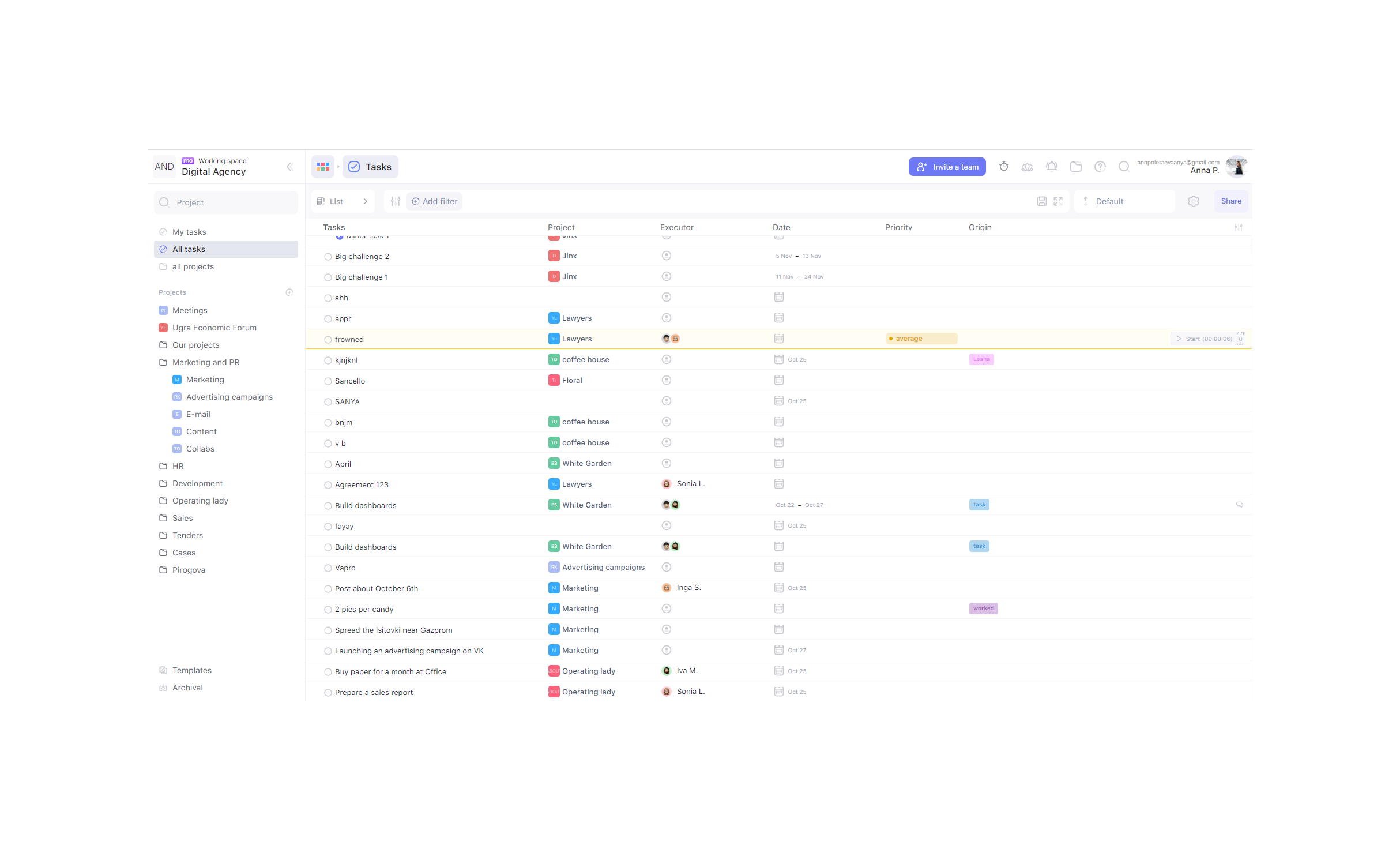
WEEEK helps managers set tasks for team members and track their productivity, and helps team members not forget about anything. The service helps users to keep track of tasks from all projects on one screen, and provides information about important events with a notification system, and so on. WEEEK is available FREE for individual usage with limitations on the amount of projects (up to 7 projects). It can also be leveraged for free in a team, with an additional limit on the number of…
$0
per month per user
Pricing
TrelloWEEEK
Editions & Modules
Standard
$6
per month per user
Premium
$12.50
per month per user
Enterprise
$17.50
per month per user
Free
Forever Free
Free for teams of up to 5 people
$0
per month per user
Lite tariff
$2.90
Pro tariff
$5.99
per month per user
Business tariff
$8.4
per month per user
Offerings
Pricing Offerings
TrelloWEEEK
Free Trial
NoYes
Free/Freemium Version
YesYes
Premium Consulting/Integration Services
NoNo
Entry-level Setup FeeNo setup fee$2.90
Additional DetailsA discount is offered for annual billing and for larger numbers of users.WEEEK is totaly free for teams of up to 5 people.
More Pricing Information
Community Pulse
TrelloWEEEK
Features
TrelloWEEEK
Project Management
Comparison of Project Management features of Product A and Product B
Trello
9.5
Ratings
22% above category average
WEEEK
-
Ratings
Task Management9.80 Ratings00 Ratings
Resource Management9.50 Ratings00 Ratings
Gantt Charts10.00 Ratings00 Ratings
Scheduling10.00 Ratings00 Ratings
Workflow Automation9.90 Ratings00 Ratings
Team Collaboration10.00 Ratings00 Ratings
Support for Agile Methodology9.40 Ratings00 Ratings
Support for Waterfall Methodology6.60 Ratings00 Ratings
Document Management10.00 Ratings00 Ratings
Email integration10.00 Ratings00 Ratings
Mobile Access10.00 Ratings00 Ratings
Timesheet Tracking10.00 Ratings00 Ratings
Change request and Case Management8.10 Ratings00 Ratings
Budget and Expense Management10.00 Ratings00 Ratings
Professional Services Automation
Comparison of Professional Services Automation features of Product A and Product B
Trello
5.0
Ratings
41% below category average
WEEEK
-
Ratings
Quotes/estimates5.00 Ratings00 Ratings
Invoicing5.00 Ratings00 Ratings
Project & financial reporting5.00 Ratings00 Ratings
Integration with accounting software5.00 Ratings00 Ratings
User Ratings
TrelloWEEEK
Likelihood to Recommend
9.8
(0 ratings)
-
(0 ratings)
Likelihood to Renew
10.0
(0 ratings)
-
(0 ratings)
Usability
9.5
(0 ratings)
-
(0 ratings)
Availability
10.0
(0 ratings)
-
(0 ratings)
Performance
10.0
(0 ratings)
-
(0 ratings)
Support Rating
10.0
(0 ratings)
-
(0 ratings)
In-Person Training
10.0
(0 ratings)
-
(0 ratings)
Implementation Rating
8.0
(0 ratings)
-
(0 ratings)
Configurability
5.0
(0 ratings)
-
(0 ratings)
Product Scalability
10.0
(0 ratings)
-
(0 ratings)
Vendor post-sale
10.0
(0 ratings)
-
(0 ratings)
User Testimonials
TrelloWEEEK
Likelihood to Recommend
Trello is great for cross-team communication and intra-team organization. It's simple to get setup, with flexible tools that give businesses control over how to make Trello work the best for them. It is an amazing platform for operations tracking, project management, and even organizing customer service requests for a smaller business.
Read full review
No answers on this topic
Pros
  • Helps track employees "to do before hire", "to do after hired," and "to do when employee leaves"
  • Provides important information on each employee like personal information along with data collected during the time of hire and during employment time
  • Allows more than one person to be assigned to a task per employee and will remain open until everyone involved has completed their task
Read full review
No answers on this topic
Cons
  • I use colour coding a lot so I would like a wider range of colour options.
  • Also as a visual thinker I would like to be able to easily add images to cards.
  • I would like to be able to attach a wider range of file formats to cards.
Read full review
No answers on this topic
Likelihood to Renew
I am very likely to renew Trello, because it doesn't cost anything to do so. I am also very likely to use Trello's upgraded features in the future because a lot of my team's data is stored on there and they have already gotten used to the platform. Trello is very easy for new team members to pick up, making the onboarding and usability very streamlined.
Read full review
No answers on this topic
Usability
I am technology illiterate, it's my Achilles heel and this program is so easy to use. I have been utilizing it for a decade now. It makes organizing and prioritizing my life, my work, my business, my kids life, etc so much more manageable and without having to hold on to a bunch of into in my head. I can find it and locate it quickly and easily in Trello.
Read full review
No answers on this topic
Reliability and Availability
yes always support available when I need it!
Read full review
No answers on this topic
Performance
Never experienced issues with the above!
Read full review
No answers on this topic
Support Rating
I haven't had much need to contact their support because the product is easy to use and pretty bug-free. I did reach out to them about swimlanes and I was able to find the information I needed very quickly and it was thorough and accurate information about current functionality. I love that they use their own product. That's always a good sign.
Read full review
No answers on this topic
In-Person Training
It was helpful and informative! It was back before the pandemic in 2019 so I'm not sure if they still do it but I really enjoyed the experience
Read full review
No answers on this topic
Implementation Rating
For our small business, getting a few of us started well on Trello was the key, I think. As long as a couple of us were really comfortable with the interface, we could lead others and help them with any questions. From now on, anyone who works with us just naturally uses Trello for information sharing - it's just part of what we do.
Read full review
No answers on this topic
Alternatives Considered
Our business ended up using Monday due to the holistic nature of the tool. It allows us to collaborate amongst teams and see the project as a whole easier. Trello is for personal usage and task management. I use Monday to organize my overarching needs, and then put specific tasks into Trello to stay organized.
Read full review
No answers on this topic
Scalability
Feels like anyone across the org (no matter their location) can use the tool easily!
Read full review
No answers on this topic
Return on Investment
  • It's been an essential tool for our onboarding team. We wouldn't be able to operate without it.
  • It's been a very affordable investment for our team as well since we still use the free version.
  • We have had a negative return in the fact that there aren't any reporting tools within the app. We have to spend time tracking certain elements manually.
Read full review
No answers on this topic
ScreenShots

WEEEK Screenshots

Screenshot of TasksScreenshot of Calendar view and notificationsScreenshot of ListScreenshot of BoardsScreenshot of Analytics