TaxJar vs. Tipalti

Overview
ProductRatingMost Used ByProduct SummaryStarting Price
TaxJar
Score 8.6 out of 10
N/A
TaxJar offers automated sales tax reporting and filing. According to the vendor, capabilities include: Accurate, Detailed Sales Tax Reports: TaxJar’s local jurisdiction reports show sales and sales tax collected not only for each state, but for local jurisdiction (counties, cities, special jurisdictions, etc). Users can also sort data by any date range. Estimated Sales Tax Reports: Users can see a comparison of what they actually collected versus what…
$19
for up to 200 orders/month
Tipalti
Score 8.7 out of 10
Mid-Size Companies (51-1,000 employees)
Tipalti automates critical financial processes to drive efficiency, including accounts payable, mass payments, procurement, and expenses, all on one global finance automation platform that grows with the organization, automating, de-risking and simplifying finance.N/A
Pricing
TaxJarTipalti
Editions & Modules
Starter
$19
for up to 200 orders/month
Professional
$99
for up to 200 orders/month
Premium
Custom
No answers on this topic
Offerings
Pricing Offerings
TaxJarTipalti
Free Trial
YesNo
Free/Freemium Version
NoNo
Premium Consulting/Integration Services
NoNo
Entry-level Setup FeeOptionalRequired
Additional Details30 day free trial. No obligation, no activation fees. Upgrade, downgrade or cancel anytime. Pricing based on order volume. Transactions are equal to -Orders imported into TaxJar with one or more line items -SmartCalcs API pushed sales tax calculation If you go over your transaction limit during a single month, we will charge you the difference between the plan you’re on and the next highest plan. The next month you’ll start back on the original plan that you subscribed to, and the process will repeat itself again. This is all done automatically. Your plan will never be interrupted and you will not have to speak with a salesperson.Pricing starts at $149 per month for the platform fee. Users can upgrade to Tipalti's more advanced capabilities as their businesses gets more complex. The Tipalti pricing model is designed to grow with the user's company. Advanced features such as W-8 tax forms, international tax IDs, or multi-entity payables are available as needed.
More Pricing Information
Community Pulse
TaxJarTipalti
Features
TaxJarTipalti
Type of tax
Comparison of Type of tax features of Product A and Product B
TaxJar
9.3
Ratings
17% above category average
Tipalti
-
Ratings
Sales and Use Taxes9.70 Ratings00 Ratings
Cross-border Taxes9.00 Ratings00 Ratings
Tax Reporting & Compliance
Comparison of Tax Reporting & Compliance features of Product A and Product B
TaxJar
9.6
Ratings
20% above category average
Tipalti
-
Ratings
Geolocation for Tax Assessment10.00 Ratings00 Ratings
3rd-Party Software Integrations8.70 Ratings00 Ratings
Tax Data Reporting9.80 Ratings00 Ratings
Compliance Administration Management9.50 Ratings00 Ratings
Tax Exemption Processing10.00 Ratings00 Ratings
Tax Document Management9.50 Ratings00 Ratings
Complex Tax Scenario Management10.00 Ratings00 Ratings
Payment Management
Comparison of Payment Management features of Product A and Product B
TaxJar
-
Ratings
Tipalti
9.1
Ratings
20% above category average
Customizable Approval Policies00 Ratings9.10 Ratings
Financial Document Management00 Ratings8.30 Ratings
Payment Status Tracking00 Ratings9.40 Ratings
Payment Audit Trail00 Ratings9.40 Ratings
Duplicate Bill Detection00 Ratings9.00 Ratings
Advanced OCR00 Ratings8.90 Ratings
Electronic Funds Transfer00 Ratings9.30 Ratings
Accounts Payable
Comparison of Accounts Payable features of Product A and Product B
TaxJar
-
Ratings
Tipalti
8.2
Ratings
21% above category average
Automated Accounts Payable Processes00 Ratings8.80 Ratings
Vendor Management00 Ratings9.30 Ratings
Tax Form Preparation00 Ratings6.60 Ratings
Best Alternatives
TaxJarTipalti
Small Businesses
Intuit Lacerte
Intuit Lacerte
Score 9.4 out of 10
Square 9 Softworks
Square 9 Softworks
Score 9.5 out of 10
Medium-sized Companies
LOVAT
LOVAT
Score 10.0 out of 10
Square 9 Softworks
Square 9 Softworks
Score 9.5 out of 10
Enterprises
ADP SmartCompliance
ADP SmartCompliance
Score 8.6 out of 10
Webexpenses
Webexpenses
Score 9.2 out of 10
All AlternativesView all alternativesView all alternatives
User Ratings
TaxJarTipalti
Likelihood to Recommend
9.3
(0 ratings)
8.8
(0 ratings)
Likelihood to Renew
-
(0 ratings)
9.1
(0 ratings)
Usability
-
(0 ratings)
8.9
(0 ratings)
Availability
-
(0 ratings)
9.1
(0 ratings)
Performance
-
(0 ratings)
8.2
(0 ratings)
Support Rating
7.5
(0 ratings)
7.3
(0 ratings)
Online Training
-
(0 ratings)
7.3
(0 ratings)
Implementation Rating
-
(0 ratings)
7.3
(0 ratings)
Configurability
-
(0 ratings)
7.3
(0 ratings)
Ease of integration
-
(0 ratings)
6.4
(0 ratings)
Product Scalability
-
(0 ratings)
6.4
(0 ratings)
Vendor post-sale
-
(0 ratings)
8.2
(0 ratings)
Vendor pre-sale
-
(0 ratings)
8.2
(0 ratings)
User Testimonials
TaxJarTipalti
Likelihood to Recommend
If you aren't a tax professional, this is a must. Trying to manually calculate which county/city/state sales tax is owed will break your brain. Actually, even if you were a tax professional, why would you want to manually do it when you could just have a tool like this to calculate it for you. I wish it was also affordable to have it file for you and there are some crunchy bits, but its pros definitely outweigh the cons.
Read full review
The invoice processing element is far, far easier than manually inputting invoices are we were doing previously. The OCR is not perfect, but having it scanned in and ready for review saves a lot of time. The approvals process is fast and effective, and approvers can approve directly from the email without having even to log into the system. The audit trail function allows the finance team to see exactly who has done what to each invoice, and when. Payments, however, are where we see the most benefit. Vendor bank details are stored securely and controls can be put in place to ensure that any changes to vendor data must be approved. Once fully approved, invoices can be scheduled for payment either on a particular date or on the invoice due date, which ensures vendors are paid on a 'Just In Time' basis. All invoices and payments sync seamlessly to our ERP each day.
Read full review
Pros
  • The CSV upload for clients that do not have or want to connect directly is very good. It allows us to get a lot of the information done quickly.
  • The cost is very competitive.
  • According to our clients, the integration is relatively easy.
  • For the most part, the reports are accurate.
Read full review
  • Support is phenomenal! Incredibly responsive, always have the answers, super knowledgeable and will assist in bringing resolution to various concerns, as well, providing not just support, but education as well!
  • System is almost always working efficiently, very few incidents that slow me down.
  • System is incredibly user friendly. I was able to learn it pretty quickly.
Read full review
Cons
  • Continually increase its native integration features with BigCommerce, which recently just opened up more Checkout APIs and Sales Tax APIs.
  • The Amazon integration is confusing only because Amazon (sometimes?) calculates and collects sales tax on your behalf. It's not clear what's best-- to let Amazon do it for you or for TaxJar to handle it.
  • Onboarding could be a bit easier and guided.
Read full review
  • In the PO matching queue, there is some clunkiness surrounding updating PO lines. For example, if you need to delete PO lines picked up from the invoice, you currently have to delete each line individually, instead of being able to select multiple and delete.
  • Sometimes PO numbers do not properly pick up from the OCR system. For example, the OCR might pick up "PO 18535" instead of "18535". This causes the AP team to have to manually link the PO, creating an extra step.
  • For PO-backed Invoices that require you to manually type in the PO amount, there is no option to save your inputs. If there are any changes to the match details (i.e. linking another PO, or unlinking a PO) all inputs are reset to blank.
  • If there are non PO line items for an invoice that is in the PO matching queue, there is no option to select a separate department code for that line item.
Read full review
Likelihood to Renew
No answers on this topic
Solid system performance. Suits our needs and solution provider very inclined to accept feedback and involve users in developing the solution to serve both the provider and the ultimate user. Tipalti has streamlined our process that was previously very manual and prone to error. Now there is transparency of information and role.
Read full review
Usability
No answers on this topic
The system is incredibly easy to use, with most tasks being completed in a small number of clicks. The user interface is very user intuitive and can be navigated very easily. Multiple payments can be made instantaneously and as the vendors manage their payable account we are able to ensure that payments are being sent to the right account. The advanced functionality for duplicate invoices ensures that we are not processing bills twice and we have found that in 100% of cases it has identified a duplicate bill.
Read full review
Reliability and Availability
No answers on this topic
Tipalti has always been responsive to our questions and concerns.
Read full review
Performance
No answers on this topic
No issues here. Generally has been pretty fast.
Read full review
Support Rating
We had a few questions about integrations & onboarding, and support answered quickly and in-depth. They understood our questions - which were a bit technical in nature - and were able to provide an explanation in a timely and specific manner that allowed us to get the system up and running quickly.
Read full review
Since I also work in customer support, I often have to contact Tipalti's team with questions from our users. Tipalti's support team has always been exceptionally helpful and it was a pleasure to communicate with them. I have always received prompt responses to any inquiries and they are excellent at solving our customers' issues within a short time
Read full review
Online Training
No answers on this topic
Tipalti provides great How to online guide
Read full review
Implementation Rating
No answers on this topic
Implementation went smooth as we used and tested everything in the sandbox first
Read full review
Alternatives Considered
TaxJar is less expensive, simpler to integrate and their billing is straightforward so that you don't have to worry about huge surprises at the end of a month or quarter. They spend a lot less time on sales/marketing but their support is excellent and overall we have had a much better experience with TaxJar.
Read full review
Both of these products have treated us well and have their pros and cons. We do a lot of acquisitions though and they are just not friendly the more and more you go. Tipalti has been very helpful with the more we grow. Its a key part in integrating finances
Read full review
Scalability
No answers on this topic
We were given the option of only one integration.
Read full review
Return on Investment
  • With regards to ROI, it definitely saves time. And time, as they say, is money. It may be hard to put a particular dollar sign on this, but it definitely has provided a positive return.
  • It keeps me aware of where I have sales tax nexus that I might not know about otherwise. This is important. Even if I have to check it manually, at least I am made aware of where I need to file.
  • It allows me to track how much in sales tax we've paid year over year, which is a good indication of how our sales are doing.
Read full review
  • in my Corporate Controller capacity, I have total visibility of all invoices within the organization
  • total staff time spent on the AP process will decrease easily 75% or more
  • I have a small staff. Even during PTO of my staff member, I can do necessary AP items, start to finish, in minutes, 100% remotely
Read full review
ScreenShots

TaxJar Screenshots

Screenshot of TaxJar Reports dashboard showing you the states in which you have nexus, how much sales tax was collected, and your gross sales summary.Screenshot of TaxJar state report showing breakdown of sales tax by city, county, and local jurisdiction for easy sales tax filing.

Tipalti Screenshots

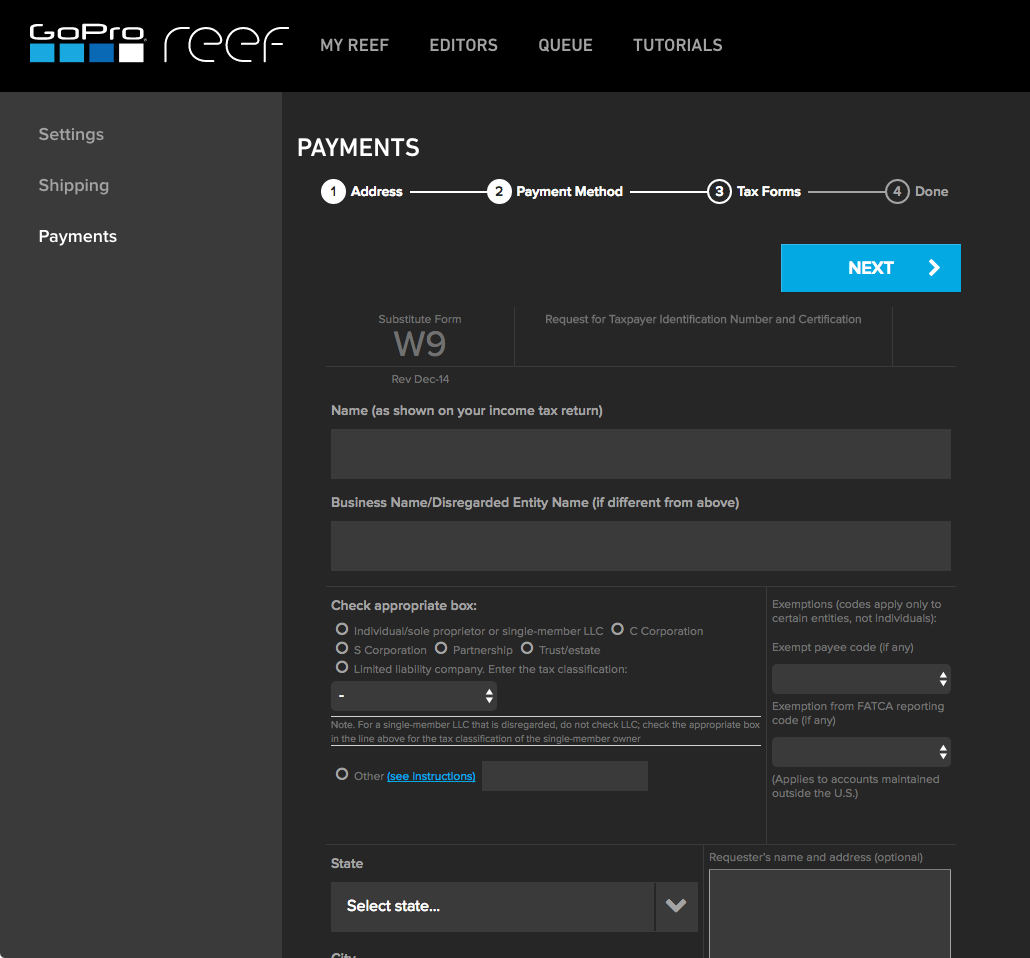
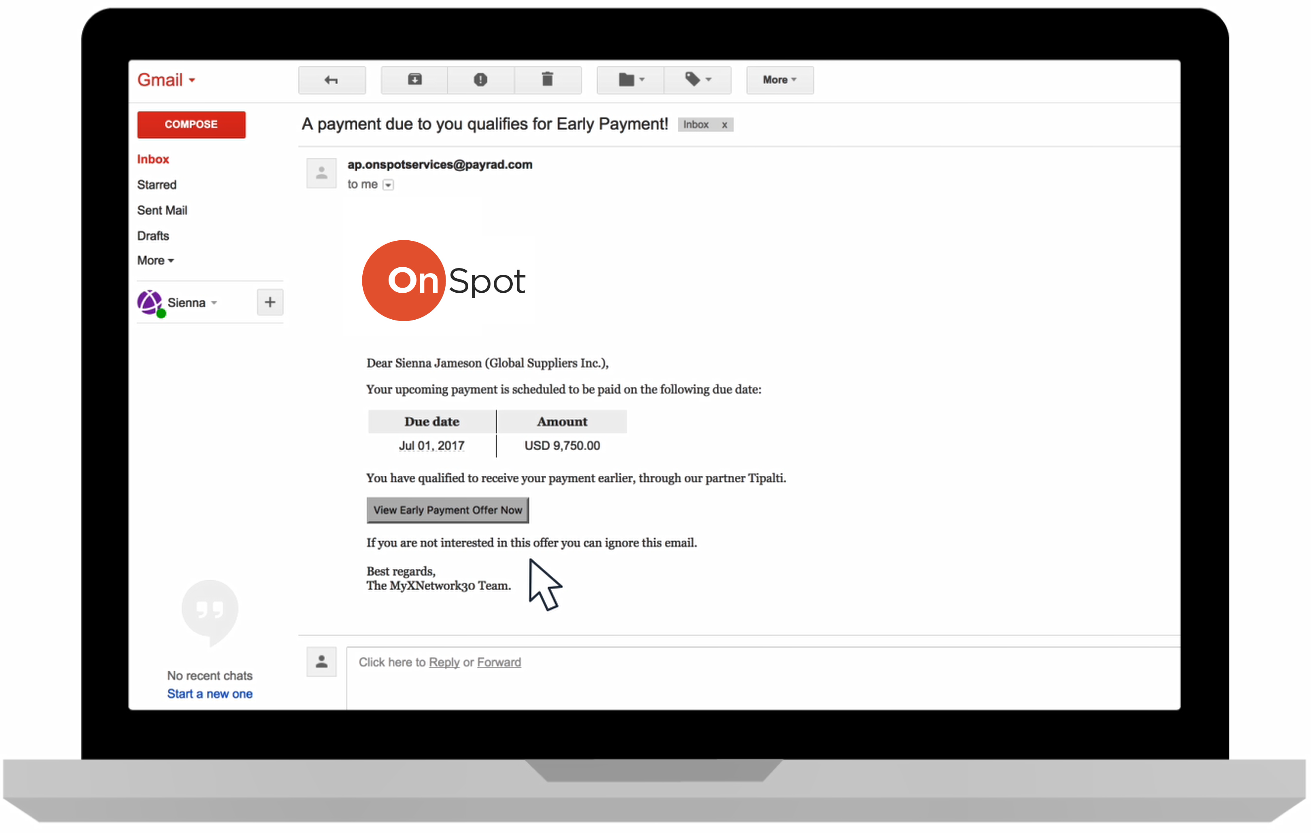
Screenshot of Intelligent invoicing workflowScreenshot of Mobile approvals for invoices and paymentsScreenshot of Brandable self-service supplier portal (including handling tax forms)Screenshot of Brandable self-service portal to collect and validate payment detailsScreenshot of Combined payment methods, currencies, and entities in a single payment fileScreenshot of an early payment, which can be offered to suppliers through email or the supplier portal