TrustRadius: an HG Insights company

Supernormal vs. Zoom AI Companion

Save this comparison

Save this comparison

Add Product

Recommended Comparisons

    Overview
    ProductRatingMost Used ByProduct SummaryStarting Price

    Supernormal

    N/AN/ASupernormal is an AI-powered meeting platform used to automate meeting notes, agendas, and insights, while Voice Agents help users to scale tasks.

    $18

    per month per user

    Zoom AI Companion

    N/AN/AZoom Custom AI Companion gives admins the ability to customize AI Companion outputs by accessing an organization’s internal data sources, as well as third-party applications within Zoom AI Studio for expanded knowledge, helping users drive decisions, actions, and complete tasks.

    $14.99

    per month (the cost of Zoom Workspace Pro)

    Pricing
    SupernormalZoom AI Companion
    Editions & Modules
    Pro
    $18
    per month per member
    Business
    $29
    per month per member
    No answers on this topic
    Offerings
    Pricing Offerings
    SupernormalZoom AI Companion
    Free Trial
    YesNo
    Free/Freemium Version
    YesNo
    Premium Consulting/Integration Services
    NoYes
    Entry-level Setup FeeNo setup feeNo setup fee
    Additional DetailsUp to a 44% discount for annual pricing.
    More Pricing Information
    User Testimonials
    SupernormalZoom AI Companion
    Likelihood to Recommend
    Supernormal
    No answers on this topic
    Zoom
    If you have a colleague who is based in a remote location or is part of a remote team, Zoom is a vital collaboration tool for your day-to-day work. Zoom AI Companion is easier and more effective for working with a colleague at a remote location rather than making a call. You can share your non-verbal reactions through video, which brings a close experience to face-to-face interactions.
    Incentivized
    Read full review
    Pros
    Supernormal
    No answers on this topic
    Zoom
    • Large meeting rooms that our marcomms team is able to navigate and problem solve with quickly and easily.
    • Ability to schedule meetings with internal and external team members for workshops. Provides us with several tools to communicate and share ideas without having to even turn your mic on.
    • AI companion to remember points that were made and provide a summary to those who were unable to attend after the meeting.
    Incentivized
    Read full review
    Cons
    Supernormal
    No answers on this topic
    Zoom
    • Although the whiteboard is nice, it's not as advanced as I'd like to be. For example, navigating it can sometimes be tricky, and it doesn't have nearly as many features as a tool like Miro.
    • The Zoom integration for Outlook has issues, it doesn't always sync
    • The React feature on Zoom calls doesn't always work and sometimes isn't visible
    Incentivized
    Read full review
    Usability
    Supernormal
    No answers on this topic
    Zoom
    It's really easy to use - the AI icon is everywhere all over the place in the Zoom client so it's easy to be able to leverage AI whenever you need it, and similarly in the meeting it's easy to find and to use. I don't have complaints here that I can think of
    Read full review
    Alternatives Considered
    Supernormal
    No answers on this topic
    Zoom
    Zoom has better compatibility compared to Teams at our institution. It also supports a wider array of codecs. We like using Zoom despite the fact that both Teams and Zoom are supported at an enterprise level at our academic institution. Zoom also seems to have better video and audio quality and lower drop rates.
    Incentivized
    Read full review
    Return on Investment
    Supernormal
    No answers on this topic
    Zoom
    • It has allowed us to work seamlessly with hybrid work environments
    • It has allowed us to have clients or vendors share seamlessly when they are in office. Makes it look like we have our [...] together, thanks!
    • Other options we were looking at (barco) would have been such a large chunk of money to get even half the rooms we have done. You are top notch!
    Incentivized
    Read full review
    ScreenShots

    Zoom AI Companion Screenshots

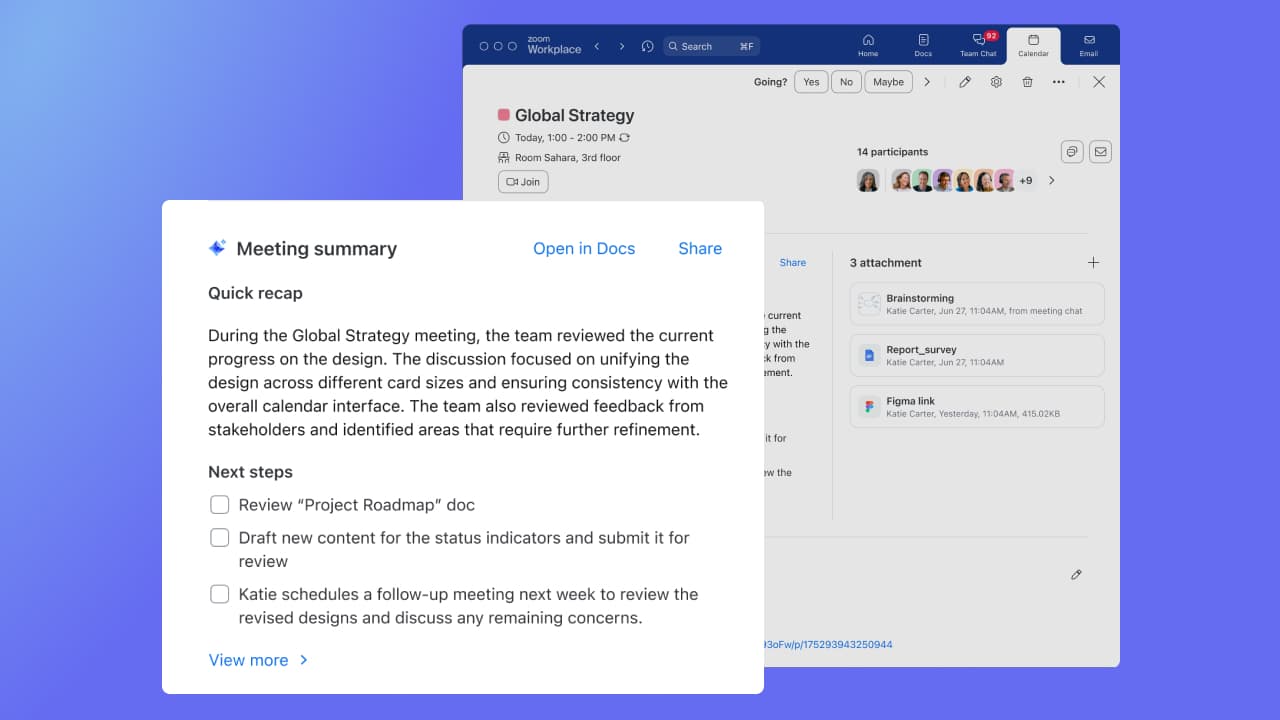
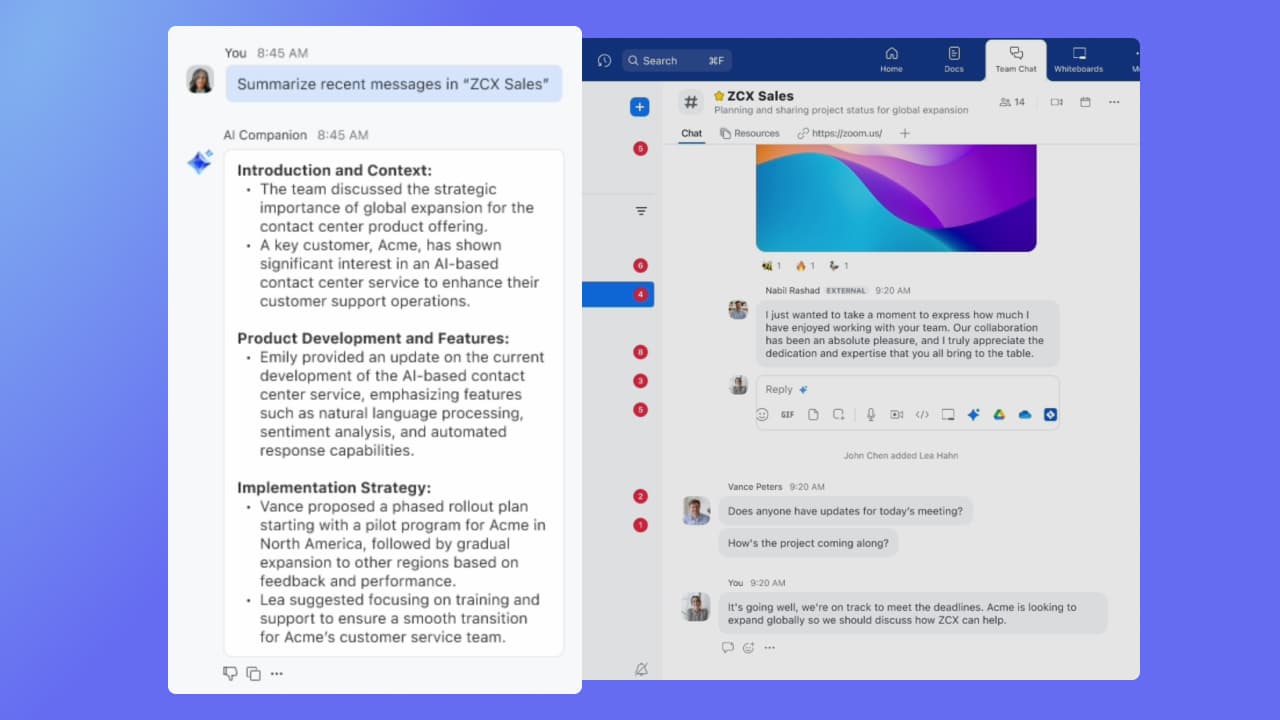
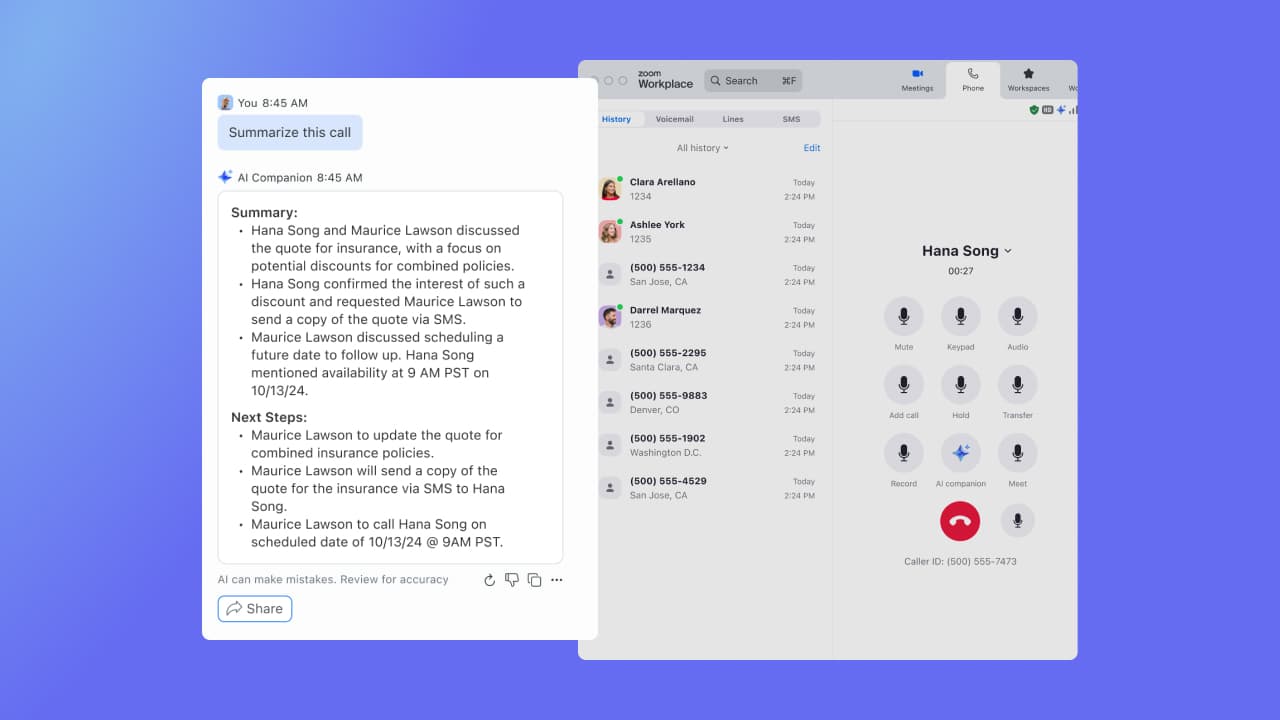
    Screenshot of Zoom AI Companion for Zoom Workplace, here used to analyze a document. It gets information about documents connected to Zoom Workplace, including email attachments, documents from chat, and Zoom Docs. With Zoom AI Companion for Zoom Meetings, Meeting Summary can take notes and share important action items. Summaries are shared in 36 supported languages, automatically detected by the main language spoken during the meeting.Screenshot of Zoom AI Companion for Zoom Team Chat, Zoom Mail and Calendar, and Zoom Docs, used to get a summary of the chat channel, email, and documents. Instead of reading a long email, users can get a quick summary.Screenshot of Zoom AI Companion for Zoom Phone, which offers a post-call summary during a recorded conversation.