Splunk supports IT operations analytics with the Splunk IT Service Intelligence premium offering, a software application available to subscribers to Splunk Cloud or Splunk Enterprise log analytics and SIEM platforms.
N/A
IBM Turbonomic
Score 9.3 out of 10
Enterprise companies (1,001+ employees)
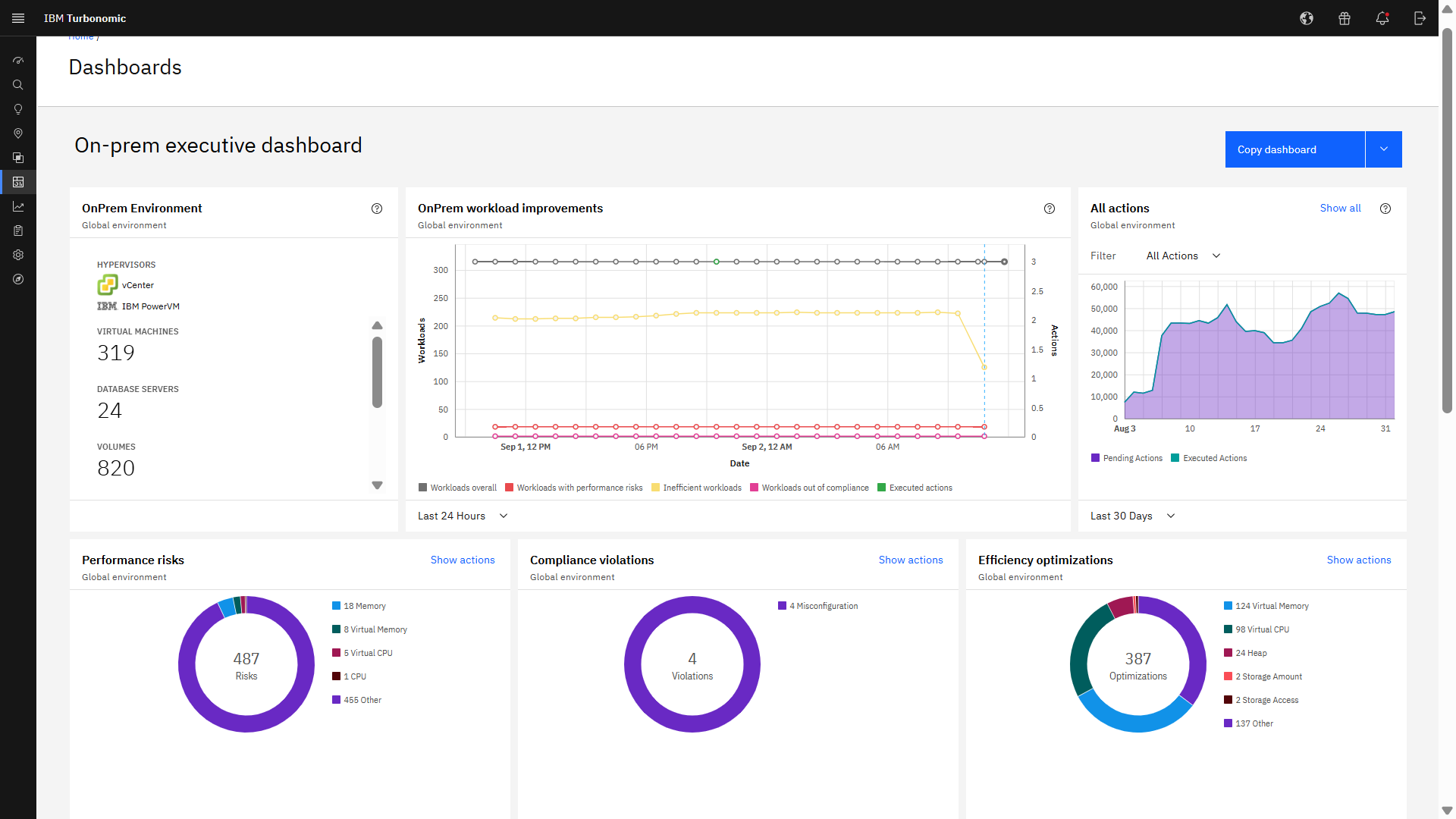
IBM Turbonomic is a performance and cost optimization platform for public, private, and hybrid clouds used by cloud, infrastructure operations, and architecture to assure application performance while eliminating inefficiencies by dynamically resourcing applications through automated actions. One of the key features of IBM Turbonomic is its ability to continuously adjust application resources in real time. By monitoring resource utilization and application performance,…
N/A
Pricing
Splunk IT Service Intelligence (ITSI)
IBM Turbonomic
Editions & Modules
No answers on this topic
IBM® Turbonomic On-Prem
Varies - Request a Quote
per month IBM Turbonomic On-prem optimizes data center resources in real time, ensuring app performance at the lowest cost by aligning infrastructure supply with dynamic application demand.
IBM® Turbonomic Cloud Standard
Varies - Request a Quote
per month For customers with more than USD 1.6 million in annual cloud spend or 50 Managed Virtual Servers (MVS) or greater
IBM® Turbonomic Hybrid Standard
Varies - Request a Quote
per month Advanced hybrid cloud optimization capabilities for customers with 200 managed virtual servers (MVS) or more
Offerings
Pricing Offerings
Splunk IT Service Intelligence (ITSI)
IBM Turbonomic
Free Trial
No
Yes
Free/Freemium Version
No
No
Premium Consulting/Integration Services
No
No
Entry-level Setup Fee
No setup fee
Optional
Additional Details
—
Volume discounting available.
More Pricing Information
Community Pulse
Splunk IT Service Intelligence (ITSI)
IBM Turbonomic
Features
Splunk IT Service Intelligence (ITSI)
IBM Turbonomic
Cloud Management
Comparison of Cloud Management features of Product A and Product B
[Splunk IT Service Intelligence (ITSI)] is well suited when you have a system that you want to visualize, and then layer in information from many different sources. This will allows ITSI to intelligently create alerts based on the system as a whole vs the individual components. In some cases, a simple splunk dashboard would really suffice over using ITSI. Teams deploying ITSI should really understand the use cases and consider using simple dashboards where they make sense, and use ITSI for topological views.
Measure the usage of resources across different platforms, from Kubernetes to VMs on-premises or in the cloud, to obtain current capacity metrics and plan for future scenarios. Reduce IT infrastructure costs by taking automated actions based on resource underutilization, such as shutting down VMs or changing resource definitions.
The terminology takes some getting used to: Aggregation policies, notable events, correlation searches, glass tables. If you're not familiar with ITSI, these terms can be a bit overwhelming and steepens the learning curve.
We have had some technical issues with the underlying support when used in a multisite cluster. We've had to build in several points of redundancy to make sure it works as expected.
I'd like to see additional types of notable events, like informational events that come in for when an incident is created or when an alert is acknowledged so all of those action steps can be viewed on the episode timeline without affecting the count of events.
It would be nice if the UI included a break-down of features that are both licensed as well as un-licensed. That way, you could not only see what you have, but what you don't.
The right-sizing recommendations are great, but very little info is given about why the recommendation is being made. More info would not only increase understanding, but would also help drive decision-making.
We have replaced our monitoring platform with Splunk & ITSI, and with the success, it's seen at our organization thus far we would be hard-pressed to pivot to another tool. Frankly, our business partners and application teams love Splunk & ITSI.
I have not found a better tool for capacity planning my VM environment than Turbonomic. If that is the use case, I would highly recommend. Similarly, if you are looking for automation and VM rightsizing automation I would also highly recommend. For troubleshooting scenarios where deep levels of infrastructure metrics are required, there are better tools available.
Splunk IT Service Intelligence (ITSI) is a platform with extended functionality and provides various functionalities which can be utilized to improve the efficiency and accuracy in analyzing the data and detecting the attacks.
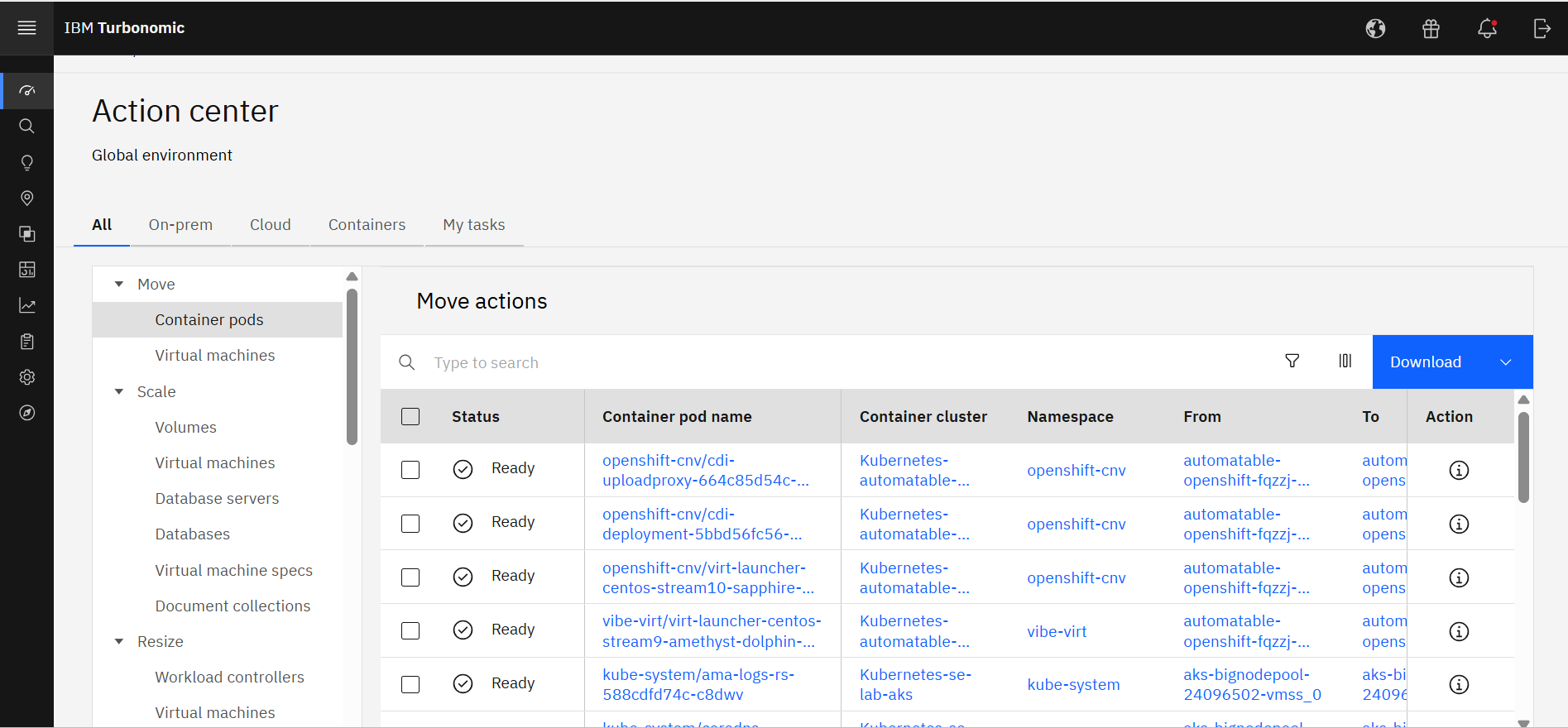
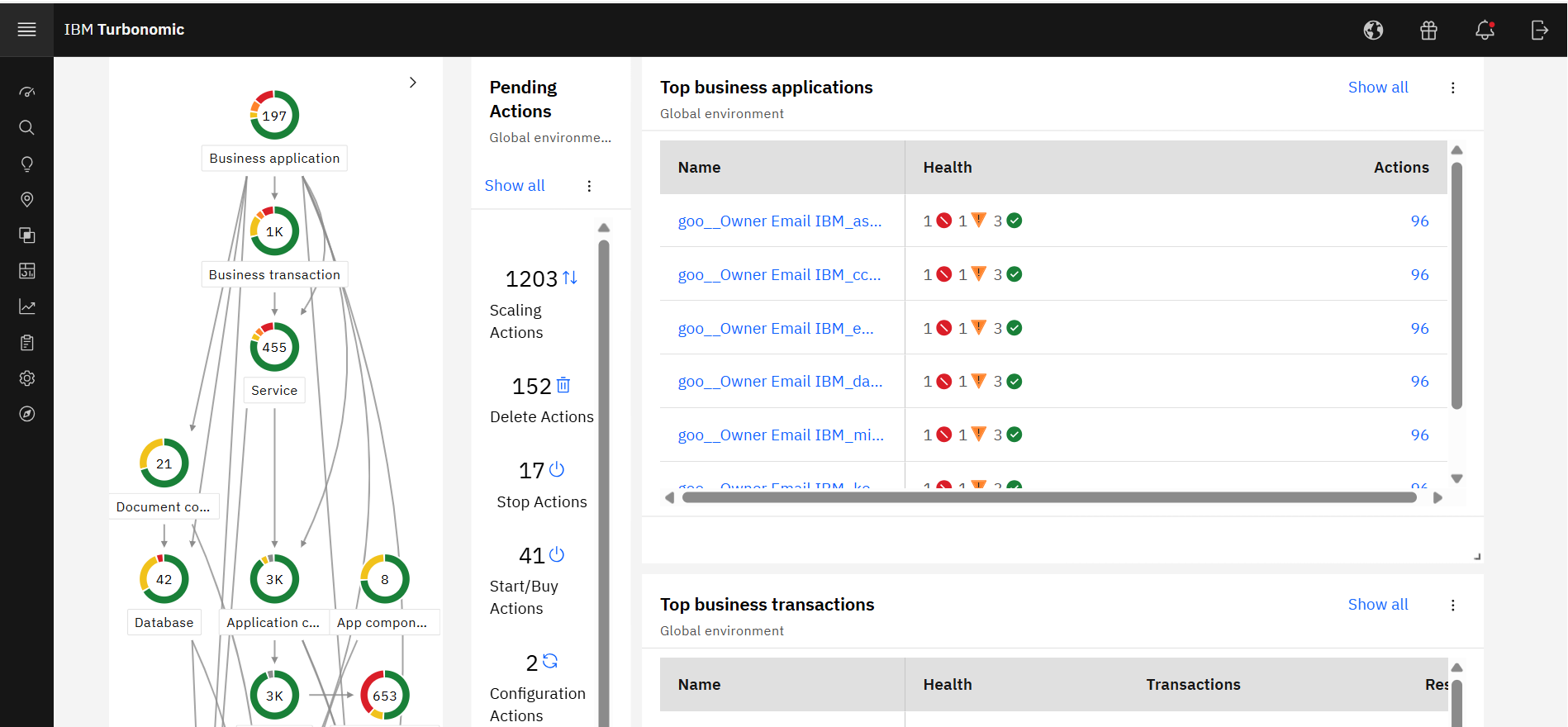
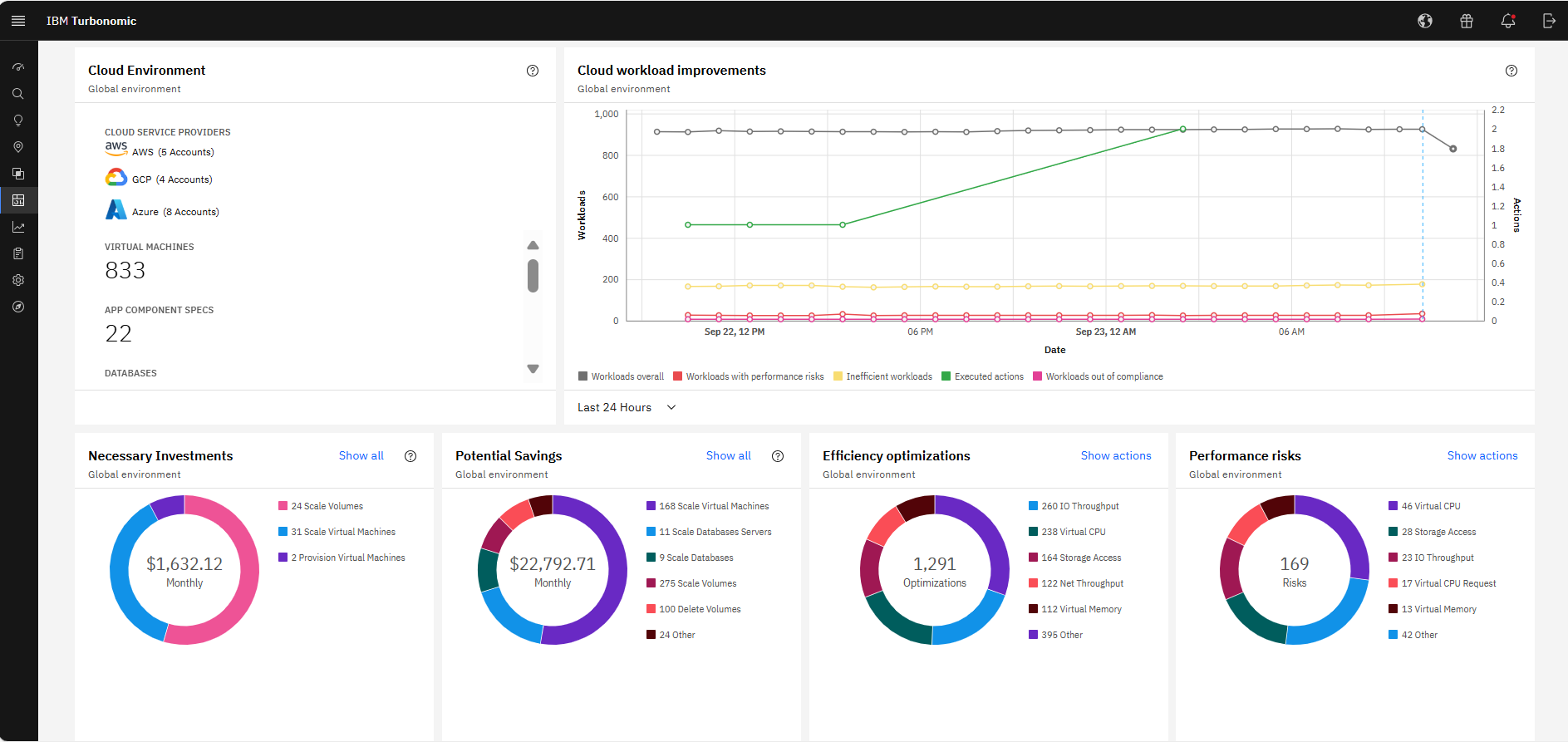
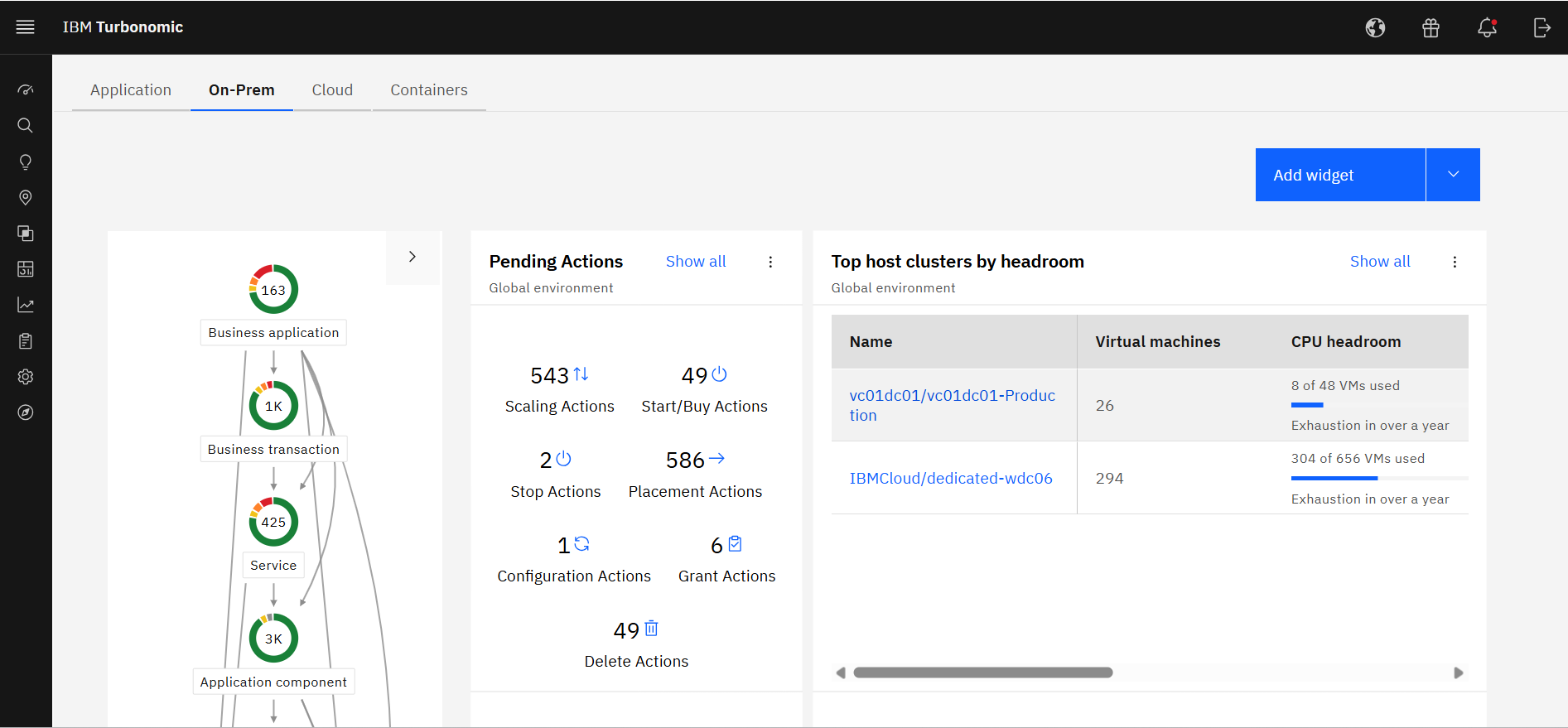
Excellent approach to larger VM organizational management. They have an very clean integrated dashboard that allows us to see everything in our environment and what that is doing in real-time. It works on multiple hyper-visors really well and integrates capacity planning on my local site as well as my cloud locations.
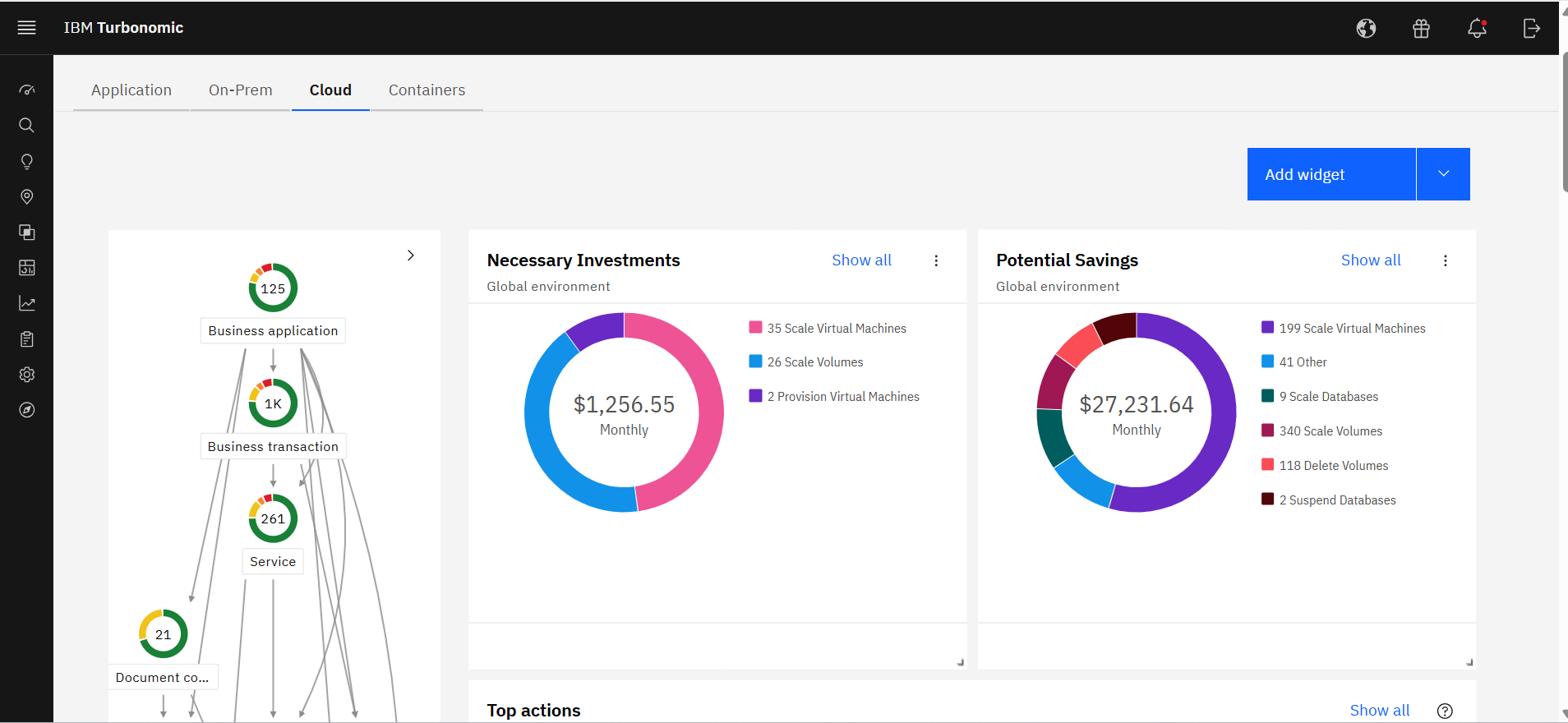
It allocates resources among applications by showing more on the cost breakdown by cloud service, with metrics on cloud provider information like Azure Management, Identity, Networking, Storage with costs per day, and total services costs. This then could facilitate and show the corresponding actions thereafter upon scaling.
During POC, pre-planning, and implementation, we have had interactions with numerous folks at Splunk. Everyone from sales & engineering to markets analysts to specific IT component SMEs, and a small professional services engagement to get started. They have all been exceptionally helpful and go above and beyond the call of duty. They actively reach out to ensure success is being realized and find ways to help proactively, instead of having to simply open support cases with the vendor.
Just this week we had an issue where security permissions we had done wrong were causing problems in VMTurbo Operations Manager. Despite this being our fault the service request was handled very quickly. In addition we are routinely contacted proactively to see if there is anything we need or they could do for us.
Alex (from VMTurbo) has worked with the product for years and helped develop the product. He was very knowledgeable and was able to provide our support team with details knowledge on how to get our deployment configured correctly as well as help with another VMTurbo POC within another customers environment.
After buying VMTurbo Operations Manager, I was invited to an online user training event. I felt this training was effective and dug just deep enough to be informative yet still keep my attention. Additionally, the webinar was free.
VMTurbo was easy to setup and implement. Probably helped by the remote telephone support we received. It was a simple process and and fairly painless. More complex configuration was achieved via a webex session and the support was greatly appreciated
Splunk has raised itself as a platform not just as a tool unlike other products in the market. If I talk about Moogsoft it also has similar capabilities but Splunk ITSI has more visibility and its GUI is making a different impact on the users. ServiceNow and Splunk are equally capable products however Splunk seems to have more tech-savvy people tools than ServiceNow.
As the organization had experience of years in using IBM products, we had the confidence that they will provide us with great support. And we needed a reliable solution as a financial institute to ensure continuous operations. Even though the price was very high, we made the correct decision to go ahead with IBM Turbonomic as the feedback from existing users in the region was very positive. We needed a solution which was capable of handling our automation requirements. All these were green in IBM Turbonomic.
Application performance has been a big one. With Turbonomic keeping everything running at top performance, it can make changes when extra resources are need, quicker than somebody being notified and then making the necessary changes.
Turbonomic has been a great cost savings for us on multiple occasions. We use it every time we are improving servers.
With the planning feature we get the best performance form new hardware purchases