ScienceLogic is a system and application monitoring and performance management platform. ScienceLogic collects and aggregates data across and IT ecosystems and contextualizes it for actionable insights with the SL1 product offering.
N/A
IBM Turbonomic
Score 9.3 out of 10
Enterprise companies (1,001+ employees)
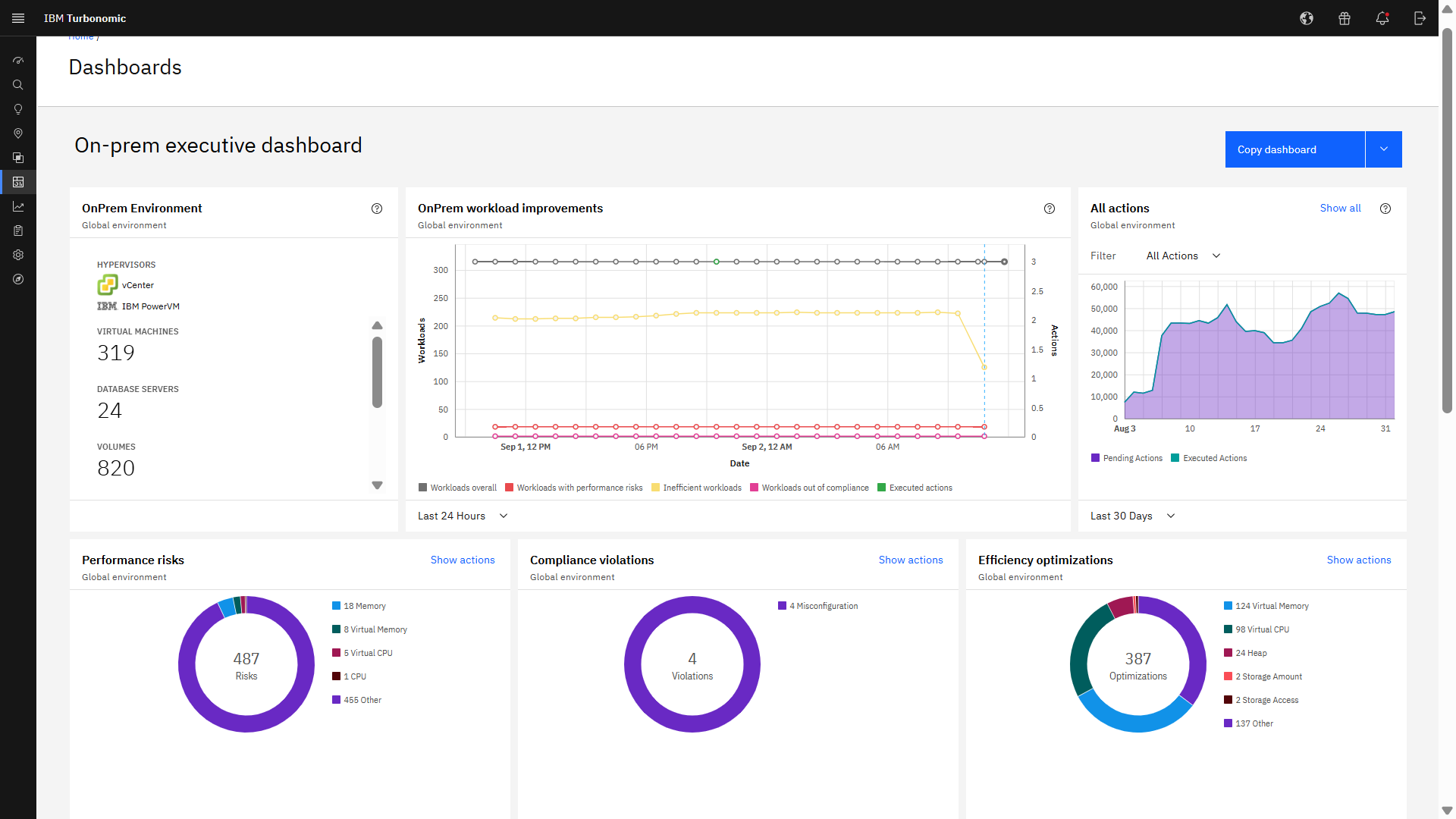
IBM Turbonomic is a performance and cost optimization platform for public, private, and hybrid clouds used by cloud, infrastructure operations, and architecture to assure application performance while eliminating inefficiencies by dynamically resourcing applications through automated actions. One of the key features of IBM Turbonomic is its ability to continuously adjust application resources in real time. By monitoring resource utilization and application performance,…
N/A
Pricing
ScienceLogic SL1
IBM Turbonomic
Editions & Modules
No answers on this topic
IBM® Turbonomic On-Prem
Varies - Request a Quote
per month IBM Turbonomic On-prem optimizes data center resources in real time, ensuring app performance at the lowest cost by aligning infrastructure supply with dynamic application demand.
IBM® Turbonomic Cloud Standard
Varies - Request a Quote
per month For customers with more than USD 1.6 million in annual cloud spend or 50 Managed Virtual Servers (MVS) or greater
IBM® Turbonomic Hybrid Standard
Varies - Request a Quote
per month Advanced hybrid cloud optimization capabilities for customers with 200 managed virtual servers (MVS) or more
Offerings
Pricing Offerings
ScienceLogic SL1
IBM Turbonomic
Free Trial
No
Yes
Free/Freemium Version
No
No
Premium Consulting/Integration Services
No
No
Entry-level Setup Fee
Required
Optional
Additional Details
ScienceLogic SL1 offers four tiers:
SL1 Advanced – Application Health, Automated Troubleshooting and Remediation Workflows
SL1 Base – Infrastructure Monitoring, Topology & Event Correlation
SL1 Premium – AI/ML-driven Analytics, Low-Code Automated Workflow Authoring
SL1 Standard – Infrastructure Monitoring – with Agents, Business Services, Incident Automation, CMDB Synchronization, Behavioral Correlation
To get pricing for each tier, please contact the vendor.
Volume discounting available.
More Pricing Information
Community Pulse
ScienceLogic SL1
IBM Turbonomic
Features
ScienceLogic SL1
IBM Turbonomic
AIOps Features
Comparison of AIOps Features features of Product A and Product B
ScienceLogic SL1
6.5
Ratings
0% above category average
IBM Turbonomic
-
Ratings
Monitoring and Alerting
7.30 Ratings
00 Ratings
Performance Analytics
6.40 Ratings
00 Ratings
Incident Management
6.60 Ratings
00 Ratings
Service Desk Integration
6.30 Ratings
00 Ratings
Root Cause Analysis
6.00 Ratings
00 Ratings
Capacity Planning Tool
5.80 Ratings
00 Ratings
Configuration and Change Management
5.70 Ratings
00 Ratings
Automated Remediation
6.90 Ratings
00 Ratings
Collaboration and Communication
7.20 Ratings
00 Ratings
Threat Intelligence
6.70 Ratings
00 Ratings
Cloud Management
Comparison of Cloud Management features of Product A and Product B
Appropriate if you are setting up a monitoring suite in new Infrastructure Environment. Definitely NOT suited for Migration Projects. ScienceLogic SL1 cannot cater to a lot of monitoring requirements which already would have been configured in old monitoring suite. Plus, limited support for customizations and having to go to "Feature Requests" route makes in extremely complicated.
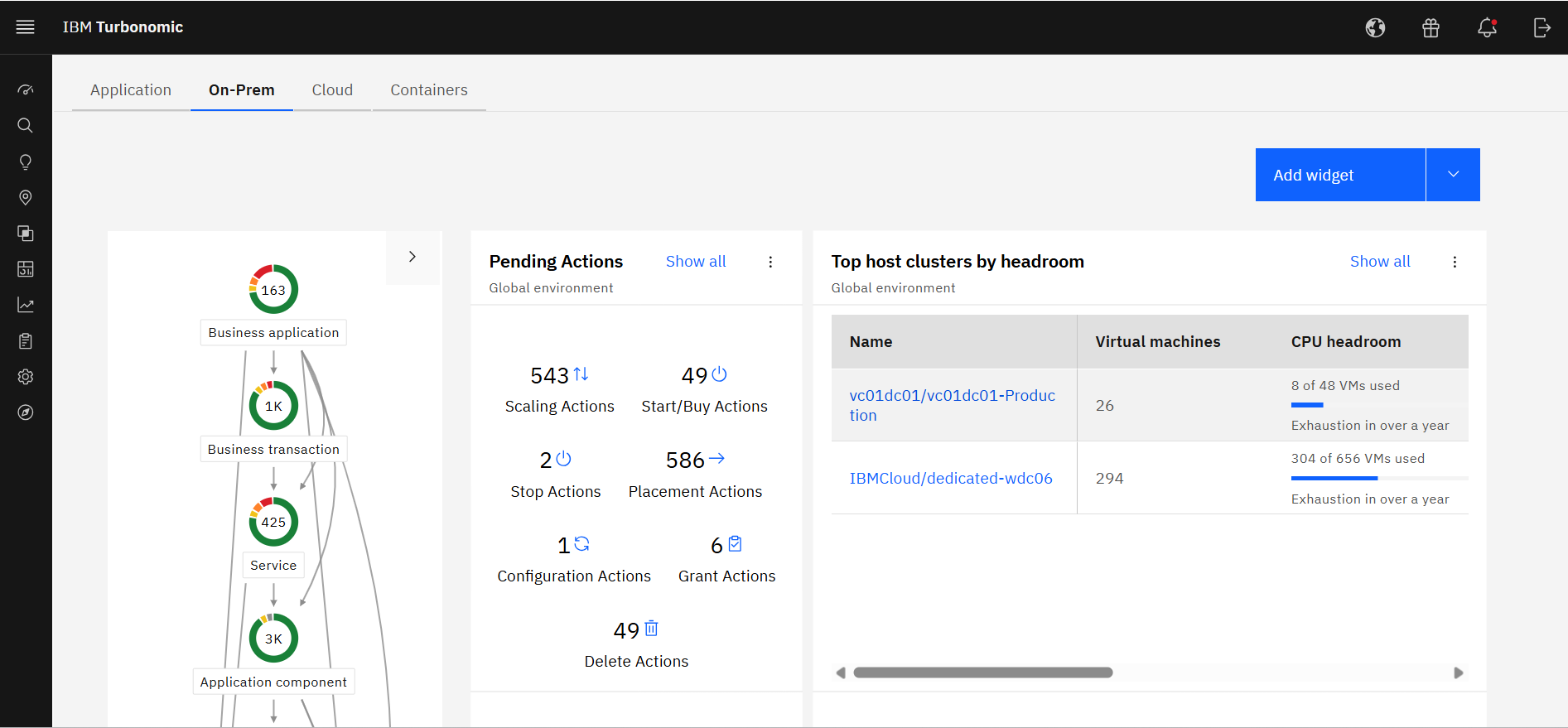
Measure the usage of resources across different platforms, from Kubernetes to VMs on-premises or in the cloud, to obtain current capacity metrics and plan for future scenarios. Reduce IT infrastructure costs by taking automated actions based on resource underutilization, such as shutting down VMs or changing resource definitions.
Creating powerpacks from scratch for new devices may be straightforward but will rarely be easy. Rewarding when completed, but not easy.
Developer documentation needs a rethink. While the information may be there (it isn't always) it is not easy to find. This is not helped by using different terms for the same things.
A developer console/dashboard for monitoring data collection from powerpacks instances without having to switch webpages or have to monitor multiple webpages.
It would be nice if the UI included a break-down of features that are both licensed as well as un-licensed. That way, you could not only see what you have, but what you don't.
The right-sizing recommendations are great, but very little info is given about why the recommendation is being made. More info would not only increase understanding, but would also help drive decision-making.
We migrated away from our 20-year-old homegrown solution and have no back-tracking capability. ScienceLogic is demonstrating new capabilities that we would not have been able to do on our own using our legacy system. We understand the capabilities of competitors based on our bake-off selection where ScienceLogic won on capabilities and future near-term potential (expandability, platform growth). We know that those competitors are not really close to where we have been able to push ScienceLogic (as a partner).
I have not found a better tool for capacity planning my VM environment than Turbonomic. If that is the use case, I would highly recommend. Similarly, if you are looking for automation and VM rightsizing automation I would also highly recommend. For troubleshooting scenarios where deep levels of infrastructure metrics are required, there are better tools available.
We use ScienceLogic SL1 in our organization to serve effective monitoring solutions to our external customers. Our customers depend upon us for critical events/alerts related to their IT infrastructure gears and using SL1, we're able to provide them with a proactive monitoring solution that resolves an issue before an impact is noticed by the customer. There are very few monitoring solutions that can cater to a variety of Cloud platforms like Public Cloud (AWS, Azure) and private cloud simultaneously and SL1 addresses this business problem very well
Excellent approach to larger VM organizational management. They have an very clean integrated dashboard that allows us to see everything in our environment and what that is doing in real-time. It works on multiple hyper-visors really well and integrates capacity planning on my local site as well as my cloud locations.
Science Logic SL1 provides the option of Distributed deployment where multiple instances of each appliance can be deployed to manage the load and availability. SL1 provides a High Availability feature for Database Servers and Data Collection. If one of the Data Collectors in the collector group fails, it will automatically redistribute the devices from the failed Data Collector among the other Data Collectors in the Collector Group. The high availability feature for the Database server ensures that SL1 performs failover automatically to another server without causing the outage to the application.
The performance is entirely dependent on the complexity of the environment/network being used to host the platform. Outside of those factors, the platform runs very efficiently and quickly out of the box. We have integrations with other platforms and neither seem to take a hit from our moderate API usage. Any issues with performance would be experienced by choices made in infrastructure or complexity of things built by the customer to display in the GUI (overly complicated and cluttered dashboards for example)
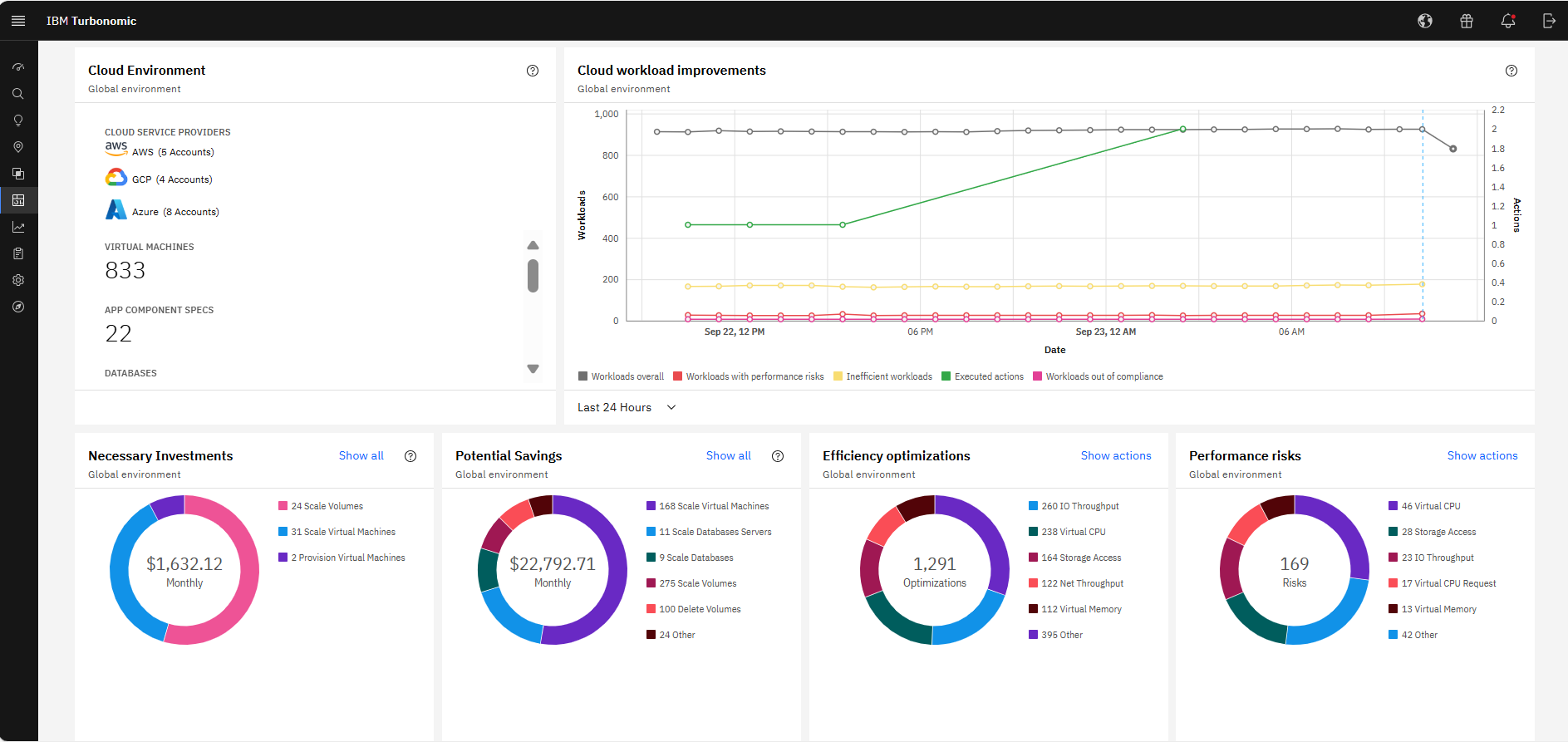
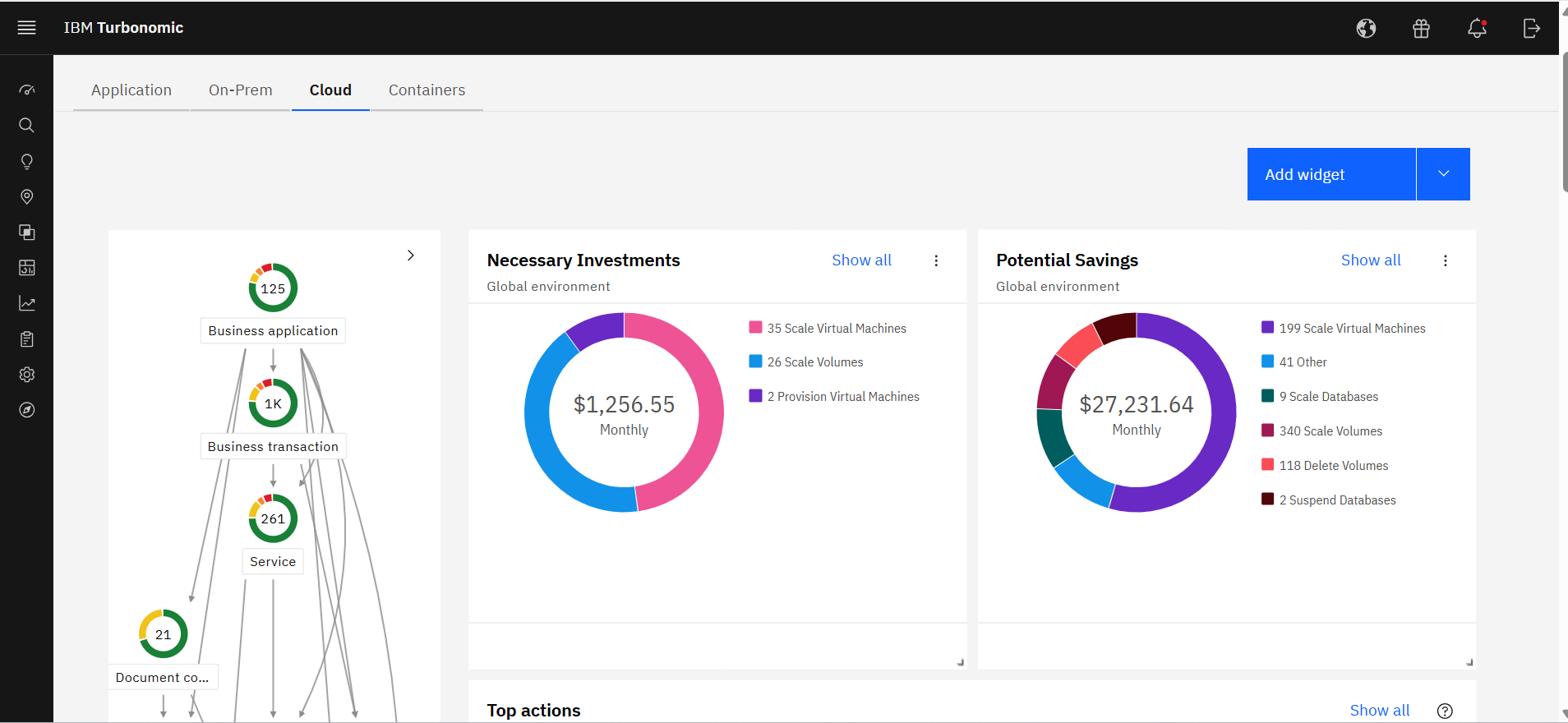
It allocates resources among applications by showing more on the cost breakdown by cloud service, with metrics on cloud provider information like Azure Management, Identity, Networking, Storage with costs per day, and total services costs. This then could facilitate and show the corresponding actions thereafter upon scaling.
So far, it's good as part of my overall experience, except for a couple of use cases. The support team is well knowledgeable, has technical sound, and is efficient. When support escalates to engineering, the issue gets stuck and takes months to resolve.
Just this week we had an issue where security permissions we had done wrong were causing problems in VMTurbo Operations Manager. Despite this being our fault the service request was handled very quickly. In addition we are routinely contacted proactively to see if there is anything we need or they could do for us.
When I joined our company, I did not know about the in person training at firts. Logging onto the SL University, I realised that there were different sessions being held at different times throughout the year. The training itself was good, but being in a different time zone, made it difficult to attend, but the sessions that I attended was great!
Alex (from VMTurbo) has worked with the product for years and helped develop the product. He was very knowledgeable and was able to provide our support team with details knowledge on how to get our deployment configured correctly as well as help with another VMTurbo POC within another customers environment.
There are a lot of educational materials and courses on the SL1 training site (Litmos university). However the recording quality is sometimes not very good - screen resolution is low. There is a lack of professional rather than user-oriented documents and there are mistakes in documentation and education is not well structured.
After buying VMTurbo Operations Manager, I was invited to an online user training event. I felt this training was effective and dug just deep enough to be informative yet still keep my attention. Additionally, the webinar was free.
Along with the purchase of the solution, we purchased a statement of work with their Professional Services organization to meet our outcomes and fill our critical gaps. The PS team was outstanding, very professional and allowed us to screen share while they built our integrations. In many cases they would teach us how they did certain things within the platform.
VMTurbo was easy to setup and implement. Probably helped by the remote telephone support we received. It was a simple process and and fairly painless. More complex configuration was achieved via a webex session and the support was greatly appreciated
We evaluated a couple of other competitive products in the IT infrastructure observability domain; however, we found that ScienceLogic has a slight edge over the others for us. We encountered a cost barrier, as managing too many customers with an MSP setup was a costly affair, and several solutions did not offer an MSP solution at that time.
As the organization had experience of years in using IBM products, we had the confidence that they will provide us with great support. And we needed a reliable solution as a financial institute to ensure continuous operations. Even though the price was very high, we made the correct decision to go ahead with IBM Turbonomic as the feedback from existing users in the region was very positive. We needed a solution which was capable of handling our automation requirements. All these were green in IBM Turbonomic.
Our deployment model is vastly different from product expectations. Our global / internal monitoring foot print is 8 production stacks in dual data centers with 50% collection capacity allocated to each data center with minimal numbers of collection groups. General Collection is our default collection group. Special Collection is for monitoring our ASA and other hardware that cannot be polled by a large number of IP addresses, so this collection group is usually 2 collectors). Because most of our stacks are in different physical data centers, we cannot use the provided HA solution. We have to use the DR solution (DRBD + CNAMEs). We routinely test power in our data centers (yearly). Because we have to use DR, we have a hand-touch to flip nodes and change the DNS CNAME half of the times when there is an outage (by design). When the outage is planned, we do this ahead of the outage so that we don't care that the Secondary has dropped away from the Primary. Hopefully, we'll be able to find a way to meet our constraints and improve our resiliency and reduce our hand-touch in future releases. For now, this works for us and our complexity. (I hear that the HA option is sweet. I just can't consume that.)
Application performance has been a big one. With Turbonomic keeping everything running at top performance, it can make changes when extra resources are need, quicker than somebody being notified and then making the necessary changes.
Turbonomic has been a great cost savings for us on multiple occasions. We use it every time we are improving servers.
With the planning feature we get the best performance form new hardware purchases