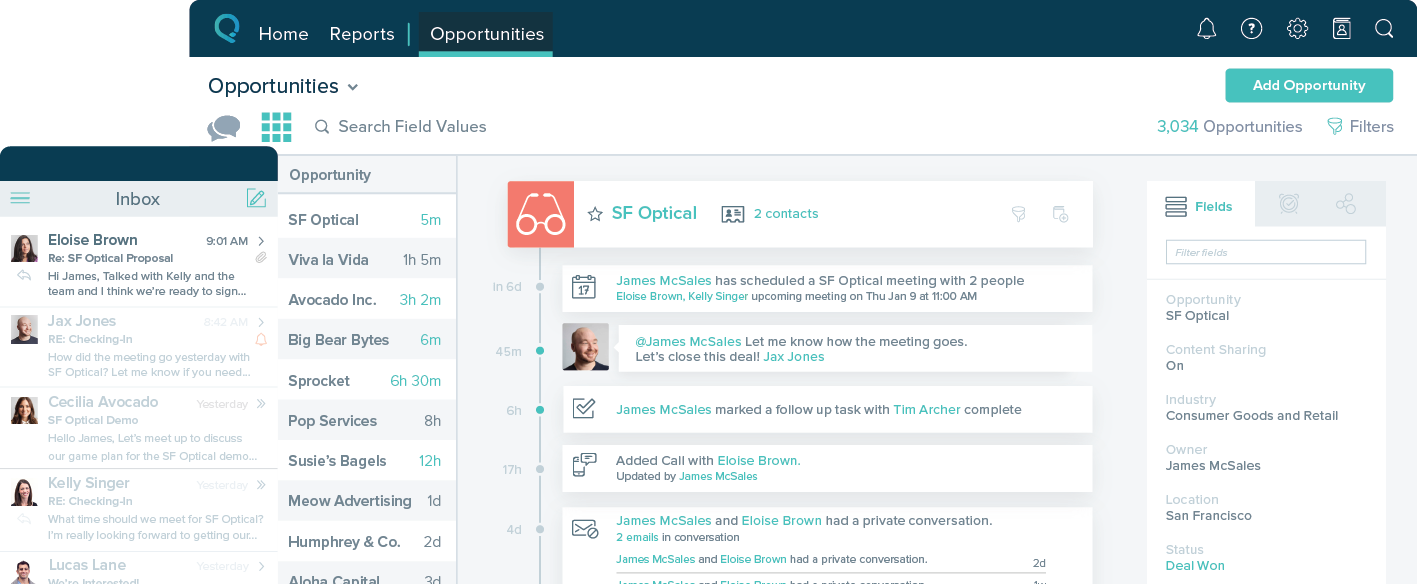
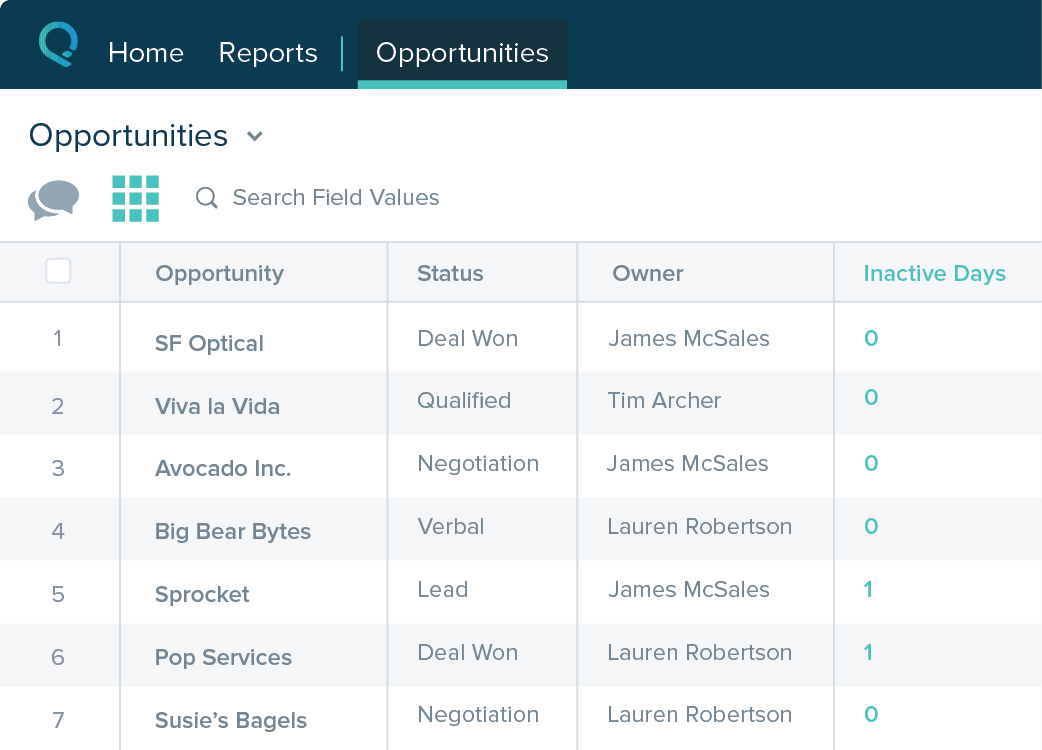
Pipedrive is a customer relationship management (CRM) software built to help small teams to drive sales.
$24
per month per seat
Salesforce Starter
Score 8.9 out of 10
Small Businesses (1-50 employees)
Salesforce Starter (formerly Salesforce Essentials) is a small business CRM that replaces the former SalesforceIQ product. It is priced at $35 per user, on a monthly basis, or at $25 per month for if billed annually ($300) and can be tried free for 14 days on a trial.
N/A
Pricing
Pipedrive
Salesforce Starter
Editions & Modules
Essential
$24
per month per seat
Advanced
$49
per month per seat
Professional
$69
per month per seat
Power
$79
per month per seat
Enterprise
$129
per month per seat
No answers on this topic
Offerings
Pricing Offerings
Pipedrive
Salesforce Starter
Free Trial
Yes
Yes
Free/Freemium Version
No
No
Premium Consulting/Integration Services
No
No
Entry-level Setup Fee
No setup fee
No setup fee
Additional Details
Monthly plans are available. The Essentials monthly plan at $24 per month.
—
More Pricing Information
Community Pulse
Pipedrive
Salesforce Starter
Features
Pipedrive
Salesforce Starter
Sales Force Automation
Comparison of Sales Force Automation features of Product A and Product B
Pipedrive
6.7
Ratings
14% below category average
Salesforce Starter
9.0
Ratings
15% above category average
Customer data management / contact management
7.60 Ratings
9.00 Ratings
Workflow management
5.70 Ratings
00 Ratings
Territory management
6.00 Ratings
8.60 Ratings
Opportunity management
8.30 Ratings
9.00 Ratings
Integration with email client (e.g., Outlook or Gmail)
7.90 Ratings
10.00 Ratings
Contract management
5.00 Ratings
00 Ratings
Quote & order management
5.00 Ratings
9.00 Ratings
Interaction tracking
8.00 Ratings
7.80 Ratings
Channel / partner relationship management
6.70 Ratings
9.40 Ratings
Customer Service & Support
Comparison of Customer Service & Support features of Product A and Product B
Pipedrive
2.9
Ratings
89% below category average
Salesforce Starter
-
Ratings
Case management
4.70 Ratings
00 Ratings
Call center management
1.10 Ratings
00 Ratings
Help desk management
3.10 Ratings
00 Ratings
Marketing Automation
Comparison of Marketing Automation features of Product A and Product B
Pipedrive
6.1
Ratings
22% below category average
Salesforce Starter
8.8
Ratings
15% above category average
Lead management
5.70 Ratings
8.80 Ratings
Email marketing
6.50 Ratings
00 Ratings
CRM Project Management
Comparison of CRM Project Management features of Product A and Product B
Pipedrive
6.0
Ratings
24% below category average
Salesforce Starter
8.8
Ratings
15% above category average
Task management
7.70 Ratings
9.00 Ratings
Billing and invoicing management
4.10 Ratings
8.00 Ratings
Reporting
6.20 Ratings
9.40 Ratings
CRM Reporting & Analytics
Comparison of CRM Reporting & Analytics features of Product A and Product B
Pipedrive
6.9
Ratings
9% below category average
Salesforce Starter
9.0
Ratings
17% above category average
Forecasting
6.40 Ratings
9.00 Ratings
Pipeline visualization
8.10 Ratings
8.60 Ratings
Customizable reports
6.20 Ratings
9.40 Ratings
Customization
Comparison of Customization features of Product A and Product B
Pipedrive
4.9
Ratings
42% below category average
Salesforce Starter
8.9
Ratings
17% above category average
Custom fields
5.50 Ratings
9.40 Ratings
Custom objects
6.10 Ratings
9.40 Ratings
Scripting environment
1.00 Ratings
7.90 Ratings
API for custom integration
6.70 Ratings
8.80 Ratings
Security
Comparison of Security features of Product A and Product B
Pipedrive
5.9
Ratings
34% below category average
Salesforce Starter
9.4
Ratings
12% above category average
Single sign-on capability
6.10 Ratings
9.40 Ratings
Role-based user permissions
5.80 Ratings
9.40 Ratings
Social CRM
Comparison of Social CRM features of Product A and Product B
Pipedrive
1.1
Ratings
148% below category average
Salesforce Starter
8.1
Ratings
10% above category average
Social data
1.10 Ratings
00 Ratings
Social engagement
1.10 Ratings
8.10 Ratings
Integrations with 3rd-party Software
Comparison of Integrations with 3rd-party Software features of Product A and Product B
Pipedrive
3.6
Ratings
68% below category average
Salesforce Starter
8.3
Ratings
12% above category average
Marketing automation
3.60 Ratings
8.50 Ratings
Compensation management
3.50 Ratings
8.10 Ratings
Platform
Comparison of Platform features of Product A and Product B
Pipedrive's lead management features are top-notch, particularly the ability to automate email correspondence and receive alerts when necessary. It has an excellent pipeline, opportunity management, and sales automation without coding: —Exceptional cost-effectiveness. —User-friendliness. —Usability. —Top-notch search filter. However, its speed could be increased because adding new actions requires numerous taps and swipes.
SalesforceIQ is a perfect CRM to start with and get your organization used to tracking customer contact. It was an easy setup and well adopted. It allowed us to rollout completely in just 30 days. We have seen a large increase in our ability to communicate. It may be lacking in some items if you already have a tracking method but was the perfect starting point for us.
Great visual visibility of the funnel plus easy to drag the deals across the stages
The email integration that collects all relevant communication (also through the possibility of adding a deal-specific Pipedrive address on BCC)
The integration with Pandadoc, which we use a lot, so that Pipedrive keeps a really handy overview of the documents we have sent out / which have been signed
Sales CRM with built-in guidance and reminders to manage and track opportunities.
Self-service for customers and internal employee needs. Integrates forms and chatbots very easily into your existing website.
Guided setup with inherent flows to make transitioning from legacy systems to new age cloud-based technologies
Integrates with Outlook and Gmail extremely well. Includes the Salesforce Inbox mobile app to link records with calendar and email. Email reminders included automatically.
The Salesforce Mobile App comes with Starter, making it super easy to work on the go, even in remote areas.
Showing the customers name on the pipeline page. Right now I can only get it to show the brand name twice. I wish it would replace the second brand name with the main point of contact.
Better reporting tools. Their reporting tools are not easy to pick up. I've spent time trying to figure it out and it isn't something I can pick up on quickly.
Better training options. I wish I had a personal trainer to walk me through the best way to use Pipedrive so I can get the most out of it.
Table views can be sorted by column. Filters can be applied, but only to one column. Multi-column filtering like Excel allows would be extremely useful and a big improvement.
The ability to quick copy data in a table view would also be helpful, like (ctrl ') in excel.
There is a learning curve that caused a slow adoption but overall the UI looks great and the support is helpful when there is an issue that you need to be addressed. The marketplace integrations (developed by Pipedrive) could definitely use some work as they're not as seamless as we'd hoped for!
easy to use, training is intuitive and can be peer taught if needed. Not overly complex so that users can get started within a very short period of time.
Between quick video tutorials and having very quick feedback from their support teams, it is one of the main reasons I would recommend Pipedrive. It is critical, especially when setting up the platform to meet your companies needs, that a solid support team like Pipedrive has is there to make the transition easier.
The reporting tools with Pipedrive are immensely more advanced and customizable than Clio Grow. We are able to adjust and tweak the reports to make sense for our firm specifically whereas with Clio Grow, you were sort of stuck with the default reports. Pipedrive beats Clio Grow hands down.
Salesforce Starter is exactly what it says. It's specific to getting a small business up and running effectively, without unnecessary development or internal overhead required. It doesn't allow for a ton of customization, but it provides more than most other providers across sales, service, and integration/automating business processes. Some tools are more specific to organizations that want to focus on a specific area to grow or manage their business. That's where the other package types and integrations with specific tools come in
Great on setup which made our work easier and less technically equipped people can manage a lot of things(compared to SalesForce where you need to hire a developer to set it up)
We were able to integrate our calling system easily and get things going on the lead calling aspect.
Great multipipeline option where we were able to manage both organisations under one roof.