Service Cloud is a customer service platform that helps businesses manage and resolve customer inquiries and issues. It provides tools for case management, knowledge base, omni-channel support, automation, and analytics, enabling companies to deliver exceptional customer service experiences.
$25
per month
ServiceMax
Score7.9 out of 10
N/A
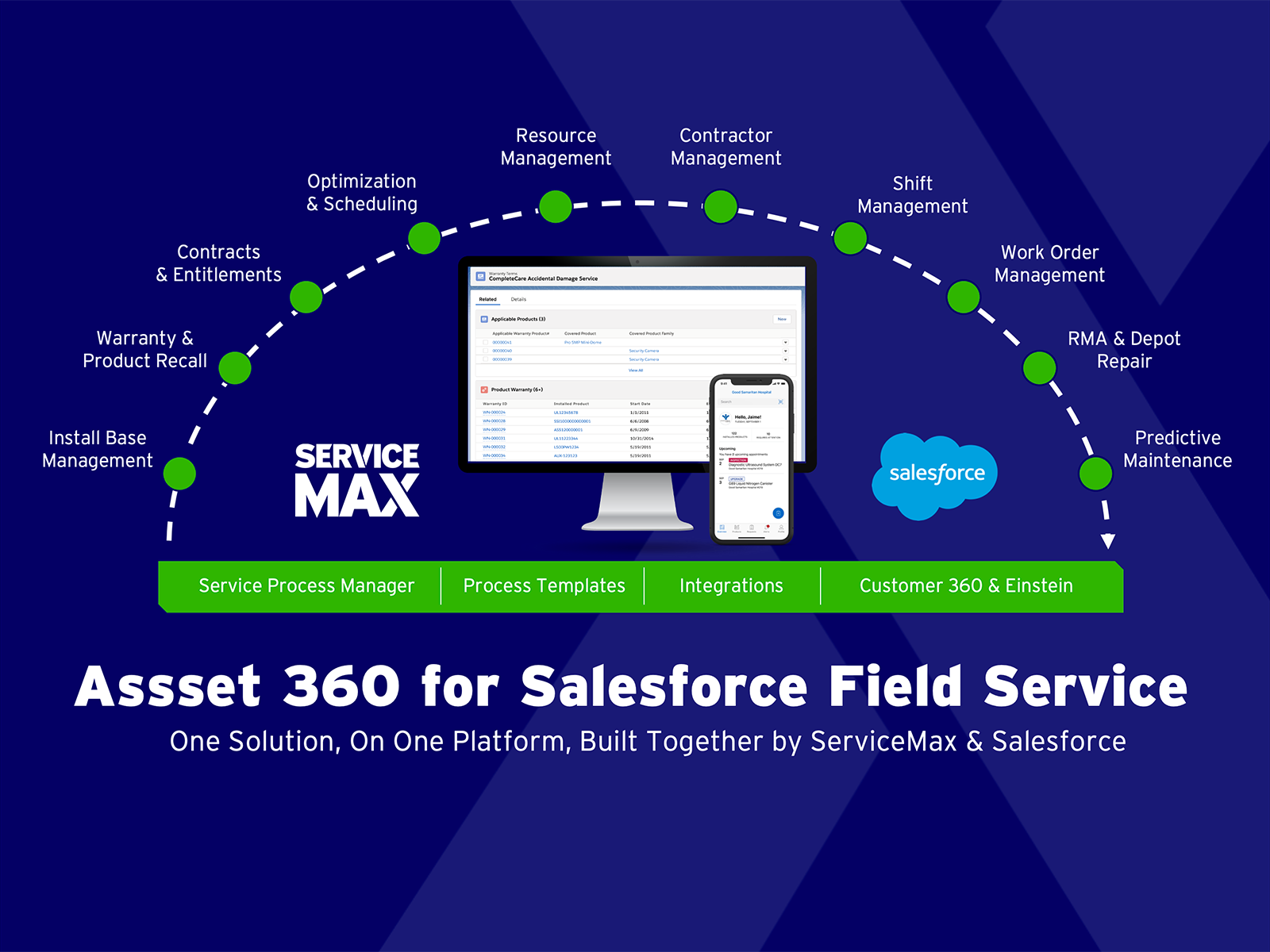
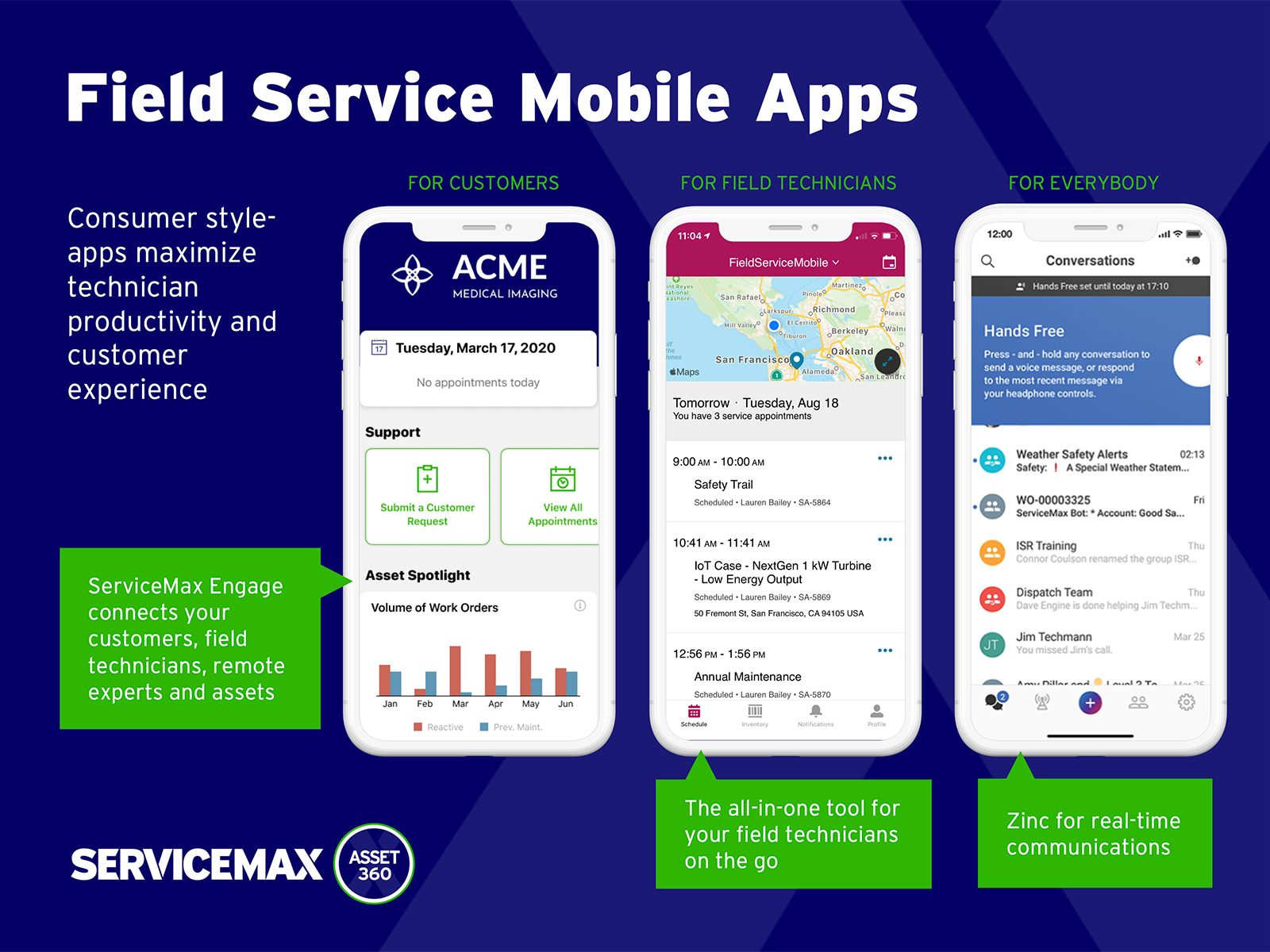
ServiceMax’s mission is to help customers with asset-centric field service management software. ServiceMax’s mobile apps and cloud-based software provide an overview of assets to field service teams. By optimizing field service operations, customers across all industries can better manage the complexities of service, support faster growth and run more profitable, outcome-centric businesses.
Technical Support Manager in Customer Service at Videojet Technologies (Printing, 1001-5000 employees)
Chose ServiceMax
ServiceMax has an offline capability, and also integrates with our Salesforce side of business. At the time, Salesforce did not have a field service application so we could not consider it, but if we could now, we would probably go with that instead. ServiceMax is also …
A de minimis incentive was given to thank the reviewer for their time. The incentive was not used to bias or drive a particular response, nor was the incentive contingent on a positive endorsement. More Info
It is a helpful tool, but it can be a bit cumbersome to manage. It is also a bit expensive, but we already use CRM for Salesforce and it is convenient to be able to immediately tag contacts and accounts when the tickets come into the system and tie them directly to the account. I do know an integration with Jira is possible (we use Jira internally for our engineering team to escalate issues) but it is not configured right now so managing the connection between support tickets and Jira tickets is manual and hard to keep up with
A de minimis incentive was given to thank the reviewer for their time. The incentive was not used to bias or drive a particular response, nor was the incentive contingent on a positive endorsement. More Info
Small deployments, where you have some specific need for ServiceMax and absolutely need offline capabilities, and are willing to deal with the problems. Otherwise, you may be better off looking at the built-in Work Orders and field service module that Salesforce is now providing. Their app is direct competition for ServiceMax and integrates much better with cases and knowledge articles.
A de minimis incentive was given to thank the reviewer for their time. The incentive was not used to bias or drive a particular response, nor was the incentive contingent on a positive endorsement. More Info
A de minimis incentive was given to thank the reviewer for their time. The incentive was not used to bias or drive a particular response, nor was the incentive contingent on a positive endorsement. TR verified that a representative sample of customers was invited. More Info
A de minimis incentive was given to thank the reviewer for their time. The incentive was not used to bias or drive a particular response, nor was the incentive contingent on a positive endorsement. More Info
A de minimis incentive was given to thank the reviewer for their time. The incentive was not used to bias or drive a particular response, nor was the incentive contingent on a positive endorsement. TR verified that a representative sample of customers was invited. More Info
A de minimis incentive was given to thank the reviewer for their time. The incentive was not used to bias or drive a particular response, nor was the incentive contingent on a positive endorsement. More Info
Professional edition works best for a small company with lower call volumes and is very useful but as you grow exponetially I think it has limited ability to do all the things we want to - SLA management, defect, release management to name a few. Reports and dashboards being available in real time.
I had Salesforce experience prior to using Service Cloud which made it a little easier to learn and navigate, but overall my team (some who had no Salesforce experience) caught on very quickly and found Service Cloud to be easy to use.
A de minimis incentive was given to thank the reviewer for their time. The incentive was not used to bias or drive a particular response, nor was the incentive contingent on a positive endorsement. More Info
Salesforce's Trust Center clearly communicates occasional issues to anyone who subscribes, down to an organization's cloud instance. Bundled sandboxes ease updates, and seasonal upgrades are seamless, scheduled well in advance with plenty of information about what's coming. Support agents have noticed intermittent Omni-Channel disconnects due to internet connections, and these are clearly notified.
The Salesforce Service Cloud generally has very good performance, however the overall new Lightning user experience can bring that down. For example, if you have too many tabs open, then it can take a while for the Lightning UI to load. This UI is probably not well equipped to handle loading of all of that information at once, but Users tend to leave their tabs open all day long. It can also be fickle depending on which browser you use, what extensions you have installed, and whether you've cleared your cache. This can be the downfall with any software as a service though, not just Salesforce
A de minimis incentive was given to thank the reviewer for their time. The incentive was not used to bias or drive a particular response, nor was the incentive contingent on a positive endorsement. More Info
Salesforce offers support, although it generally gets routed to overseas support teams first, and once they are unable to help, it gets escalated up the chain to higher tiers. Frequently, the answer back from support is that there is no native solution, and we either have to turn to the AppExchange for some solution provided by another developer, or custom build our own solution.
A de minimis incentive was given to thank the reviewer for their time. The incentive was not used to bias or drive a particular response, nor was the incentive contingent on a positive endorsement. More Info
Our in-person training was provided by our implementation partner and it was quite good. This was in part because we were already working with them and so it naturally leant itself to a good training relationship. And because they were building our customizations and configuring things, they could then provide training on those things naturally.
A de minimis incentive was given to thank the reviewer for their time. The incentive was not used to bias or drive a particular response, nor was the incentive contingent on a positive endorsement. TR verified that a representative sample of customers was invited. More Info
Trailheads are great but it was often unclear what actually applied to our organization. This made it difficult to get a whole lot out of it. Part of it is that because the basic Salesforce features didn't quite work for us, we had to add customizations, which then nullified a lot of the training.
A de minimis incentive was given to thank the reviewer for their time. The incentive was not used to bias or drive a particular response, nor was the incentive contingent on a positive endorsement. TR verified that a representative sample of customers was invited. More Info
I would go through an implementation very differently knowing what I know now. It was difficult coming from systems we liked in post-sales service and having to adapt to the clunky and underwhelming feature set in Salesforce. I would trim back our expectations
A de minimis incentive was given to thank the reviewer for their time. The incentive was not used to bias or drive a particular response, nor was the incentive contingent on a positive endorsement. TR verified that a representative sample of customers was invited. More Info
Salesforce service cloud is more configurable than Zendesk and Freshdesk. It has its own inbuilt AI chatbot also which further improves service agent efficiency. Salesforce is more integration agnostic and has pre-built connectors with multiple 3rd party systems. However, in terms of pricing it is priced at a premium compared to the other solutions
ServiceMax has an offline capability, and also integrates with our Salesforce side of business. At the time, Salesforce did not have a field service application so we could not consider it, but if we could now, we would probably go with that instead. ServiceMax is also expensive. But at the time, ServiceMax was the only offering out there that integrated with Salesforce, had mobile offline capability, and could operate at the scale we needed.
A de minimis incentive was given to thank the reviewer for their time. The incentive was not used to bias or drive a particular response, nor was the incentive contingent on a positive endorsement. More Info
A de minimis incentive was given to thank the reviewer for their time. The incentive was not used to bias or drive a particular response, nor was the incentive contingent on a positive endorsement. TR verified that a representative sample of customers was invited. More Info
Because this is a cloud service, the security, implementation framework and feature list is very mature and you don't have to develop these during implementation.
The larger the implementation programme the better the licensing arrangements
Free developer toolkit for proof of concepts or showcasing features
A de minimis incentive was given to thank the reviewer for their time. The incentive was not used to bias or drive a particular response, nor was the incentive contingent on a positive endorsement. More Info
ROI for ServiceMax is mostly dependent on how in depth the organization wants the software. Our ROI is expected within the second year of operation due to the complexity of integration and the initial training requirements for in-house programmers.
Inventory control ROI is expected within year three or four due to the number of technicians and creating the foundation of information to import into ServiceMax. Expectations are the front end programming will be complete and our programmers will be better acquainted with the modules and architecture to make the inventory integration smoother than the initial integration.
Our organization has been working with ServiceMax for ten months and beginning to incorporate the financials to the work orders. This process has not been as seamless as once projected and the root causes are under investigation. It appears the original fields available to track time between employees were not in depth nor segregated sufficiently for granularity.
A de minimis incentive was given to thank the reviewer for their time. The incentive was not used to bias or drive a particular response, nor was the incentive contingent on a positive endorsement. More Info