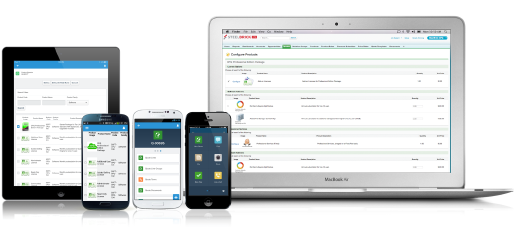
Salesforce Revenue Cloud (formerly Salesforce CPQ or SteelBrick) is built and delivered on the Salesforce Platform and Salesforce1 Mobile App which enables users to create accurate sales quotes quickly and submit error-free orders on the fly from any device.
$30
Per User per Month
Zoom Revenue Accelerator
Score 8.9 out of 10
N/A
Zoom Revenue Accelerator , the evolution of Zoom IQ, is a conversation intelligence tool, available for users of Zoom Meetings.
N/A
Pricing
Salesforce Revenue Cloud
Zoom Revenue Accelerator
Editions & Modules
Basic
$30
Per User per Month
Professional
$50
Per User per Month
Enterprise
$75
Per User per Month
No answers on this topic
Offerings
Pricing Offerings
Salesforce Revenue Cloud
Zoom Revenue Accelerator
Free Trial
Yes
No
Free/Freemium Version
No
No
Premium Consulting/Integration Services
No
No
Entry-level Setup Fee
Optional
No setup fee
Additional Details
—
—
More Pricing Information
Community Pulse
Salesforce Revenue Cloud
Zoom Revenue Accelerator
Features
Salesforce Revenue Cloud
Zoom Revenue Accelerator
CPQ
Comparison of CPQ features of Product A and Product B
Salesforce Revenue Cloud
7.7
Ratings
12% below category average
Zoom Revenue Accelerator
-
Ratings
Quote sharing/sending
7.90 Ratings
00 Ratings
Product configuration
5.10 Ratings
00 Ratings
Configuration options
5.10 Ratings
00 Ratings
Pricing rules
8.00 Ratings
00 Ratings
Price adjustment
8.00 Ratings
00 Ratings
Purchase history and open contracts
9.00 Ratings
00 Ratings
Guided selling/Sales portal
6.00 Ratings
00 Ratings
CPQ reporting & analytics
8.90 Ratings
00 Ratings
CPQ-CRM integration
9.90 Ratings
00 Ratings
Attachments to quotes
9.00 Ratings
00 Ratings
Order capturing
8.00 Ratings
00 Ratings
Conversation Intelligence Software Features
Comparison of Conversation Intelligence Software Features features of Product A and Product B
CPQ is great if you can devote the time to it to make it perfect for your sales team. It requires a lot of time and energy to build it out and customize, but once that's done it is one of the most powerful tools you will have. Having an expert in CPQ is really helpful as well.
Training on key features is difficult, so adoption of the platform is not where we would like it to be after 6 months of being deployed. Our team works primarily within Salesforce, so it would be helpful to have additional focus on adding ZRA components to the Salesforce managed package. Would love to see on overall customer summary for example. Rather than having to go to each conversation to get details of the customer journey. The price point for ZRA is quite high compared to meetings & phone so I would like to see continuous growth/new features being released to justify the spend. With ZRA, the sales leaders can share tactics and use cases on how they utilize ZRA to manage their individual teams. The analytics easily shows team members who are exceeding or who may need additional support based on (overall customer sentiment & engagement).
Salesforce CPQ is great for being able to quickly and easily build product bundles in an intuitive and visually appealing way.
The product catalog and ability to easily add fields to product records makes setting up products really simple and adds a lot of value to reporting within Salesforce.
Basic product and configuration rules are very easy to understand and set up.
Our Salesforce is very messy, which tells me it's not super easy to clean up.
I always have a really hard time removing a contacts from an account - it seems like you can't simply remove the relationship so we have lots of people named DO NOT CONTACT or things of that nature.
Sometimes when saving it doesn't seem like things actually save.
Once you're through the setup it couldn't be easier. For our client facing team members it was very much an experience of. Today you're using "App A" and tomorrow log into Zoom and you're all setup. Zoom Revenue Accelerator is effortless for an end user to pick up and start using. But the setup is where you need help to understand. Various things with where recordings are stored, how calls are routed, and even who can access what phone numbers and recordings can be challenging to setup without help. And a number of docs aren't as up to date as they could be, given the Zoom UI can change so rapidly. Once they solve the sprawling admin side of the product, it'll be a 10 out of 10.
There have been some issues with multi-year pricing of certain products and services which we have been assured will be resolved but I guess are still underway, the support team apart from this has not been needed much and in the rare scenarios, it has been needed the resolutions of conflicts has been prompt and quick, so the overall support would have my high regards for being so helpful and customer-oriented so as to assure good performance of their toolset and customer satisfaction.
This has better product capabilities like Manage Order, Mobile, pricing module, select product offers service channel. What I like best is the integration with Salesforce, the ability to create and connect opportunities and there is a lot of flexibility in this tool. It has a very user-friendly platform & navigation across pages is the best Also I like how fast I can create quotes. I also like how detailed you can get with reporting. Any possible metric we can think of can be tracked, measured, and integrated.
Zoom fit into our workflow better than the rest. While all the other tools certainly worked well, and could do the job, we felt the most comfortable with Zoom. In particular the ease of use. Specifically, at the time we were assessing the tools Aircall was a product we had used for a number of years, but call quality was not something that came often. And we'd have as many as 35% of calls drop due to connection issues. (Not an issue with Zoom, call quality is >98%). Dialpad was also one we extensively tested and trialed. It felt far better suited to a team larger then us, and one with a broader Support function then our initial use case. The Salesforce offering just felt the most expensive for the least value. While it would work probably the best with our CRM, it was clunky to operate from an end user POV.
Easy access to reporting on closed-won, closed-lost, and open quotes.
Accuracy in data referenced in a quote - it's typically accurate as it is pulled directly from opportunity, looking up to associated subscription start/end dates, etc..
We lose valuable time in creating quotes ourselves. Quotes were requested and created through sales ops previously, sales did not have access to the excel templates used to generate quotes.