
Sage 300 vs. Webexpenses
| Product | Rating | Most Used By | Product Summary | Starting Price |
|---|---|---|---|---|
 Sage 300 | Score7.6 out of 10 | N/A | Sage 300 (formerly Sage 300 ERP) is a business management solution that includes strong accounting and financials, as well as multi-currency and multi-language capabilities. Built on accounting best practices, users will be able to track, control, and plan the financial health of their business. | $1,655 Lifetime License per Seat |
 Webexpenses | Score9.2 out of 10 | N/A | Webexpenses is a global provider of spend management solutions, combining integrated Expense Cards with cloud-based software for businesses of all sizes across 70+ countries. Serving industries such as retail, finance, technology, construction, and not-for-profit, Webexpenses gives businesses control over company spending by automating processes, proactively enforcing policies, and controlling costs. Features The Webexpenses… | $54 per month (up to 15 users on the small business plan) |
| Sage 300 | Webexpenses | |||||||||||||||
|---|---|---|---|---|---|---|---|---|---|---|---|---|---|---|---|---|
| Editions & Modules |
| No answers on this topic | ||||||||||||||
| Offerings |
| |||||||||||||||
| Entry-level Setup Fee | No setup fee | $250 | ||||||||||||||
| Additional Details | Our pricing is by module and by license and can range depending on what the customers requirements are. Most of our financial and operational modules are $1655.00 each, plus user license, plus an annual business care of 24%. | — | ||||||||||||||
| More Pricing Information | ||||||||||||||||
| Sage 300 | Webexpenses | |
|---|---|---|
| Considered Both Products | No answer on this topic | No answer on this topic |
| Key User Insights | ||
| Would buy again | ||
No answers on this topic | 94% Would buy again 601 Answers | |
| Delivers good value for the price | ||
No answers on this topic | 98% Delivers good value for the price 312 Answers | |
| Happy with the feature set | ||
No answers on this topic | 96% Happy with the feature set 623 Answers | |
| Lived up to sales and marketing promises | ||
No answers on this topic | 98% Lived up to sales and marketing promises 197 Answers | |
| Implementation went as expected | ||
No answers on this topic | 96% Implementation went as expected 221 Answers | |
| Sage 300 | Webexpenses | |||||||||||||||||||||||||||||||||||||||||||||||||||||||||||||||||||
|---|---|---|---|---|---|---|---|---|---|---|---|---|---|---|---|---|---|---|---|---|---|---|---|---|---|---|---|---|---|---|---|---|---|---|---|---|---|---|---|---|---|---|---|---|---|---|---|---|---|---|---|---|---|---|---|---|---|---|---|---|---|---|---|---|---|---|---|---|
| Payroll Management |
| |||||||||||||||||||||||||||||||||||||||||||||||||||||||||||||||||||
| Customization |
| |||||||||||||||||||||||||||||||||||||||||||||||||||||||||||||||||||
| Security |
| |||||||||||||||||||||||||||||||||||||||||||||||||||||||||||||||||||
| Reporting & Analytics |
| |||||||||||||||||||||||||||||||||||||||||||||||||||||||||||||||||||
| General Ledger and Configurable Accounting |
| |||||||||||||||||||||||||||||||||||||||||||||||||||||||||||||||||||
| Inventory Management |
| |||||||||||||||||||||||||||||||||||||||||||||||||||||||||||||||||||
| Order Management |
| |||||||||||||||||||||||||||||||||||||||||||||||||||||||||||||||||||
| Expense Management |
| |||||||||||||||||||||||||||||||||||||||||||||||||||||||||||||||||||
| Payment Management |
| |||||||||||||||||||||||||||||||||||||||||||||||||||||||||||||||||||
| Sage 300 | Webexpenses | |
|---|---|---|
| Small Businesses |  Sage Accounting Score9.1 out of 10 |  Dext Score9.8 out of 10 |
| Medium-sized Companies |  MYOB Score7.7 out of 10 |  BILL Spend & Expense Score8.9 out of 10 |
| Enterprises |  Microsoft Dynamics GP Score6.8 out of 10 |  Emburse Chrome River Score9.1 out of 10 |
| All Alternatives | View all alternatives | View all alternatives |
| Sage 300 | Webexpenses | |
|---|---|---|
| Likelihood to Recommend | 7.7 | 9.1 |
| Likelihood to Renew | 8.4 | 9.2 |
| Usability | 8.0 | 9.1 |
| Availability | - | 9.3 |
| Performance | - | 9.6 |
| Support Rating | 8.6 | 8.6 |
| In-Person Training | - | 8.7 |
| Online Training | - | 9.8 |
| Implementation Rating | - | 7.8 |
| Configurability | - | 6.4 |
| Ease of integration | - | 7.2 |
| Product Scalability | - | 9.3 |
| Vendor post-sale | - | 8.7 |
| Vendor pre-sale | - | 9.1 |
| Sage 300 | Webexpenses | |
|---|---|---|
| Likelihood to Recommend |
|
|
| Pros |
|
|
| Cons |
|
|
| Likelihood to Renew |
|
|
| Usability |
|
|
| Reliability and Availability | No answers on this topic |
|
| Performance | No answers on this topic |
|
| Support Rating |
|
|
| In-Person Training | No answers on this topic |
|
| Online Training | No answers on this topic |
|
| Implementation Rating | No answers on this topic |
|
| Alternatives Considered |
|
|
| Scalability | No answers on this topic |
|
| Return on Investment |
|
|
| ScreenShots | Webexpenses Screenshots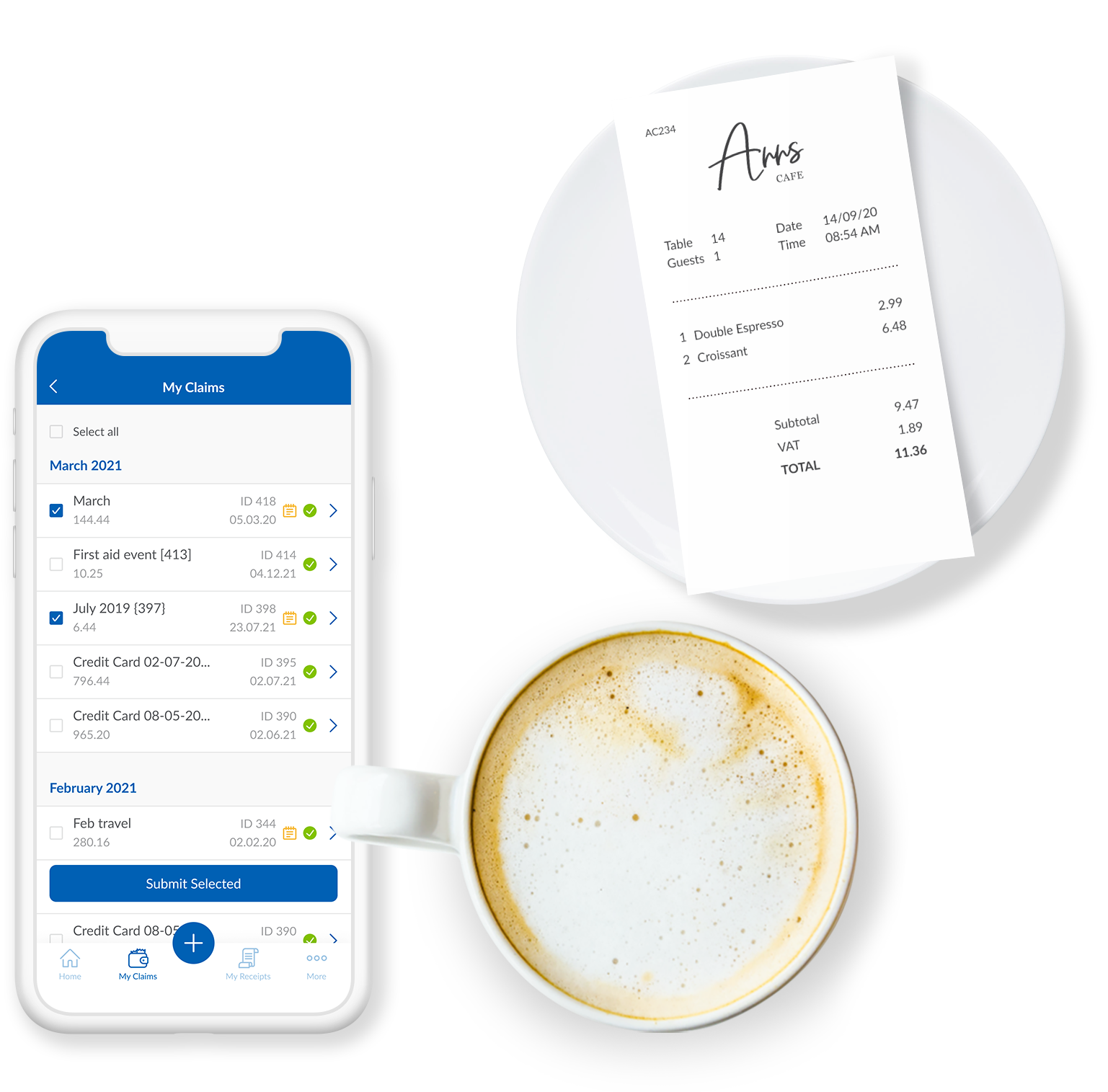      |


