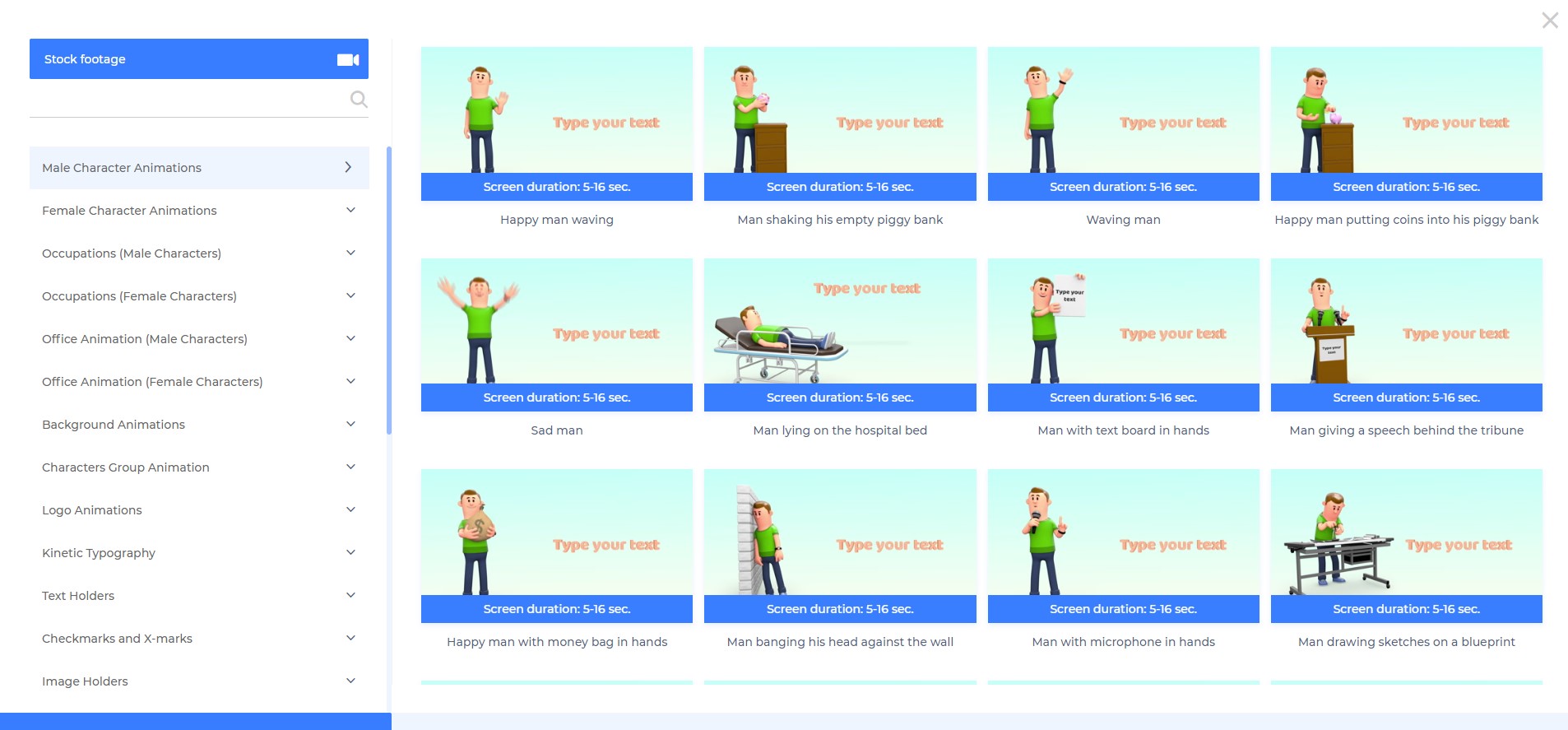
Renderforest Video is an online video production platform that promises to allow individuals and businesses to create “broadcast quality” videos for private or business use. It is free to use and anyone can register as a user in a few simple steps. Renderforest features paid upgrades or subscription plans. Main features of Renderforest include: - HQ videos - Large Gallery of Video Production and Animation Templates and stories - 195,000+…
$14
month/billed annually
Wipster
Score8.1 out of 10
N/A
New Zealand based Wipster offers their video publishing and analytics platform that supports marketing teams with publishing data, view and engagement data, and detailed metadata, contained within an organized media asset library.
A de minimis incentive was given to thank the reviewer for their time. The incentive was not used to bias or drive a particular response, nor was the incentive contingent on a positive endorsement. More Info
I actively talk about Wipster and show off how I'm able to get so much done with my clients because of this tool all of the time! If you own or work at a digital agency, it's a must! I'm using Wipster for short and long-form media, it just makes everything so much easier for me.
A de minimis incentive was given to thank the reviewer for their time. The incentive was not used to bias or drive a particular response, nor was the incentive contingent on a positive endorsement. More Info
A de minimis incentive was given to thank the reviewer for their time. The incentive was not used to bias or drive a particular response, nor was the incentive contingent on a positive endorsement. More Info
Wipster was one of the first applications to allow for frame-by-frame video feedback. This provided a unique opportunity to make feedback far more intelligible than before. Before Wipster, we needed to reference phone calls, notes, emails, and messages, as well as communicate verbally with our project managers. A lot of information can get lost this way, but Wipster places the feedback directly with the video, which makes it super easy to understand what the client desires for their video to look like.
Wipster allows for a client to select a location on a frame where their feedback is referencing. It's fairly archaic, but it works. Client feedback sits next to the playback window so it's somewhat easy to reference what the client wants.
Wipster also allows for integration with editing software like Premiere Pro, which speeds up the editing process as well.
A de minimis incentive was given to thank the reviewer for their time. The incentive was not used to bias or drive a particular response, nor was the incentive contingent on a positive endorsement. More Info
A de minimis incentive was given to thank the reviewer for their time. The incentive was not used to bias or drive a particular response, nor was the incentive contingent on a positive endorsement. More Info
A de minimis incentive was given to thank the reviewer for their time. The incentive was not used to bias or drive a particular response, nor was the incentive contingent on a positive endorsement. More Info
A de minimis incentive was given to thank the reviewer for their time. The incentive was not used to bias or drive a particular response, nor was the incentive contingent on a positive endorsement. More Info
It was very easy. They have a nice help video to guide you along the way that you can turn off if you chose. But It was a quick process and everything tied together very well. I am very pleased with the final product. I will definitely use them again.
Renderforest Video has great performance. In all the time I have used it, I haven't ever really had to wait for anything to be done, except for the rendering time. The reason for not giving the product a full 10 out of 10 is that the page load times in the wizard have left me frustrated at times. This, though, is most likely the result of internet service in a 3rd world country, as opposed to a slow server.
A de minimis incentive was given to thank the reviewer for their time. The incentive was not used to bias or drive a particular response, nor was the incentive contingent on a positive endorsement. More Info
While the technical issues we have encountered with Wipster have been very low in the time we've used the service, the few instances where we have needed assistance were met promptly and effectively by Wipster's Support Team. This support even extended all the way from the platform's founder, as I received help from him, which really impressed me.
A de minimis incentive was given to thank the reviewer for their time. The incentive was not used to bias or drive a particular response, nor was the incentive contingent on a positive endorsement. More Info
Renderforest is far superior. More intuitive and has a bunch of helpful templates. I've found that iMovie lacked in any direction and though there is a lot of freedom, for people who need to make quick and effective media, Renderforest is the better choice. I have really enjoyed my use of it.
After my experience with Wipster at my old job, when I started a business I knew I needed to look into alternatives. Despite the areas it failed, Wipster still made it easier to do my job. At this point, I've switched to Frame.io and it's hard to look elsewhere. Frame.io does everything Wipster does but heaps better. It's easier to use, easier to organize, cleaner interface, and accomplishes my goals at a reasonable cost to the business.
A de minimis incentive was given to thank the reviewer for their time. The incentive was not used to bias or drive a particular response, nor was the incentive contingent on a positive endorsement. More Info
A de minimis incentive was given to thank the reviewer for their time. The incentive was not used to bias or drive a particular response, nor was the incentive contingent on a positive endorsement. More Info
A de minimis incentive was given to thank the reviewer for their time. The incentive was not used to bias or drive a particular response, nor was the incentive contingent on a positive endorsement. More Info