Redgate Monitor vs. Splunk Observability Cloud

Overview
ProductRatingMost Used ByProduct SummaryStarting Price
Redgate Monitor
Score 8.7 out of 10
N/A
Redgate’s SQL Monitor helps teams looking after SQL servers be more proactive. SQL Monitor enables monitoring environments custom to the user’s SQL server to recognize issues before they impact users. It supports monitoring on-premises and cloud-based servers from a single interface.N/A
Splunk Observability Cloud
Score 9.0 out of 10
N/A
Splunk Observability Cloud aims to enable operational agility and better customer experience through real-time AI-driven streaming analytics allowing accurate alerts in seconds. It is designed to shorten MTTD and MTTR by providing real-time visibility into cloud infrastructure and services.
$15
per month (billed annually) per host
Pricing
Redgate MonitorSplunk Observability Cloud
Editions & Modules
No answers on this topic
Infrastructure
$15
per month (billed annually) per host
App & Infra
$60
per month (billed annually) per host
End-to-End
$75
per month (billed annually) per host
Offerings
Pricing Offerings
Redgate MonitorSplunk Observability Cloud
Free Trial
YesYes
Free/Freemium Version
NoNo
Premium Consulting/Integration Services
NoNo
Entry-level Setup FeeOptionalNo setup fee
Additional DetailsAll prices are per server and include one year’s support and upgrades.
More Pricing Information
Community Pulse
Redgate MonitorSplunk Observability Cloud
Best Alternatives
Redgate MonitorSplunk Observability Cloud
Small Businesses

No answers on this topic

InfluxDB
InfluxDB
Score 8.8 out of 10
Medium-sized Companies
LogicMonitor
LogicMonitor
Score 8.4 out of 10
Sumo Logic
Sumo Logic
Score 9.4 out of 10
Enterprises
LogicMonitor
LogicMonitor
Score 8.4 out of 10
NetBrain Technologies
Score 9.2 out of 10
All AlternativesView all alternativesView all alternatives
User Ratings
Redgate MonitorSplunk Observability Cloud
Likelihood to Recommend
10.0
(0 ratings)
8.6
(0 ratings)
Likelihood to Renew
-
(0 ratings)
6.4
(0 ratings)
Usability
7.0
(0 ratings)
7.3
(0 ratings)
Support Rating
10.0
(0 ratings)
-
(0 ratings)
User Testimonials
Redgate MonitorSplunk Observability Cloud
Likelihood to Recommend
Well suited when you have one SQL server and you don't have a dedicated DBA. Where your biz depends on this DB. It's easy to add more monitoring.
Read full review
The query language is relatively easy and flexible when looking into an application's problems. These queries can then be used for alerts, reports, and dashboards. I believe Splunk is a platform that can help a system grow into its proactive application management, using incidents to add insights as needed without trying to work out every scenario in advance.
Read full review
Pros
  • Missing index
  • RAM usage
  • CPU usage
Read full review
  • The first one is its Kubernetes container monitoring.
  • I really like this features because as we know how much K8s is vast and to manually monitor each part of the Kubernetes it takes so much time but Splunk Observability Cloud makes it easier. And even once we integrate K8s with Splunk Observability Cloud it gives us some prebuilt dashboards which gives holistic view of our Cluster and its nodes, pods, etc.
  • The dashbaord feature of Splunk Observability Cloud, it gives us full flexibility to customize our dashboard with a wide range of predefined chart types.
  • Now it also supports OTEL, which is a plus point for observability. As now everyone is moving towards Otel and in current market there are only few tools who supports OTEL based integrations, Splunk Observability Cloud is one out of them.
Read full review
Cons
  • I don't think the custom metrics/alerting is as flexible as say SQLSentry
Read full review
  • An indicator for errors on the navigations pane so that we don't have to go through each tab.
  • As we go more and more cloud maybe you guys can implement a pay-as-you-use strategy so that small companies using it not frequently can also afford it.
  • That's it can't think of any and it wont let me skip to next question. Thanks
Read full review
Likelihood to Renew
No answers on this topic
Good: Stable system with low error rate Easy to use for simple use cases Bad: UI is not very clear for complex usage Mobile view (when logged in from phone) is bad No library for .net
Read full review
Usability
Access to metrics is simple but I like easy access to top SQL
Read full review
When there is an issue, it’s a win if one can easily identify the root cause. To do the same, it should allow the user to dig deep with multiple data points and compare the data and identify the anomaly. In this use case, it’s good to drive from Splunk 011y.
Read full review
Support Rating
Fast support responses from Redgate
Read full review
Splunk support is very quick and efficient. Pre-sale specialists are very skilled and available.
Read full review
Implementation Rating
No answers on this topic
Follow a training before starting.
Read full review
Alternatives Considered
Redgate SQL Monitor is a lot cheaper than SolarWinds Database Performance Analyzer. I prefer the SolarWinds' design and that it offers integration with other SolarWinds products we already use. SolarWinds supports more than SQL servers (Oracle, MySQL, Maria DB, IBM DB2) and the analysis seems to be much better. The Spiceworks SQL Server monitoring is a free tool and is ideal for monitoring small business SQL instances.
Read full review
We initially chose Splunk Observability Cloud because it promised full-stack visibility and tighter integration. The other tools didn't offer this as part of the core package. Their analytics and real-time dashboards looked strong during the demo but it turned out to a lot heavier and more complex than expected. If I had to decide again, I’d probably go with something more streamlined and easier to manage.
Read full review
Return on Investment
  • Allows us to proactively fix issues before they happen
  • Allows us to quickly react to issues without having to wait for someone else to notice
  • Cuts down on the amount of time spent doing daily checks
Read full review
  • Significantly reduced the MTTR (Mean Time To Recovery), which in turn has improved the end-user experience tremendously.
  • Meets compliance requirements of security policies, audit, regulation, and forensics.
  • Helps us to track/manage the resource usage on our cloud instances which has a direct implication on the recurring cost.
Read full review
ScreenShots

Redgate Monitor Screenshots

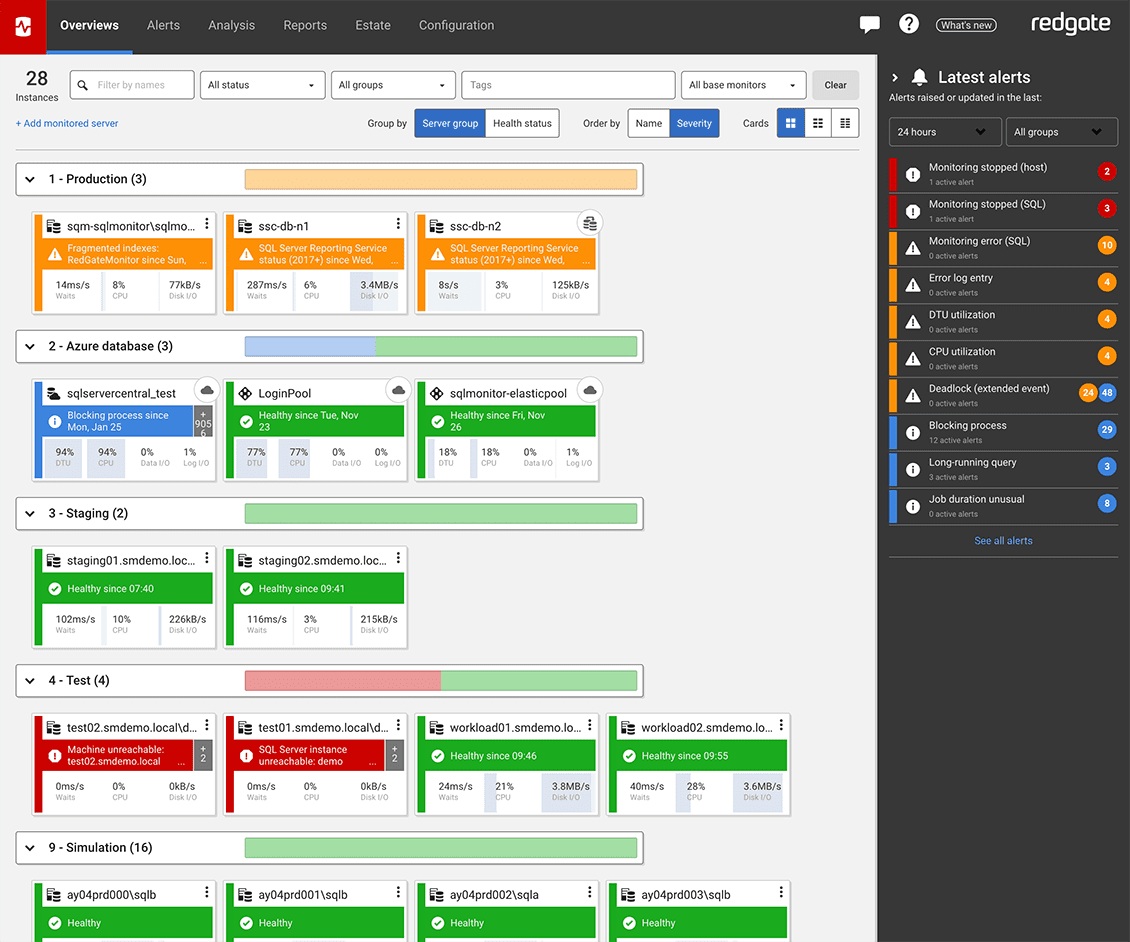
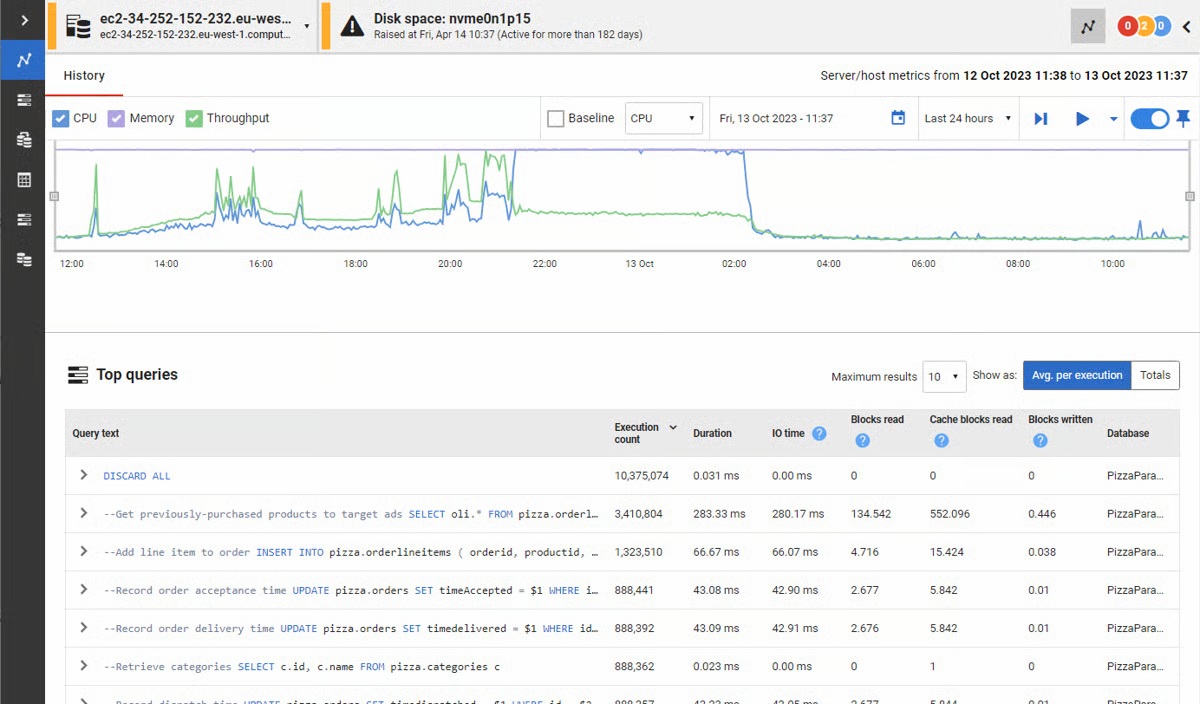
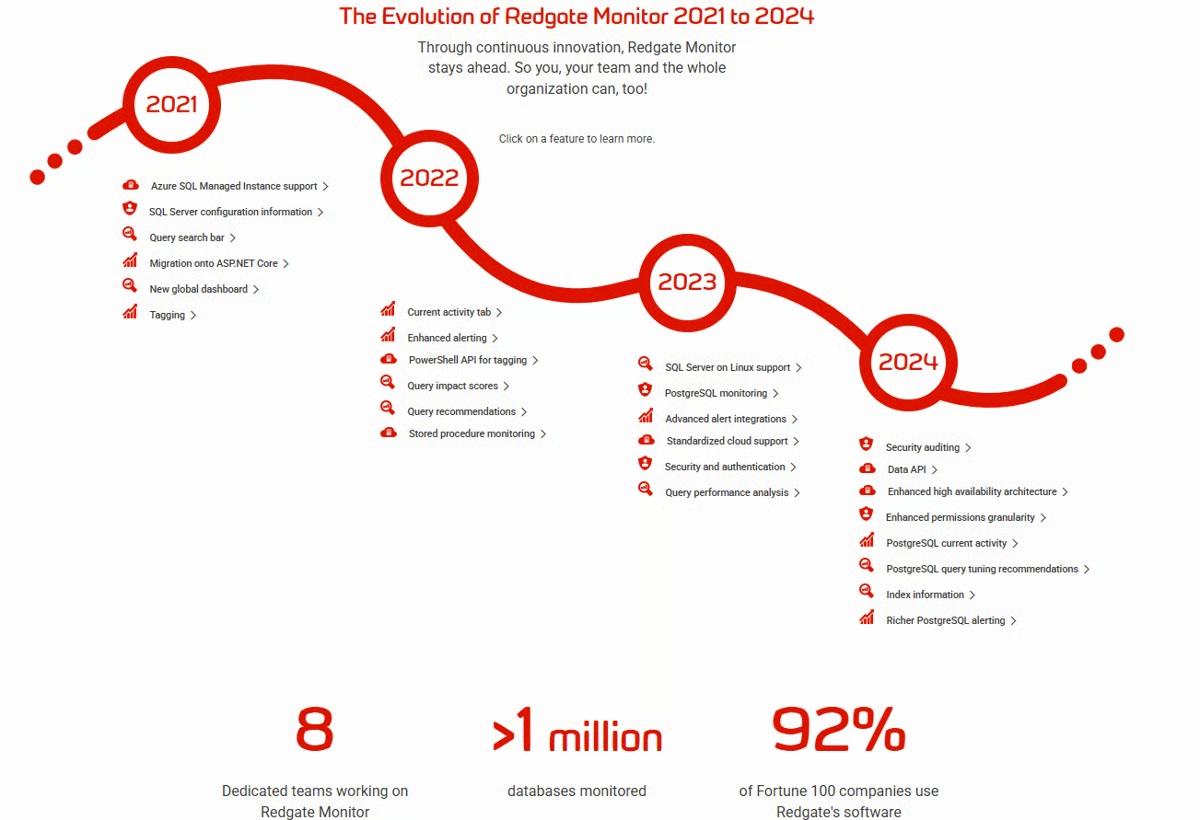
Screenshot of the Redgate Monitor dashboard, monitoring an entire database estate from a single pane of glass.Screenshot of where Redgate Monitor automates time-consuming manual tasks, such as identifying long-running queries or tracking blocked processes. Built-in tips and guidance ensure users get the most out of the information provided.Screenshot of where users can manage an entire environment from a single pane of glass.Screenshot of the dashboard where instant problem diagnosis and customizable alerts appear.Screenshot of the evolution of Redgate Monitor.

Splunk Observability Cloud Screenshots

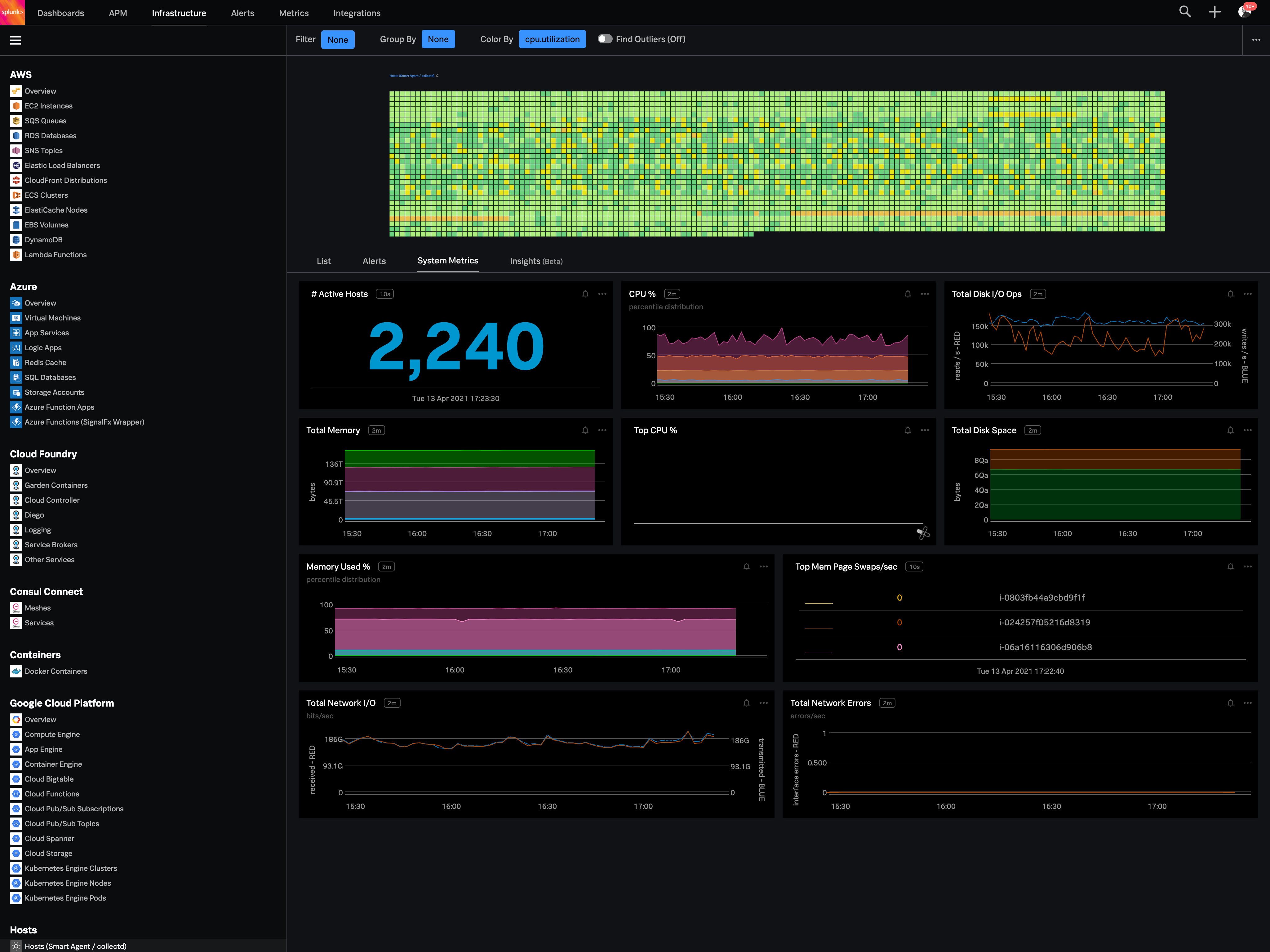
Screenshot of Real-time monitoring for public, private and hybrid cloud