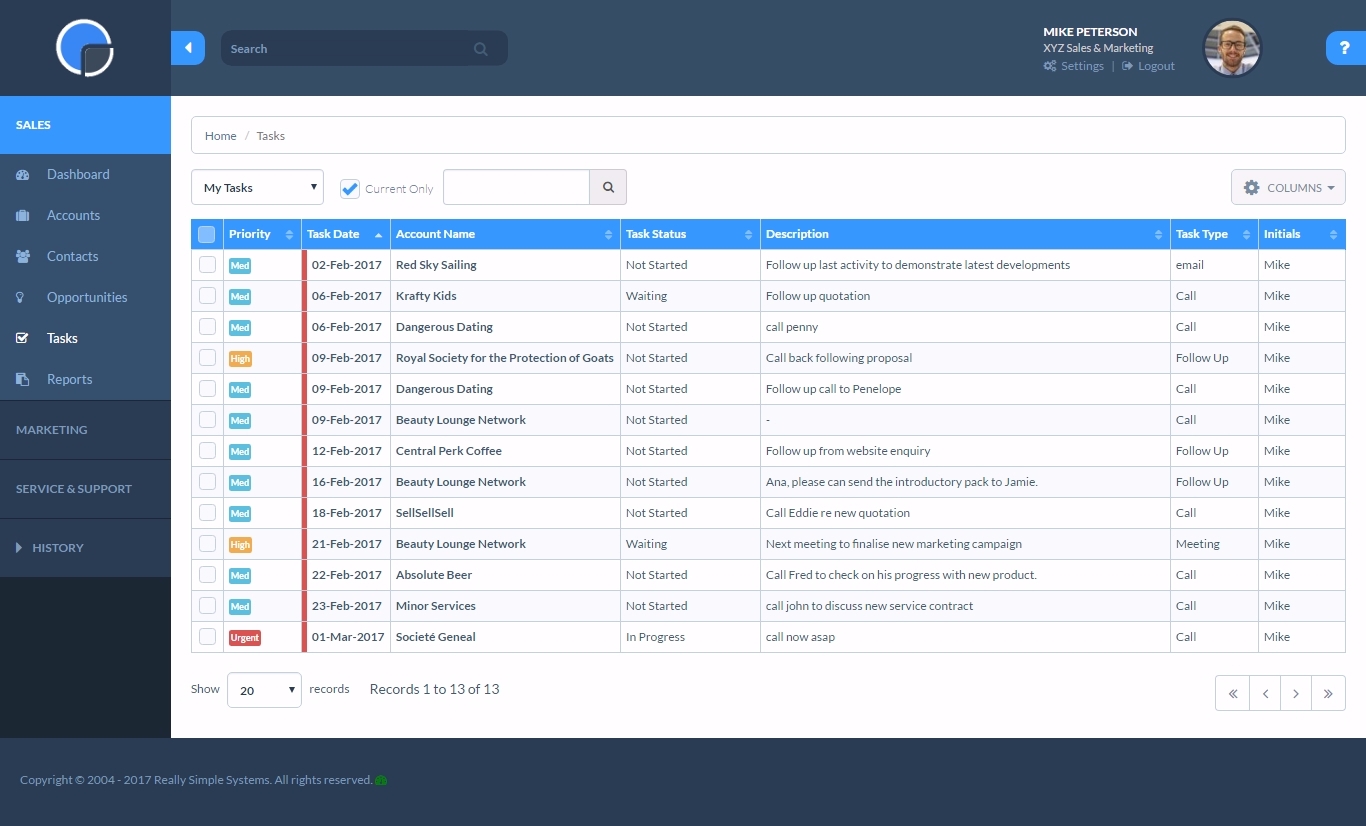
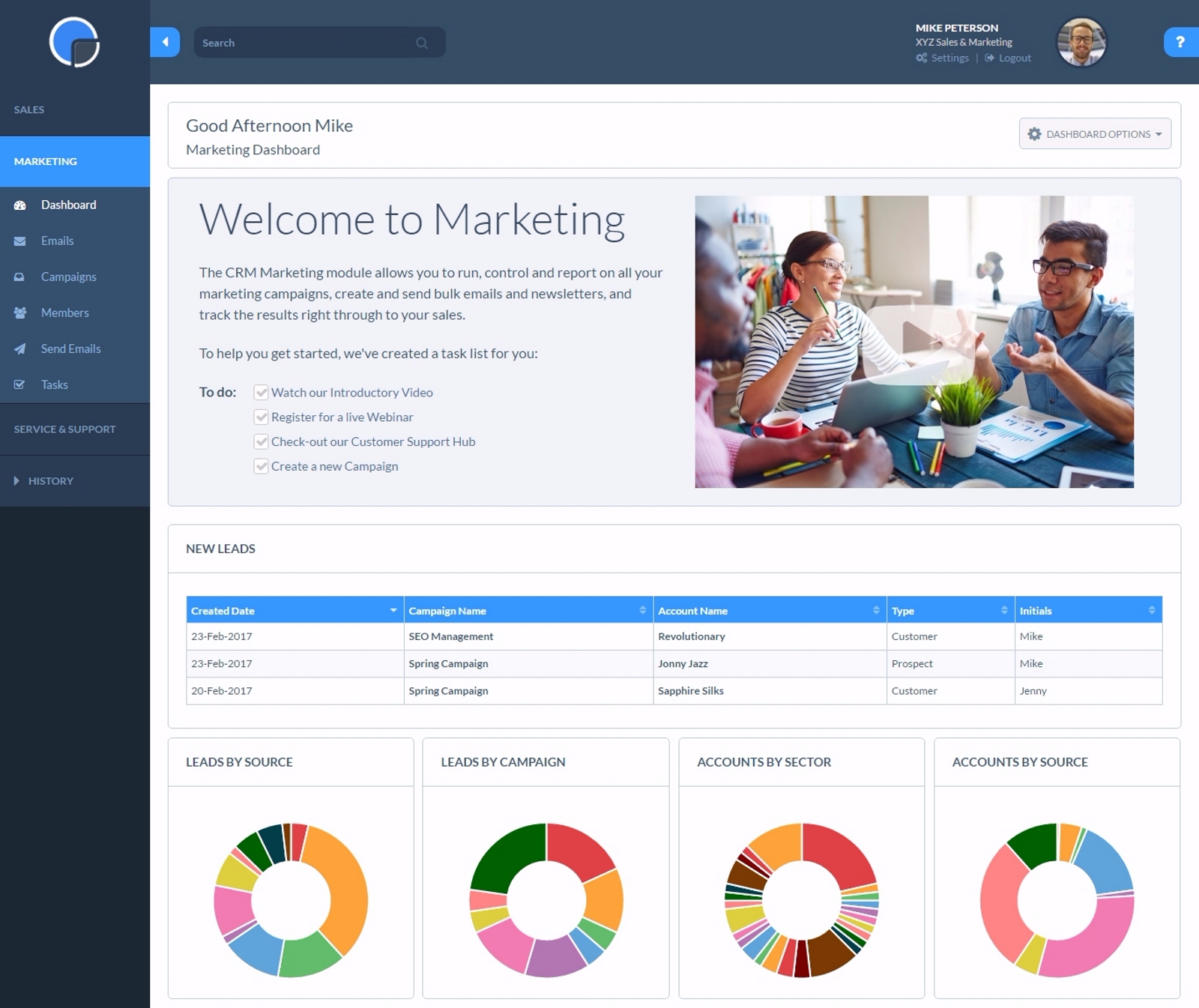
Really Simple Systems is a customer relationship management (CRM) software deployed via cloud with built-in features like email marketing, pipeline management, and case management.
$8
per month
Salesforce Sales Cloud
Score8.7 out of 10
N/A
Salesforce Sales Cloud is a platform for sales with a community of Sellers, Sales Leaders, and Sales Operations, who use the solution to grow sales and increase productivity. The AI CRM for Sales features data built right in, so that companies can sell faster, sell smarter and sell efficiently. Salesforce Sales Cloud is used for, and supports: Buyer Engagement Sales Engagement Enablement Sales AI Sales Analytics Team…
$25
per month
Pricing
Really Simple Systems
Salesforce Sales Cloud
Editions & Modules
Free CRM
$0
2 Users and 100 Company Records
Starter
$15
per User, 1000 Company Records, Unlimited Contacts, 1 GB Document Storage, MailSync, Custom Settings, Custom Reports, API Integration, Online ‘self-service’ Support Hub, Email and Online Chat Support, Optional Marketing Module
Professional
$33
per User, 5000 Company Records, Unlimited Contacts, 5 GB Document Storage, MailSync, Custom Settings, Custom Reports, API Integration, Advanced User Permission Levels, Online ‘self-service’ Support Hub, Free Email, Chat and Phone Support, Priority Technical Support, Optional Marketing and Service Desk Modules
Enterprise
$50
per User, Unlimited Company Records, Unlimited Contacts, Unlimited Document Storage, MailSync, Advanced Reporting, Custom Settings, Advanced User Permission Levels, API Integration, Online ‘self-service’ Support Hub, Free Email, Chat and Phone Support , Top Priority Technical Support, Dedicated Account Manager, Free Online Team Training , Optional Marketing and Service Desk Modules
Starter
$25.00
per month per user
Professional
$80.00
per month per user
Enterprise
$165.00
per month per user
Unlimited
$330.00
per month per user
Agentforce 1 Sales
$550
per month per user
Offerings
Pricing Offerings
Really Simple Systems
Salesforce Sales Cloud
Free Trial
Yes
Yes
Free/Freemium Version
Yes
No
Premium Consulting/Integration Services
No
No
Entry-level Setup Fee
No setup fee
Optional
Additional Details
All plans include free customer support and setup help.
—
More Pricing Information
Community Pulse
Really Simple Systems
Salesforce Sales Cloud
Considered Both Products
Really Simple Systems
Verified User
Chose Really Simple Systems
Really Simple is lower in cost and provides better customer support. Salesforce doesn't provide a lot of back office support and is very expensive.
A de minimis incentive was given to thank the reviewer for their time. The incentive was not used to bias or drive a particular response, nor was the incentive contingent on a positive endorsement. More Info
Co-Owner at Dealey's Advisory Councils (Marketing and Advertising, 1-10 employees)
Chose Really Simple Systems
While Really Simple Systems doesn't have an APP Exchange like Sales Force does, most small businesses will find Really Simple Systems easy to use, affordable, and most of all their customer service is EXCELLENT! When you wear multiple hats like I do, Really Simple Systems …
A de minimis incentive was given to thank the reviewer for their time. The incentive was not used to bias or drive a particular response, nor was the incentive contingent on a positive endorsement. More Info
District Manager - Agricultural Division in Sales at Rain Bird Corporation (Wholesale, 501-1000 employees)
Chose Really Simple Systems
I'm very familiar with salesforce.com and frankly speaking, they place a high mark for anyone in the space. I like the simplicity of Really Simple but I'm concerned that it comes at a price (giving a more comprehensive CRM).
A de minimis incentive was given to thank the reviewer for their time. The incentive was not used to bias or drive a particular response, nor was the incentive contingent on a positive endorsement. More Info
Marketing and Events Officer in Marketing at Murray Edwards College Events (Events Services, 51-200 employees)
Chose Really Simple Systems
We were limited in terms of budget and our IT department wanted the data hosted in the UK. RSS fit with all of our requirements. We looked very closely at Kinetix as this also has an integrated event booking system which would have been ideal for us but it was too expensive.
A de minimis incentive was given to thank the reviewer for their time. The incentive was not used to bias or drive a particular response, nor was the incentive contingent on a positive endorsement. More Info
If you have a customer/job where there are steps to be followed such as quotes, follow up, purchase orders received, etc. You can set reminders for a member of the team with their next step and they will be sent reminders. Works well as long as it is kept updated.
A de minimis incentive was given to thank the reviewer for their time. The incentive was not used to bias or drive a particular response, nor was the incentive contingent on a positive endorsement. More Info
It’s great at bringing in members from different sources and streamlining their journey — making it easier for our staff to manage follow-ups and tailor actions based on where each member is in their path. As for where it’s less suited, I’d say it depends on company size — it might be a bit too much for a very small organization.
A de minimis incentive was given to thank the reviewer for their time. The incentive was not used to bias or drive a particular response, nor was the incentive contingent on a positive endorsement. More Info
Logging notes: SF makes it easy to log notes in the timeline or static notes that live in an easy-to-see spot for longevity.
Logging activities: It's easy to post a call, text, email, etc.
API data: Once connected, SF is critical to automation, such as website activity, login activity, pages visited, etc., which saves the Customer Success side time in understanding account activity.
Custom fields: you can add custom fields to really personalize your experience. We use quite a few and it's brilliant.
A de minimis incentive was given to thank the reviewer for their time. The incentive was not used to bias or drive a particular response, nor was the incentive contingent on a positive endorsement. TR verified that a representative sample of customers was invited. More Info
Resends - I would like a simple [one-click] function to resend email campaigns to [non-openers.]
[Emails] that have been created but not sent or attached to a campaign I would like to see a place that they could be in [the] draft so I can come back to them at a later date without them appearing on the email list[.]
A de minimis incentive was given to thank the reviewer for their time. The incentive was not used to bias or drive a particular response, nor was the incentive contingent on a positive endorsement. More Info
A de minimis incentive was given to thank the reviewer for their time. The incentive was not used to bias or drive a particular response, nor was the incentive contingent on a positive endorsement. TR verified that a representative sample of customers was invited. More Info
There are days when I wish we hadn't switched, but I know that if we put in the time, we will get to where we want to be with the software and that it has many more capabilities than anything else we looked at. However, the amount of time and onboarding we need to do is also far greater than we realized/were told when we originally bought the product. They told us we should hire onboarding support, but at the end, after we had already reached our budget maximum for this, so it's been slower than we had hoped.
A de minimis incentive was given to thank the reviewer for their time. The incentive was not used to bias or drive a particular response, nor was the incentive contingent on a positive endorsement. More Info
Simple systems is great for smaller sales and marketing teams to log their territories and report on progress on their opportunities. There are many useful features such as tasks and reporting to show to management how opportunities are progressing and when the estimated close date would occur. The two main issues are scalability within larger [organizations] and the ease to duplicate contacts.
A de minimis incentive was given to thank the reviewer for their time. The incentive was not used to bias or drive a particular response, nor was the incentive contingent on a positive endorsement. More Info
Salesforce has been designed on the basis of "Clicks, not code". So anyone willing to learn the Salesforce user interface (which is quite good as far as management software platforms go) is able to become a Salesforce user or even a Salesforce administrator. You don't have to know coding language to work in the Salesforce environment. Also, Salesforce has one of the best software training resources (Trailhead) that I have ever encountered. It is free to all, easy to use, and most importantly it is interactive. No scrolling through endless text in a user manual. There are hands-on modules and related videos interlaced and through it all you earn points and badges to display your level of learning.
A de minimis incentive was given to thank the reviewer for their time. The incentive was not used to bias or drive a particular response, nor was the incentive contingent on a positive endorsement. More Info
Salesforce is always available securely from any internet-capable device anywhere in the world, UNLESS you choose to set security measures so that ONLY trusted IP ranges may access the system at certain times of the day. It's all about choice and flexibility with Salesforce products.
A de minimis incentive was given to thank the reviewer for their time. The incentive was not used to bias or drive a particular response, nor was the incentive contingent on a positive endorsement. More Info
Salesforce performance in general is excellent. "The cloud infrastructure beneath Force.com has been fine-tuned over the past 10 years. It powers nearly 100,000+ businesses running more than 185,000 applications that 3 million users count on every day." Points per Salesforce - 1) Multitenant kernel - With a multitenant platform, each business that uses the app doesn’t have its own copy. Instead, all businesses share a single copy and then customize it for their specific needs. 2) ISO 27001 certified security - You can’t compromise when it comes to enterprise-level security. Force.com is road-tested and trusted by nearly 100,000+ companies, including many of the world’s most security-conscious organizations, such as banks and health care providers. 3) Proven reliability - All Force.com apps run on world-class data centers with backup, failover, and disaster-recovery facilities. Force.com has had a proven 99.9 percent uptime record for years. 4) Proven, real-time scalability - Force.com is used by many of the world's largest enterprises, including Cisco, Japan Post Network, and Symantec. Applications can automatically scale from a few users to millions of page views, as needed. 5) Real-time query optimizer - You need fast access to your data. The Force.com query optimizer delivers under 300ms response time, at a massive scale. 6) Real-time transparent system status - You can always see real-time system performance, availability, and security information at trust.salesforce.com. 7) Real-time upgrades - Unlike traditional software platforms, our upgrades never break your customizations, code, or integrations. We upgrade the platform for you 3 to 4 times each year. As a result, you’re always on the latest version, with access to the latest features, performance, and security enhancements. 8) Real-time sandbox environments - With a single click, you can create copies of your applications, configuration, and data in separate environments for development, testing, and training. 9) Three global production data centers and disaster recovery - Force.com runs on three geographically dispersed, mirrored data centers with built-in replication, disaster recovery, a redundant network backbone, and no single points of failure
Whenever I have had any issues, which is probably only 3 times in 10 years, the back office support has been fantastic and got me up and running again in a very short time. Cannot fault them at all. But as I stated, problems have been very few and far between.
A de minimis incentive was given to thank the reviewer for their time. The incentive was not used to bias or drive a particular response, nor was the incentive contingent on a positive endorsement. More Info
The overall support has been good. More and more features are being released quite frequently. Very small features are also making big difference in how the tool can be adapted and used better. If there is anything we need or are stuck, the support team sets up a call and helps in resolving the issue/provides workarounds.
I attended two training sessions. I would rate them a 4 as an advanced user. It was very basic – great for someone new – would give 8+ for new person.
I had 3 years of experience at the time. I skipped basic and went onto advanced and still not helpful. A lot of it was best practices that didn’t feel relevant for our business
I have gone through multiple. The content that’s delivered is quite basic – I wish they had more advanced training.
We are grandfathered into premium support plus training. We get unlimited access to instructor led and online training for free. We have taken advantage of this
Just from an organizational standpoint - we standardized our data prior to moving to Salesforce. But we essentially standardized it wrong. That's created a big disgusting mess for us know that I'll have to deal with as the Admin. Be sure you think through use cases prior to doing something like that - seek outside opinions on how the data will work best, especially depending on what else you're going to integrate with Salesforce.
We choose RSS due to cost. We are a startup and needed a great solution that did not cost [a lot]. RSS [fits] all our needs at the perfect price. We could not be more thrilled with our choice and it has simplified our client interaction[.]
A de minimis incentive was given to thank the reviewer for their time. The incentive was not used to bias or drive a particular response, nor was the incentive contingent on a positive endorsement. More Info
At our company, we use Salesforce and HubSpot. I personally like both for different reasons. Salesforce makes it easy to generate reports, keep track of dealer and customer information, tie customers to dealers, and is easy to use. However, I like HubSpot for the marketing features. I think HubSpot has easier-to-use workflows and email creations.
A de minimis incentive was given to thank the reviewer for their time. The incentive was not used to bias or drive a particular response, nor was the incentive contingent on a positive endorsement. More Info
Salesforce is the most widely used CRM system. Professionalism tends to increase when things go wrong for market leaders. Salesforce considers us as users because they own the market. Having all of our data in one place and all of our teams working within Salesforce. Anyone who uses Salesforce is impacted by it, even if they don't.
Salesforce Sales Cloud is highly scalable and designed to accommodate the needs of businesses of all sizes, from small startups to large enterprises. It offers flexible subscription models and can easily scale up or down based on the organization's requirements. Whether a company is expanding its sales team, increasing its customer base, or adding new features and functionalities, Sales Cloud can adapt to support growth without sacrificing performance or reliability. Additionally, Salesforce's cloud-based architecture ensures that users have access to resources and capabilities as needed, making it a highly scalable solution for organizations looking to automate customer relationship management at scale.
A de minimis incentive was given to thank the reviewer for their time. The incentive was not used to bias or drive a particular response, nor was the incentive contingent on a positive endorsement. More Info
Using Salesforce.com has made my daily routines more efficient and simplified the manual tasks I had to perform independently. I can now access data from any device, online or offline, and provide better guidance to my team about the forecasts provided by the built-in artificial intelligence (AI). A chat with a Salesforce support specialist would be great. The knowledge base has a community forum where Salesforce users can ask questions and learn more about the product.
A very positive effect on our understanding of our customers and what kind of events are working well at the venue and which aren't. This will allow us to work more smartly when responsive to enquiries, improving our overall productivity.
Very positive impact on our current review of marketing and sales strategy.
A de minimis incentive was given to thank the reviewer for their time. The incentive was not used to bias or drive a particular response, nor was the incentive contingent on a positive endorsement. More Info
The inbox feature allows me to see when the customer opens my email, and hence a timely follow-up could result in a higher response rate.
The mobile app allows users to gain access to leads and customer contacts on the go, which increases sales team productivity and enhances customer conversations.
The reports of the notes on the account level are not working, which is causing manual work in the weekly report to leadership.
A de minimis incentive was given to thank the reviewer for their time. The incentive was not used to bias or drive a particular response, nor was the incentive contingent on a positive endorsement. TR verified that a representative sample of customers was invited. More Info