
Qwilr vs. RFP360
Qwilr vs. RFP360
| Product | Rating | Most Used By | Product Summary | Starting Price |
|---|---|---|---|---|
 Qwilr | N/A | Qwilr is designed to change the way a business creates and shares documents on the web. This solution allows businesses to turn traditional documents into powerful and interactive webpages that look great on any device. The vendor says this in turn offers businesses access to analytics and other helpful tools when sharing quotes, proposals and presentations with clients. | $39 per month per user | |
 RFP360 | N/A | RFP360, from Responsive (formerly RFPIO) is used by organizations to request information, respond to requests and connect, aiming to make the RFP and proposal process more efficient, effective, collaborative, consistent and repeatable for everyone. | N/A |
| Qwilr | RFP360 | |||||||||||||||
|---|---|---|---|---|---|---|---|---|---|---|---|---|---|---|---|---|
| Editions & Modules |
| No answers on this topic | ||||||||||||||
| Offerings |
| |||||||||||||||
| Entry-level Setup Fee | No setup fee | No setup fee | ||||||||||||||
| Additional Details | Qwilr is a freemium product. Users upgrade to the Business or Enterprise plans for access to premium features, like advanced analytics, security and branding controls, get sales material accepted, e-signed and collect payments via Stripe. | Pricing is based on use case and client requirements. | ||||||||||||||
| More Pricing Information | ||||||||||||||||
| Qwilr | RFP360 |
|---|
| Qwilr | RFP360 | ||||||||||||||||||
|---|---|---|---|---|---|---|---|---|---|---|---|---|---|---|---|---|---|---|---|
| Proposal Creation & Organization |
| ||||||||||||||||||
| Proposal Collaboration & Workflow |
| ||||||||||||||||||
| Proposal Delivery |
|
| Qwilr | RFP360 | |
|---|---|---|
| Small Businesses |  QuoteWerks Score 9.4 out of 10 | QuoteWerks Score 9.4 out of 10 |
| Medium-sized Companies | QuoteWerks Score 9.4 out of 10 | QuoteWerks Score 9.4 out of 10 |
| Enterprises |  Conga CPQ Score 8.5 out of 10 | Conga CPQ Score 8.5 out of 10 |
| All Alternatives | View all alternatives | View all alternatives |
| Qwilr | RFP360 | |
|---|---|---|
| Likelihood to Recommend | 8.4 (0 ratings) | 9.0 (0 ratings) |
| Likelihood to Renew | 9.1 (0 ratings) | 10.0 (0 ratings) |
| Usability | 9.0 (0 ratings) | 10.0 (0 ratings) |
| Support Rating | 9.4 (0 ratings) | 10.0 (0 ratings) |
| Implementation Rating | - (0 ratings) | 10.0 (0 ratings) |
| Qwilr | RFP360 | |
|---|---|---|
| Likelihood to Recommend | 
| 
 Francesco Gioeli Enterprise Account Executive |
| Pros |
|
|
| Cons |
 Blake Whitney Director of Sales Operations |
 Rick Harris Principal |
| Likelihood to Renew |
 Jeff Nailen Wellness Coach & Fitness Trainer |
 Lawrence Kaiser Vice President of Marketing and Communications |
| Usability |
|
Lawrence Kaiser Vice President of Marketing and Communications |
| Support Rating |
|
Lawrence Kaiser Vice President of Marketing and Communications |
| Implementation Rating | No answers on this topic |
Lawrence Kaiser Vice President of Marketing and Communications |
| Alternatives Considered |
|
Rick Harris Principal |
| Return on Investment |
|
 Josh Davis Enterprise Sales Engineer |
| ScreenShots | Qwilr Screenshots      | RFP360 Screenshots 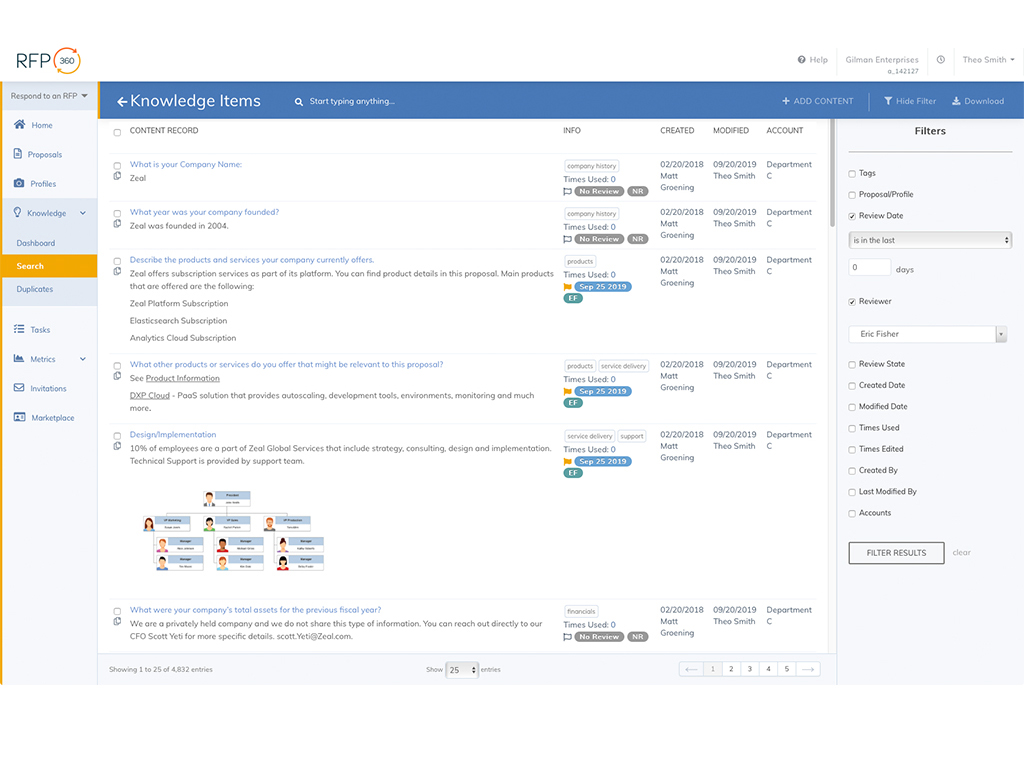  |