Qualtrics XM for Strategy and Research vs. UXArmy

Overview
ProductRatingMost Used ByProduct SummaryStarting Price
Qualtrics
Score 7.3 out of 10
N/A
Qualtrics is software for advanced quantitative and qualitative research to design products that satisfy customers, increase market share, and build enduring brands. The platform brings sophisticated quant and qual research together with analytics in a single platform.
$1,500
per user/per year
UXArmy
Score 0.0 out of 10
N/A
UXArmy is a user research platform. From ideation, testing prototypes to refining fully launched products, UXArmy gives teams access to critical insights, empowering designers, product managers and marketers to validate, optimize, and iterate. Whether it’s unmoderated tests or moderated interviews and focus groups, UXArmy can be used to watch real users engage with a product and messaging, revealing emotional insights in addition to stats. With screen and video…
$99
per month
Pricing
Qualtrics XM for Strategy and ResearchUXArmy
Editions & Modules
Research Core 1
1,500
per user/per year
Starter
$0
per month
Essential
$99
per month
Organization
Custom
per year
Offerings
Pricing Offerings
QualtricsUXArmy
Free Trial
YesNo
Free/Freemium Version
YesYes
Premium Consulting/Integration Services
YesYes
Entry-level Setup FeeOptionalOptional
Additional DetailsUXArmy panel participants are only available as an add on for paid plans
More Pricing Information
Community Pulse
Qualtrics XM for Strategy and ResearchUXArmy
Best Alternatives
Qualtrics XM for Strategy and ResearchUXArmy
Small Businesses
Alchemer
Alchemer
Score 8.4 out of 10
Smartlook
Smartlook
Score 8.2 out of 10
Medium-sized Companies
Alchemer
Alchemer
Score 8.4 out of 10
Optimal
Optimal
Score 9.0 out of 10
Enterprises
Alchemer
Alchemer
Score 8.4 out of 10
Optimal
Optimal
Score 9.0 out of 10
All AlternativesView all alternativesView all alternatives
User Ratings
Qualtrics XM for Strategy and ResearchUXArmy
Likelihood to Recommend
3.9
(169 ratings)
-
(0 ratings)
Likelihood to Renew
9.4
(41 ratings)
-
(0 ratings)
Usability
2.5
(20 ratings)
-
(0 ratings)
Availability
9.0
(1 ratings)
-
(0 ratings)
Performance
5.5
(1 ratings)
-
(0 ratings)
Support Rating
1.6
(21 ratings)
-
(0 ratings)
Online Training
8.0
(2 ratings)
-
(0 ratings)
Implementation Rating
9.0
(1 ratings)
-
(0 ratings)
User Testimonials
Qualtrics XM for Strategy and ResearchUXArmy
Likelihood to Recommend
Qualtrics
Qualtrics is a good medium for creating surveys and getting analytics back for it. I think it's easy to learn if you are in the business of creating surveys or if it's part of your studies. It can be a little overwhelming for a brand new user who has never created a survey for the first time. So onboarding could be better.
Read full review
UXArmy
No answers on this topic
Pros
Qualtrics
  • Qualtrics CoreXM is easy to use for quick one-time surveys or for measuring opinions over time
  • It's great for sending/managing RSVPs for meetings or other gatherings or to collect important data like Conflict of Interest declarations.
  • Qualtrics CoreXM's reporting and crosstab functionality is beefy and gets better all of the time. I'm always amazed at how easy it is to generate reports for sharing my survey response data and research.
Read full review
UXArmy
No answers on this topic
Cons
Qualtrics
  • The collaborate feature can be clunky and sometimes we have to remove access and add a person back in for them to see the survey in their lists
  • We have a contract through our university and more than one person has created their account in the wrong place, causing some administrative headaches as that is fixed so that we can collaborate on surveys with them.
  • I wish it was easier to organize my surveys into folders, there should be a more efficient way to do that.
Read full review
UXArmy
No answers on this topic
Likelihood to Renew
Qualtrics
I was impressed a couple years ago when two heads of market research at Fortune 500 companies told me about them, and I've been even more impressed with the advancements I've seen in the last year. I like where the company is headed, and I look forward to using them again in a future role.
Read full review
UXArmy
No answers on this topic
Usability
Qualtrics
All the menus are very user friendly and intuitive. I can always find exactly what I'm looking for and can change anything I need to with ease. All the elements of the survey are adjustable with very little effort and without confusion.
Read full review
UXArmy
No answers on this topic
Support Rating
Qualtrics
Whenever we have had an issue with trying to figure out how to do something (even though the documentation is incredibly well put together) we have asked Qualtrics support and have always received our answer nearly immediately (I think in maybe 10 times, only once did a support person need to call us back). Qualtrics support is dedicated to solving customer issues right, and in the first contact, if at all possible
Read full review
UXArmy
No answers on this topic
Online Training
Qualtrics
I still use it. It does everything you need an online survey to do. From heat mapping to complex skip logic and display logic. I use it weekly and it never disappoints
Read full review
UXArmy
No answers on this topic
Implementation Rating
Qualtrics
I like being able to easily integrate new colleagues by simply giving them a log in user name and password
Read full review
UXArmy
No answers on this topic
Alternatives Considered
Qualtrics
]Qualtrics] CoreXM is great if you want something that is a little more [long] lasting and impactful than a simple survey engine, but aren't quite ready for something that is a long term sustainable program. I would put [Qualtrics] CoreXM squarely in the large, defined project phase. CX is more of the program phase, and other lessor vendors are great for the pre-project definition phase
Read full review
UXArmy
No answers on this topic
Return on Investment
Qualtrics
  • Increased productivity due to the highly intuitive user-interface and template saving capabilities.
  • Reporting and analytics are extremely valuable. Our team can track responses and share feedback/results extremely quickly.
  • If a user has created a great template, they can share to external teams quite easily. It helps other departments!
Read full review
UXArmy
No answers on this topic
ScreenShots

Qualtrics Screenshots

Screenshot of

UXArmy Screenshots

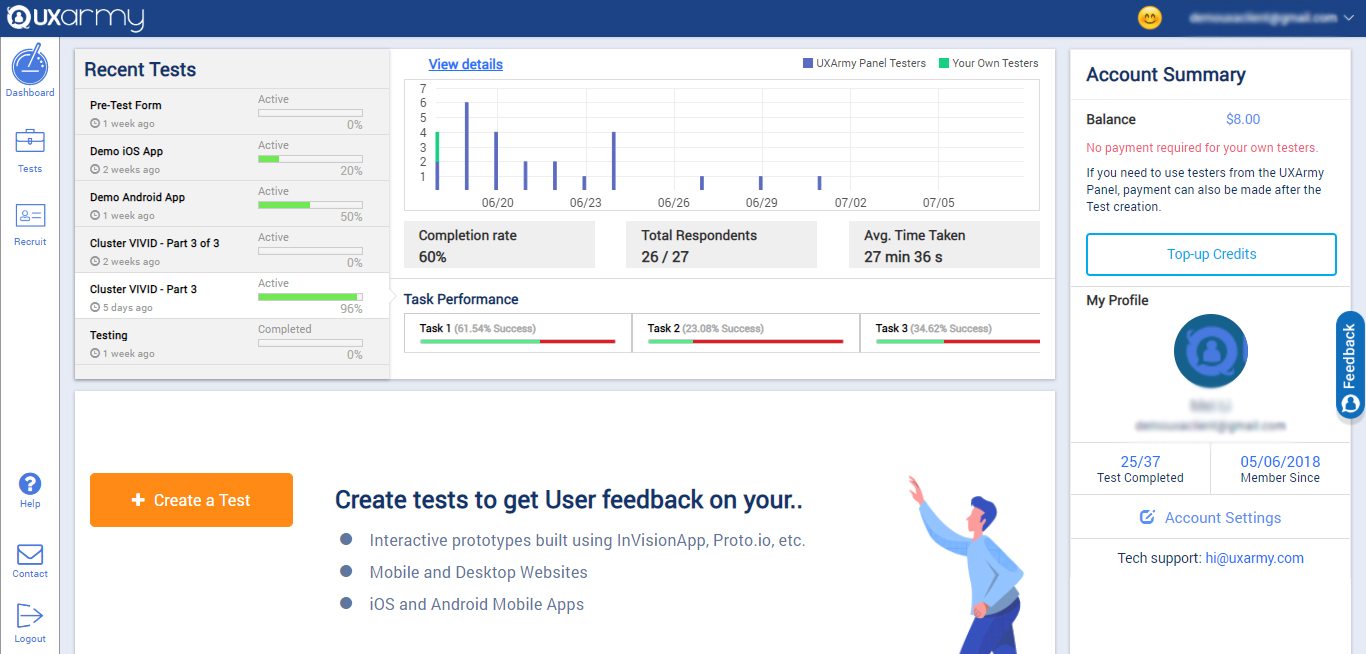
Screenshot of the client dashboard where clients can create tests for their prototypes, websites, mobile Apps, Mobile websites, web apps. They can check the overall progress of every test and they can also navigate to each test and see their progress and details as well.

They can check their account summary, top-up their account (via both PayPal and Debit/Credit cards) with credits to use in recruiting UserAdvocates to take the test.

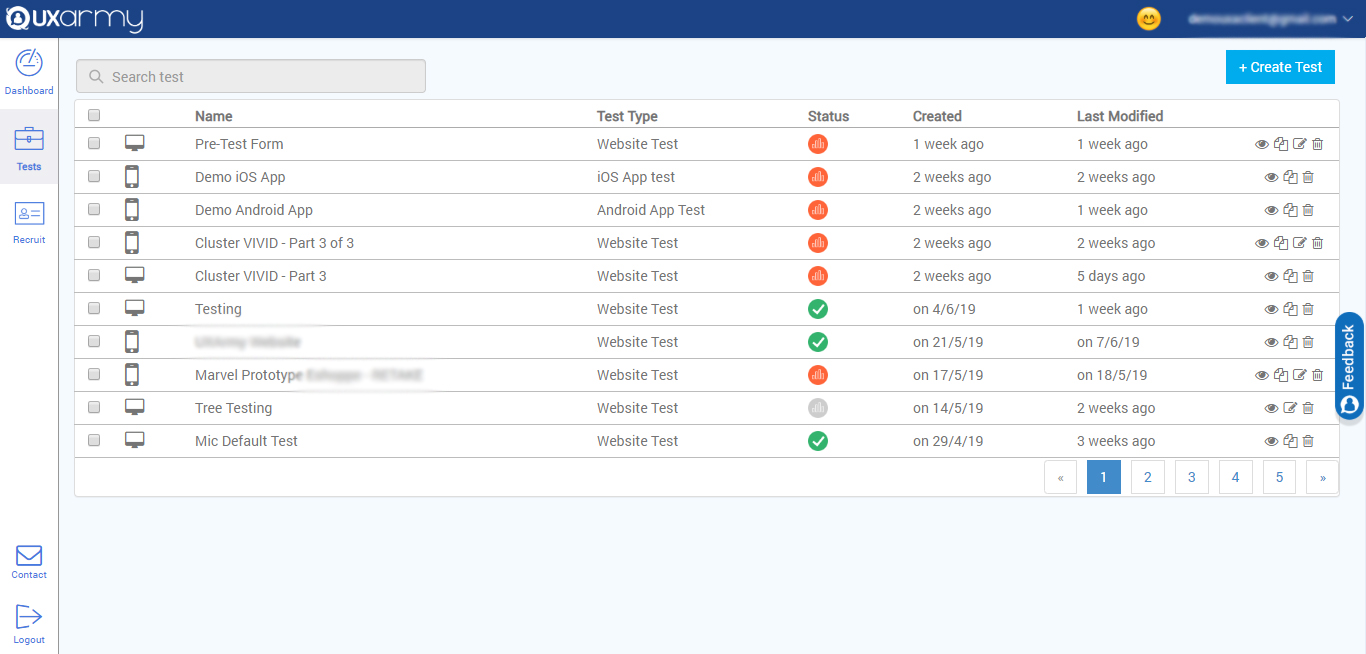
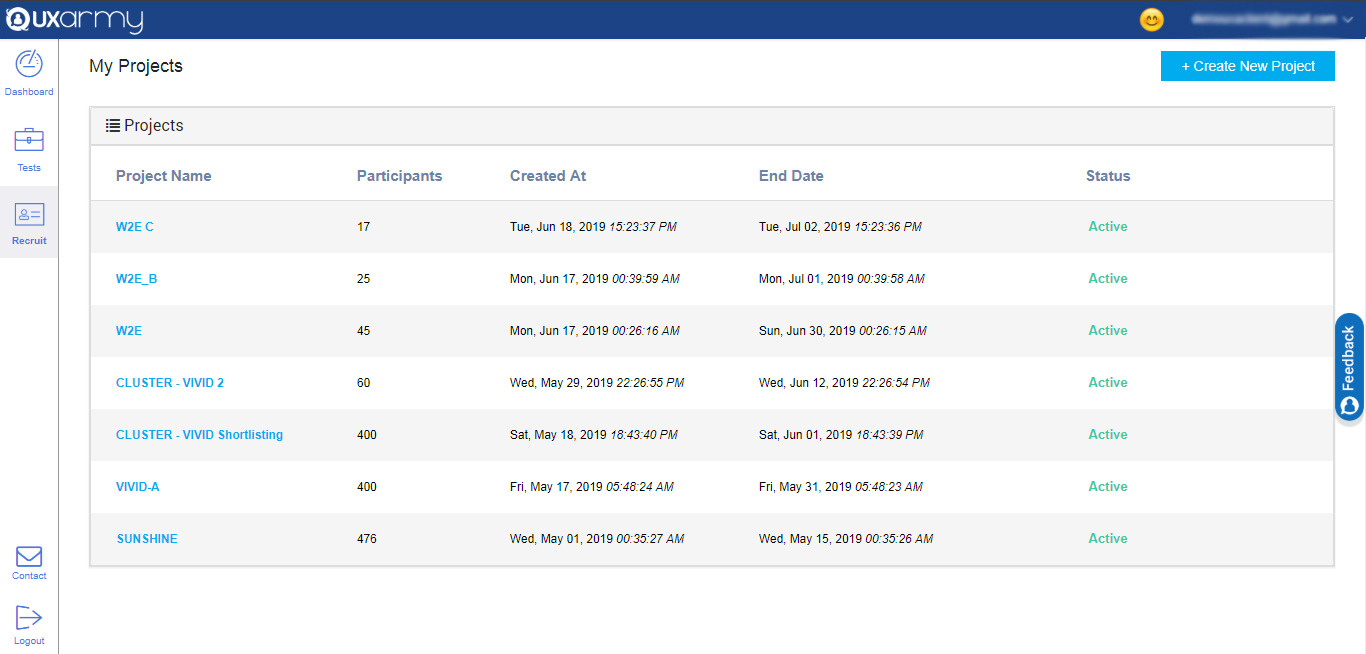
They can also navigate to account settings from the dashboard.Screenshot of a section that displays all the tests and any test can be selected to see the details of the response of the test. A new test can be created from here too by clicking on the "create test" button in the upper right corner of the screen.Screenshot of an example of the 2 ways to recruit for a test:

1. Up to 10  team members can take tests for free.

2. Testers can be recruited from the UXArmy's pool of testers from all around the world with a detailed demographic and behavioral filters like the country they live in or what language they speak, the mobile device they use, what gender they are, what shows they watch on TV, etc.