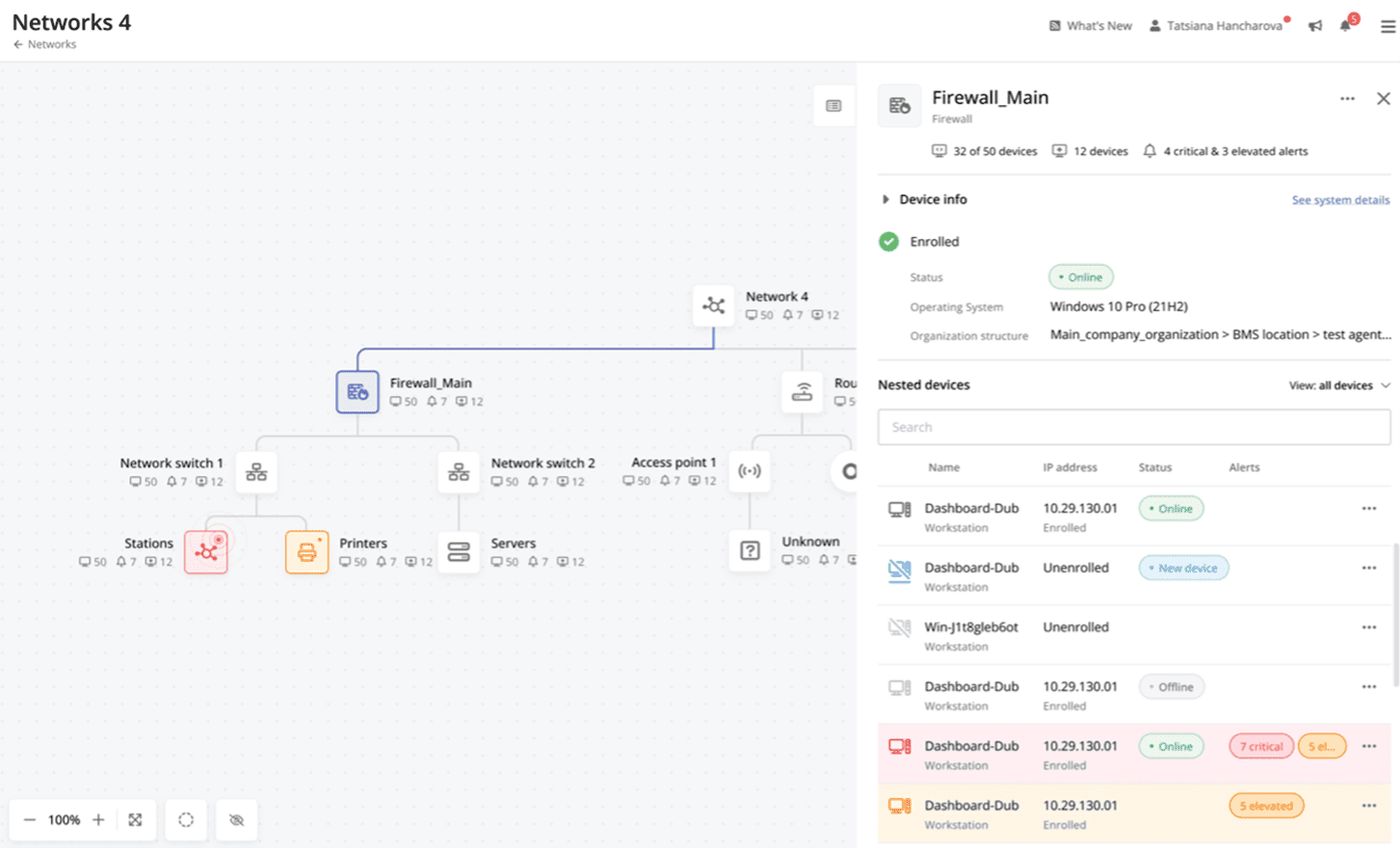
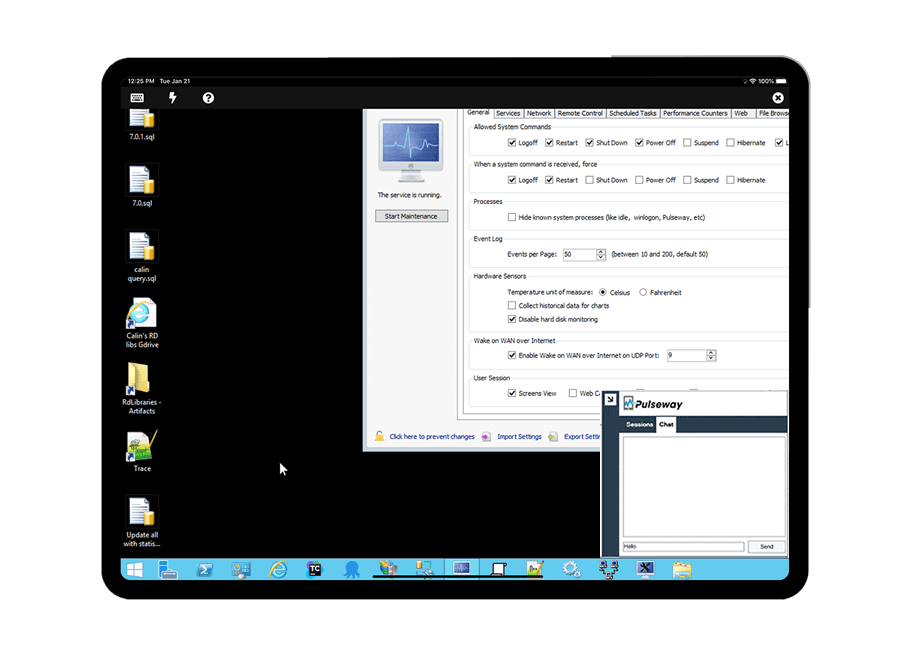
Pulseway is an IT monitoring and management solution that enables users to monitor, manage and control all systems and servers from a smartphone, tablet or browser. For system administrators, Pulseway sends a notification, so they can see an issue and sort it in seconds. Pulseway features: Automation: Auto-remediation workflows, so that IT issues are fixed before users even notice them. Mobile Access: Customers can monitor, manage, connect with…
$0.80
per month per installation
SpeedCurve
Score10 out of 10
N/A
SpeedCurve measures the interplay between web design and web performance. They offer user experience monitoring tools that provide insight into what visitors are experiencing.
$143
per month
Pricing
Pulseway
SpeedCurve
Editions & Modules
Enterprise
$0.80
per month per installation
Small
$143
per month 500K RUM page views & 5K Synthetic checks
Medium
$1050
per month 5M RUM page views & 25K Synthetic checks
Large
$2,100
per month 10M RUM page views & 50K Synthetic checks
Offerings
Pricing Offerings
Pulseway
SpeedCurve
Free Trial
Yes
No
Free/Freemium Version
Yes
No
Premium Consulting/Integration Services
Yes
No
Entry-level Setup Fee
No setup fee
No setup fee
Additional Details
No hidden fees or contracts. Term-based discounts.
20% discount for annual subscription.
More Pricing Information
Features
Pulseway
SpeedCurve
Monitoring Tasks
Comparison of Monitoring Tasks features of Pulseway and SpeedCurve
Feature
Pulseway
-
Ratings
SpeedCurve
7.5
1 Ratings
3% below category average
Multi-device monitoring
00 Ratings
8.01 Ratings
Automated alerts and notifications
00 Ratings
7.01 Ratings
Reporting
Comparison of Reporting features of Pulseway and SpeedCurve
Feature
Pulseway
-
Ratings
SpeedCurve
8.0
1 Ratings
5% above category average
Performance data reports
00 Ratings
8.01 Ratings
Data visualization
00 Ratings
8.01 Ratings
Security
Comparison of Security features of Pulseway and SpeedCurve
If you have to manage a large number of computers, especially spread over multiple clients or a large physical area. This is one of the main products that allows us to act as a Managed Service Provider (MSP) and actually manage our clients devices and not just react to issues as clients call them in. Clients really love the proactive approach it allows us to take.
A de minimis incentive was given to thank the reviewer for their time. The incentive was not used to bias or drive a particular response, nor was the incentive contingent on a positive endorsement. More Info
A de minimis incentive was given to thank the reviewer for their time. The incentive was not used to bias or drive a particular response, nor was the incentive contingent on a positive endorsement. More Info
It monitors computers and notifies us of any issues with any computer.
It allows remote control of computers, such as requesting a computer to reboot itself.
It is very highly configurable to monitor exactly what we need to monitor. For example, on server, we can have it notify us any time the server is shutdown or rebooted. On the other hand, for a desktop computer, we don't have to be bothered with notifications when a user decides to reboot his computer.
A de minimis incentive was given to thank the reviewer for their time. The incentive was not used to bias or drive a particular response, nor was the incentive contingent on a positive endorsement. More Info
A de minimis incentive was given to thank the reviewer for their time. The incentive was not used to bias or drive a particular response, nor was the incentive contingent on a positive endorsement. More Info
A de minimis incentive was given to thank the reviewer for their time. The incentive was not used to bias or drive a particular response, nor was the incentive contingent on a positive endorsement. More Info
The interface has some confusing points, for instance aggregation setting (percentiles, median) is misleading, and doesn't do anything in some cases
Some additional statistical tools would super charge the charts and alerts: moving average, some more useful trend lines
The performance charts are amazing to compare many values (from different pages, multiple metrics) and find correlations. But the charts are barely usable when many metrics are shown (one cannot tell a line from the other). A simple UI improvement there could supercharge this use case
A de minimis incentive was given to thank the reviewer for their time. The incentive was not used to bias or drive a particular response, nor was the incentive contingent on a positive endorsement. More Info
The tool is easy to use however it is can be daunting with the amount of features available in it. Last I checked, their knowledge base was not very expansive and they relied a lot on the changelog for how to do some stuff. This can make it hard to learn how to do some more advanced things like the automation.
A de minimis incentive was given to thank the reviewer for their time. The incentive was not used to bias or drive a particular response, nor was the incentive contingent on a positive endorsement. More Info
I have never had to use the support for Pulseway. However, when initially starting out, we would receive emails every so often asking how we are doing and if there is any support that they can provide. I would imagine that any request would be supplied with the same great support!
A de minimis incentive was given to thank the reviewer for their time. The incentive was not used to bias or drive a particular response, nor was the incentive contingent on a positive endorsement. More Info
Pulseway has the most features, the best looking app with the best design and better usability than any others we evaluated. We liked the uniformity of the app design across all platforms (Windows, Android, Apple) and the notifications displayed on each platform. The price was a major contributor to our selection of Pulseway compared to the competition.
A de minimis incentive was given to thank the reviewer for their time. The incentive was not used to bias or drive a particular response, nor was the incentive contingent on a positive endorsement. More Info
A de minimis incentive was given to thank the reviewer for their time. The incentive was not used to bias or drive a particular response, nor was the incentive contingent on a positive endorsement. More Info
Problems can be dealt with more rapidly because I have access to systems from anywhere. I don't have to carry a computer with me nor do I have to find a location with potentially non-secure wifi to gain access to my systems.
I can handle 99% of my system admin tasks using Pulseway and never have to touch a system or connect to the console.
Pulseway gives so much control over a system that I don't need to spend extra money on other software to perform management tasks.
A de minimis incentive was given to thank the reviewer for their time. The incentive was not used to bias or drive a particular response, nor was the incentive contingent on a positive endorsement. More Info
Speedcurve facilitates and empowers performance improvements that lead the higher conversion rates, user engagement and ultimately GMV
Through it's interface and automation, Speed curve saves hundreds of hours in investigations around performance issues
By facilitating performance analysis and knowledge sharing, SpeedCurve allows our teams to be more performance-aware, preventing performance issues from even happening
A de minimis incentive was given to thank the reviewer for their time. The incentive was not used to bias or drive a particular response, nor was the incentive contingent on a positive endorsement. More Info