Pulseway vs. SolarWinds Network Topology Mapper

Overview
ProductRatingMost Used ByProduct SummaryStarting Price
Pulseway
Score 9.9 out of 10
Mid-Size Companies (51-1,000 employees)
Pulseway is an IT monitoring and management solution that enables users to monitor, manage and control all systems and servers from a smartphone, tablet or browser. For system administrators, Pulseway sends a notification, so they can see an issue and sort it in seconds. Pulseway features: Automation: Auto-remediation workflows, so that IT issues are fixed before users even notice them. Mobile Access: Customers can monitor, manage, connect with…
$0.80
per month per installation
SolarWinds Network Topology Mapper
Score 7.1 out of 10
N/A
Network Topology Mapper is Network mapping software from SolarWinds built to automatically plot a network. Leveraging its multi-layer discovery technique, Network Topology Mapper automatically discovers LAN or WAN and produces comprehensive, network diagrams that integrate OSI Layer 2 and Layer 3 topology data (including switchto-switch, switch-to-node, and switch-to-router port connections) which can be exported into Microsoft Office® Visio® or other formats and shared.
$1,570
Per Instance
Pricing
PulsewaySolarWinds Network Topology Mapper
Editions & Modules
Enterprise
$0.80
per month per installation
One Time Price
$1,570
Per Instance
Offerings
Pricing Offerings
PulsewaySolarWinds Network Topology Mapper
Free Trial
YesYes
Free/Freemium Version
YesNo
Premium Consulting/Integration Services
NoNo
Entry-level Setup FeeNo setup feeNo setup fee
Additional DetailsNo hidden fees or contracts. Term-based discounts.
More Pricing Information
Community Pulse
PulsewaySolarWinds Network Topology Mapper
User Ratings
PulsewaySolarWinds Network Topology Mapper
Likelihood to Recommend
8.0
(0 ratings)
-
(0 ratings)
Usability
10.0
(0 ratings)
-
(0 ratings)
Support Rating
9.6
(0 ratings)
-
(0 ratings)
User Testimonials
PulsewaySolarWinds Network Topology Mapper
Likelihood to Recommend
Pulseway is well suited for just about any situation where there is a need to remotely monitor and manage computers. The most basic features are available to anyone with a free account, so even a home user can set it up and use to keep an eye on computers. The more sophisticated features require a fairly inexpensive subscription, but are well worth the cost for a business wanting to monitor the health of their servers, etc. My experience with Pulseway is limited to using it in situations where there are fewer than a dozen or so computers/servers being monitored. I'm not really sure how well it scales up, so I can't say if it is a good solution for a large corporation with hundreds or thousands of machines that need to be monitored.
Read full review
No answers on this topic
Pros
  • Running windows updates: Pulseway really helps us keep our end-user devices up to date, without the need to handle each device individually.
  • Sending notifications on our servers really helps with taking care of issues before they cause downtime.
  • Pulseway's remote desktop client works very well, even over slower internet connections.
Read full review
No answers on this topic
Cons
  • File transfer
  • There are a couple of computers that I keep ScreenConnect around for - as I lose connection with Pulseway and have to reestablish with ScreenConnect. I can't seem to get tech support interested in resolving this issue and it cost's me many $$ just to keep ScreenConnect running.
  • There is an issue with Webroot, their new endpoint solution. I can't get it to work - again, no help from Pulseway - they ignore my emails.
Read full review
No answers on this topic
Usability
The tool is easy to use however it is can be daunting with the amount of features available in it. Last I checked, their knowledge base was not very expansive and they relied a lot on the changelog for how to do some stuff. This can make it hard to learn how to do some more advanced things like the automation.
Read full review
No answers on this topic
Support Rating
I have never had to use the support for Pulseway. However, when initially starting out, we would receive emails every so often asking how we are doing and if there is any support that they can provide. I would imagine that any request would be supplied with the same great support!
Read full review
No answers on this topic
Alternatives Considered
The 2 major factors were: 1. The fact there was no contract, we believe vendors should have to validate the usefulness of their product and their support to their customers every day, not just 1 or 2 months every few years. This is the same reason we allow our clients to leave at any time if we fail to meet their standards. 2. The ease of managing the product, we demoed other products that would have almost required a full time employee just to manage the RMM tool itself. The ease of use of Pulseway meant a tech could manage it as part of their other duties much improving the ROI. Note: We also felt NinjaOne met these same conditions but we evaluated it after having used Pulseway for a few years and while we found it a great product, possibly even superior, we didn't find enough reason to go through all the work and retraining to change over.
Read full review
No answers on this topic
Return on Investment
  • Problems can be dealt with more rapidly because I have access to systems from anywhere. I don't have to carry a computer with me nor do I have to find a location with potentially non-secure wifi to gain access to my systems.
  • I can handle 99% of my system admin tasks using Pulseway and never have to touch a system or connect to the console.
  • Pulseway gives so much control over a system that I don't need to spend extra money on other software to perform management tasks.
Read full review
No answers on this topic
ScreenShots

Pulseway Screenshots

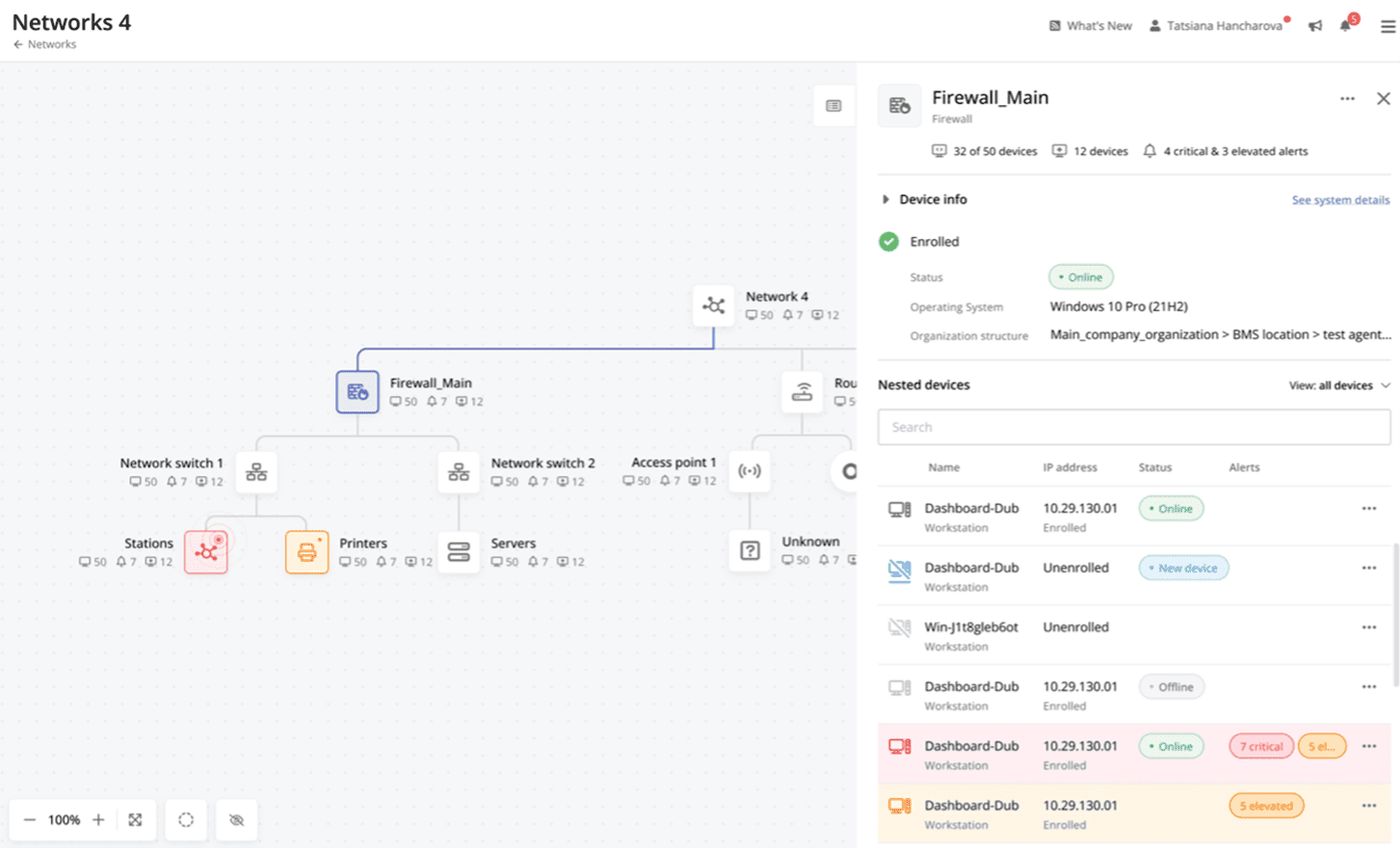
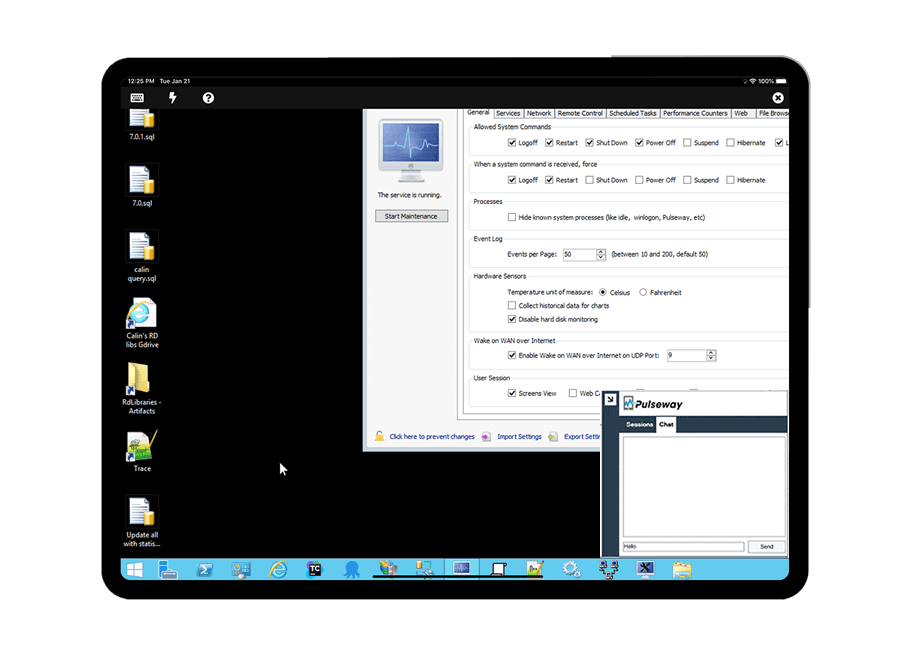
Screenshot of Cross-device functionalityScreenshot of Auto-Remediate IT IssuesScreenshot of Visibility Across the Entire NetworkScreenshot of Remote Control to Any SystemScreenshot of Systems and Application patchingScreenshot of Detailed Custom Report

SolarWinds Network Topology Mapper Screenshots

Screenshot of Automatically discover your entire network and create comprehensive, detailed network topology maps.Screenshot of NTM is capable of building loads of useful network maps without having to rescan using network topology mapping software. Save valuable resources, bandwidth, and time.Screenshot of Export network maps to Microsoft Office Visio, PDF, and PNG formats, and also schedule updated map exports to Orion® Network Atlas.Screenshot of Keep your network up to date by automatically detecting new devices and changes to network topology with scheduled network scanning in the network topology tool.Screenshot of Perform multi-level network discovery to produce an integrated OSI Layer 2 and Layer 3 network map that includes detailed device information.Screenshot of Directly address PCI compliance and other regulations that require maintenance of an up-to-date network diagram. SolarWinds network topology software is also FIPS 140-2 compliant.