PTC Mathcad Prime is a digital engineering notebook enabling engineers, mathematicians, and scientists to solve, analyze, document, and share their calculations. It helps users to solve problems accurately the first time numerically and/or symbolically, and then reuse important intellectual property with templates to save time on the next project.
$735
per year
Teamcenter
Score 8.1 out of 10
N/A
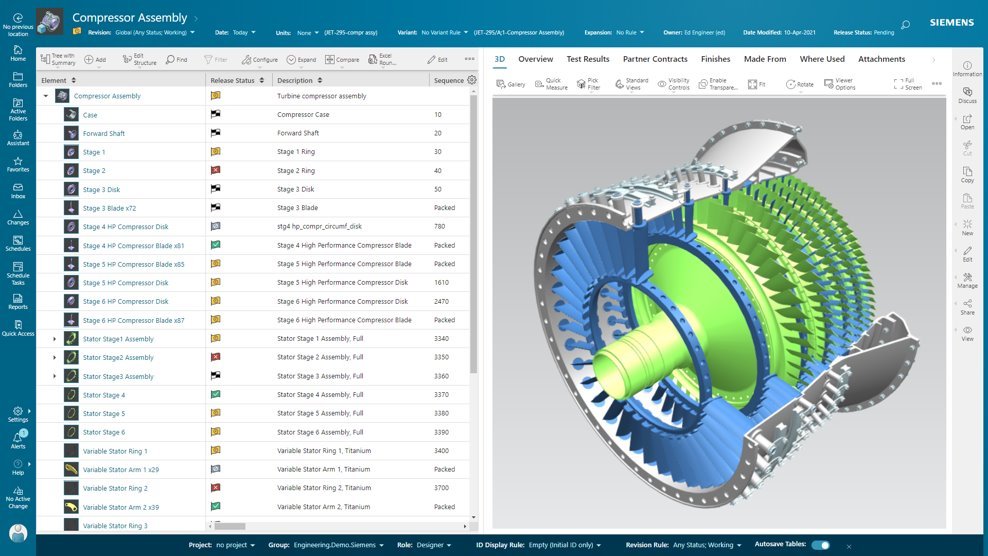
Teamcenter is a product lifecycle management system designed to help organizations integrate and standardize product development processes across functional silos.
It is definitely a must have for every design engineer. The formulas can be written in the expanded format which facilitates the process. The measurement unit feature is very useful and helps prevent errors in formulas. Mathcad is now equipped with a decent spell checker which is also very helpful.
Teamcenter is perfect for working in large-scale projects related to manufacturing and engineering where collaboration and management of data are crucial. It is evident where the complexity of the products is high such as in automobile and aerospace industries. Some of its features may seem too elaborate for the small business with a less complex process and therefore too expensive. It is less useful in organizations that do not have complex PLM needs or have less IT capacity to implement the system.
Data Management: your Parts divided into Item Types.
Data Management: You can easily add pseudo folders to segregate data inside. You don't have to look for anything now.
Change Management: Use the built-in or customize it. Now, you have workflows and can decide who is responsible for every task. It's done automatically.
Project Management - built-in MS Project, can manage tasks and still have a Gantt chart from it.
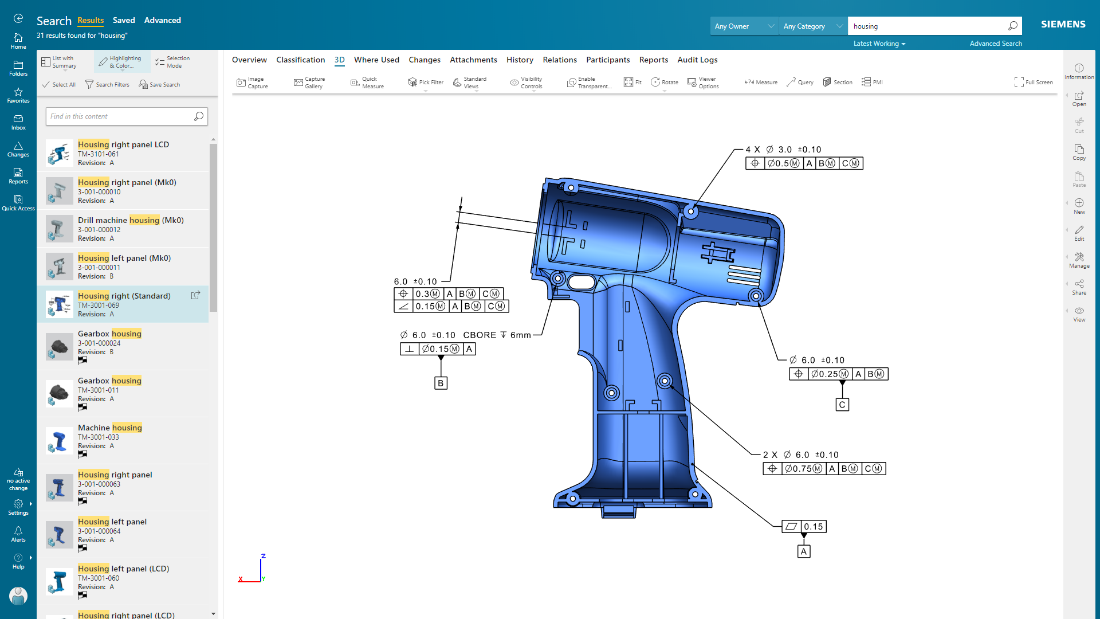
CAD integration - a lot of time saved when single source of true.
I'm going to be a little blunt here. So the way how MPP and bombs are getting separated out, that is creating some issues when we want to implement end-to-end processes. The bomb team, the manufacturing or the sector manager kind of team, tries to give various features for the materials and bombs related to them, but all of those features are not available for BOP. For example, solution variant creation. When we have a variant based structure, I can create a solution variant for bombs, but I cannot create a solution variant for BOPs and this is, I would say something of a gap that Siemens should address and get it fixed. We have to do customization, but if the product is itself giving us then this is an elegant way to push it further. This is what I would say is the issue.
Because of our current customer needs, we will most likely maintain use of Siemens PLM products for some time. Aside from the initial software cost, we pay for yearly maintenance. Maintaining our yearly maintenance licensing with Siemens, we receive access to all of the latest software releases, as well as premier technical support
Higher-order math, despite symbolics, become tedious and variable nomenclature isn't as forgiving as other programs. Due to it's sheet-like nature, the greater the complexity the more bothersome the screen usage becomes. But it's a trade-off between a sketchpad-like interface or lines and lines of code. Pick your poison but MathCad was our choice.
As previously mentioned, due to the intense amount of features and modules present in the software, the usability of the software suffers greatly. Many of the features are not used in our context, and many of the modules are not purchased, but the options are still present on the interface leading to a lot of clutter, much of which is never used. The interfaces suffer from a lack of design and tend to feel like a conglomerate of Windows 98 elements.
In the time that we have used Teamcenter we have received a good response from the support team, they have great customer service, we have solved the problems that have arisen very quickly, and they are attentive and answer us if we have any questions.
Earlier, some of the companies acquired by my organization were using PTC Windchill, but the overall stability, user experience and depth of functionality which are provided by Teamcenter doesn't match with any other PLM software and thus, all the acquired companies which were earlier using PTC Windchill has now slowly started into moving towards Teamcenter.
Teamcenter is easily on the best scalable solution. The single source of product information allows us to collaborate more effectively on the product lifecycle. Also, being a cloud solution, it is pretty straightforward to scale as the maintenance required is quite low . In addition, the overall cost is also easily manageable for businesses like ours.
Mathcad has allowed us to take legacy hand written calculations and document them in an electronic format. Now we can quickly run different design scenarios using the legacy calculations. It allows us to quickly vet new design options.
Sharing new design concepts is quicker and easier within our various design groups.
We chose Teamcenter because of its cost-effectiveness, and we can say that it has lived up to our expectations because we have been able to save in other more expensive tools to do what we can do in this one. The ROI has been over 40% because we have integrated it across multiple teams and it has allowed us to reduce the amount of errors in our processes and create a more centralized environment.