ProProfs Project vs. Teamwork.com

Overview
ProductRatingMost Used ByProduct SummaryStarting Price
ProProfs Project
Score 8.3 out of 10
Mid-Size Companies (51-1,000 employees)
ProProfs Project is an online project management software for managing both teams and multiple projects on one dashboard. From creating project goals and objectives to tracking work progress, this PM tool aims to allow users to meet project deadlines efficiently. The PM tool allows users to communicate with in-house or remote teams - anytime, anywhere. Moreover, the vendor says users can generate insightful reports and accurate invoices in just a few clicks. Along with these features,…
$0
3 Projects
Teamwork.com
Score 8.9 out of 10
N/A
Teamwork.com is a project management platform built specifically for client work. The platform helps users deliver work on time and on budget, eliminate client chaos, and understand profitability. Teamwork.com’s customers track and manage their projects with a suite of integrated solutions such as helpdesk, collaboration, knowledge sharing and customer relationship management add-ons, enabling Teamwork.com to be the ‘one-stop shop’ solution for business owners. Headquartered in Cork,…
$13.99
per month per user
Pricing
ProProfs ProjectTeamwork.com
Editions & Modules
Forever Free
$0.00
3 Projects
Solopreneur
$19.00 per month
10 Projects
Team
$49.00 per month
50 Projects
Unlimited
$199.00 per month
Unlimited Projects
Deliver
$13.99
per month per user
Grow
$25.99
per month per user
Free Forever
Free
Up to 5 users
Scale
Contact sales team
Offerings
Pricing Offerings
ProProfs ProjectTeamwork.com
Free Trial
YesYes
Free/Freemium Version
YesYes
Premium Consulting/Integration Services
NoNo
Entry-level Setup FeeNo setup feeOptional
Additional DetailsA discount is offered for annual billing.
More Pricing Information
Community Pulse
ProProfs ProjectTeamwork.com
Features
ProProfs ProjectTeamwork.com
Project Management
Comparison of Project Management features of Product A and Product B
ProProfs Project
8.6
Ratings
12% above category average
Teamwork.com
9.3
Ratings
19% above category average
Task Management9.50 Ratings10.00 Ratings
Resource Management8.80 Ratings10.00 Ratings
Gantt Charts9.00 Ratings9.00 Ratings
Scheduling8.30 Ratings10.00 Ratings
Workflow Automation9.00 Ratings9.00 Ratings
Team Collaboration8.80 Ratings10.00 Ratings
Support for Agile Methodology8.50 Ratings9.00 Ratings
Support for Waterfall Methodology8.50 Ratings9.00 Ratings
Document Management7.20 Ratings9.00 Ratings
Email integration10.00 Ratings9.00 Ratings
Mobile Access7.70 Ratings9.00 Ratings
Timesheet Tracking8.20 Ratings9.00 Ratings
Budget and Expense Management8.60 Ratings9.00 Ratings
Change request and Case Management00 Ratings9.00 Ratings
Professional Services Automation
Comparison of Professional Services Automation features of Product A and Product B
ProProfs Project
8.8
Ratings
15% above category average
Teamwork.com
3.8
Ratings
66% below category average
Invoicing9.00 Ratings1.20 Ratings
Project & financial reporting9.50 Ratings8.00 Ratings
Integration with accounting software8.00 Ratings5.00 Ratings
Quotes/estimates00 Ratings1.20 Ratings
Best Alternatives
ProProfs ProjectTeamwork.com
Small Businesses
Stackby
Stackby
Score 9.0 out of 10
Stackby
Stackby
Score 9.0 out of 10
Medium-sized Companies
InEight
InEight
Score 8.3 out of 10
InEight
InEight
Score 8.3 out of 10
Enterprises
InEight
InEight
Score 8.3 out of 10
InEight
InEight
Score 8.3 out of 10
All AlternativesView all alternativesView all alternatives
User Ratings
ProProfs ProjectTeamwork.com
Likelihood to Recommend
8.2
(0 ratings)
10.0
(0 ratings)
Likelihood to Renew
-
(0 ratings)
10.0
(0 ratings)
Usability
-
(0 ratings)
9.1
(0 ratings)
Support Rating
10.0
(0 ratings)
8.8
(0 ratings)
User Testimonials
ProProfs ProjectTeamwork.com
Likelihood to Recommend
If you’re executing creative projects, this tool will offload a lot of your work. It lets you clearly define the assignees and the associated timelines. You can even extract insightful reports to monitor team performance and project progress on the go.
Read full review
Teamwork is awesome for teams who need a flexible tool that supports all types of projects. Since it supports kanban it makes visualizing the work to be done and the work in progress very easy. The Gantt chart support is decent and helps to understand how a team is doing when it comes to getting work done in a given time frame. Teamwork isn't a great option for companies that have a bunch of projects going simultaneously due to the way Teamwork structures their billing based on a number of active projects.
Read full review
Pros
  • I needed a project management software that had client access, ability to comment, percent-complete tracking, and email integration.
  • The mobile app is a big part of what has improved in the last year and why I have decided to stick with it ultimately. Many others I've decided do not have apps on the marketplace, which is a big hindrance, in my opinion.
  • Invoicing and tracking expenses is a huge plus.
  • White Labeling - I can customize the system with my own logo
Read full review
  • I am a believer that simple and easy should be the key to create great opportunities.
  • Teamwork has helped me to turn simple task management into the execution of large, massive projects.
  • It has certainly worked great in helping to maintain workflow in my department.
Read full review
Cons
  • Integration with third-party applications
  • The 15-day trial period of the tool seems a bit short to completely grasp the efficancy of the tool
Read full review
  • Visualization needs to be improved, charts graphs are limited
  • Value stream mapping should be available to determine and prioritize the work.
  • Documentation should be available stepwise with export and printable facility.
  • It should be configurable like ERP with cross functionalities of different users, where users login, assign and approve the work, job or project details, where it should be collectively effected on a project.
  • Add many examples, little more AI, Machine learning required for suggestion and recommendation. It would be a plus point
Read full review
Likelihood to Renew
No answers on this topic
We are already at an annual contract, and have been for the past 5 years; so far the system has delivered, and our personal is already trained in it. A major overhaul of our entire infrastructure (as in moving everything to a single, unified platform) might change the current continuity of Teamwork Projects on our organization, but that's not feasible in the near future.
Read full review
Usability
No answers on this topic
The web based user interface is familiar, flexible (boards, task lists, and Gantts) and feature-rich. It is simple enough for the beginner to be effective and robust enough for experienced users to gain efficiencies with advanced techniques. Reporting is intuitive and can be customized for transfer via email or to paper. Great interoperability with other tools make teamwork dependable and a good partner for the overall technology stack.
Read full review
Support Rating
I personally have not had to contact ProProfs Project Customer Support. I know that our media / marketing manager has used this tool for a while and is very comfortable with it. He has never expressed any issues or frustrations that I know of. The product is simple and easy to use and does not seem to require much support.
Read full review
The support service provided by Teamwork is excellent, and one of the best I've experienced. This is for the following reasons: (1) The speed at which they respond to queries I raise (2) The depth of understanding they have of the product (3) The way in which they are able to understand my questions without needing me to re-explain (4) The quality of the documentation available online (5) The openness they express about current issues and downtime
Read full review
Alternatives Considered
We use Asana and Project Bubble for different project tracking. ProProfs Project is our media/marketing manager's favorite software and has been great for communicating across state lines. I have found pros and cons for each of the software we use for project tracking. Really, it depends on who is managing the projects and which software/system they prefer to use.
Read full review
I spoke about this quite a bit before, but as far as usability goes, Microsoft Projects is totally useless for me, so I avoid it at all costs. Basecamp was just a task management app and had very small feature set beyond that. We had to rig it to do other things for us, but it failed at that. Asana was a very nice app to trial, but it lacked many of the features that we were looking for.
Read full review
Return on Investment
  • It has helped me manage my team in a more efficient way and for that, we delivered everything within the deadline.
  • Its AI-powered automatic report generation has reduced my workload to a great extent, So I can focus on other important deliverables.
Read full review
  • Overall, it keeps our team on track ensuring that all of our projects are on time and on budget, which definitely contributes to our retention rates.
  • It ensures that we're tracking time on billable tasks which contributes directly to our bottom line.
  • Teamwork Projects also helps us better forecast when a clients project can be completed (alongside the other work our team needs to accomplish) AND it helps us more accurately quote projects in the future because we have historical time tracking data saved.
Read full review
ScreenShots

ProProfs Project Screenshots

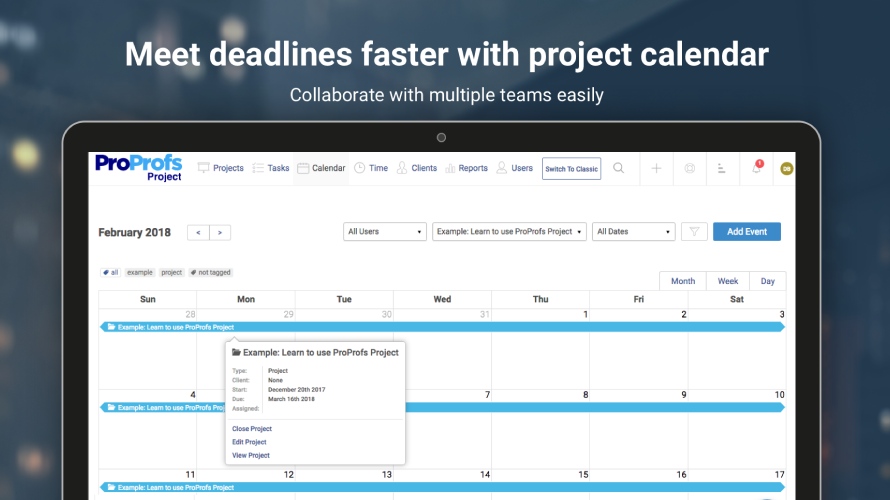
Screenshot of Project ManagementScreenshot of Manage Multiple ProjectsScreenshot of Project CalanderScreenshot of Project ReportsScreenshot of Time Management

Teamwork.com Screenshots

Screenshot of Project's viewScreenshot of Task viewScreenshot of Board viewScreenshot of Project's tabScreenshot of Calendar view