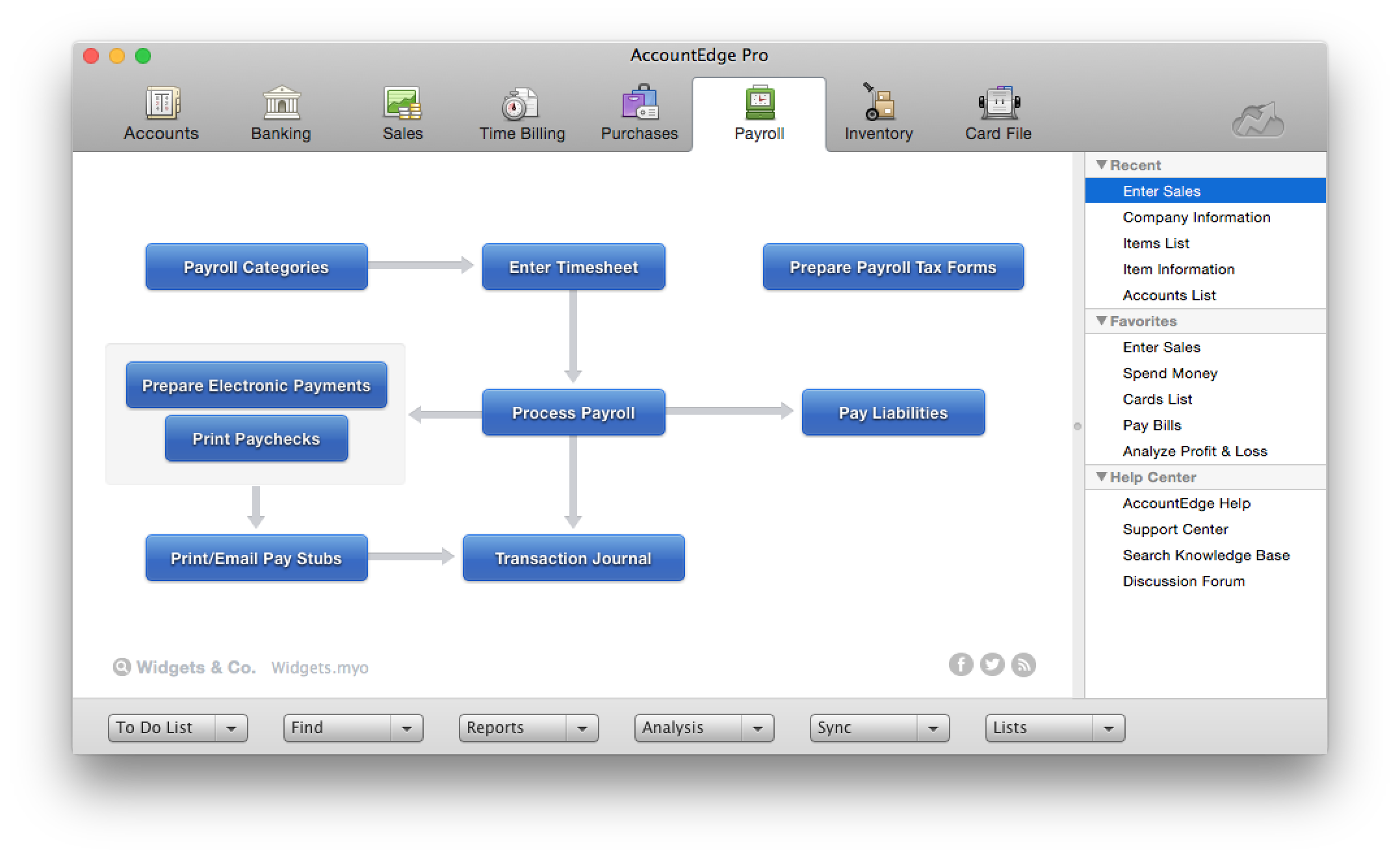
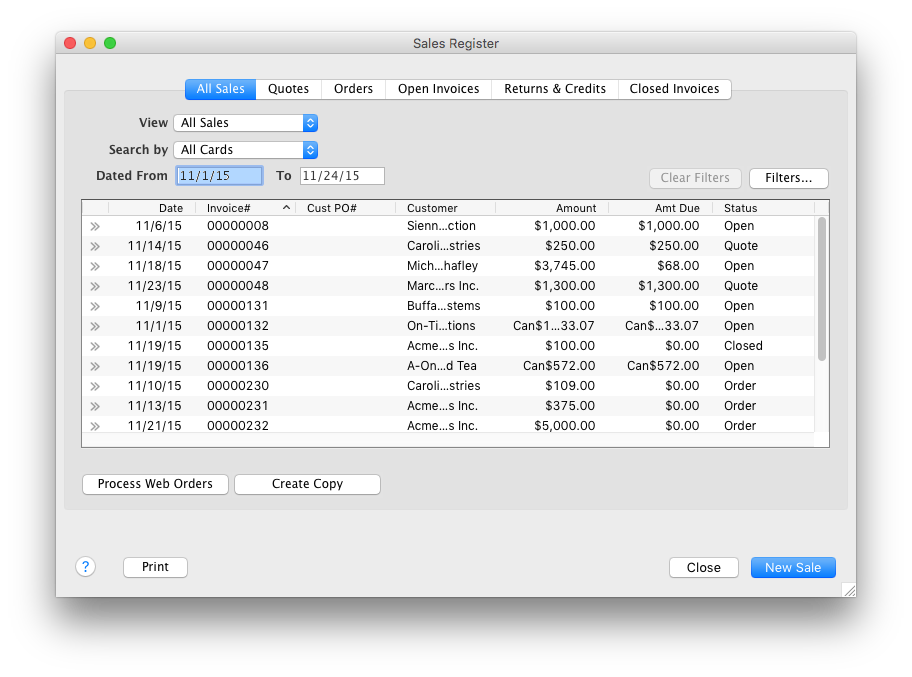
AccountEdge is a small business accounting software for Mac and Windows users. AccountEdge allows business owners to organize, process, and report on their financial information. Its features include accounting, integrated payroll, sales and purchases, contact management, inventory, and time billing. It was acquired by Priority Software in January 2018 to expand that company's small business portfolio.
$20
per month
QuickBooks Desktop Pro
Score7.8 out of 10
N/A
Quickbooks Desktop Pro is accounting software from Intuit, Inc. It includes core accounting features, plus analytics and exportable reports. It is offered in on-premise and SaaS forms.
A de minimis incentive was given to thank the reviewer for their time. The incentive was not used to bias or drive a particular response, nor was the incentive contingent on a positive endorsement. More Info
Director of Operations and Technology in Corporate at Pixel+Parcel (Graphic Design, 11-50 employees)
Chose QuickBooks Desktop Pro
Ultimately, QuickBooks Pro was better suited for how we internally run our operations. AccountEdge Pro seemed to have more bells and whistles we wouldn't need to use.
A de minimis incentive was given to thank the reviewer for their time. The incentive was not used to bias or drive a particular response, nor was the incentive contingent on a positive endorsement. More Info
If you are handling a large client list, and are selling services, it is dead easy. If you are managing/selling a physical inventory, it seems like it has great options to do that quite well (disclaimer, I do not use those functions, but I have paid attention as that functionality was built into the software). If you want to link your bank account to a bookkeeping platform, this is not the software for you (at least so far).
A de minimis incentive was given to thank the reviewer for their time. The incentive was not used to bias or drive a particular response, nor was the incentive contingent on a positive endorsement. More Info
What I think the QuickBooks Desktop Pro is well suited: 1) Easy to use and effective to navigate while satisfying our financial and accounting functions' needs 2) We upgraded the version from the QuickBooks Desktop to Desktop Pro for its advanced functions and the ability to track the different projects/programs that are essential to organization.
A de minimis incentive was given to thank the reviewer for their time. The incentive was not used to bias or drive a particular response, nor was the incentive contingent on a positive endorsement. More Info
AccountEdge has a robust report menu that allows a user to slice and dice data for analysis. Report on projects for the life of the project across fiscal years. Report on different departments with segregated income statements.
For users who want to run payroll in house that is easily done through the payroll module. Print physical checks or direct deposit to employee's account, process payroll taxes and file year end W2s.
My personal favorites are time billing and retainers. As a service based business I can at my fingertips review how much money a client has on deposit with me and how much of that will be billed out at the end of the month. The integration with AccountEdge Mobile rounds it all out with being able to log my time on-site.
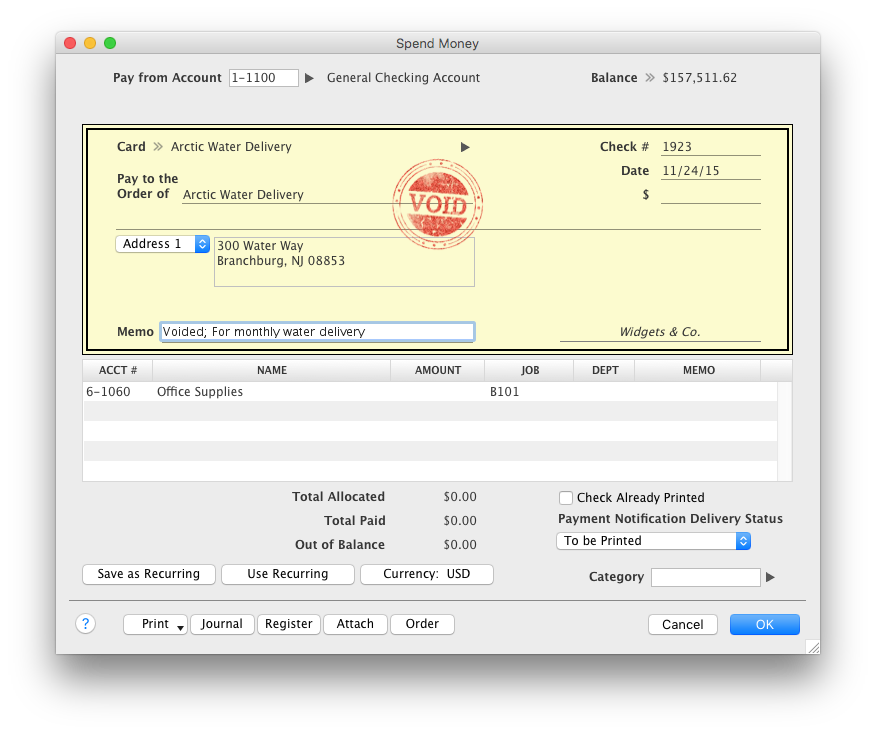
Last but not least AccountEdge Mobile in general, as the companion app for the desktop software is invaluable. My heaviest use is the spend money feature. Excellent for logging travel receipts & cash expenses while they are fresh on the brain. Really cuts back the data entry at the end of a trip and trying to recall what something may have been for.
A de minimis incentive was given to thank the reviewer for their time. The incentive was not used to bias or drive a particular response, nor was the incentive contingent on a positive endorsement. More Info
A de minimis incentive was given to thank the reviewer for their time. The incentive was not used to bias or drive a particular response, nor was the incentive contingent on a positive endorsement. More Info
My biggest frustration, and one that I've mentioned to Acclivity for many years, is that it only permits opening nine windows at a time (plus the home window). I hit that limit almost daily, and then I have to decide what do I close so I can complete the transaction that needed the "9th" window.
The Accounts section includes two quick reports, "Analyze Profit and Loss" and "Analyze Balance Sheet. These can be filtered for the current month or any prior month in the current fiscal year. And that's fine most of the year, but at the beginning of the next year, when I haven't yet started the new fiscal year, these only go to December of the prior year. The regular reports for these can select "next year;" why can't these?
It would be helpful if the journal entry number would have one or two additional digits available. For example, when I am entering journal entries for a client, I would like to use a number such as CPA2014001, CPA2014002, etc. to distinguish what I enter from the "automatic" entries that AccountEdge does. But that's one more digit than AccountEdge allows, so if I had over 100 adjustments, I would run out of entry numbers.
A de minimis incentive was given to thank the reviewer for their time. The incentive was not used to bias or drive a particular response, nor was the incentive contingent on a positive endorsement. More Info
QuickBooks Desktop Pro has been around for a few years and after an update[,] they force you to look at the changes/updates before you can use [them] after updating.
QuickBooks Desktop Pro does not have 2FA.
QuickBooks Desktop Pro should offer a way to store backups to a personal cloud without having to map a local network drive.
A de minimis incentive was given to thank the reviewer for their time. The incentive was not used to bias or drive a particular response, nor was the incentive contingent on a positive endorsement. More Info
Without a doubt, when you need to do accounting use the program that will get the job done in the least amount of time with the least amount of errors. Once you are using a program that works you stay with it year after year and you will find yourself even excited about the updates
A de minimis incentive was given to thank the reviewer for their time. The incentive was not used to bias or drive a particular response, nor was the incentive contingent on a positive endorsement. More Info
I'd love to keep using it, and do intend to - though we've not been pleased with price increases over the past several years. In fact, we used to subscribe to the payroll service, but QuickBooks priced themselves out of reach for us, so we discontinued that. Currently, pricing would be the primary reason for NOT renewing, if we didn't.
A de minimis incentive was given to thank the reviewer for their time. The incentive was not used to bias or drive a particular response, nor was the incentive contingent on a positive endorsement. More Info
The intuitive interface does all the tasks we need our accounting software to do. Some tasks are slower to process than I would like but overall very usable. Customizable forms let us choose to either go with the easy ready-made out-of-the-box options or retool them to better fit our specific needs.
A de minimis incentive was given to thank the reviewer for their time. The incentive was not used to bias or drive a particular response, nor was the incentive contingent on a positive endorsement. More Info
It is a great software that does everything a small business needs it to do, but there are just a few bugs and quirks that make additional software necessary. The slowness of the software occasionally might eventually be overshadowed by the quickness of cloud-based software though.
A de minimis incentive was given to thank the reviewer for their time. The incentive was not used to bias or drive a particular response, nor was the incentive contingent on a positive endorsement. More Info
One of the finer advantages of desktop software, it's always available. AccountEdge doesn't suffer from outages or sluggish internet like web based applications do. It's always there when you power on your device!
A de minimis incentive was given to thank the reviewer for their time. The incentive was not used to bias or drive a particular response, nor was the incentive contingent on a positive endorsement. More Info
A de minimis incentive was given to thank the reviewer for their time. The incentive was not used to bias or drive a particular response, nor was the incentive contingent on a positive endorsement. More Info
On the few occasions we have needed tech support over the years, they were responsive and worked to get to the root of the issues. However, even though Checkout POS is a separate application, it was pitched to us as a natural extension of the functionality of our AE software that would integrate seamlessly. The company's support for Checkout has been minimal at best, and now totally abandoned. That colors our view of Priority's support unfortunately. And to be honest, that's why it's a 9 instead of a 10. So to be fair, AccountEdge's support itself has been very good over the years.
A de minimis incentive was given to thank the reviewer for their time. The incentive was not used to bias or drive a particular response, nor was the incentive contingent on a positive endorsement. More Info
They are awful. Intuit doesn't spend real money on support. They appear to have typically said, first-level script readers who are sending messages to the senior people for anything even a little bit difficult. Many of them don't speak particularly good English. Considering that they recently doubled (or, if you are paying annually, tripled) their pricing, and touted as one of the benefits that it includes [..] support, it's a real ripoff. However, we have to use the product because it is ubiquitous. I look forward to the day a competitor comes up with something good enough, which has excellent support, that matches all the features QuickBooks Desktop Pro currently has [...] or at least gives us a way to have all the functionality we currently have without excessive sacrifice [...] so that we can switch. I was very satisfied with QuickBooks for many years. This latest [rise] in price, and their sheer gall at touting the benefit of the 100 to 200% increase as being [the] inclusion of support, is what turned me so far against them.
A de minimis incentive was given to thank the reviewer for their time. The incentive was not used to bias or drive a particular response, nor was the incentive contingent on a positive endorsement. More Info
Best thing I ever did was to attend a two day training seminar on QuickBooks, I learned an immense amount in a short time with hands on training by experts. I strongly recommend such training for anyone using any part of the software. It will pay for itself in the first month.
A de minimis incentive was given to thank the reviewer for their time. The incentive was not used to bias or drive a particular response, nor was the incentive contingent on a positive endorsement. More Info
We implemented the software ourselves. The training we received on the software was done by taking a community course teaching us how to use QuickBooks. It allowed me to get started with some basics of how to use the program and have not needed much assistance since completing the course work.
A de minimis incentive was given to thank the reviewer for their time. The incentive was not used to bias or drive a particular response, nor was the incentive contingent on a positive endorsement. More Info
For Mac enthusiasts, AccountEdge is the complete installed software solution for small to medium-sized businesses, as it has so many capabilities that QuickBooks for Mac lacks. However, it holds your hand less than QuickBooks for Mac does, so you ought to know what your are doing in keeping business books properly. If your needs are simple, QuickBooks for Mac may be a better solution. QuickBooks Online and Xero are excellent cloud accounting solutions that can be used on the Mac equally well as on Windows. QuickBooks Online offers a similar set of features as QuickBooks for Mac, with the addition of anywhere, anytime access. Xero is a great basic accounting solution in the cloud that can also be used equally well on Macs and WIndows, and offers endless customization and flexibility through its extensive third-party app integration for almost any need.
Zoho had great end-user support and it was almost as simple to learn and was as easy to use. But its reports were not as [customizable] as QuickBooks Desktop Pro, and its job cost and department accounting [were] more cumbersome than QuickBooks Desktop Pro was. In addition, while I like an underdog (Zoho) the fact is that it is easier to find staff that [is] comfortable with QuickBooks Desktop Pro than anything else on the market.
A de minimis incentive was given to thank the reviewer for their time. The incentive was not used to bias or drive a particular response, nor was the incentive contingent on a positive endorsement. More Info
A de minimis incentive was given to thank the reviewer for their time. The incentive was not used to bias or drive a particular response, nor was the incentive contingent on a positive endorsement. More Info
QuickBooks Desktop Pro is a no hassle accounting solution that ticks a lot of boxes. It almost never disappoints and organizations will usually keep using it for many years. If anything, the only time I've seen an organization migrate away from it is if they have specific accounting needs, or if the organization has grown to the point that they need a more robust accounting solution. Even then, QuickBooks can usually be maintained within another accounting software system for specific functions, like A/R & A/P for example.
A de minimis incentive was given to thank the reviewer for their time. The incentive was not used to bias or drive a particular response, nor was the incentive contingent on a positive endorsement. More Info