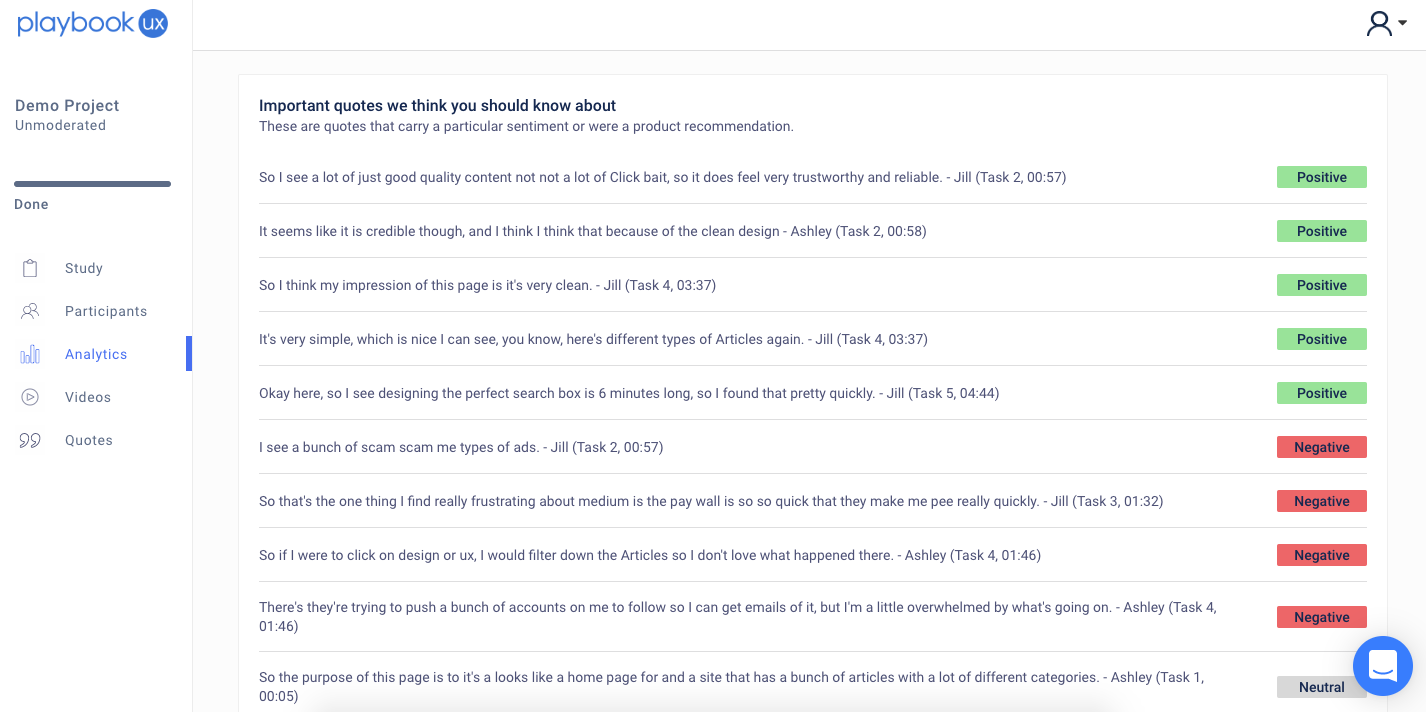
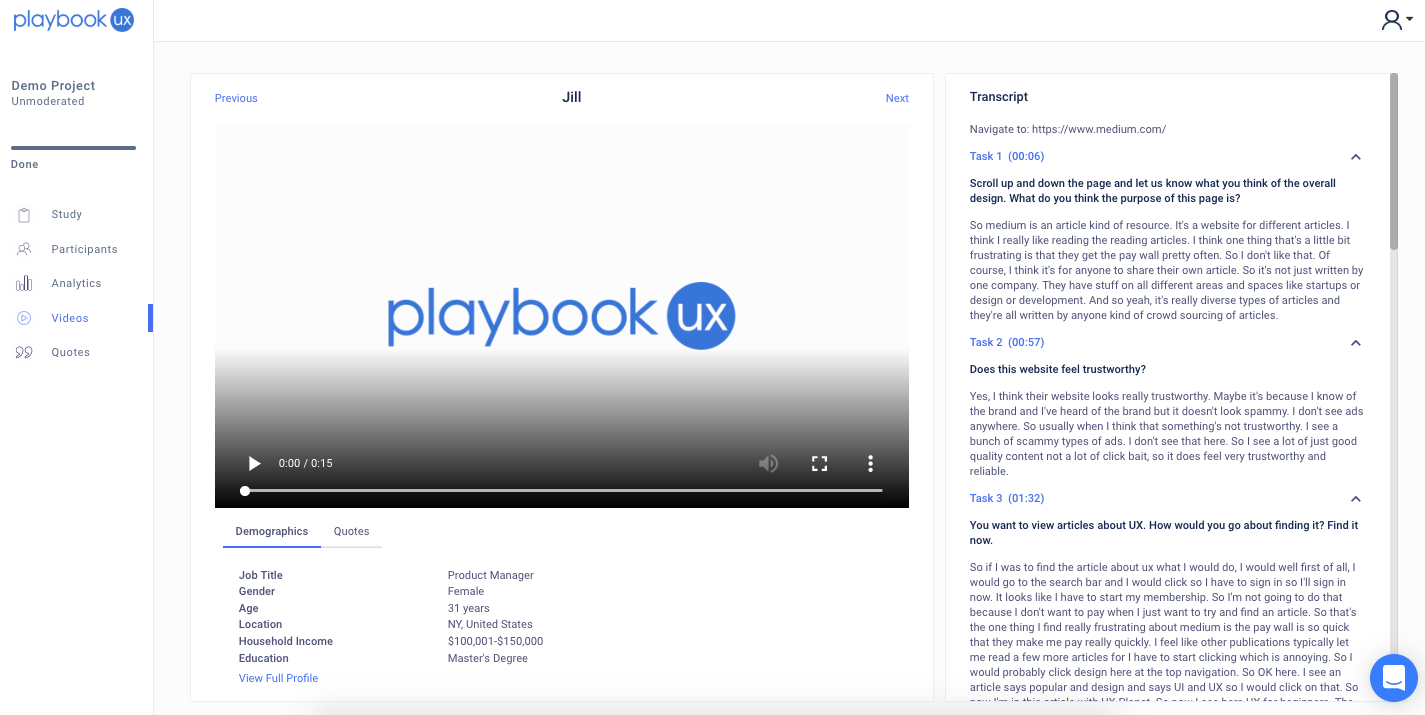
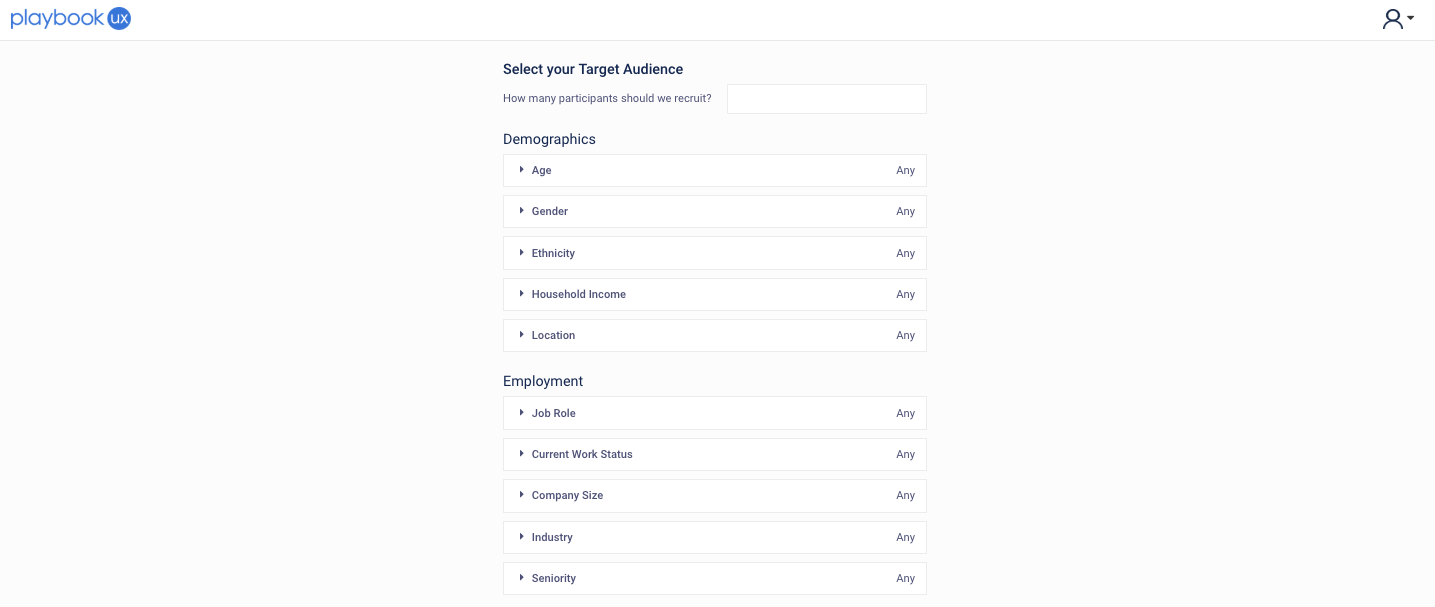
PlaybookUX is a user testing software for both moderated and unmoderated research. The vendor helps companies receive video based feedback from their target demographic on product usability, designs, websites, ideas and more. They handle recruiting, incentivizing, transcribing, and analyzing. When it comes to recruiting, the vendor says they allow you to specify job role, industry, age, household income and…
$0
total
UserTesting
Score7.9 out of 10
N/A
UserTesting helps UX researchers, designers, product teams, and marketers gather actionable insights through research, testing, and feedback. With a network of real people ready to share their perspectives, UserTesting enables organizations to make customer-first decisions at scale.
Web Accessibility Specialist/Developer in Quality Assurance at State of Missouri (Government Administration, 501-1000 employees)
Chose PlaybookUX
Comparable to UserTesting, Validately, and Intellizoom. My favorite is definitely UserTesting.com. Many tests are available to screen. The interface is very streamlined. I wish there was more tests available with PlaybookUX. The testing payment amount is very competitive …
A de minimis incentive was given to thank the reviewer for their time. The incentive was not used to bias or drive a particular response, nor was the incentive contingent on a positive endorsement. More Info
Chief Product Officer in Product Management at GlobalGiving (Philanthropy, 51-200 employees)
Chose PlaybookUX
We are previous UserTesting.com customers but found their subscription model to be inflexible for our needs. PlaybookUX not only fit our budget, but the flexibility has let us scale up and scale down testing as needed.
A de minimis incentive was given to thank the reviewer for their time. The incentive was not used to bias or drive a particular response, nor was the incentive contingent on a positive endorsement. More Info
Verified User
Chose PlaybookUX
PlaybookUX is much cheaper than UserTesting.com. They are also easier to use and set up studies than user testing. I liked how simple it was and we could conduct both moderated and unmoderated for very cheap.
A de minimis incentive was given to thank the reviewer for their time. The incentive was not used to bias or drive a particular response, nor was the incentive contingent on a positive endorsement. More Info
UserTesting
Verified User
Chose UserTesting
When we were evaluating different website for our user testing needs, we evaluated three:
A de minimis incentive was given to thank the reviewer for their time. The incentive was not used to bias or drive a particular response, nor was the incentive contingent on a positive endorsement. More Info
PlaybookUX is fabulous for ad-hoc tests with small budgets, but can also scale up to larger projects easily. I've recommended the tool to several people and they love it, too!
A de minimis incentive was given to thank the reviewer for their time. The incentive was not used to bias or drive a particular response, nor was the incentive contingent on a positive endorsement. More Info
Well suited to its original purpose- usability testing and interviews. This can be performed at pace, given the large audience (although our brands are very well known so this should not be a barrier) and there is a decent level of task customisation when conducting unmoderated testing. Its less appropriate for survey where you are looking to capture genuine intent/behaviour, even with screeners the data skews more positively than onsite survey, makes me question the quality of survey respondents.
A de minimis incentive was given to thank the reviewer for their time. The incentive was not used to bias or drive a particular response, nor was the incentive contingent on a positive endorsement. More Info
A de minimis incentive was given to thank the reviewer for their time. The incentive was not used to bias or drive a particular response, nor was the incentive contingent on a positive endorsement. TR verified that a representative sample of customers was invited. More Info
Quality of participant pool - many are career testers, and many are untruthful. Since sessions are auto-scheduled if the screener is past, you often don't know until they've completed the test. Allow double screening or be more stringent in removing users from the platform.
Unfinished products - focus on making one product the best it can be before moving on to a new one. Unmoderated testing is still missing features (randomization of 3 or more prototypes, etc.)
A de minimis incentive was given to thank the reviewer for their time. The incentive was not used to bias or drive a particular response, nor was the incentive contingent on a positive endorsement. More Info
I'm very happy with my experience of the product and the level of service and learning resources they provide. If the service becomes more expensive than it currently is then we might not be able to justify additional cost - but this is theoretical. I would recommend UserTesting and would ideally renew our contract.
A de minimis incentive was given to thank the reviewer for their time. The incentive was not used to bias or drive a particular response, nor was the incentive contingent on a positive endorsement. More Info
It can be difficult to organize our tests and go back and find information. I think the AI tools are helping and will help with this, but for now it is time consuming to sort through all of the tests and information and then synthesize it and share it with others. It just takes a lot of time.
A de minimis incentive was given to thank the reviewer for their time. The incentive was not used to bias or drive a particular response, nor was the incentive contingent on a positive endorsement. More Info
A de minimis incentive was given to thank the reviewer for their time. The incentive was not used to bias or drive a particular response, nor was the incentive contingent on a positive endorsement. More Info
A de minimis incentive was given to thank the reviewer for their time. The incentive was not used to bias or drive a particular response, nor was the incentive contingent on a positive endorsement. More Info
I have contacted UserTesting's customer service online, by email, or by phone a few times, and each time, I have encountered the same professionalism and expertise. Even in person during a work event, they were there, and it was the same experience.
A de minimis incentive was given to thank the reviewer for their time. The incentive was not used to bias or drive a particular response, nor was the incentive contingent on a positive endorsement. More Info
From a technical perspective, the implementation was extremely smooth. Most of the change management / implementation hurdles were clearing use of the tool through our various security, legal, and information privacy teams. Once these concerns were addressed (UserTesting.com was very helpful in providing all the needed documentation), the implementation process was very simple and we were able to get going right away.
A de minimis incentive was given to thank the reviewer for their time. The incentive was not used to bias or drive a particular response, nor was the incentive contingent on a positive endorsement. More Info
A de minimis incentive was given to thank the reviewer for their time. The incentive was not used to bias or drive a particular response, nor was the incentive contingent on a positive endorsement. More Info
The quality of the participants: they usually have good feedback and act like "professional" users. Which is good when we want a few insights in a short amount of time. Also, the interface is good. I miss having more features, like a good transcription tool like we have in Condens
A de minimis incentive was given to thank the reviewer for their time. The incentive was not used to bias or drive a particular response, nor was the incentive contingent on a positive endorsement. More Info
A de minimis incentive was given to thank the reviewer for their time. The incentive was not used to bias or drive a particular response, nor was the incentive contingent on a positive endorsement. More Info
A de minimis incentive was given to thank the reviewer for their time. The incentive was not used to bias or drive a particular response, nor was the incentive contingent on a positive endorsement. More Info
A de minimis incentive was given to thank the reviewer for their time. The incentive was not used to bias or drive a particular response, nor was the incentive contingent on a positive endorsement. More Info