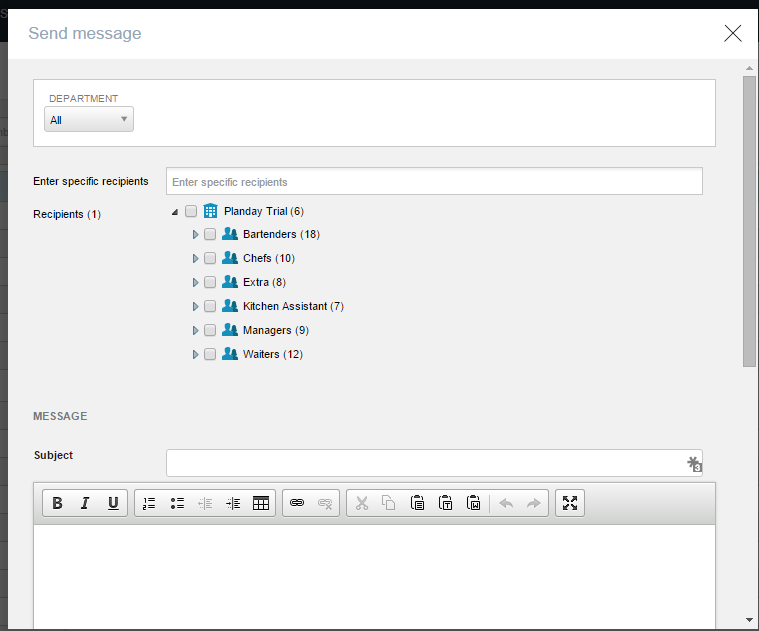
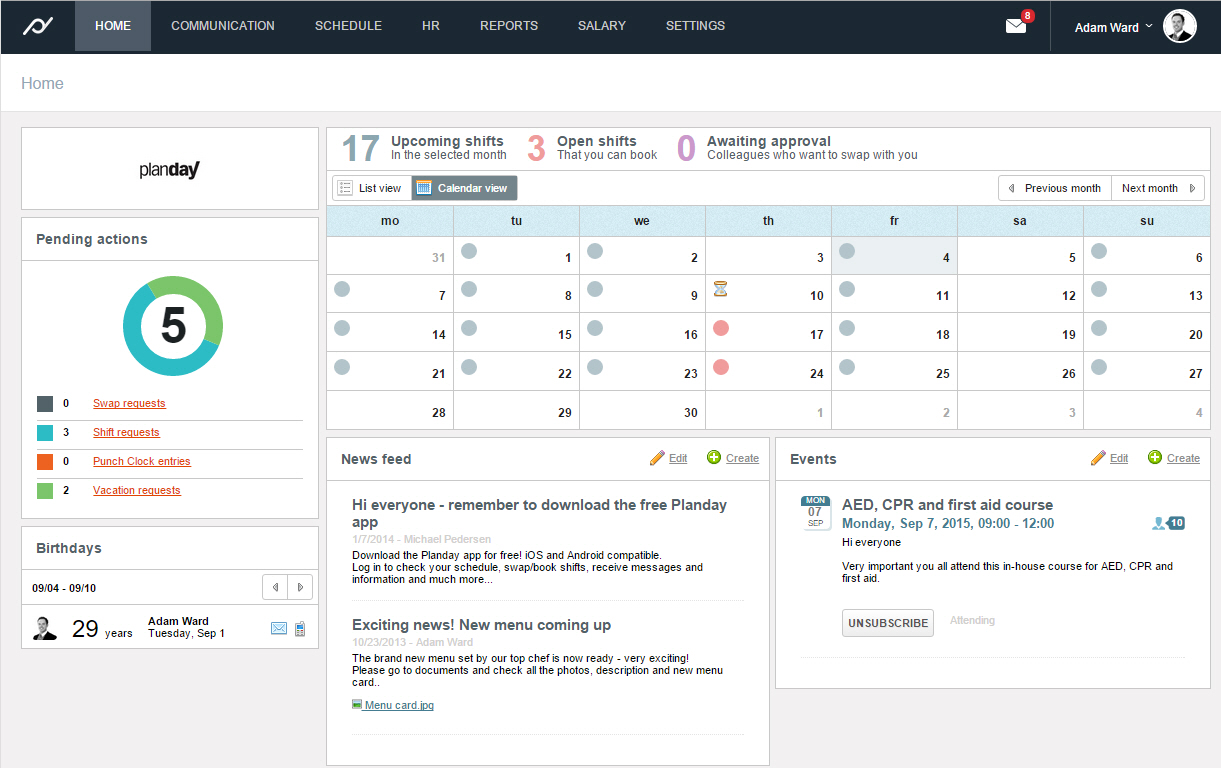
Planday is online and mobile employee scheduling software designed to help shift-based businesses plan and communicate shifts, manage absences and leave, simplify hour registration, and streamline their payroll processes. Planday also facilitates simple team communication across the organization via SMS, emails and app notifications while storing employee information and contact details in one single place.
$2
per user per month
WhenToWork
Score9 out of 10
N/A
WhenToWork is employee scheduling application from the California-based company of the same name.
Planday is a wonderful first step in organizing team management, such as mass communication, scheduling, time off requests, and centralized timesheets. I used it for my retail business and found it to be extremely helpful in communication with my team and keeping track of everyone scheduling needs in one place. As we grew, I noticed a need to assign tasks, which would be very helpful for larger companies or businesses with daily tasks that need to assigned to specific team members, departments, or shifts
A de minimis incentive was given to thank the reviewer for their time. The incentive was not used to bias or drive a particular response, nor was the incentive contingent on a positive endorsement. More Info
WhenToWork is he very cost-effective solution that gives our team the capabilities they need without having to leverage in a much more developed workforce management solution. It allows us to manage role-based permissions that support multiple unique teams, supervisors, QA members, and contact center agents. All users can interact with the system on desktop or mobile.
A de minimis incentive was given to thank the reviewer for their time. The incentive was not used to bias or drive a particular response, nor was the incentive contingent on a positive endorsement. More Info
A de minimis incentive was given to thank the reviewer for their time. The incentive was not used to bias or drive a particular response, nor was the incentive contingent on a positive endorsement. More Info
A de minimis incentive was given to thank the reviewer for their time. The incentive was not used to bias or drive a particular response, nor was the incentive contingent on a positive endorsement. More Info
Holiday functionality - currently under review, new system launching early 2017 which will improve accuracy, calculate balances and deliver a more user friendly experience
Payroll reporting - data is not all relevant, could be more flexible
Schedule - could be more flexible to show employees consistently working across the group on one schedule
A de minimis incentive was given to thank the reviewer for their time. The incentive was not used to bias or drive a particular response, nor was the incentive contingent on a positive endorsement. More Info
WhenToWork has an easy-to-access and comprehensive Help feature that gives the user quick answers. The tutorials are also a very helpful training tool for the new user.
A de minimis incentive was given to thank the reviewer for their time. The incentive was not used to bias or drive a particular response, nor was the incentive contingent on a positive endorsement. More Info
Ultimately Planday is the perfect tool for simple straightforward team time management, communication and scheduling. I would like to see a task management feature added to Planday and perhaps some integration for employee rewards. Planday is leaps and bounds above Quickbooks Time, and TimeClock Plus but falls behind Deputy only slightly by having less features available. Overall I would recommend Planday to any small business owner with a team of 5-20
A de minimis incentive was given to thank the reviewer for their time. The incentive was not used to bias or drive a particular response, nor was the incentive contingent on a positive endorsement. More Info
WhenToWork is much more cost-effective for our team size than other comparable workforce management solutions. It offers many of the same features, like role-based permissions, and mobile access, as the other much more expensive options. We are able to meet our needs across multiple unique contact center teams, with many different levels of access, and still have a cost-effective solution we have used for many years.
A de minimis incentive was given to thank the reviewer for their time. The incentive was not used to bias or drive a particular response, nor was the incentive contingent on a positive endorsement. More Info
A de minimis incentive was given to thank the reviewer for their time. The incentive was not used to bias or drive a particular response, nor was the incentive contingent on a positive endorsement. More Info
A de minimis incentive was given to thank the reviewer for their time. The incentive was not used to bias or drive a particular response, nor was the incentive contingent on a positive endorsement. More Info