Pipeliner CRM vs. Tour de Force CRM

Overview
ProductRatingMost Used ByProduct SummaryStarting Price
Pipeliner CRM
Score 8.7 out of 10
Mid-Size Companies (51-1,000 employees)
Pipeliner CRM is a sales enablement tool focusing on pipeline management, sales processes, and analytics designed to empower sales professionals. Pipeliner CRM provides a visual sales process, profiles, and charts, all of which aim to help users take the right actions with their buyers and even helps identify key contacts within an organization. Pipeliner CRM Cloud is the latest addition to a product line that already includes Pipeliner CRM Hybrid, an…
$65
Tour de Force CRM
Score 3.7 out of 10
N/A
Tour de Force is a customer relationship management (CRM) software with features such as enterprise resource planning (ERP) integration, Microsoft Outlook integration and mobile access.N/A
Pricing
Pipeliner CRMTour de Force CRM
Editions & Modules
STARTER - Basic sales management, tracking and collaboration
$65.00 per user per month
STARTER - Basic sales management, tracking and collaboration
$65 per user per month
BUSINESS - Full CRM functionality, customization and unique productivity features.
$85 per user per month
BUSINESS - Full CRM functionality, customization and unique productivity features.
$85 per user per month
ENTERPRISE - Full CRM functionality with advanced reporting, customization and services.
$115 per user per month
ENTERPRISE - Full CRM functionality with advanced reporting, customization and services.
$115 per user per month
UNLIMITED - Full CRM functionality with advanced reporting, customization and services.
$150 per user per month
UNLIMITED - Advanced CRM functionality including advanced features
$150 per user per month
No answers on this topic
Offerings
Pricing Offerings
Pipeliner CRMTour de Force CRM
Free Trial
YesNo
Free/Freemium Version
YesNo
Premium Consulting/Integration Services
NoNo
Entry-level Setup FeeNo setup feeNo setup fee
Additional Details
More Pricing Information
Community Pulse
Pipeliner CRMTour de Force CRM
Features
Pipeliner CRMTour de Force CRM
Sales Force Automation
Comparison of Sales Force Automation features of Product A and Product B
Pipeliner CRM
9.0
Ratings
15% above category average
Tour de Force CRM
6.4
Ratings
19% below category average
Customer data management / contact management8.10 Ratings10.00 Ratings
Workflow management8.90 Ratings00 Ratings
Territory management8.90 Ratings10.00 Ratings
Opportunity management9.00 Ratings10.00 Ratings
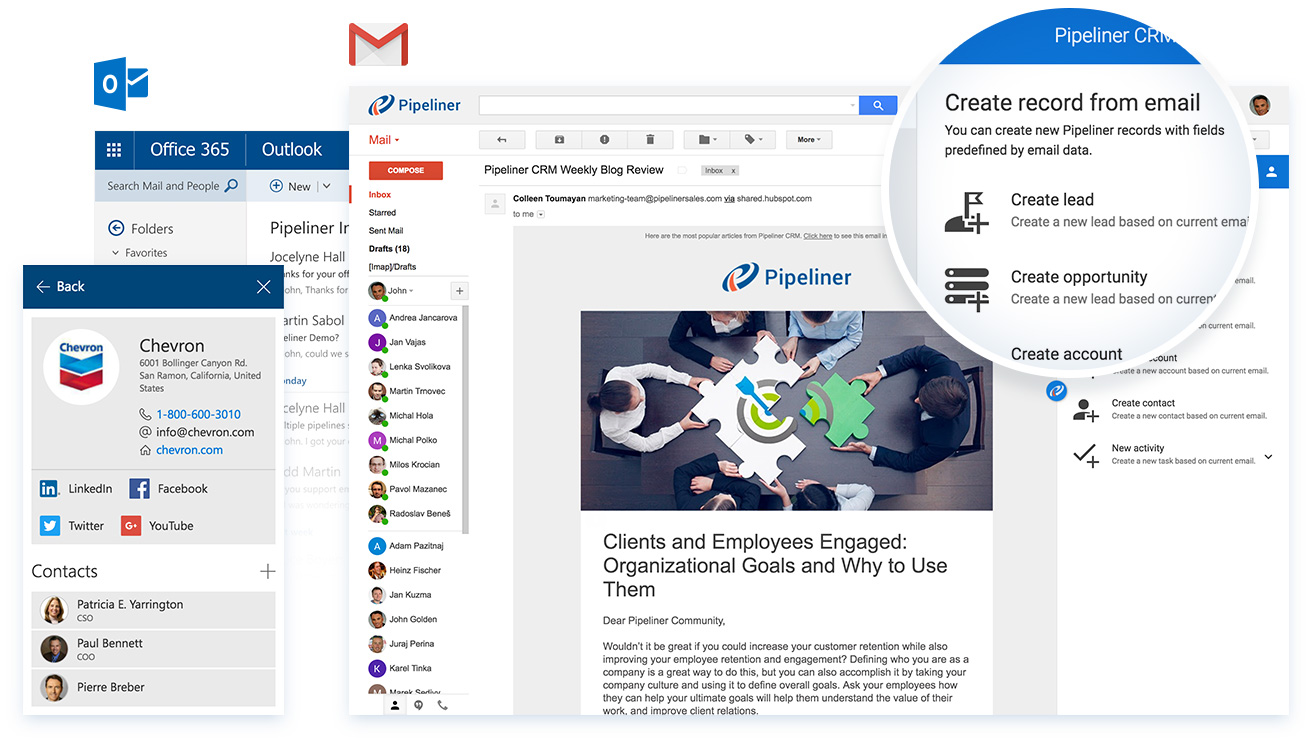
Integration with email client (e.g., Outlook or Gmail)9.70 Ratings1.00 Ratings
Contract management8.80 Ratings00 Ratings
Quote & order management9.60 Ratings5.00 Ratings
Interaction tracking8.90 Ratings7.00 Ratings
Channel / partner relationship management9.00 Ratings2.00 Ratings
Customer Service & Support
Comparison of Customer Service & Support features of Product A and Product B
Pipeliner CRM
9.3
Ratings
21% above category average
Tour de Force CRM
5.5
Ratings
31% below category average
Case management9.10 Ratings8.00 Ratings
Call center management9.10 Ratings00 Ratings
Help desk management9.60 Ratings3.00 Ratings
Marketing Automation
Comparison of Marketing Automation features of Product A and Product B
Pipeliner CRM
8.6
Ratings
13% above category average
Tour de Force CRM
4.0
Ratings
62% below category average
Lead management8.90 Ratings7.00 Ratings
Email marketing8.20 Ratings1.00 Ratings
CRM Project Management
Comparison of CRM Project Management features of Product A and Product B
Pipeliner CRM
8.8
Ratings
15% above category average
Tour de Force CRM
3.7
Ratings
69% below category average
Task management8.30 Ratings1.00 Ratings
Billing and invoicing management9.10 Ratings7.00 Ratings
Reporting9.00 Ratings3.00 Ratings
CRM Reporting & Analytics
Comparison of CRM Reporting & Analytics features of Product A and Product B
Pipeliner CRM
8.3
Ratings
9% above category average
Tour de Force CRM
8.0
Ratings
6% above category average
Forecasting9.00 Ratings8.00 Ratings
Pipeline visualization8.30 Ratings8.00 Ratings
Customizable reports7.50 Ratings8.00 Ratings
Customization
Comparison of Customization features of Product A and Product B
Pipeliner CRM
8.3
Ratings
10% above category average
Tour de Force CRM
6.0
Ratings
22% below category average
Custom fields8.20 Ratings6.00 Ratings
Custom objects8.00 Ratings00 Ratings
Scripting environment9.10 Ratings00 Ratings
API for custom integration8.10 Ratings6.00 Ratings
Security
Comparison of Security features of Product A and Product B
Pipeliner CRM
8.2
Ratings
1% below category average
Tour de Force CRM
9.5
Ratings
13% above category average
Single sign-on capability8.30 Ratings10.00 Ratings
Role-based user permissions8.20 Ratings9.00 Ratings
Social CRM
Comparison of Social CRM features of Product A and Product B
Pipeliner CRM
8.4
Ratings
14% above category average
Tour de Force CRM
-
Ratings
Social data8.00 Ratings00 Ratings
Social engagement8.70 Ratings00 Ratings
Integrations with 3rd-party Software
Comparison of Integrations with 3rd-party Software features of Product A and Product B
Pipeliner CRM
8.5
Ratings
15% above category average
Tour de Force CRM
3.0
Ratings
84% below category average
Marketing automation7.90 Ratings3.00 Ratings
Compensation management9.10 Ratings00 Ratings
Platform
Comparison of Platform features of Product A and Product B
Pipeliner CRM
8.2
Ratings
11% above category average
Tour de Force CRM
8.0
Ratings
9% above category average
Mobile access8.20 Ratings8.00 Ratings
User Ratings
Pipeliner CRMTour de Force CRM
Likelihood to Recommend
9.0
(0 ratings)
7.0
(0 ratings)
Likelihood to Renew
9.1
(0 ratings)
-
(0 ratings)
Usability
9.7
(0 ratings)
-
(0 ratings)
Support Rating
8.9
(0 ratings)
-
(0 ratings)
User Testimonials
Pipeliner CRMTour de Force CRM
Likelihood to Recommend
Pipeliner CRM is amazingly flexible to your business model. For example, in addition to tracking movement of leads through your sales pipeline, Pipeliner CRM can be used to track internal processes, like RFQ and RFPs through your organization. It's highly adaptable across your organization.
Read full review
Tour de Force can be very useful if you have someone on staff to configure and set it up. It needs constant upkeep with changes in what's needed, and constant updates. This would not be good for small businesses that do not have a sales teem. They charge heavily for tech support.
Read full review
Pros
  • Clear and easy visualisation of Sales Process
  • Great capability in reporting both in-app with 'filter' and reporting module built-in is easy to use
  • Reporting into pivot table is also easy and very useful
  • Mobile app has always been very good and easy to use since 2015
Read full review
  • We can quickly see Customers sales for the week, month, year, and past years.
  • We can get deep into the data of a customers sales history and what they are or aren't buying.
Read full review
Cons
  • Pipeliner CRM needs to create a video chat room where you can see exactly where your employee is working in the field.
  • Pipeliner CRM needs to integrate a command where a user can use his voice to command what he wants.
Read full review
  • There's too much data, and sales people have trouble finding what they need.
  • It can be hard for IT or sales manager to manage all the data in an informational way.
Read full review
Likelihood to Renew
Currently the company is using the Pipeliner CRM because we believe it is a tool that puts the customer as the main focus of business processes in order to understand and anticipate their needs, and then serve them in the best way.
Read full review
No answers on this topic
Usability
I gave that rating level because it reflects both my satisfaction and expectations about PipelinerCRM.Plus, the adoption rate of this software. I mean the usability rate is very low. It just takes, for learning, a couple of hours less than three days roughly. Return on time investment is low also.
Read full review
No answers on this topic
Support Rating
The support from Pipeliner CRM is superb; they have instant customer support and they are on time. They also give enough knowledge of sales and other material for the knowledge. They also have AI in the support by talking with customer support directly from the web or app and so on.
Read full review
No answers on this topic
Alternatives Considered
I will always select Pipeliner CRM because it is very flexible, easy to work with, data capturing is at its best, its integration to other major software’s and it aids in the monitoring of the core work process. One distinctive feature is it is very easy to learn without extensive training.
Read full review
Tour de Force was less expensive than Sales Force, and has more abilities that Epicor CRM.
Read full review
Return on Investment
  • As a VisualCRM tool, our clients sales teams seem to accelerate their deal closes.
  • The visual tools allow those "no good deals" to be spotted and resource usage limited.
  • A great tool to manage those "pipelines" within the company. A pipe is really a series of actions that constitute a planned result.
Read full review
  • Better customer visibility.
  • We have better customer rating for finding top and bottom customers based on orders.
Read full review
ScreenShots

Pipeliner CRM Screenshots

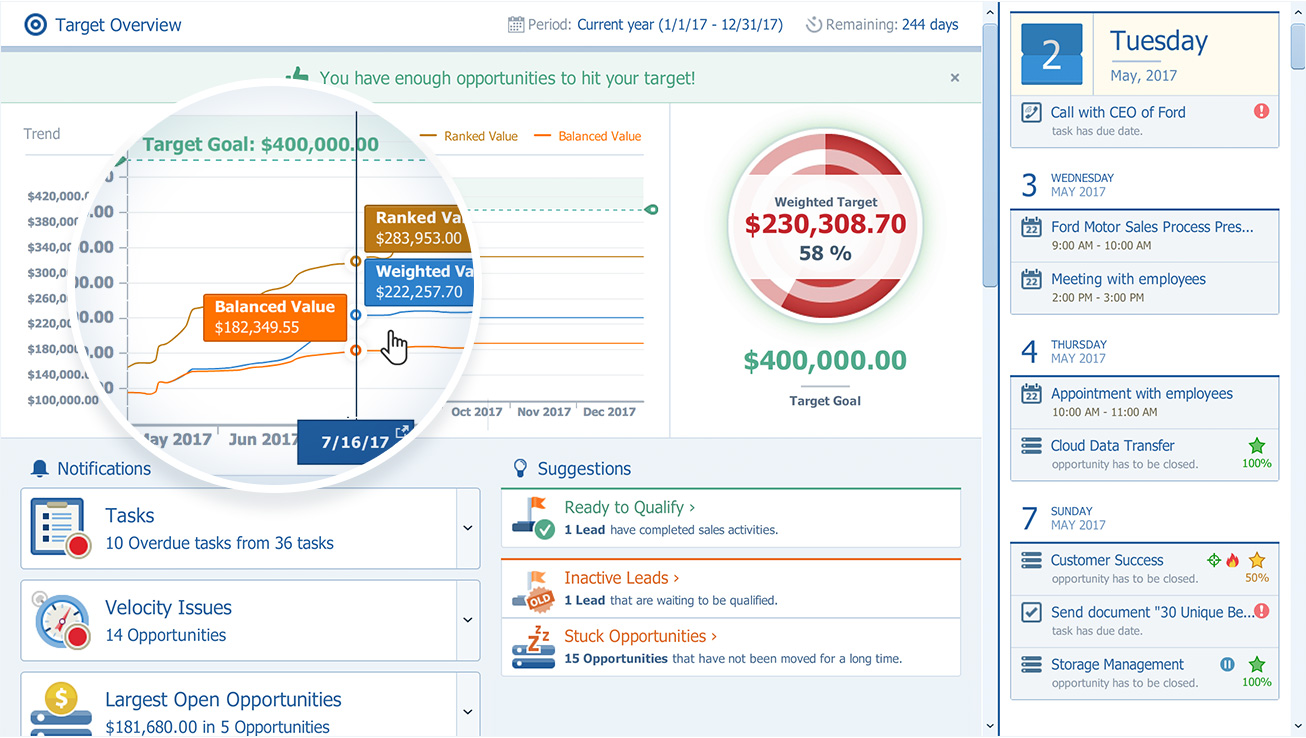
Screenshot of Pipeliner CRM — A sales enablement tool focused  on pipeline management, sales process & analytics.Screenshot of Can be used with email such as MS Outlook, gmailScreenshot of The pipeline view, to review and forecast sales, manage revenue risk, collaborate with a sales teamScreenshot of Pipeliner CRM opportunity viewScreenshot of Analytics: analyse win/loss rates, review sales person/team/territory performance, set key sales metrics & goals, leading & lagging indicatorsScreenshot of Visual Sales Tool: designed to cut through the noise, focuses on high value activities, everything in one place (no need for multiple tools)