Patriot Software headquartered in Canton, Ohio offers Patriot PAY, their benefits administration and payroll software.
$17
per month
QuickBooks Desktop Pro
Score 7.8 out of 10
N/A
Quickbooks Desktop Pro is accounting software from Intuit, Inc. It includes core accounting features, plus analytics and exportable reports. It is offered in on-premise and SaaS forms.
N/A
Pricing
Patriot Payroll
QuickBooks Desktop Pro
Editions & Modules
Basic Payroll
$17/mo + $4 per employee/contractor
Accounting Basic
$20/mo (unlimited use)
Accounting Premium
$30/mo (unlimited use)
Full Service Payroll
$37/mo + $4 per employee/contractor
No answers on this topic
Offerings
Pricing Offerings
Patriot Payroll
QuickBooks Desktop Pro
Free Trial
Yes
No
Free/Freemium Version
No
No
Premium Consulting/Integration Services
No
No
Entry-level Setup Fee
No setup fee
No setup fee
Additional Details
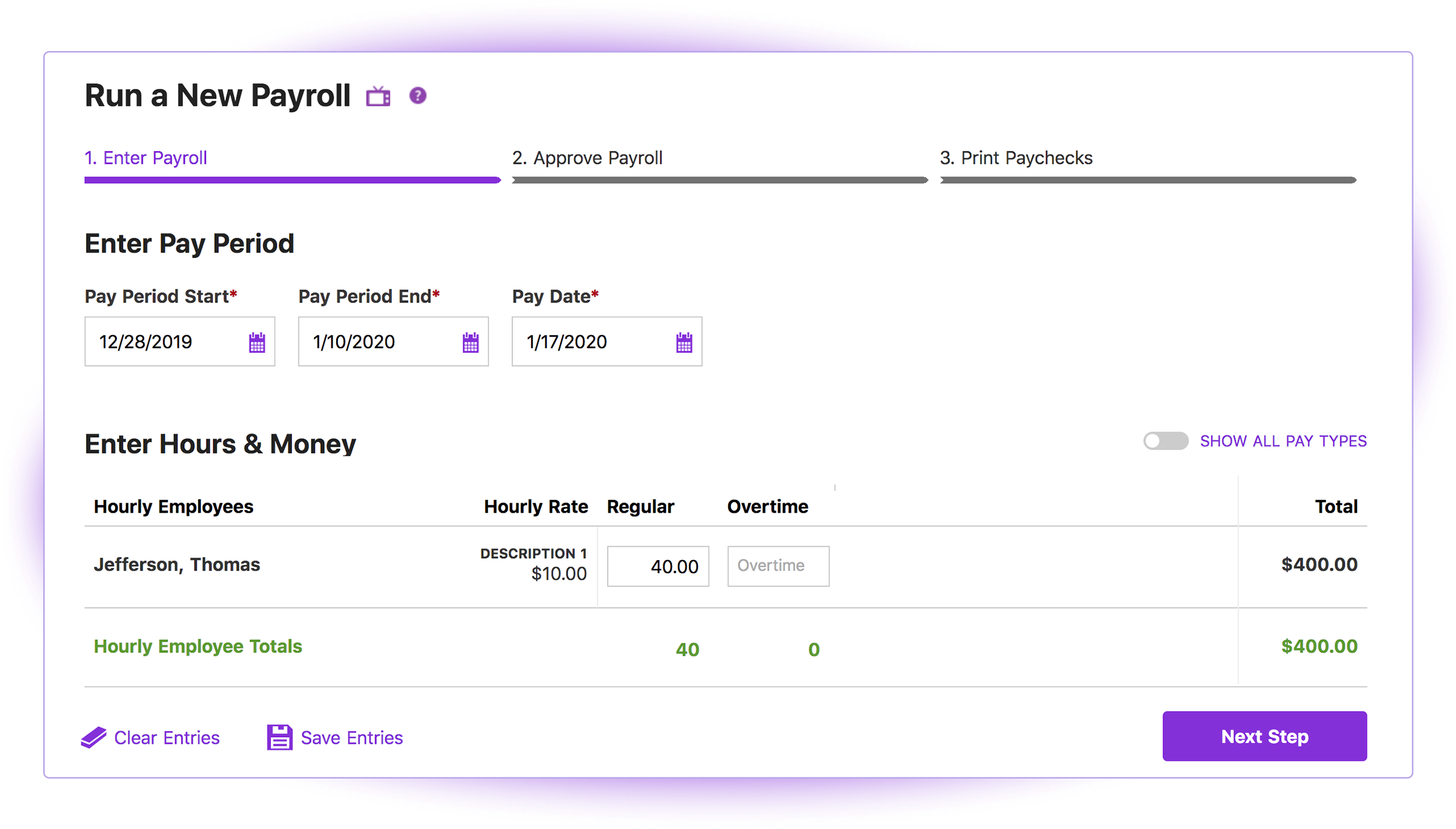
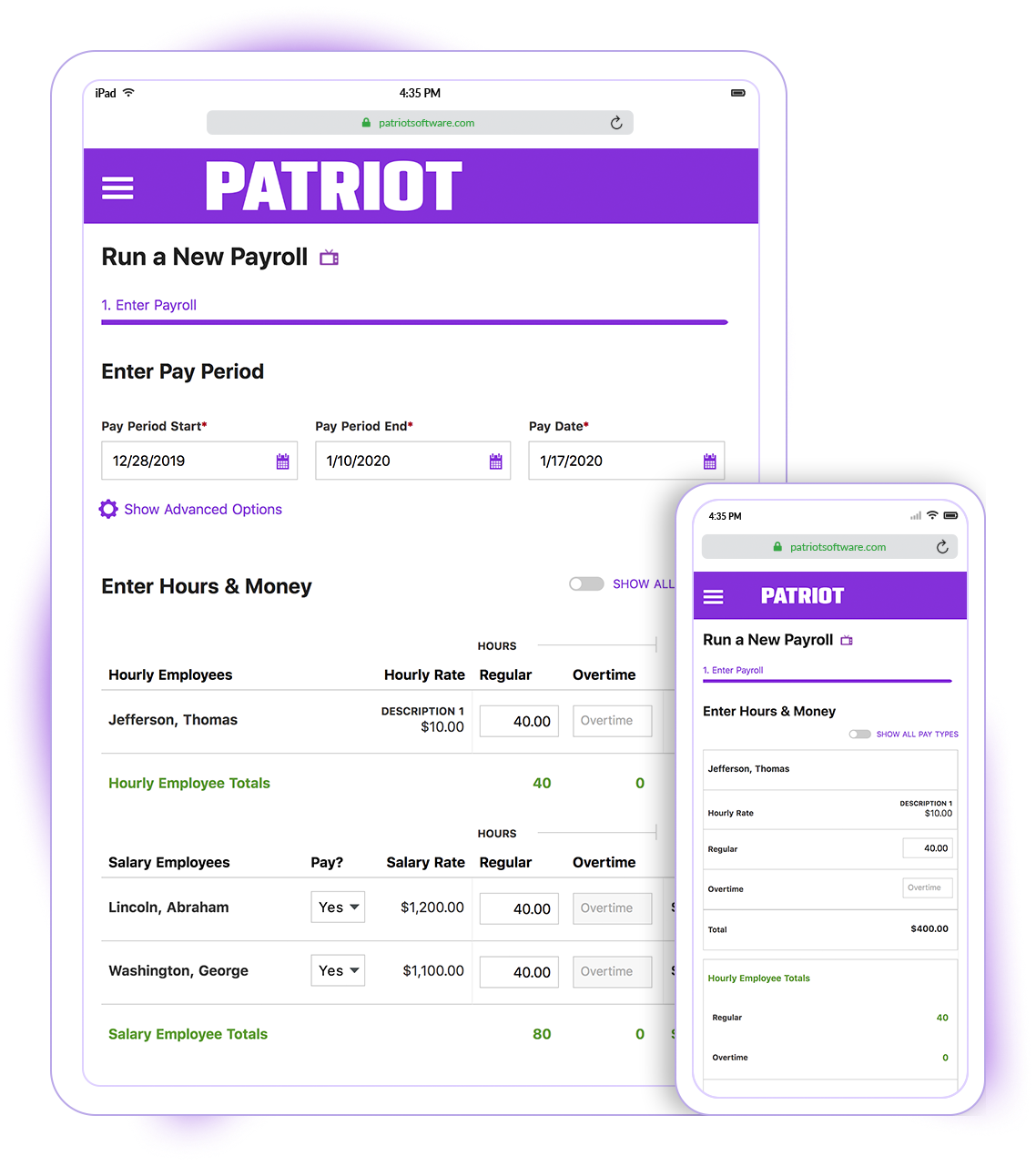
Patriot Software has two payroll options to choose from: Basic Payroll, and Full Service payroll software. Both start with a simple three-step payroll process. With the Full Service Payroll, Patriot will collect, deposit, and file federal, state, and local payroll taxes on the customer's behalf; end-of-the-year payroll tax filing is included at no extra charge.
Print W2s on 8 x 1/2 x 11 plain white office paper to hand to employees, or post to the free employee portal. Also, Patriot Software offers free direct deposit.
—
More Pricing Information
Community Pulse
Patriot Payroll
QuickBooks Desktop Pro
Features
Patriot Payroll
QuickBooks Desktop Pro
Payroll Management
Comparison of Payroll Management features of Product A and Product B
Patriot Payroll
8.3
15 Ratings
1% above category average
QuickBooks Desktop Pro
9.3
65 Ratings
18% above category average
Pay calculation
9.515 Ratings
9.961 Ratings
Support for external payroll vendors
10.01 Ratings
00 Ratings
Off-cycle/On-Demand payment
8.75 Ratings
00 Ratings
Benefit plan administration
6.03 Ratings
9.835 Ratings
Direct deposit files
9.211 Ratings
9.953 Ratings
Salary revision and increment management
8.213 Ratings
9.949 Ratings
Reimbursement management
6.36 Ratings
7.350 Ratings
Customization
Comparison of Customization features of Product A and Product B
Patriot Payroll
-
Ratings
QuickBooks Desktop Pro
7.9
39 Ratings
3% above category average
API for custom integration
00 Ratings
8.032 Ratings
Plug-ins
00 Ratings
7.836 Ratings
Security
Comparison of Security features of Product A and Product B
Patriot Payroll
-
Ratings
QuickBooks Desktop Pro
10.0
94 Ratings
18% above category average
Single sign-on capability
00 Ratings
10.076 Ratings
Role-based user permissions
00 Ratings
10.089 Ratings
Reporting & Analytics
Comparison of Reporting & Analytics features of Product A and Product B
Patriot Payroll
-
Ratings
QuickBooks Desktop Pro
10.0
109 Ratings
24% above category average
Dashboards
00 Ratings
10.094 Ratings
Standard reports
00 Ratings
10.0109 Ratings
Custom reports
00 Ratings
10.0107 Ratings
General Ledger and Configurable Accounting
Comparison of General Ledger and Configurable Accounting features of Product A and Product B
Patriot Payroll
-
Ratings
QuickBooks Desktop Pro
9.5
113 Ratings
20% above category average
Accounts payable
00 Ratings
10.0108 Ratings
Accounts receivable
00 Ratings
10.0110 Ratings
Cash management
00 Ratings
10.098 Ratings
Bank reconciliation
00 Ratings
10.0109 Ratings
Expense management
00 Ratings
10.0100 Ratings
Time tracking
00 Ratings
8.747 Ratings
Fixed asset management
00 Ratings
10.065 Ratings
Multi-currency support
00 Ratings
10.028 Ratings
Multi-division support
00 Ratings
10.053 Ratings
Regulations compliance
00 Ratings
7.239 Ratings
Electronic tax filing
00 Ratings
10.051 Ratings
Self-service portal
00 Ratings
9.738 Ratings
Global Financial Support
00 Ratings
7.015 Ratings
Primary and Secondary Ledgers
00 Ratings
8.837 Ratings
Intercompany Accounting
00 Ratings
10.039 Ratings
Localizations
00 Ratings
8.517 Ratings
Journals and Reconciliations
00 Ratings
10.066 Ratings
Enterprise Accounting
00 Ratings
10.034 Ratings
Configurable Accounting
00 Ratings
10.042 Ratings
Centralized Rules Framework
00 Ratings
10.025 Ratings
Standardized Processes
00 Ratings
10.049 Ratings
Inventory Management
Comparison of Inventory Management features of Product A and Product B
Patriot Payroll
-
Ratings
QuickBooks Desktop Pro
6.7
56 Ratings
9% below category average
Inventory tracking
00 Ratings
6.453 Ratings
Automatic reordering
00 Ratings
6.132 Ratings
Location management
00 Ratings
6.229 Ratings
Manufacturing module
00 Ratings
8.216 Ratings
Order Management
Comparison of Order Management features of Product A and Product B
Patriot PAY is well-suited to a company that has a 10-day window between the end of the pay period and the payday. The company size makes very little difference and it is easy to use for any company. It is also very progressive in development and improvement. If a company has a small window for turn-around, but fairly consistent payroll amounts (such as a lot of salary workers), Patriot PAY might also be a good fit for them.
Companies with tight turn-around times or payrolls that vary significantly in direct deposit amounts might have difficulty using Patriot PAY.
What I think the QuickBooks Desktop Pro is well suited: 1) Easy to use and effective to navigate while satisfying our financial and accounting functions' needs 2) We upgraded the version from the QuickBooks Desktop to Desktop Pro for its advanced functions and the ability to track the different projects/programs that are essential to organization.
It is simple, intuitive and straightforward in its design. Someone with little experience with roles in human resources roles, bookkeeping or payroll can quickly learn how to set-up the software and run payroll regularly by reading through the support portion of the site, or by contacting the helpful staff at Patriot. Patriot staff have walked me through issues or guided me on the phone as I learned how to use a function of the software.
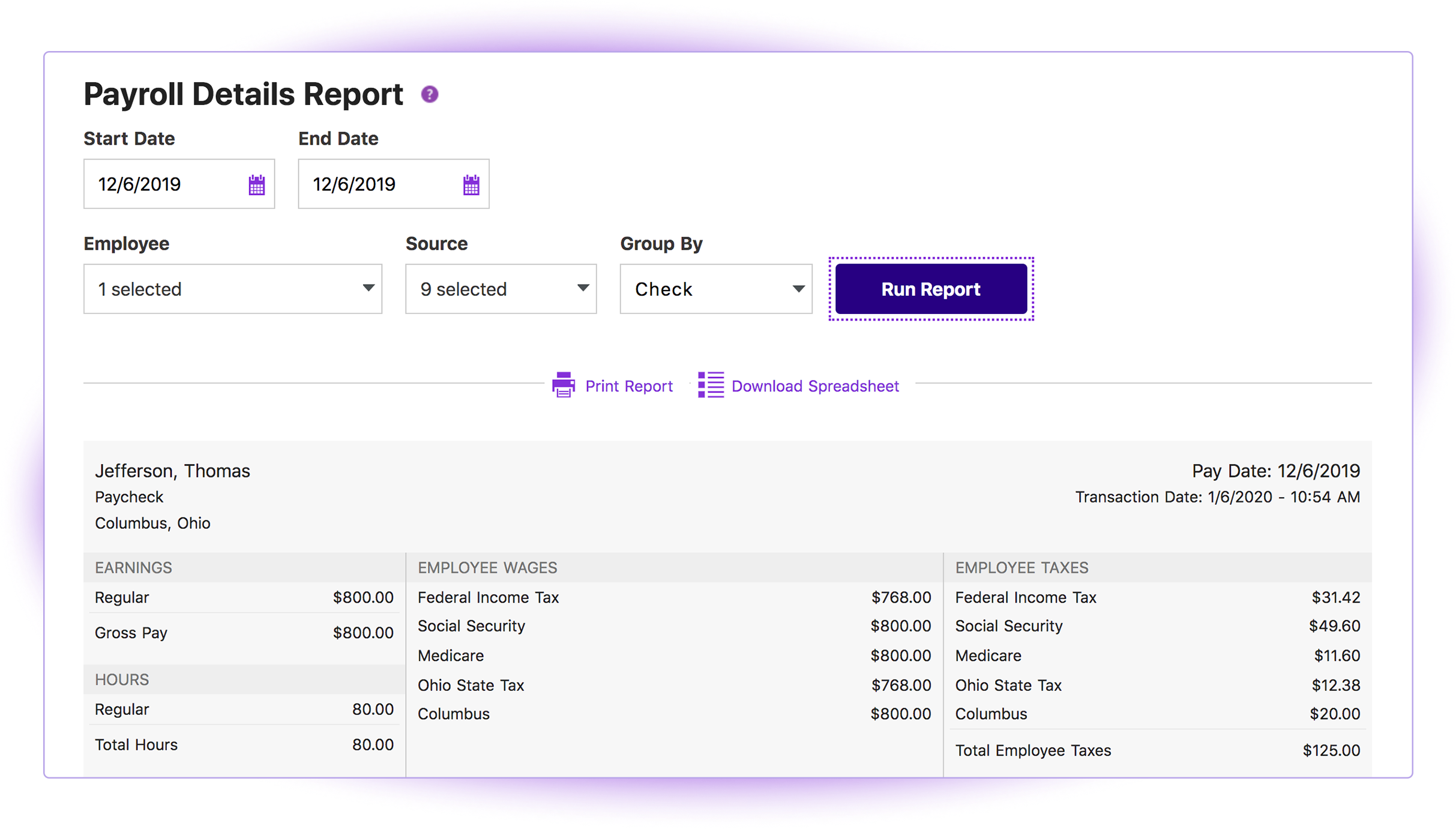
Patriot provides comprehensive quarterly tax filing records, including 941s, state unemployment compensation tax payments, state employer's tax and local employer's tax filings. You can also generate payroll or tax deposit reports over a specific time period or per employee.
The support and FAQ pages available on Patriot are very practical and written in an easy to understand manner. Using the information provided there, I was able to properly set up new employees according to local and state filing requirements.
Connecting with outside software - we have an issue of Patriot not recognizing donors when connected to other websites when all the information is the same minus a middle initial
Giving an error page when something small is off. Instead of giving an easy to fix error notification, Patriot brings the user to an error page and they have to reenter everything.
Fixing dates easily. If a date is entered incorrectly, 8/13/21 instead of 2021, an error pop up appears but the user has to click enter/okay many times or refresh the page in order to fix this issue.
Enter vs Tab key - Patriot loves the tab key but if the user clicks enter instead, many times it brings them to the home page.
QuickBooks Desktop Pro has been around for a few years and after an update[,] they force you to look at the changes/updates before you can use [them] after updating.
QuickBooks Desktop Pro does not have 2FA.
QuickBooks Desktop Pro should offer a way to store backups to a personal cloud without having to map a local network drive.
I'd love to keep using it, and do intend to - though we've not been pleased with price increases over the past several years. In fact, we used to subscribe to the payroll service, but QuickBooks priced themselves out of reach for us, so we discontinued that. Currently, pricing would be the primary reason for NOT renewing, if we didn't.
I think it is great once things are setup as for general user looking to look for simple things like a copy of a paystub or a current pay rate for an employee. However, to find specialized things like a state withholding number or payroll integration settings those do require a bit more digging to find or possibly a call to customer service for help.
It is a great software that does everything a small business needs it to do, but there are just a few bugs and quirks that make additional software necessary. The slowness of the software occasionally might eventually be overshadowed by the quickness of cloud-based software though.
Generally speaking it is pretty good that when I need to call somebody up for a payroll question I can generally within five minutes get somebody on the phone and they can help me resolve the problem or specify where specifically I need to go or contact to find my answers. However, that being said, for my specific situation as a partner my assigned contact has not always been very responsive.
They are awful. Intuit doesn't spend real money on support. They appear to have typically said, first-level script readers who are sending messages to the senior people for anything even a little bit difficult. Many of them don't speak particularly good English. Considering that they recently doubled (or, if you are paying annually, tripled) their pricing, and touted as one of the benefits that it includes [..] support, it's a real ripoff. However, we have to use the product because it is ubiquitous. I look forward to the day a competitor comes up with something good enough, which has excellent support, that matches all the features QuickBooks Desktop Pro currently has [...] or at least gives us a way to have all the functionality we currently have without excessive sacrifice [...] so that we can switch. I was very satisfied with QuickBooks for many years. This latest [rise] in price, and their sheer gall at touting the benefit of the 100 to 200% increase as being [the] inclusion of support, is what turned me so far against them.
Best thing I ever did was to attend a two day training seminar on QuickBooks, I learned an immense amount in a short time with hands on training by experts. I strongly recommend such training for anyone using any part of the software. It will pay for itself in the first month.
We implemented the software ourselves. The training we received on the software was done by taking a community course teaching us how to use QuickBooks. It allowed me to get started with some basics of how to use the program and have not needed much assistance since completing the course work.
I briefly used Intuit Online Payroll, and it was expensive, had no support, and was very frustrating to use. I also used 3 local tax companies for payroll - they were extremely expensive and messed up all of the time. Their employee turnover was very annoying (and it seemed to happen every other month) and each employee did things differently. When I let one of my employees go, the last company paid them after termination (2 weeks of salary), and had to get into a legal battle because the employee would not give the money back.
Zoho had great end-user support and it was almost as simple to learn and was as easy to use. But its reports were not as [customizable] as QuickBooks Desktop Pro, and its job cost and department accounting [were] more cumbersome than QuickBooks Desktop Pro was. In addition, while I like an underdog (Zoho) the fact is that it is easier to find staff that [is] comfortable with QuickBooks Desktop Pro than anything else on the market.
QuickBooks Desktop Pro is a no hassle accounting solution that ticks a lot of boxes. It almost never disappoints and organizations will usually keep using it for many years. If anything, the only time I've seen an organization migrate away from it is if they have specific accounting needs, or if the organization has grown to the point that they need a more robust accounting solution. Even then, QuickBooks can usually be maintained within another accounting software system for specific functions, like A/R & A/P for example.