PandaDoc headquartered in San Francisco offers their eponymous electronic signature platform for sales teams, containing sales proposal automation and CPQ (configure, price, quote) features, and integration with CRMs.
$35
per month per seat
RFP360
Score 9.0 out of 10
N/A
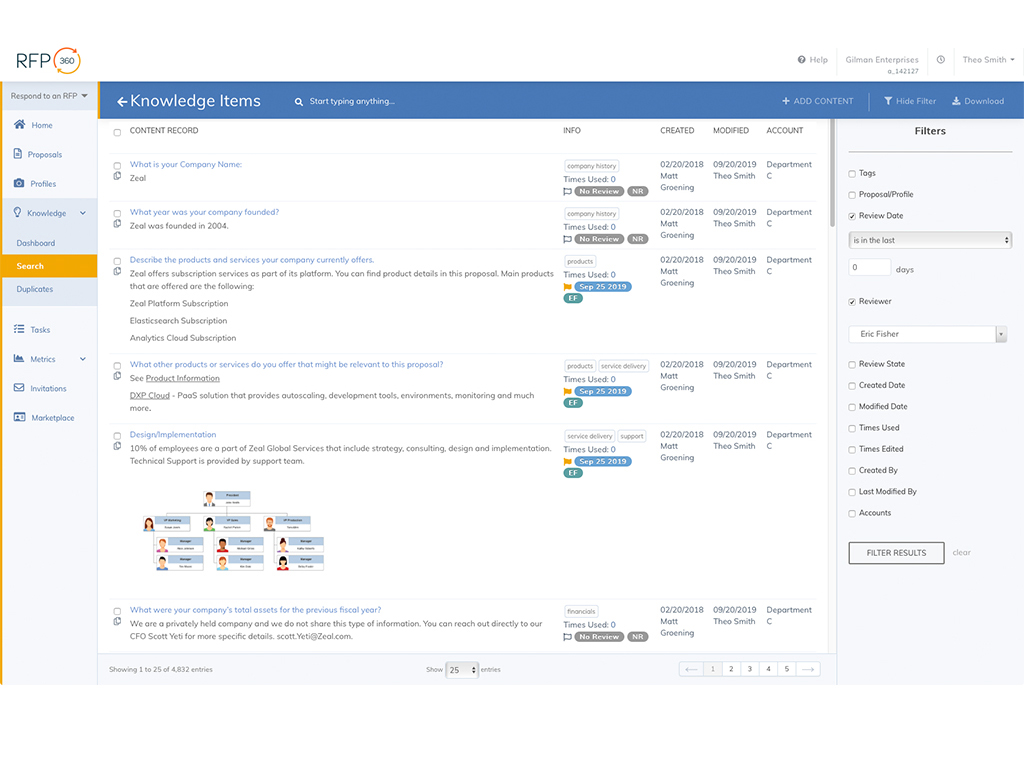
RFP360, from Responsive (formerly RFPIO) is used by organizations to request information, respond to requests and connect, aiming to make the RFP and proposal process more efficient, effective, collaborative, consistent and repeatable for everyone.
N/A
Pricing
PandaDoc
RFP360
Editions & Modules
Starter
$35
per month per seat
Business
$65
per month per seat
Enterprise
Contact Sales
No answers on this topic
Offerings
Pricing Offerings
PandaDoc
RFP360
Free Trial
Yes
Yes
Free/Freemium Version
No
No
Premium Consulting/Integration Services
No
No
Entry-level Setup Fee
Optional
No setup fee
Additional Details
PandaDoc offers a free eSign plan and 3 paid packages for eSigning and document automation. All plans include unlimited documents and eSignatures. Evaluations start with a free 14-day trial. Up to a 46% discount for annual pricing.
Pricing is based on use case and client requirements.
More Pricing Information
Community Pulse
PandaDoc
RFP360
Features
PandaDoc
RFP360
Proposal Creation & Organization
Comparison of Proposal Creation & Organization features of Product A and Product B
PandaDoc
-
Ratings
RFP360
9.0
Ratings
12% above category average
Proposal templates
00 Ratings
8.20 Ratings
Proposal content library updates
00 Ratings
9.20 Ratings
Guided proposal creation
00 Ratings
8.70 Ratings
Searchable proposal database
00 Ratings
9.80 Ratings
Proposal Collaboration & Workflow
Comparison of Proposal Collaboration & Workflow features of Product A and Product B
PandaDoc
-
Ratings
RFP360
9.5
Ratings
16% above category average
RFP management & response
00 Ratings
9.80 Ratings
Proposal collaboration & approval
00 Ratings
9.60 Ratings
User permissions/proposal editing controls
00 Ratings
9.50 Ratings
Sales proposal workflow
00 Ratings
9.30 Ratings
Proposal automation user interface
00 Ratings
9.30 Ratings
Proposal Delivery
Comparison of Proposal Delivery features of Product A and Product B
As an alternative to other electronic signature mechanisms, I can't recommend PandaDoc more highly. It works, plain and simple. It is less costly - by a lot - than most alternatives, stores signed documents online for easy access, is simple to use by both our staff and our clients, and makes our lives far easier.
Massive RFP workload- juggling several at a time, filling out answers that are similar. This works incredibly if you have past RFPs to load into the answer bank. It cuts out the time required for completing new ones, while keeping things organized and at forefront. RFP360 streamlines the entire process, giving you at a glance what you need to do when. The Google Chrome add on extension works very well, as well as the microsoft word and excel plugins. The tools given in RFP360 allow one to fill things out at a much quicker pace while having all past answers available, making it easy to update new ones.
Analysis Tools: although what is provided is quite good, there is definitely room for improvement. For instance it would be nice if it were easier/quicker for each evaluator to record their notes/comments when scoring, and to be able to search through those notes/comments later. Also, it would be really helpful to be able to annotate/mark-up the actual responses (highlight, underline, circle, call-out notes, etc.), with such mark-up tracked by evaluator, and with the option to hide/show mark-up.
Results Analysis, Reporting, and Presentation: in my opinion, this is the only area of weakness in RFP360. There are very limited options, after scoring/evaluation of responses is completed, for generating reports, graphs, charts, etc. to be used in evaluating results and presenting to the end client. I've always had to export the scores and use Excel to create the necessary visuals for final analysis and presentation.
Complex Questions: RFP360's ability to handle complex RFP questions (e.g. involving tables, charts, multi-part answers, graphics, etc.) is limited, and existing capabilities in this area are fairly cumbersome to navigate and use.
We have been using it for a few years now and find it vital to getting our bids out quickly and accurately to our customers. We can get a request for information from a customer and once we have their basic parameters create a professional bid in minutes. It's actually usually harder to find out what the customer wants than to use PandaDoc and create a document with it
This tool has been fantastic as we have revamped our RFP process. We are much faster and far more efficient.Our win rate is up, but I am not 100% sure this is the cause, but I love to see it. The customer support and training are also fantastic. Thumbs up!
Once you get the hang of it, it's very easy to use. There can be a slightly steep learning curve to get fully in on the system. The new editor v2 has really improved usability and allows us to collaborate on documents simultaneously. Once the templates and library items are set up, a new document, whether it be a sales or HR document, takes very little time to complete.
As I mentioned earlier - performance is near perfect as I can create, send, adjust my documents. I love the tracking feature as well as I can tell when my documents have been seen and by whom. The only issue I have run into is with saving and formatting - occasionally the file document does not save with the newly assigned name or the content of the document does not stay formatted nicely.
Recently I could not upload a pdf to a contract - support was very responsive and easy to work with. They got back to me the next day with an apparent fix - however when I opened the document nothing had changed. I then could not respond to the rep who was helping me because it was a "no-reply address", the problem still has not been solved and we had to make alternate arrangements to get this to the client. Never had it happen before and was only with this one contract.
Excellent support during the training process. Since we were onboarded, we have not had too many questions, but when we did, they were answered promptly and thoroughly. We have been very satisfied.
PandaDoc is a more polished, professional, and 'legitimate' software site than other solutions, since PandaDoc really specializes in creating professional proposals, quotes and invoices. The eSignature capacity and pricing table capacity embedded in the documents as well as fillable fields, pre-made, customizable and reusable templates also make PandaDoc stand out.
I was not involved in the process of selecting RFP360 for our firm, so I am largely unfamiliar with competitors. I am, however, quite pleased with RFP360 as a user, and am confident that my colleagues who were responsible for making the decision were thorough and discerning.