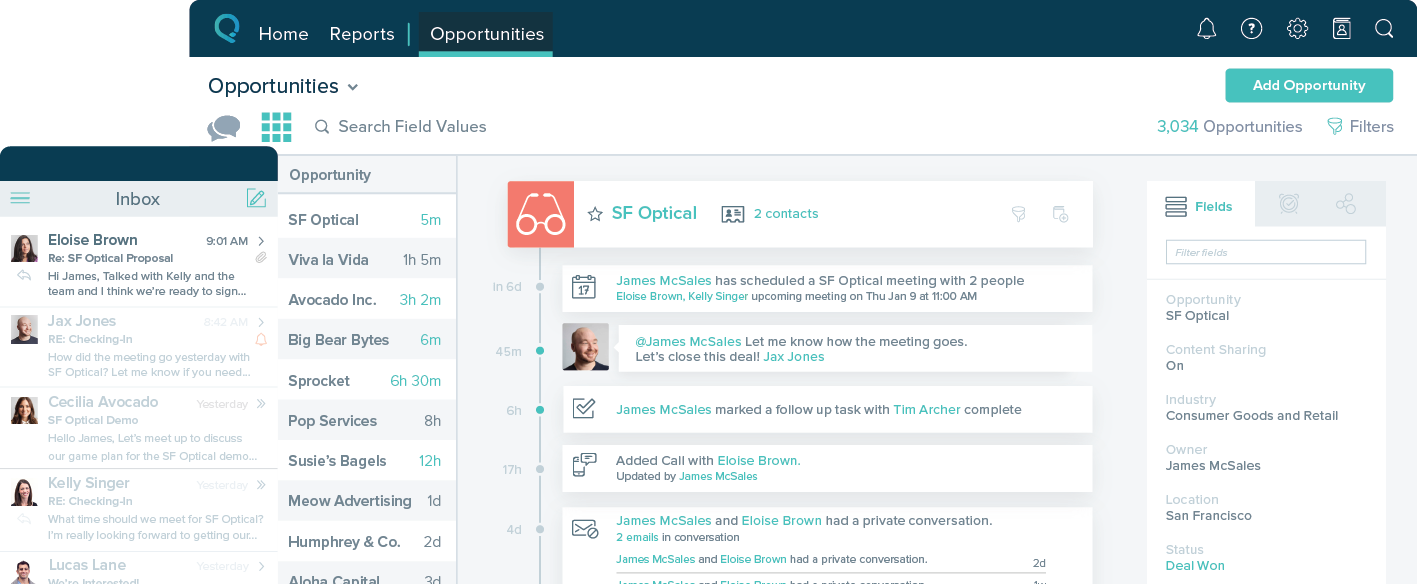
Nimble is a social customer relationship management (CRM) system with features such as contact management and data-driven analytics.
$15
per month
Salesforce Starter
Score8.9 out of 10
Small Businesses (1-50 employees)
Salesforce Starter (formerly Salesforce Essentials) is a small business CRM that replaces the former SalesforceIQ product. It is priced at $35 per user, on a monthly basis, or at $25 per month for if billed annually ($300) and can be tried free for 14 days on a trial.
This tool is suitable for all sizes of organizations since it has the capacity to manage customer relations in the best possible way. Its features like task management, reports, social collaboration, and forecasting are always considered important for CRM and they all work without causing any trouble. But its Reports need to be more elaborate and its interface should be made easier and less tricky.
A de minimis incentive was given to thank the reviewer for their time. The incentive was not used to bias or drive a particular response, nor was the incentive contingent on a positive endorsement. TR verified that a representative sample of customers was invited. More Info
If you own a business that has complex selling processes or requires integrations with 3rd party tools/systems, you should look at Professional, Enterprise, or Unlimited editions. Salesforce operates very well across pretty much every industry, but not all sales, marketing, and operational processes are created equal. If your marketing process requires a long list of sendable contacts then I would recommend adding on Pardot or Hubspot. Always start small and scale up, to avoid boxing yourself in down the road.
A de minimis incentive was given to thank the reviewer for their time. The incentive was not used to bias or drive a particular response, nor was the incentive contingent on a positive endorsement. More Info
A de minimis incentive was given to thank the reviewer for their time. The incentive was not used to bias or drive a particular response, nor was the incentive contingent on a positive endorsement. More Info
A de minimis incentive was given to thank the reviewer for their time. The incentive was not used to bias or drive a particular response, nor was the incentive contingent on a positive endorsement. More Info
A de minimis incentive was given to thank the reviewer for their time. The incentive was not used to bias or drive a particular response, nor was the incentive contingent on a positive endorsement. More Info
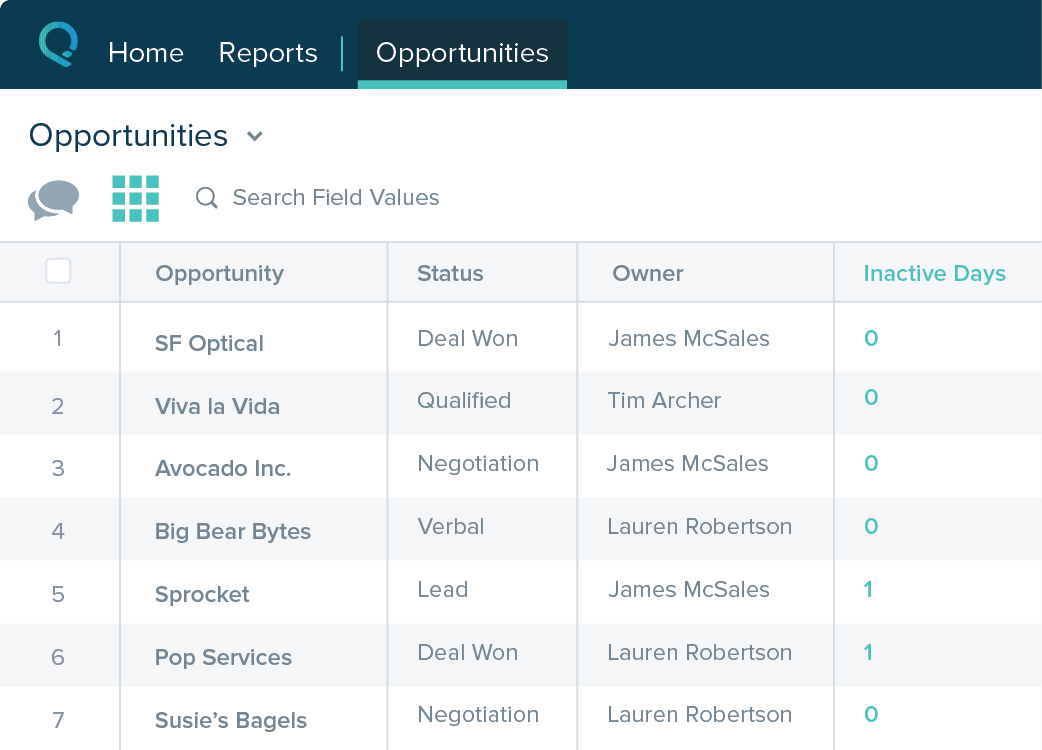
Table views can be sorted by column. Filters can be applied, but only to one column. Multi-column filtering like Excel allows would be extremely useful and a big improvement.
The ability to quick copy data in a table view would also be helpful, like (ctrl ') in excel.
A de minimis incentive was given to thank the reviewer for their time. The incentive was not used to bias or drive a particular response, nor was the incentive contingent on a positive endorsement. More Info
It's truly a great system if you get it for the right reasons. Don't expect it to do everything a mid market organization would require but for any small business or mid to large organizations which would like to integrate to it for the social insights capabilities this is a leading solution which can add value immediately
The platform has more advantages and positives as compared to challenges or negatives in comparison to other comparable products and platforms available in the marketplace. It was extremely easy to get started with the initial deployment which makes the choice much clearer. Finally its tight integration not just with Microsoft O365 suite, but also with [the] most popular social media platforms available makes it a very favorable platform in its domain.
A de minimis incentive was given to thank the reviewer for their time. The incentive was not used to bias or drive a particular response, nor was the incentive contingent on a positive endorsement. More Info
The system is very user-friendly on a desktop but lacks mobile friendliness. The Customer relationship manager disappears after the deal is signed. We struggled to get the system in a usable format, which was not cost-effective. The CRM system on desktop was great but way more complicated than it should be.
A de minimis incentive was given to thank the reviewer for their time. The incentive was not used to bias or drive a particular response, nor was the incentive contingent on a positive endorsement. More Info
It was productive to be able to access remote support sessions from nimble employees, whom we decided to contact to have one of the features mentioned above explained to us. They were methodical and easy to explain solutions, so we recommend them for any kind of doubt.
A de minimis incentive was given to thank the reviewer for their time. The incentive was not used to bias or drive a particular response, nor was the incentive contingent on a positive endorsement. More Info
Nimble has proven to be a positive and well-respected application within our company for setting us up for success at building personal and meaningful associations with decision makers. It has been a significant reason why we have gained acceptance and trust from those who we have introduced ourselves to over time. The ability to feel a true understanding of our prospects and customers as real human beings with unique interests and common aspirations opens up doors of valuable conversation. The other options that were reviewed and considered provided many of the common ways from the past that stored CRM information. This method was much more of a static representation of the real interactions made between a company or salesperson with the prospects and customers. Nimble has brought back what should never have been lost - being like neighbors who spoke to each other about more things than just business.
A de minimis incentive was given to thank the reviewer for their time. The incentive was not used to bias or drive a particular response, nor was the incentive contingent on a positive endorsement. More Info
A de minimis incentive was given to thank the reviewer for their time. The incentive was not used to bias or drive a particular response, nor was the incentive contingent on a positive endorsement. More Info
Time-Saving is one of the biggest ROIs for me. 30-60 minutes a day means I can focus on more marketing, sales, or client work.
A soft ROI is in better contact relationships. People are often impressed that I follow-up after meetings, and especially when they say to contact them in 6 months or next year.
A de minimis incentive was given to thank the reviewer for their time. The incentive was not used to bias or drive a particular response, nor was the incentive contingent on a positive endorsement. More Info
A de minimis incentive was given to thank the reviewer for their time. The incentive was not used to bias or drive a particular response, nor was the incentive contingent on a positive endorsement. More Info