Netpeak Spider vs. Yoast

Overview
ProductRatingMost Used ByProduct SummaryStarting Price
Netpeak Spider
Score 7.0 out of 10
Mid-Size Companies (51-1,000 employees)
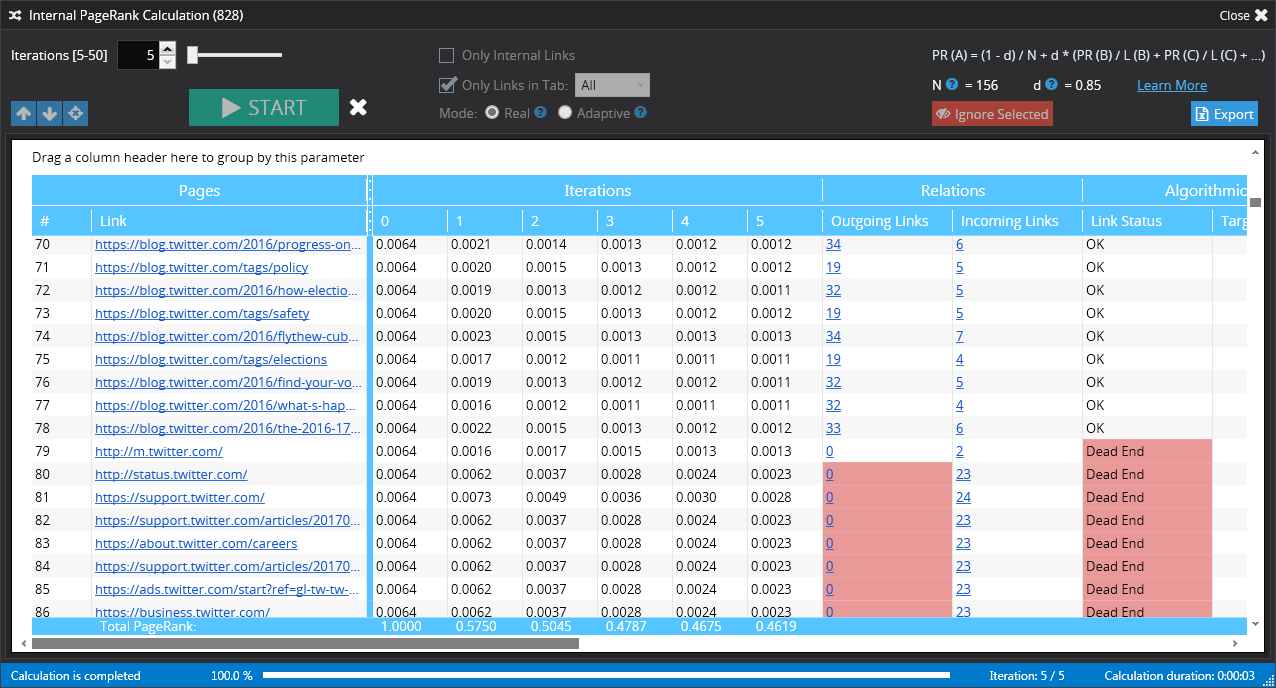
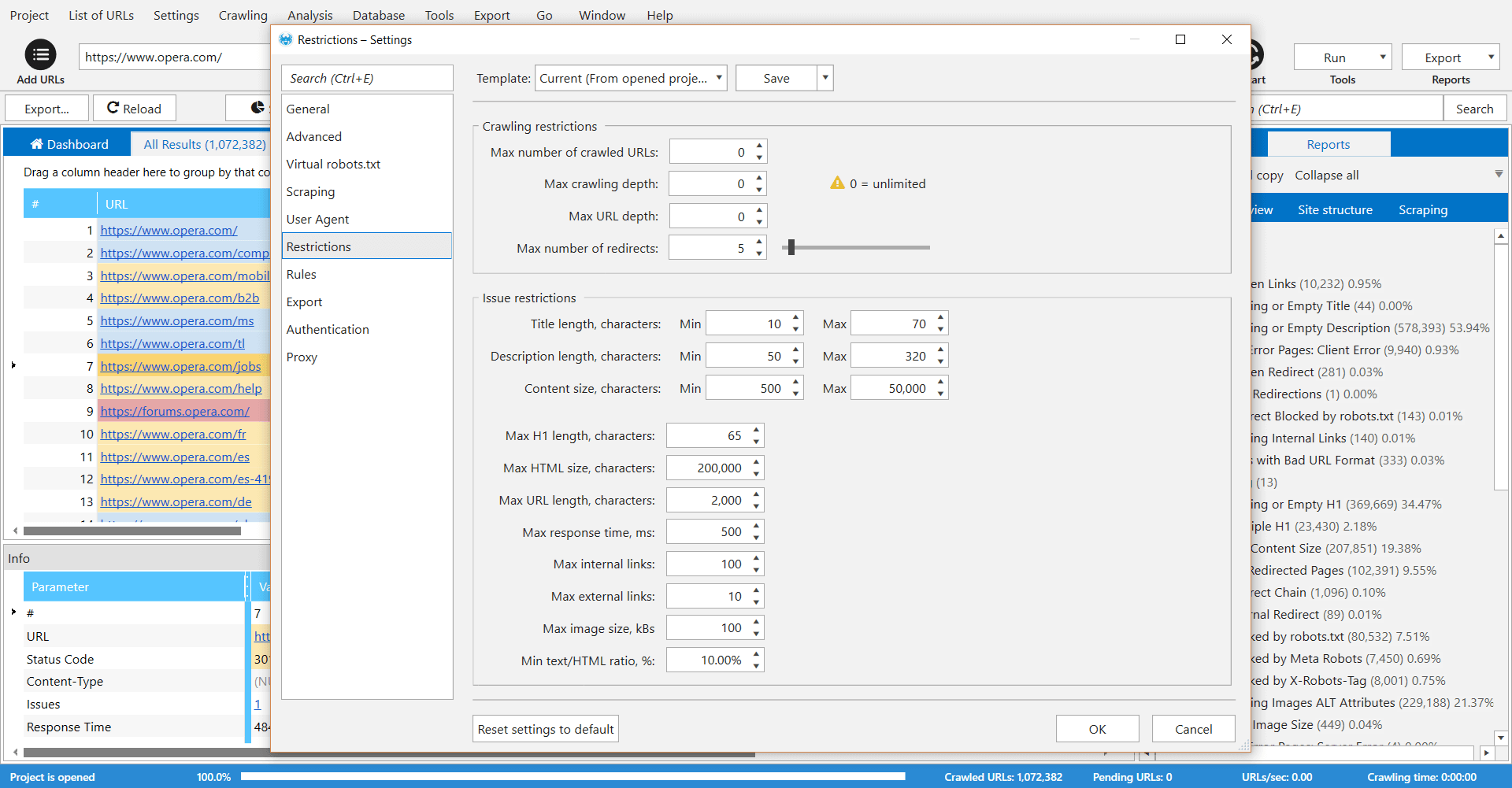
Netpeak Spider is a desktop tool which crawls a website like a search engine robot and detects key SEO issues that influence the website’s visibility in SERP. According to the vendor, this tool allows users to: Spot 80+ issues of your website optimization. Check 70+ key on-page SEO parameters. Calculate internal PageRank to improve website linking structure. Analyze all incoming and outgoing internal links. View page…
$19
per user
Yoast
Score 9.3 out of 10
N/A
Yoast offers a set of tools developed by Joost de Valk and team, founder of yoast.com and Wordpress enthusiast. These tools are designed to help content rank higher and are subsumed under the Yoast Complete pack, which includes Video SEO for rank climbing with embedded videos in a Wordpress site, WooCommerce SEO for the WP ecommerce plugin, News SEO for rank climbing in Google news, Local SEO for (as the name implies) climbing in local listings with more complete information so can be located…
$118.80
per year
Pricing
Netpeak SpiderYoast
Editions & Modules
Standard (1-month subscription)
$19.00
per user
Pro (1-month subscription)
$39.00
per user
Standard (12 months subscription)
$182.40
per user
Pro (12 months subscription)
$374.40
per user
Premium
$118.80
per year
Offerings
Pricing Offerings
Netpeak SpiderYoast
Free Trial
YesNo
Free/Freemium Version
NoYes
Premium Consulting/Integration Services
NoNo
Entry-level Setup Fee$15.90 per userNo setup fee
Additional DetailsStandard Plan includes all basic features except access to white-label reports. Pro Plan gives you all basic features and access to white-label reports.
More Pricing Information
Community Pulse
Netpeak SpiderYoast
Features
Netpeak SpiderYoast
SEO
Comparison of SEO features of Product A and Product B
Netpeak Spider
9.0
Ratings
15% above category average
Yoast
7.4
Ratings
4% below category average
Page grader8.00 Ratings10.00 Ratings
Site audit / diagnostics10.00 Ratings8.00 Ratings
Keyword analysis00 Ratings10.00 Ratings
Backlink management00 Ratings9.00 Ratings
SERP ranking tracking00 Ratings6.00 Ratings
Competitive analysis00 Ratings4.00 Ratings
Site recommendations00 Ratings10.00 Ratings
Task management00 Ratings2.00 Ratings
SEO Channels
Comparison of SEO Channels features of Product A and Product B
Netpeak Spider
8.5
Ratings
11% above category average
Yoast
5.0
Ratings
41% below category average
Mobile SEO8.00 Ratings6.00 Ratings
Global SEO9.00 Ratings6.00 Ratings
Local SEO00 Ratings1.90 Ratings
Social SEO00 Ratings6.00 Ratings
SEO Platform & Account Management
Comparison of SEO Platform & Account Management features of Product A and Product B
Netpeak Spider
10.0
Ratings
17% above category average
Yoast
8.7
Ratings
3% above category average
Multi-domain support10.00 Ratings10.00 Ratings
Integration with web analytics tools00 Ratings7.30 Ratings
Best Alternatives
Netpeak SpiderYoast
Small Businesses
Nozzle
Nozzle
Score 10.0 out of 10
Nozzle
Nozzle
Score 10.0 out of 10
Medium-sized Companies
Advanced Web Ranking
Score 8.2 out of 10
Advanced Web Ranking
Score 8.2 out of 10
Enterprises
Google Search Console
Score 9.0 out of 10
Google Search Console
Score 9.0 out of 10
All AlternativesView all alternativesView all alternatives
User Ratings
Netpeak SpiderYoast
Likelihood to Recommend
7.0
(0 ratings)
10.0
(0 ratings)
Likelihood to Renew
-
(0 ratings)
10.0
(0 ratings)
Usability
-
(0 ratings)
10.0
(0 ratings)
Support Rating
-
(0 ratings)
7.7
(0 ratings)
User Testimonials
Netpeak SpiderYoast
Likelihood to Recommend
[Netpeak] Spider is a great service for:
  • Checking and monitoring big websites or e-commerce projects for technical errors on regular basis
  • Creating custom formulas for calculation of internal page ranks and building a tree view with this information
  • Get reports that include metrics for every page (performance, inbound and outbound links, indexing status)
  • Create reports that include all metrics from external SEO services like Serpstat or Similarweb for every single page of your website
It's very useful software for SEO or marketing agencies that have a lot of projects to work with, but might be overkill for small projects and companies.
Read full review
For quick WordPress installations and configurations, Yoast is fast to set up and helps guide you through the common configuration options. It tries to be helpful whether you are coming at things from a technical or non-technical background. The emphasis on white hat SEO topics like improved content, keywords, descriptions, and titles is really appreciated by someone like me who doesn't utilize gray and black hat SEO tactics.
If you are an SEO expert, and you want finite control of each individual aspect of your site, Yoast, like most plugins, engines, tools, etc, hides a lot from you or gives you limited options. It really is meant for someone who wants to apply a general strategy to a whole site. That being said, you can manage Yoast per page on a WordPress site, but even then, I know some SEO experts prefer other tools that are meant for very specific purposes.
Overall, Yoast is the best plugin for SEO in WordPress when applied as a whole.
Read full review
Pros
  • Crawling data and metrics from every webpage on website (page structure, titles, meta tags, Google GTM & Analytics presence)
  • Building tree with calculation of internal page ranks
  • Get a report with different technical errors (404 errors, broken links, duplicated content, )
  • Performance report. Check out your page load time, server response time, extract metrics from Google Page Speed Insights
  • Checkout different metrics from external services like Serpstat, Similarweb (page ranks, keywords, traffic, etc.) for single page
Read full review
  • Readability - makes it easy for you to assess the reading level of your piece to ensure it is correct for your intended audience.
  • SEO tips - red/orange/green traffic light system to provide tips on what aspects need improving to be SEO-focussed.
  • Redirect tool - easy, automated detection and setup.
Read full review
Cons
  • You can buy a subscription only for month or more, you can't pay for 1-2 projects
  • No version for MacOS
  • It's only desktop software, online version is not available
Read full review
  • Yoast Wordpress SEO Plugin is really good at copy and link scanning and optimizing, however, I have not been able to find any assistance on image optimization on our pages and posts. That would be a good update!
  • Yoast Wordpress SEO Plugin is good at ranking pages and posts individually. I would like to see an overall dashboard of your entire website/blog's SEO health according to the software.
  • N/A
Read full review
Likelihood to Renew
No answers on this topic
I see no reason to discontinue using Yoast as it has been very beneficial for my website and my business.
Read full review
Usability
No answers on this topic
It's super easy to use. Really, it requires little-to-know tutorials or walkthroughs at all — it explains everything you need to know in the description and tooltips built straight into the tool. I've never had to google a how-to or tutorial to use Yoast — it just works, and it works well
Read full review
Support Rating
No answers on this topic
I gave it a 4 just because it is helpful if you are just getting started with SEO, it guides you and shows you what you need to do in order for your website to be up and running properly. As a seasoned SEO analyst I wouldn't recommend it just because I can do things better my way.
Read full review
Alternatives Considered
We choose Netpeak Spider because: 1. Can buy a monthly subscription and have unlimited number of websites to check. 2. Price. It's affordable, especially when you have not only one project. 3. Frequent updates. With every update functionality is expanding (latest update for example brought a lot of new integrations). 4. Quality of reports. They are very detailed and have everything we needed for our work.
Read full review
Yoast Wordpress SEO Plugins was a little easier to understand and offered a real-time guided plugin that helped me write throughout my drafting process. Semrush was much more helpful as a reporting tool, not so much in content creation. Both tools are useful in different ways, it is just a matter of knowing each one's strengths and weaknesses.
Read full review
Return on Investment
  • Get a full report with common technical errors on websites without manual QA testing
  • Speed up work of SEO specialist, can automatically calculate tree with internal page ranks
  • It's all-in-one tool and you don't need to buy another services to get all this info
Read full review
  • Findability: I love few things more than hearing, "I just found you on Google!" and knowing that they found us on Google because our SEO is on point.
  • Using the Yoast SEO Plugin over time has taught me to create better, more optimized content from the start, rather than having to edit that content after I realize it's not very SEO friendly. This saves a lot of time and lets me put my energy into other things.
  • The plugin has helped us make our sometimes-dense content more readable and sharable, which absolutely improves stakeholder engagement.
Read full review
ScreenShots

Netpeak Spider Screenshots

Screenshot of Screenshot of Screenshot of Screenshot of Screenshot of Screenshot of