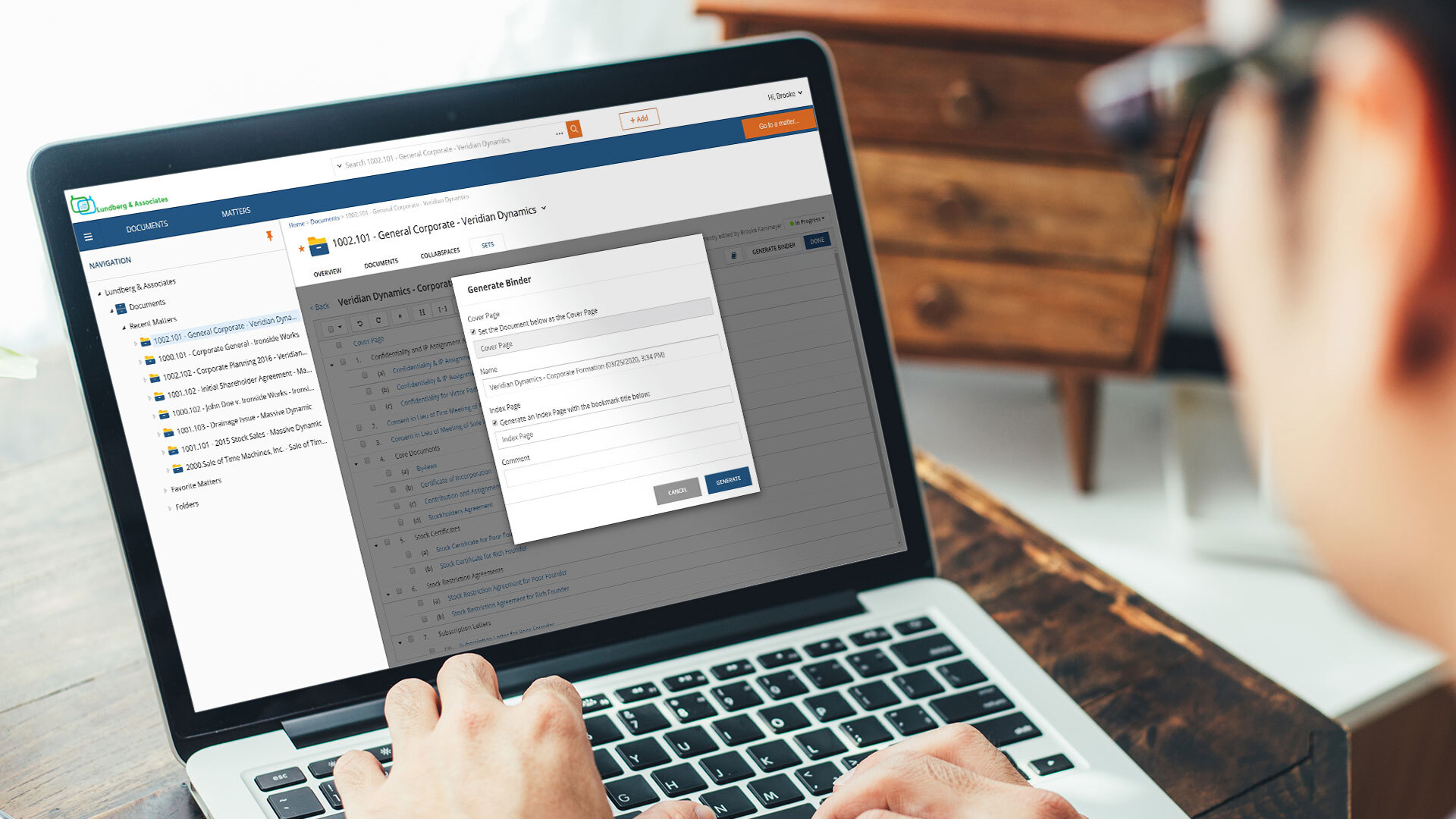
NetDocuments is a document management solution from the company of the same name in Lehi, Utah.
N/A
PowerDMS by NEOGOV
Score 7.0 out of 10
N/A
PowerDMS by NEOGOV is a software platform designed to recruit, train, equip, and protect employees across their careers, used for policy management, community engagement, and staff scheduling.
NetDocuments positioned itself to work in the legal industry, and it has done a very good job. It's kept pace with the challenges presented by the law and it's grown in its offerings. Any organization that must balance mobility and security would benefit from the use of NetDocuments as a platform.
Getting 100% signature compliance on policy updates used to take months but since automating out policy management updates in PowerDMS, we can get 100% compliance in as little as 2 weeks. Internal requests for things such as training, purchases, etc used to be pushed up the chain of command via a paper copy and would often get misplaced or lost in a full mailbox. Using PowerDMS to automate those requests put the power back in the requester's hands and increased transparency and accountability across the organization.
File Organization. Netdocuments is a great tool to neatly organize your virtual files and separate them by workspaces (matters). Each workspace contains folders (document types) that can be customized according to users' needs and preference.
Searching your data base. All the documents and emails saved in Netdocuments are searchable. The search feature works great.
Cloud based document management system. Simply put, Netdocuments can be accessed from ANY web-enabled device. This is becoming more and more important in the age of satellite offices, working on-the-go, and telecommuting.
Disaster preparedness. Should something happen to your office, your documents are safe, secure and accessible.
Seamless integration with Microsoft Applications. Netdocuments provides users with Microsoft applications integrations that can be easily installed on each individual machine.
Support. There is an extensive on-line help library which provides incredibly helpful articles with step-by-step instructions. If you cannot find solution on-line, telephone support is staffed by courteous and knowledgeable people.
Security. This is especially important for a law firm. A designated administrator can put in force workspace, folder, document, or profile-based security.
In my opinion, VERY Expensive. You can not find documents without OCR. OCR doubles your storage cost as they save the OCRd document as a second version.
In my experience, very annoying latency, even when trying to preview documents. As a result, folks in my office often try to save locally as opposed to storing in the cloud.
I orginally signed up for NDMax. However, it would only process one document at a time. I am not a transactional firm, so, in my opinion, this was essentially worthless.
The Workflow process in PowerDMS is not as easy to grasp as some of the other concepts and requires a little more explaination, especially for non-administrative background users.
Users are unable to view the steps in a Workflow template in order to determine which Workflow would work best for their needs when routing documents.
It would be great to have multiple message options for past due inbox notifications in addition to the options for past due tasks to encourage users to go to their inbox to review their messages.
I have had nothing but positive experiences with PowerDMS from day one. If we ever run into a situation we are unsure of, PowerDMS support has ALWAYS been able to answer us basically immediately. I really love that they are constantly seeking to improve and expand.
The product is simple to learn and adheres to well-known web user protocols. The NetDocuments team spends a lot of time talking to customers regarding how to improve their interface, and are pretty quick about implementing good ideas. The system is reliable and repeatable, and similar functions are laid out consistently and in formats that users are used to.
While not necessarily user-intuitive, with a small amount of dedication to training and learning how the system functions, it becomes very usable. I would say that the usability scale is quite user-dependent. For a standard user that just needs to review and sign documents, it is very easily used. On the other end, management does a bit more of a learning curve.
NetDocuments is a performant web app. It is reliable and provides all the functionality of a sophisticated document management system. It also can serve, through its APIs, as a base system for other applications, which enhances its value. Other vendors find the company easy to work with, and it consistently seems to be the first to offer new features and technologies to its customers.
We use PowerDMS in the cloud so our performance might be different from other users who use on-premise. The program has always been up with very minimal downtime and always seems responsive and snappy when navigating the UI and searching documents. We don't currently have any integrations with other software.
I've never had to contact support, but I won't give it a ten. We've had a few hiccups along the way, but nothing that couldn't be fixed within 24 hours.
I just wish we had some in-state support. The contacts I have had with customer support have been great. Awesome communication, problem-solving, and support. I have talked to and met Stephanie Williams (CSA for Power DMS) at the most recent Entrust conference. She was professional and devoted time to addressing our agency needs.
Implementation of PowerDMS was near seamless. The product was able to input existing policies and procedures within a few hours, which helped to lay the foundation for future use. Having PowerDMS on-boarding readily available was also a huge benefit.
WatchDox and WorldDox both provided what looked like similar features but too much of the technical requirements fall on the customer and they, at the time of my evaluation, were not true cloud products. They were client \ server-based product hosted in the cloud. If you do not know the difference, research until you do. iManger is a viable alternative if you are just not able to get the internet speed you need for NetDocuments. But heads up it is not the Swiss Army knife for security features like NetDocuments.
Our previous document product was Image Silo. It was a stable-enough product, but was strictly an indexed filing system. PowerDMS goes well beyond indexing (which it does very well) and provides countless more features and functions as described above. I would describe the difference between our previous product and PowerDMS like the difference between the library and the Internet. Both contain information, but on is limited, while the other has it all.
Created efficient processes for approving document revision
Migrated what originally was a paper system to electronic
Accessible for any employee by logging in, employees do not have to seek out policy and procedure binders, and updated documents can be automatically sent to inboxes when updated.