MicroStrategy Analytics is an enterprise business analytics and mobility platform. Key features include automatic big data analysis and reporting, data discovery and visualization, digital security credentials, and support for mobile devices.
N/A
SAP Crystal
Score 7.5 out of 10
N/A
SAP Crystal is an analytics and reporting software solution for SMBs. SAP Crystal comprises Crystal Reports for pixel-perfect reporting, and SAP Crystal Server for automated distribution and self-service access to reports, dashboards and data exploration.
$295
per single user license
Pricing
MicroStrategy Analytics
SAP Crystal
Editions & Modules
No answers on this topic
Upgrade Version to SAP Crystal Reports 2020
$295
per single user license
SAP Crystal Reports 2020 64-Bit
$495
per single user license
SAP Crystal Reports 2016 32-Bit
$495
per single user license
SAP Crystal Server 2020 1 NUL
$869
per user license + first year maintenance to be added
SAP Crystal Server 2020 5 CAL
$8,744
5 concurrent users + first year maintenance to be added
Offerings
Pricing Offerings
MicroStrategy Analytics
SAP Crystal
Free Trial
No
Yes
Free/Freemium Version
No
Yes
Premium Consulting/Integration Services
No
No
Entry-level Setup Fee
No setup fee
Optional
Additional Details
Must contact sales team for pricing information.
* SAP Crystal Reports 2020 Viewer allows you to view static data within a SAP Crystal Reports file.
* SAP Crystal Reports 2020 - Full version allows you to create powerful, richly formatted, and dynamic reports from virtually any data source, delivered in dozens of formats, in up to 28 languages. If you already have an older version of Crystal Reports, buy a license for SAP Crystal Reports 2020 - Upgrade at a discounted, upgrade price.
* SAP Crystal Server 2020, 1 NUL includes 1 license of: SAP Crystal Reports 2020 - SAP Crystal Server 2020.
* As an add-on to SAP Crystal Server 2020 1 NUL, SAP Crystal Server 2020 5 CAL allows you to support a wider, intermittent audience of end users, up to five logged on at the same time.
More Pricing Information
Community Pulse
MicroStrategy Analytics
SAP Crystal
Features
MicroStrategy Analytics
SAP Crystal
BI Standard Reporting
Comparison of BI Standard Reporting features of Product A and Product B
MicroStrategy Analytics
10.0
Ratings
20% above category average
SAP Crystal
9.3
Ratings
13% above category average
Pixel Perfect reports
10.00 Ratings
8.00 Ratings
Customizable dashboards
10.00 Ratings
10.00 Ratings
Report Formatting Templates
10.00 Ratings
10.00 Ratings
Ad-hoc Reporting
Comparison of Ad-hoc Reporting features of Product A and Product B
MicroStrategy Analytics
10.0
Ratings
22% above category average
SAP Crystal
9.6
Ratings
17% above category average
Drill-down analysis
10.00 Ratings
10.00 Ratings
Formatting capabilities
10.00 Ratings
10.00 Ratings
Integration with R or other statistical packages
10.00 Ratings
8.60 Ratings
Report sharing and collaboration
10.00 Ratings
10.00 Ratings
Report Output and Scheduling
Comparison of Report Output and Scheduling features of Product A and Product B
MicroStrategy Analytics
10.0
Ratings
18% above category average
SAP Crystal
9.4
Ratings
12% above category average
Publish to Web
10.00 Ratings
9.20 Ratings
Publish to PDF
10.00 Ratings
10.00 Ratings
Report Versioning
10.00 Ratings
9.00 Ratings
Report Delivery Scheduling
10.00 Ratings
9.00 Ratings
Delivery to Remote Servers
10.00 Ratings
10.00 Ratings
Data Discovery and Visualization
Comparison of Data Discovery and Visualization features of Product A and Product B
MSTR is great for any organization that is looking for a way to deliver complicated data in an uncomplicated way. From business teams to marketing and finance, several departments benefit from using MSTR to keep track of KPIs enabling teams to make optimizations along the way. MSTR provides great visual representations of data enabling team members to distill thousands of data points into easily digestible charts and graphs
Generation of templated reports is the strong suit of SAP Crystal. Allows users to change formats in templates bases on requirement with minimal effort. Automated report delivery requires the user to be aware of sql which cannot be expected from all users. Should support more document export formats and improve the UI for SAP B1 Users
I think the dashboards are quite helpful to visualize on the spot data.
Creation of facts and attributes is simple - I have no programming experience and was still able to create and modify these items.
Scheduling reports to be run on a daily, weekly, or hourly basis is simple. It provides updated data on a timed basis with no need to go back into the program.
Great visualization for static format & precise tasks: For presentation to senior management /ex-co/vendors where concise decisions need to be made, Crystal is a nice choice to slide data into presentable views.
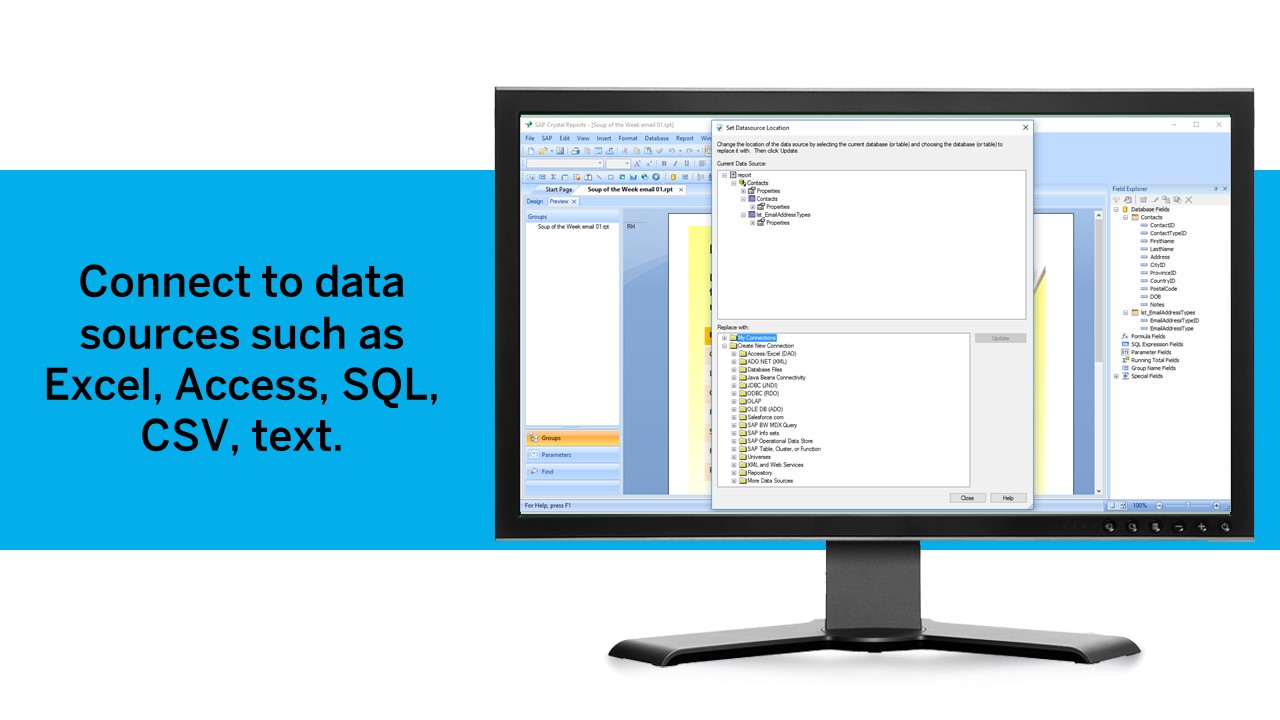
Diverse data source connect: We have used it to write reports using data from DB2, SQL, Progress, Excel spreadsheets, XML data, Access, and Lotus Notes databases. It can also be used to join different database types together in one report.
It uses the "recurring bands" structure for page layout which is efficient and fungible for generating different types of reports. Crystal doesn't require that we set up a metadata layer before creating reports and provides direct access to tables and dimensions.
Visual Insight have multiple limitations. Few of them are listed here - i)Cannot change default graph colors ii) text/graph formatting are very very limited iii)Add metric to Color by / Thresholds is not possible iv)one of the worst limitation of the VI in older versions is that it is not possible to create filters that apply only to a specific visualization. For example if there are 4 graphs in one dashboard & if you have filters then those filters would be applicable for all of them
Some formatting options are not there either on Web or Developer especially while dealing with a document. We have to use both Web & Developer to solve issues.
While connecting with MDX cube reporting loses a lot of features.
I would always choose to renew MicroStrategy as long as they lead the market in features, functionality and price. The support of MicroStrategy is timely and professional, I frequently get answers to my questions within 24 hours and normally have solutions within 48 hours. Training available for MicroStrategy completely covers everything required to be able to expertly use MicroStrategy and understand data warehousing.
We have been using this product for so many years and it has truly become a cornerstone to our business processes when it comes to developing and distributing information via reports. We currently have over 500 reports developed to date over about 30 systems and that will continue to grow as user needs change.
Overall for most functions it is incredibly easy to use and understand - however more complicated features are very technical and require training skill. There is the possibility of creating reports that return inaccurate information if you do not have a solid understanding of the information.
Being able to get up and running quickly is a key asset. There's plenty of advanced features to master that are surprisingly difficult in others tools (or just missing from other tools altogether). The UI can feel a bit dated at times but its usability isn't affected. Any issue you have can usually be resolved by searching in the user community
I've never had an issue with MicroStrategy not being available due to MicroStrategy application malfunction. It is very robust and only failures I've seen were due to user error or the platform the machine running the service failed some how.
Being able to customize the performance based on the business need is extremely powerful. Proper configuration and understanding of the usage pattern is key, if the technical ability of the architect is not at top level, then the product will not be configured correctly which will lead to poor performance.
[I feel as if] they answer the phone quickly, but can't answer any of your questions. Will get lost in a support ticketing system. Better off finding third-party online forums of MicroStrategy Analytics users huddled together trying to help each other do the most basic things.
SAP Crystal report is very supportive in daily need of reports or any organization. Basic functionality of operational reports detailing the Sales Order details or PO in a manner which can be used very easily. A readily available solution for delivering any customized need in terms of pixelated reporting can be met easily with the tool
I have attended many trainings offered by MicroStrategy; both distance and in-person training. I earned my CRD (Certified Report Developer) certification via the online training. I found the training to be well organized and concise. Overall I will definitely continue to increase my knowledge with MicroStrategy via the online training offering.
Just like any other implementation: When designing the differing reports, get end users' input, make sure to design the reports so that they display the information that the company requires, in the best and clearest way possible.
Test, test, test, revise when needed, and, particularly, do sufficient training so users are comfortable using Crystal Reports!
[I feel like} Microsoft BI - MicroStrategy Analytics is worse in every way. Less templates, less canned reports, less third party integrations, less knowledgable consultants/employees, less core capability, much worse migration path to the cloud (Azure in Microsoft's case), and ultimately turned out to be higher cost when we had to start adding modules and pay for professional services to do even the most basic reporting Google Charts - Not as fare comparison since this is a free SaaS product, but when we couldn't get things working with MicroStrategy Analytics, we starting using Charts just to get data out the door for the company. Amazing how easy it is, and free. Provides WAY more robust capabilities in your web browser for free.
For standard pixel perfect reporting, our company still uses Crystal Reports. It allows us to continually provide standard reporting to our clients. For dashboards, we are moving towards Microsoft Power BI. Power BI allows similar collaboration, but generally has better features for dashboards. Power BI also allows us to publish multiple reports and dashboards into a single app for our end users.
This software is extremely scaleable, one can add more core servers which performs as a load balancing. The configurations available to manage usage patterns and daily activity are as high a caliber as any other enterprise level software. This product can be installed on both a windows and unix platform allow for integration on a budget.
MicroStrategy was helpful for reducing the amount of time we needed to spend number crunching large data sets, and in doing so, allowed me as the primary users to spend more time gleaning insights from the data that in turn informed our leadership team to make strategic decisions.
By creating numerous canned reports available to all members of the team through email distribution or basic access to the platform, we were able to reduce the time I spent showing people how to pull the data in Microsoft Excel by nearly 40% .
We ended up needing to make many changes to the way our DMP was feeding data into MicroStrategy due to incorrect reporting that caused complications in accounting and finance.