TrustRadius: an HG Insights company

Save this comparison

Save this comparison

Add Product

Recommended Comparisons

    Overview
    ProductRatingMost Used ByProduct SummaryStarting Price

    Microsoft Access

    Score7.7 out of 10
    N/AMicrosoft Access is a database management system from Microsoft that combines the relational Microsoft Jet Database Engine with a graphical user interface and software-development tools.

    $139.99

    per PC

    navan.ai

    N/A
    Small Businesses (1-50 employees)
    navan.ai is a platform enabling developers and businesses to build and deploy computer vision AI models without writing code. The tool helps users to build computer vision models which can help businesses reduce their development time and cost while also helping developers eliminate errors and build computer vision models at scale with multiple deployment options so that every business can now add computer vision to their stack. The solution boasts users among 1100 developers across the…

    $0

    Pricing
    Microsoft Accessnavan.ai
    Editions & Modules
    Microsoft Access
    $139.99
    per PC
    No answers on this topic
    Offerings
    Pricing Offerings
    Microsoft Accessnavan.ai
    Free Trial
    NoNo
    Free/Freemium Version
    NoYes
    Premium Consulting/Integration Services
    NoYes
    Entry-level Setup FeeNo setup feeNo setup fee
    Additional Details
    More Pricing Information
    Community Pulse
    Microsoft Accessnavan.ai
    Considered Both Products
    Microsoft
    No answer on this topic
    Navan AI Pte Ltd
    No answer on this topic
    Key User Insights
    Would buy again
    100%
    Would buy again
    25 Answers
    No answers on this topic
    Delivers good value for the price
    100%
    Delivers good value for the price
    25 Answers
    No answers on this topic
    Happy with the feature set
    96%
    Happy with the feature set
    24 Answers
    No answers on this topic
    Lived up to sales and marketing promises
    90%
    Lived up to sales and marketing promises
    18 Answers
    No answers on this topic
    Implementation went as expected
    95%
    Implementation went as expected
    18 Answers
    No answers on this topic
    Best Alternatives
    Microsoft Accessnavan.ai
    Small Businesses
    SingleStore
    Score7.5 out of 10
    TensorFlow
    Score8.2 out of 10
    Medium-sized Companies
    SAP HANA Cloud
    Score8.9 out of 10
    Google Cloud AI
    Score8.7 out of 10
    Enterprises
    SAP IQ
    Score10 out of 10
    Google Cloud AI
    Score8.7 out of 10
    All AlternativesView all alternativesView all alternatives
    User Ratings
    Microsoft Accessnavan.ai
    Likelihood to Recommend
    5.0
    (99 ratings)
    -
    (0 ratings)
    Likelihood to Renew
    10.0
    (15 ratings)
    -
    (0 ratings)
    Usability
    7.0
    (5 ratings)
    -
    (0 ratings)
    Availability
    8.0
    (1 ratings)
    -
    (0 ratings)
    Support Rating
    6.4
    (5 ratings)
    -
    (0 ratings)
    Implementation Rating
    10.0
    (1 ratings)
    -
    (0 ratings)
    Ease of integration
    8.0
    (1 ratings)
    -
    (0 ratings)
    Product Scalability
    5.0
    (1 ratings)
    -
    (0 ratings)
    User Testimonials
    Microsoft Accessnavan.ai
    Likelihood to Recommend
    Microsoft
    Microsoft Access can be easily implemented with training. It doesn't require expert level skill for basic reporting functions - but can be scaled to a complex database with sophisticated users. Its appropriate to consider if excel needs to be used to create reports, or if there are data entry needs - with corresponding reports.
    Incentivized
    Read full review
    Navan AI Pte Ltd
    No answers on this topic
    Pros
    Microsoft
    • Very easy to create entity-relationship diagrams for various tables and designing mock layouts.
    • Really easy to navigate as it hold[s] the classic Microsoft UI. Another good thing is that it comes with the complete MS Office Suite.
    • It is really fast when joining multiple tables no matter what type of join.
    • Works on pretty much same SQL scripts so no need to learn a new language!
    Incentivized
    Read full review
    Navan AI Pte Ltd
    No answers on this topic
    Cons
    Microsoft
    • Microsoft Access has not really changed at all for several years. It might be nice to see some upgrades and changes.
    • The help info is often not helpful. Need more tutorials for Microsoft Access to show how to do specific things.
    • Be careful naming objects such as tables, forms, etc. Names that are too long can get cut off in dialog boxes to choose a table, form, report, etc. So, I wish they would have resizable dialog boxes to allow you to see objects with long names.
    • I wish it could show me objects that are not in use in the database for current queries, tables, reports, forms, and macros. That way unused objects can be deleted without worrying about losing a report or query because you deleted the underlying object.
    Incentivized
    Read full review
    Navan AI Pte Ltd
    No answers on this topic
    Likelihood to Renew
    Microsoft
    I and the rest of my team will renew our Microsoft Access in the future because we use and maintain many different applications and databases created using Microsoft Access so we will need to maintain them in the future. Additionally, it is a standard at our place of work so it is at $0 cost to us to use. Another reason for renewing Microsoft Access is that we just don' t have the resources needed to extend into a network of users so we need to remain a single-desktop application at this time.
    Read full review
    Navan AI Pte Ltd
    No answers on this topic
    Usability
    Microsoft
    Microsoft Access is easy to use. It is compatible with spreadsheets. It is a very good data management tool. There is scope to save a large amount of data in one place. For using this database, one does not need much training, can be shared among multiple users. This database has to sort and filtering features which seem to be very useful.
    Incentivized
    Read full review
    Navan AI Pte Ltd
    No answers on this topic
    Reliability and Availability
    Microsoft
    I don't think the program has ever failed me. It is one of those programs where there is always a solution if you know where to look.
    Incentivized
    Read full review
    Navan AI Pte Ltd
    No answers on this topic
    Support Rating
    Microsoft
    While I have never contacted Microsoft directly for product support, for some reason there's a real prejudice against MS Access among most IT support professionals. They are usually discouraging when it comes to using MS Access. Most of this is due to their lack of understanding of MS Access and how it can improve one's productivity. If Microsoft invested more resources towards enhancing and promoting the use of MS Access then maybe things would be different.
    Incentivized
    Read full review
    Navan AI Pte Ltd
    No answers on this topic
    Implementation Rating
    Microsoft
    there is no key idea, since it is easy to implement Microsoft Access
    Read full review
    Navan AI Pte Ltd
    No answers on this topic
    Alternatives Considered
    Microsoft
    Crystal is easier for report writing, but isn't a database solution. Salesforce is lovely, but much more expensive than an old copy of Microsoft Office. For a small budget, [Microsoft] Access was really the only viable option. I only wish it was easier to write complex reports.
    Incentivized
    Read full review
    Navan AI Pte Ltd
    No answers on this topic
    Return on Investment
    Microsoft
    • Not having to recreate queries or reports every time you want to use them.
    • Once an item is created and saved as part of the database, you save manpower by not having to recreate them.
    • ROI from a usability standpoint is great. Solid product with great functionality that requires low maintenance usually.
    Incentivized
    Read full review
    Navan AI Pte Ltd
    No answers on this topic
    ScreenShots

    navan.ai Screenshots

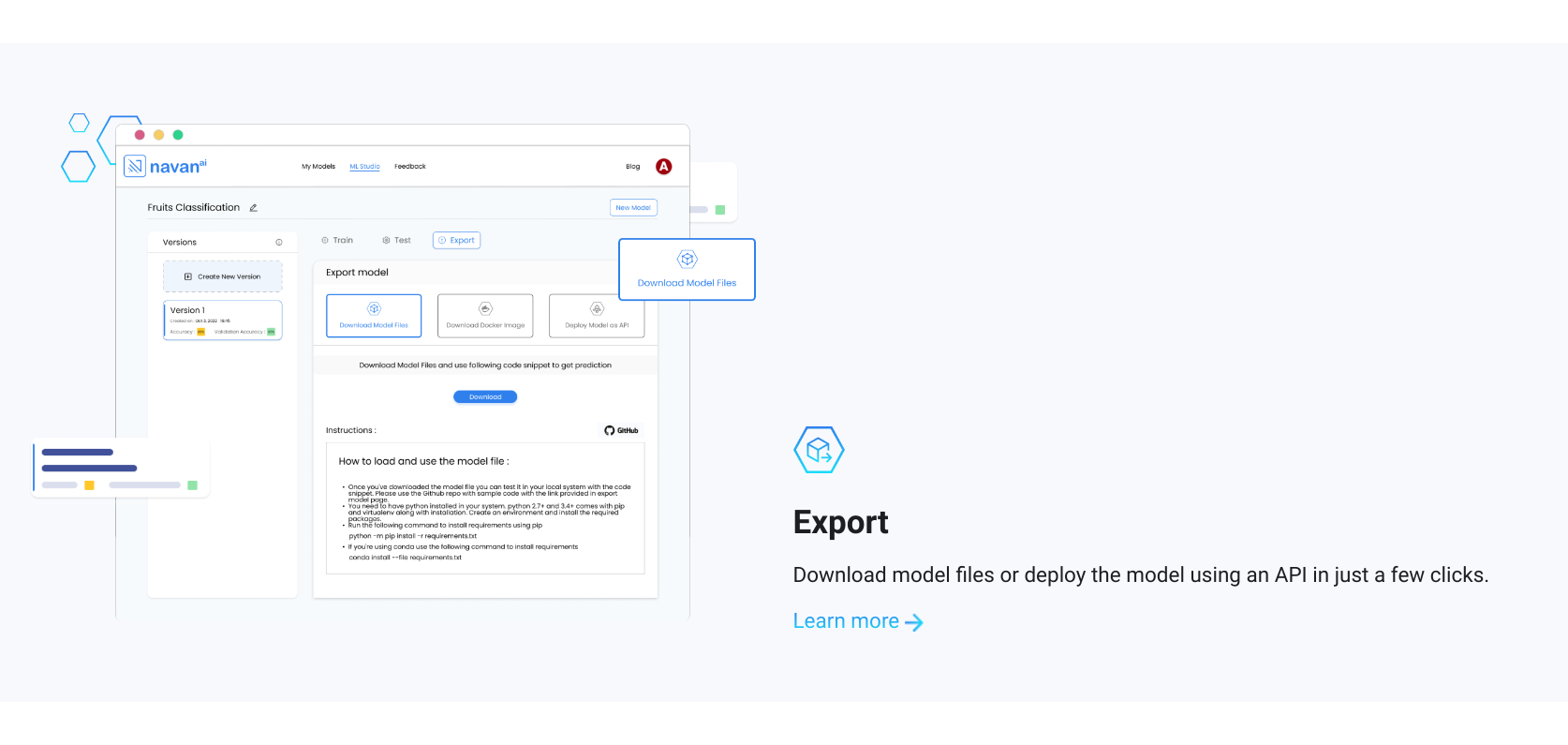
    Screenshot of Who is navan.ai for?Screenshot of How does navan.ai work?Screenshot of Step 1: Train the AI model on navan.aiScreenshot of Step 2: Test the AI model on navan.aiScreenshot of Step 3: Export/deploy the model on navan.aiScreenshot of Why navan.ai?