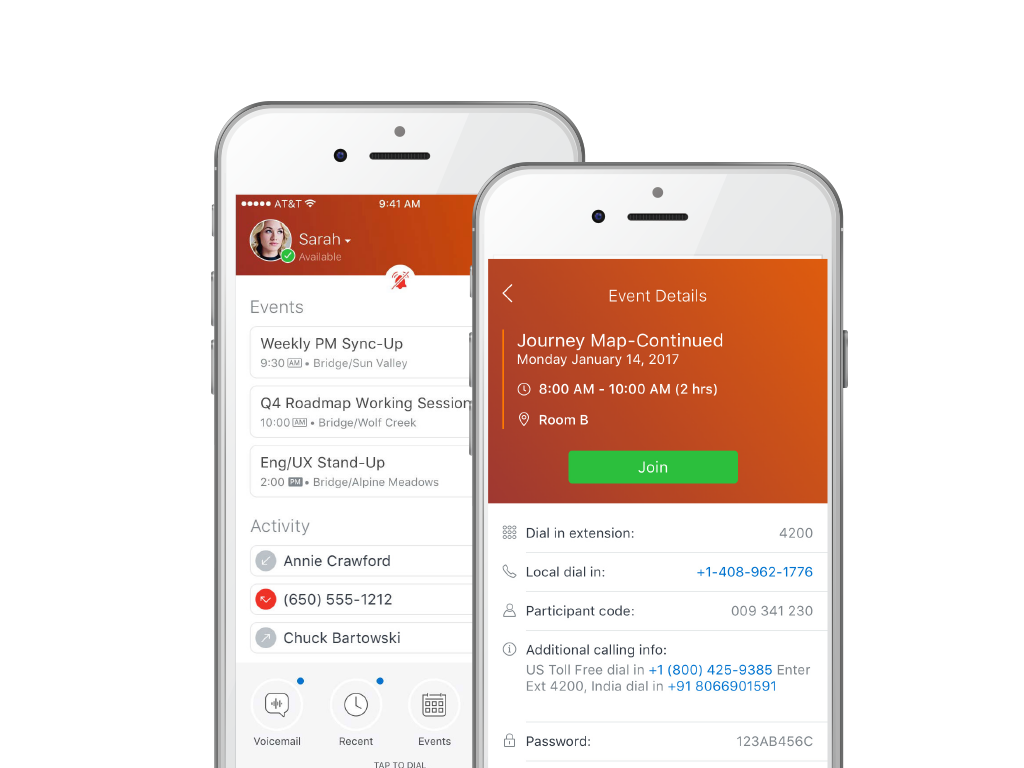
MiCloud Connect is a business communications solution for contact centers that includes features like IP PBX telephony service, desk phones, softphone, and collaboration tools. It is integrable with other business communication technology, including Microsoft Outlook and CRM software.
$20.99
per user/per month
Microsoft Viva Engage
Score7.9 out of 10
N/A
Microsoft Viva Engage, formerly Yammer, is used for private communication within organizations or between organizational members and pre-designated groups.
$24
per year per user
Pricing
MiCloud Connect
Microsoft Viva Engage
Editions & Modules
Essentials
$20.99
per user/per month
Premier
$26.59
per user/per month
Elite
$38.49
per user/per month
Microsoft Viva Employee Communications and Communities
$24
per year per user
Microsoft Viva Suite
$144
per year per user
Offerings
Pricing Offerings
MiCloud Connect
Microsoft Viva Engage
Free Trial
No
No
Free/Freemium Version
No
No
Premium Consulting/Integration Services
No
No
Entry-level Setup Fee
No setup fee
No setup fee
Additional Details
—
Microsoft Viva Engage is also available in some Microsoft 365 packages.
More Pricing Information
Features
MiCloud Connect
Microsoft Viva Engage
Cloud PBX
Comparison of Cloud PBX features of MiCloud Connect and Microsoft Viva Engage
Feature
MiCloud Connect
8.2
27 Ratings
3% above category average
Microsoft Viva Engage
-
Ratings
Hosted PBX
7.515 Ratings
00 Ratings
Multi-level Interactive Voice Response (IVR)
8.315 Ratings
00 Ratings
User templates
8.016 Ratings
00 Ratings
Call reports
8.621 Ratings
00 Ratings
Directory of employee names
8.327 Ratings
00 Ratings
Call Management
Comparison of Call Management features of MiCloud Connect and Microsoft Viva Engage
Feature
MiCloud Connect
8.6
28 Ratings
3% above category average
Microsoft Viva Engage
-
Ratings
Answering rules
9.024 Ratings
00 Ratings
Call recording
8.323 Ratings
00 Ratings
Call park
8.626 Ratings
00 Ratings
Call screening
8.622 Ratings
00 Ratings
Message alerts
8.323 Ratings
00 Ratings
VoIP system collaboration
Comparison of VoIP system collaboration features of MiCloud Connect and Microsoft Viva Engage
Feature
MiCloud Connect
7.6
23 Ratings
5% below category average
Microsoft Viva Engage
-
Ratings
Video conferencing
8.08 Ratings
00 Ratings
Audio conferencing
9.023 Ratings
00 Ratings
Video screen sharing
7.04 Ratings
00 Ratings
Instant messaging
6.75 Ratings
00 Ratings
Mobile apps
Comparison of Mobile apps features of MiCloud Connect and Microsoft Viva Engage
Feature
MiCloud Connect
6.2
15 Ratings
24% below category average
Microsoft Viva Engage
-
Ratings
Mobile app for iOS
8.014 Ratings
00 Ratings
Mobile app for Android
4.512 Ratings
00 Ratings
Project Management
Comparison of Project Management features of MiCloud Connect and Microsoft Viva Engage
Feature
MiCloud Connect
-
Ratings
Microsoft Viva Engage
5.4
41 Ratings
35% below category average
Task Management
00 Ratings
6.025 Ratings
Gantt Charts
00 Ratings
7.013 Ratings
Scheduling
00 Ratings
3.019 Ratings
Workflow Automation
00 Ratings
2.021 Ratings
Mobile Access
00 Ratings
8.039 Ratings
Search
00 Ratings
8.039 Ratings
Visual planning tools
00 Ratings
4.023 Ratings
Communication
Comparison of Communication features of MiCloud Connect and Microsoft Viva Engage
Feature
MiCloud Connect
-
Ratings
Microsoft Viva Engage
7.6
44 Ratings
4% below category average
Chat
00 Ratings
8.040 Ratings
Notifications
00 Ratings
7.044 Ratings
Discussions
00 Ratings
8.043 Ratings
Surveys
00 Ratings
6.034 Ratings
Internal knowledgebase
00 Ratings
9.033 Ratings
Integrates with GoToMeeting
00 Ratings
7.314 Ratings
Integrates with Gmail and Google Hangouts
00 Ratings
6.713 Ratings
Integrates with Outlook
00 Ratings
8.632 Ratings
File Sharing & Management
Comparison of File Sharing & Management features of MiCloud Connect and Microsoft Viva Engage
Mitel is excellent at allowing me as a user to setup up custom call routing in response to rapidly changing work flows. If I need to work from home for a period due to medical or other reasons, logging into Mitel and setting my office phone to ring through to my home or cell is quick and simple. Changing back is just as quick.
A de minimis incentive was given to thank the reviewer for their time. The incentive was not used to bias or drive a particular response, nor was the incentive contingent on a positive endorsement. More Info
Yammer is great when you have a company culture that encourages friendly collaboration and communication. It can be a great supplement (but certainly not a substitute) for bonding and sharing ideas and thoughts. Certain channels can be really successful, too, like a channel where people can post dog pictures or something fun like that!
A de minimis incentive was given to thank the reviewer for their time. The incentive was not used to bias or drive a particular response, nor was the incentive contingent on a positive endorsement. More Info
With separate systems and two locations we used to have to fake the system into 4 digit dialing by forwarding all remote extensions to DIDs. Now with Shortel extended to the remote location we have true 4 digit dialing.
The Shortel desktop application makes managing calls and call routing a breeze for even our most novice users.
A de minimis incentive was given to thank the reviewer for their time. The incentive was not used to bias or drive a particular response, nor was the incentive contingent on a positive endorsement. TR verified that a representative sample of customers was invited. More Info
A de minimis incentive was given to thank the reviewer for their time. The incentive was not used to bias or drive a particular response, nor was the incentive contingent on a positive endorsement. More Info
A de minimis incentive was given to thank the reviewer for their time. The incentive was not used to bias or drive a particular response, nor was the incentive contingent on a positive endorsement. More Info
Although the social enterprise network works very well, there is room for some slight improvement - such as the ability to attract users. By being part of the Microsoft Office Suite, it is offered as an "add-on" and many overlook it and see it as unnecessary at first. It would be smart for Microsoft to sell it as its own product so it could gather more popularity as a "social network".
Giving an option to filter results could be better as well as giving an option to turn off the "recent activity" bar on the home page.
A de minimis incentive was given to thank the reviewer for their time. The incentive was not used to bias or drive a particular response, nor was the incentive contingent on a positive endorsement. More Info
Although the price is higher than some of the other Hosted systems out there, the value is definitely worth a renewal. Everything is relative: there are some companies out there who need phones, but don't necessarily care how they work, the functionality/features available/durability etc., they just care that they have phones that make and receive calls. There are other companies that are completely reliant on phones and certain functionality that is provided by the system. There are even some companies who are straight up dependent on the phone system and are losing tons of money anytime they are down, ShoreTel is the perfect fit for theSMB client who sees value in a solid,robust, reliable and high functioning phone system
A de minimis incentive was given to thank the reviewer for their time. The incentive was not used to bias or drive a particular response, nor was the incentive contingent on a positive endorsement. More Info
Microsoft is dedicated to continual improvement on Yammer. They realize the value that Yammer brings to the table with their clients. In the short time that we have had Yammer implemented, we are just now beginning to see the strong impact it has on becoming more effective and efficient around collaboration.
I have not used a wide array of communication software, but this far ShoreTel/MiCloud has been the simplest and easiest to get into. My work employs several temps at certain points throughout the year, and they use this piece of software frequently, and new hires seem to have little to no issue using this software. Additionally, this is our primary telephone communication infrastructure, and I have yet to encounter any issues when signed in and regularly using it handling external calls to our department.
A de minimis incentive was given to thank the reviewer for their time. The incentive was not used to bias or drive a particular response, nor was the incentive contingent on a positive endorsement. More Info
Overall easy to use and intuitive, although limited in the possibility to personalize layout and look & feel of a site. Some functionalities are not easy to use, like document editing, but some others are quick and effective (posts and tagging above all). Performance and responsiveness of the Yammer site is typically acceptable, in my experience.
The system has gone down on us MULTIPLE times. We asked them to move us to a different cluster. Shoretel declined. Basically we had problems or outages every month of the year from June 2012 to date. Our old phone system was just that: OLD, no bells or whistles. But it was up every day and I never had to think about it much until it was time for an upgrade. That's how I want Shoretel to be. I want it so reliable that I never have to think about it.
Even though the system uses a lower bandwidth connection we have experienced a higher call quality than our previous system which required a T1 line and back up broadband connection.
ShoreTel Sky's support is amazing. The only reason why I didn't give it a 10 is that we still need to contact them for stuff that we should be able to do, for ourselves, within the management portal. I know their portal is being worked on, so hopefully they will get the "little things" included for self-management.
We have never had to use the support for Yammer. The tool works well and we have not come across any bugs. User Interface is simple and easy to use, similar to other forum type products, thereby removing the need for any extensive training. Team members are invited in and immediately are able to start using the tool.
A de minimis incentive was given to thank the reviewer for their time. The incentive was not used to bias or drive a particular response, nor was the incentive contingent on a positive endorsement. More Info
I attended the first ShoreTel installer class in Austin,TX. It was a week of intensive study with a live lab and having hands on experience made the class worthwhile. I have taken all of the sales courses and remaining technical courses either online or self study to keep costs down. I send my techs to the first installer course in Austin as I feel it gives them a solid foundation and most of teh other courses they have taken have been online.
A de minimis incentive was given to thank the reviewer for their time. The incentive was not used to bias or drive a particular response, nor was the incentive contingent on a positive endorsement. More Info
The training identified some things M5 (ShoreTel's cloud division) could provide, however it was only using it every day and asking the Shoretel support several questions that I got the hang of it. The training was able to highlight functions but I did not learn how to use the phone from the training.
Each of our locations has a dedicated ShoreTel router and managed QoS. With full management, it provides us a breath of space and bandwidth to use our resources in other means. Strongly consider the managed solution as you have to maintain more technical issues when hosting with your ISP. You have to make sure your ISP can provide you the best service for voice and data. Plug and 'hope' doesn't work with just routing your phones over any Internet connection....especially when your handsets run int he 100's
Aptela. I chose M5 (ShoreTelSky) because their platform puts call quality first. Their system also uses Cisco endpoints, which are very compatible with the rest of my Cisco network. I also liked the fact that ShoreTelSky uses the internet only as a backup for transport; I use MPLS as my primary connectivity.
Our team briefly used Salesforce.com's Chatter product before switching over to Yammer in 2012. While Chatter is essentially the same product as Yammer, it left much to be desired. Chatter's design was (and remains) clunky and difficult to navigate. Yammer is a simple, easy-to-use product that offers similar functionality as Salesforce's Chatter.
A de minimis incentive was given to thank the reviewer for their time. The incentive was not used to bias or drive a particular response, nor was the incentive contingent on a positive endorsement. More Info
I believe that ShoreTel can be used by a minimum company size of about 25 to almost any size of a company and this can be achieved while the company grows, hence makes it pretty scalable when required. For companies which are smaller in size i.e. smaller than 25, I am not sure how useful it would be, it may be depending upon the type of business
A de minimis incentive was given to thank the reviewer for their time. The incentive was not used to bias or drive a particular response, nor was the incentive contingent on a positive endorsement. TR verified that a representative sample of customers was invited. More Info
At my branch alone, we are saving over $500 a month using Shoretel Sky versus the phone company we were using before them.
Shoretel Sky has increased customer service by allowing our employees to easily transfer a call to the proper department or branch no matter where they are located instead of giving the caller a phone number to call.
Most of our locations did not have caller ID before Shoretel Sky. That feature has increased employee efficiency because when they know who is calling before they answer allows them to professionally greet their caller and have their info up on their computer as they answer.
My company is pleased with the positive impact Yammer has created departmentally and on an individual basis with work flow efficiency.
Adversely, most old and new employees are more familiar with SharePoint, causing the company to pay for training for all current and incoming employees.
As Yammer becomes more widely used, the need for training may diminish, which is where we will see our return on investment, as the product clearly provides a more effective form of file sharing and communication between employees and their department.
A de minimis incentive was given to thank the reviewer for their time. The incentive was not used to bias or drive a particular response, nor was the incentive contingent on a positive endorsement. More Info