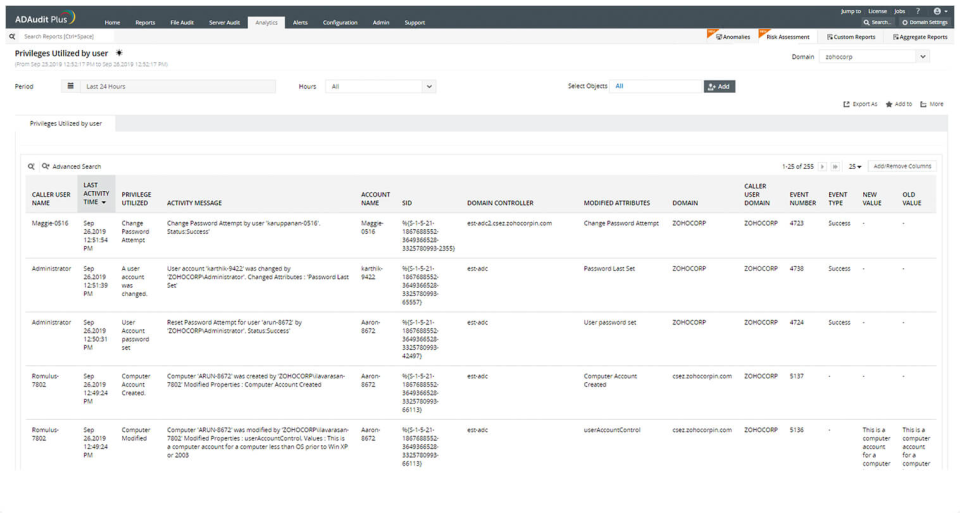
ADAudit Plus offers real-time monitoring,
user and entity behaviour analytics, and change audit reports that helps users keep AD and IT infrastructure secure and compliant. Track all changes to Windows AD objects including users, groups,
computers, GPOs, and OUs. Achieve hybrid AD monitoring with a single, correlated view of all
the activities happening across both on-premises AD and Azure AD. Monitor every user's logon and logoff activity, including…
$595
per year
Pulseway
Score 9.9 out of 10
Mid-Size Companies (51-1,000 employees)
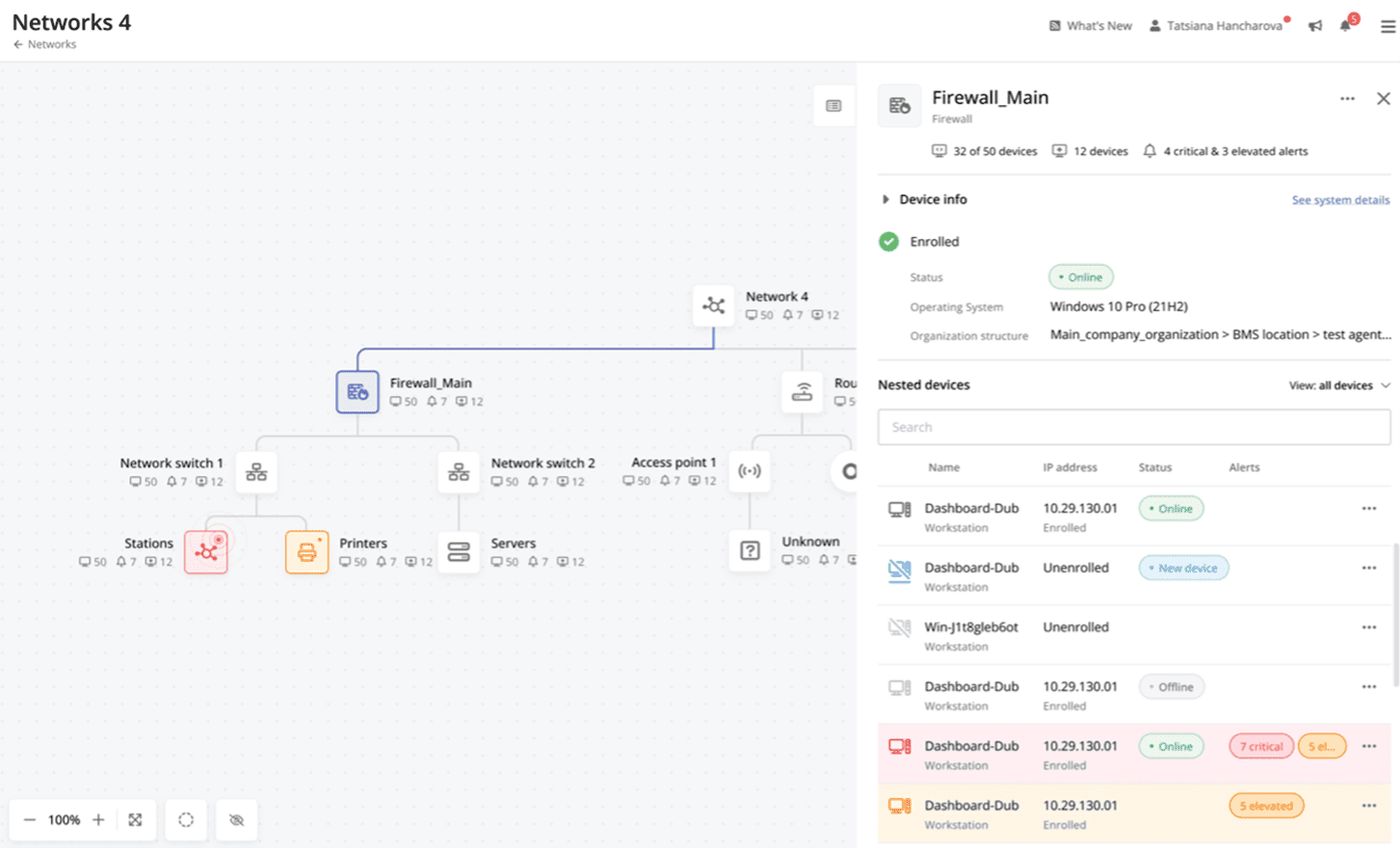
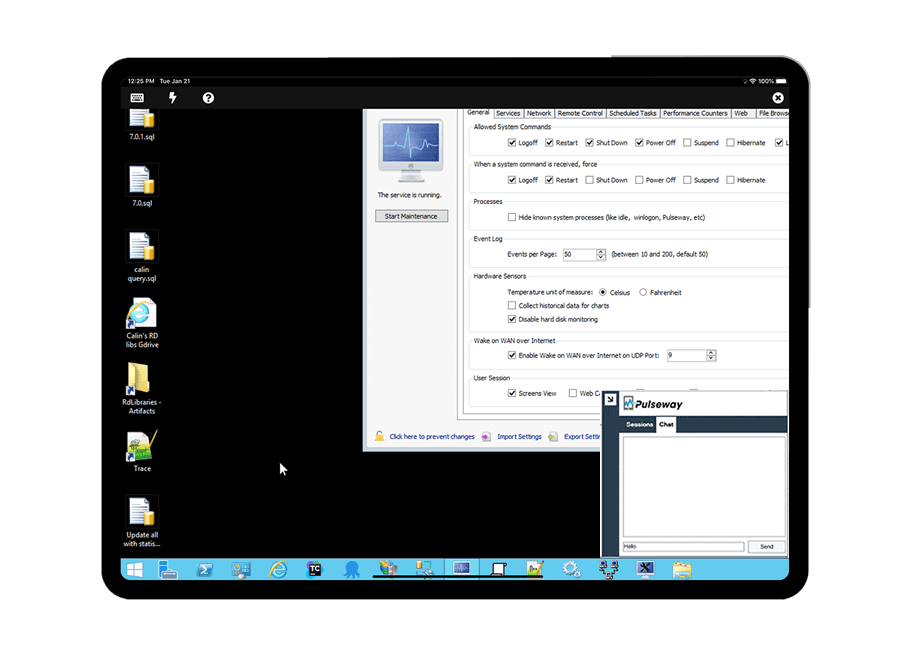
Pulseway is an IT monitoring and management solution that enables users to monitor, manage and control all systems and servers from a smartphone, tablet or browser. For system administrators, Pulseway sends a notification, so they can see an issue and sort it in seconds. Pulseway features: Automation: Auto-remediation workflows, so that IT issues are fixed before users even notice them. Mobile Access: Customers can monitor, manage, connect with…
$0.80
per month per installation
Pricing
ManageEngine ADAudit Plus
Pulseway
Editions & Modules
Standard
$595
per year
Professional
$945
per year
Enterprise
$0.80
per month per installation
Offerings
Pricing Offerings
ManageEngine ADAudit Plus
Pulseway
Free Trial
Yes
Yes
Free/Freemium Version
No
Yes
Premium Consulting/Integration Services
No
No
Entry-level Setup Fee
No setup fee
No setup fee
Additional Details
Pricing is dependent on the number of domain controllers and starts at $595/year for the Standard edition, and $945/year for the Professional edition.
No hidden fees or contracts. Term-based discounts.
More Pricing Information
Community Pulse
ManageEngine ADAudit Plus
Pulseway
Features
ManageEngine ADAudit Plus
Pulseway
Monitoring Tasks
Comparison of Monitoring Tasks features of Product A and Product B
ManageEngine ADAudit Plus
7.0
Ratings
10% below category average
Pulseway
-
Ratings
Remote monitoring
6.60 Ratings
00 Ratings
Network device monitoring
4.30 Ratings
00 Ratings
Multiple Server Monitoring
8.60 Ratings
00 Ratings
Multi-device monitoring
8.50 Ratings
00 Ratings
Automated alerts and notifications
7.10 Ratings
00 Ratings
Management Tasks
Comparison of Management Tasks features of Product A and Product B
ManageEngine ADAudit Plus
8.3
Ratings
12% above category average
Pulseway
-
Ratings
Service configuration management
7.00 Ratings
00 Ratings
Software and hardware inventory
10.00 Ratings
00 Ratings
Policy-based automation
7.90 Ratings
00 Ratings
Reporting
Comparison of Reporting features of Product A and Product B
ManageEngine ADAudit Plus
8.1
Ratings
7% above category average
Pulseway
-
Ratings
Performance data reports
8.00 Ratings
00 Ratings
Customizable reporting
7.50 Ratings
00 Ratings
Data visualization
8.40 Ratings
00 Ratings
Risk analysis
8.40 Ratings
00 Ratings
Security
Comparison of Security features of Product A and Product B
ManageEngine is mostly a "check the box" solution for SIEM systems. We needed something that satisfied our customer and was cost-effective. I would highly rate the system on "worth what paid for". Support is eager to please and prompt. My only issue is that it's mostly based outside the US with helpful, but non-native speakers so it's hard to understand them. I wish they would spring for better help "phone lines" so I'm not dealing with difficult to understand and unclear speakers.
Pulseway is well suited for just about any situation where there is a need to remotely monitor and manage computers. The most basic features are available to anyone with a free account, so even a home user can set it up and use to keep an eye on computers. The more sophisticated features require a fairly inexpensive subscription, but are well worth the cost for a business wanting to monitor the health of their servers, etc. My experience with Pulseway is limited to using it in situations where there are fewer than a dozen or so computers/servers being monitored. I'm not really sure how well it scales up, so I can't say if it is a good solution for a large corporation with hundreds or thousands of machines that need to be monitored.
Logons - reports are very clean and concise and accurate
Account Lockouts - very challenging to do without ManageEngine ADAudit Plus. The tool allows us to easily locate the device or, at the very least, point us in the right direction!
AD change management - IT admins should consider this a necessity, and ManageEngine ADAudit Plus facilitates this seamlessly
In earlier releases there were quite a few bugs and performance issues. These have since been resolved.
When integrated with the Log360 Suite, it can be confusing on whether EventLog Analyzer or ADAudit Plus are "managing"/"Ingesting" the data from a given endpoint.
There are a couple of computers that I keep ScreenConnect around for - as I lose connection with Pulseway and have to reestablish with ScreenConnect. I can't seem to get tech support interested in resolving this issue and it cost's me many $$ just to keep ScreenConnect running.
There is an issue with Webroot, their new endpoint solution. I can't get it to work - again, no help from Pulseway - they ignore my emails.
It works great for everything we need and use. Any issues in the software are pretty easy to resolve with tech support. And they are very responsive to resolving issues. Even ones where a fix/patch are required. At present, the software does everything we need it to for compliance, audit, and account review.
ADAudit with its cloud and on prem install option allows any organization to get in on AD report management. Whether you need to report internally only for for external audit controls its a great tool with flexibility to handle most any user or group report capability. Since this also includes m365 integration it enables IT pros to administer usage, license, cost control and permission access to most anything in Microsoft's portfolio. Its a great tool all around for AD integrated access needs.
The tool is easy to use however it is can be daunting with the amount of features available in it. Last I checked, their knowledge base was not very expansive and they relied a lot on the changelog for how to do some stuff. This can make it hard to learn how to do some more advanced things like the automation.
The attention to cases or situations with the tool has been exceptional. being able to count on the manufacturer either by mail, call or chat. generate cases directly from the application allows you to have personalized support in order to solve problems that has been able to appear.
I have never had to use the support for Pulseway. However, when initially starting out, we would receive emails every so often asking how we are doing and if there is any support that they can provide. I would imagine that any request would be supplied with the same great support!
The remote setup team helped when i needed it and setup weas very straight forward and easy. The advanced setup for an external db and customizations for our latest version AD environment went pretty easy once they found documentation on customization.
In terms of features, ADAudit Plus offers a comprehensive set of features for monitoring and auditing Active Directory, including real-time alerts, detailed reports, and user behavior analytics. The platform also offers support for multiple platforms, including Windows, UNIX, and Linux, as well as integration with other ManageEngine tools.
The 2 major factors were: 1. The fact there was no contract, we believe vendors should have to validate the usefulness of their product and their support to their customers every day, not just 1 or 2 months every few years. This is the same reason we allow our clients to leave at any time if we fail to meet their standards. 2. The ease of managing the product, we demoed other products that would have almost required a full time employee just to manage the RMM tool itself. The ease of use of Pulseway meant a tech could manage it as part of their other duties much improving the ROI. Note: We also felt NinjaOne met these same conditions but we evaluated it after having used Pulseway for a few years and while we found it a great product, possibly even superior, we didn't find enough reason to go through all the work and retraining to change over.
The visibility of changes made in AD are very helpfull. We had an admin that made a change in a GPO that causes some strange behaviour in our environment. Normally that would take days to find, especially because the admin was a few days out of office and couldnt tell us the change he made. But after looking into our alerts we found very fast the specific change that was made to a GPO that pointed us in the right direction to solve the problem within 30 minutes.
No more ghost accounts and password never expires in our AD, the security level is therefore much higher then it was before. And we need less manhour to maintain that.
Before ADAuditplus we had several hundred accounts with password never expires and at least 15 changes on that item every week. Since we have ADaudtiplus we have no accounts with password never expires and we only see modifications on that item sometimes when a new IT employee starts within our group. IT crew learns fast what to do and especially what NOT to do in our environment to keep things secure.
Before ADAuditPlus I wrote PowerShell scripts to create reports for management, since ADAuditplus the reports are build automatically every month and send to management.
Problems can be dealt with more rapidly because I have access to systems from anywhere. I don't have to carry a computer with me nor do I have to find a location with potentially non-secure wifi to gain access to my systems.
I can handle 99% of my system admin tasks using Pulseway and never have to touch a system or connect to the console.
Pulseway gives so much control over a system that I don't need to spend extra money on other software to perform management tasks.