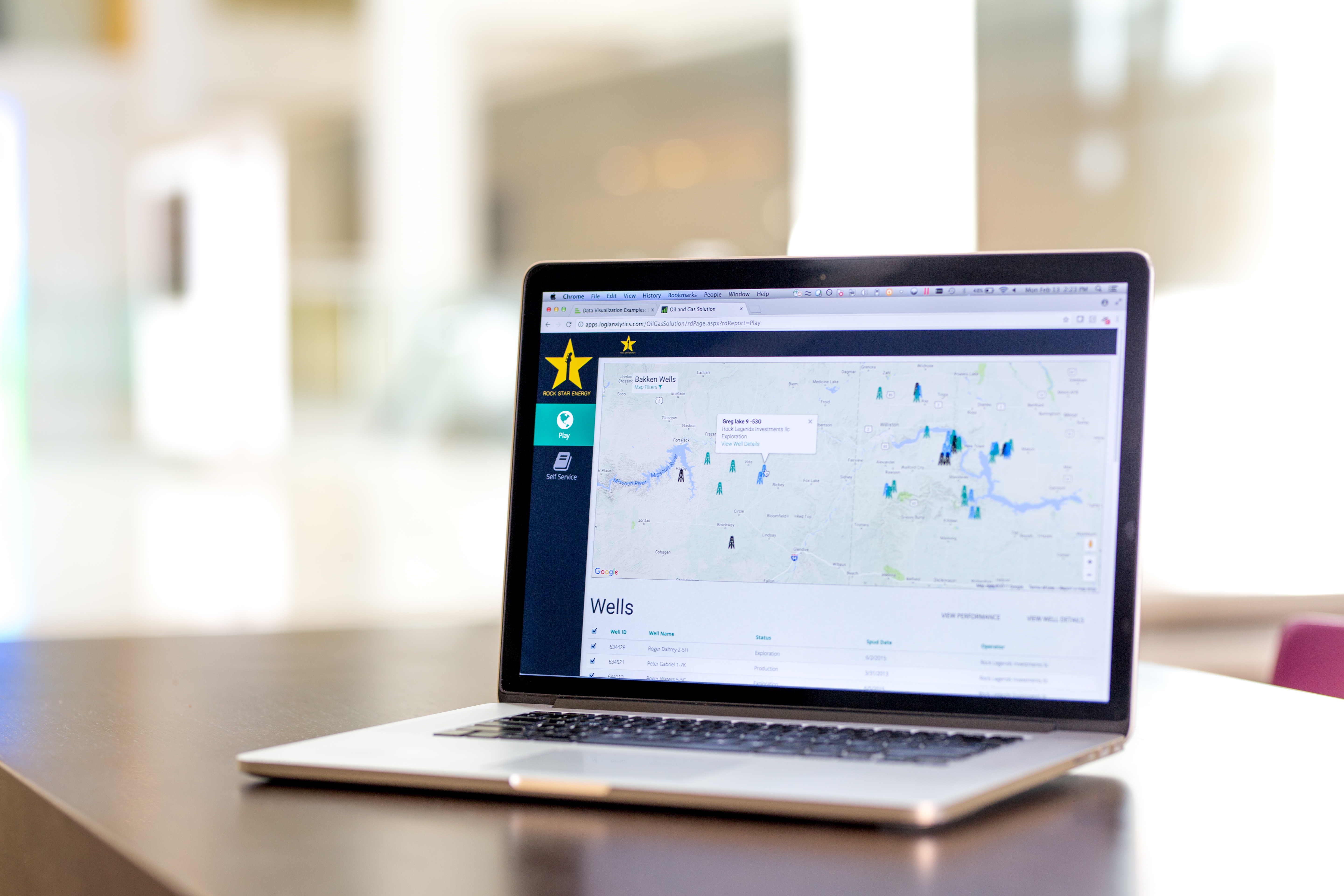
Logi Info (or the Logi Analytics Platform) is a developer-grade analytics platform designed for application teams needing to rapidly build, deploy, and maintain mission-critical applications. Logi serves the embedded model, so companies increase the
likelihood of building valuable, long lasting applications. The vendor focuses on enriching embedded analytics
capabilities so that their customers' applications become more valuable, faster. According to the vendor, Logi allows customers to…
N/A
Zoho Analytics
Score8.1 out of 10
Small Businesses (1-50 employees)
Zoho Analytics (formerly Zoho Reports) is a self-service BI and analytics platform that allows users to analyze their business data and create reports and dashboards. It is designed to help users create and share reports quickly, without IT assistance.
$30
per month 2 users
Pricing
Logi Info
Zoho Analytics
Editions & Modules
No answers on this topic
Basic
$30
0.5M rows, 2 users
Professional
$30
per user per month billed annually
Standard
$60
1M rows, 5 users
Premium
$145
5M rows, 15 users
Enterprise
$575
50M rows, 50 users
Offerings
Pricing Offerings
Logi Info
Zoho Analytics
Free Trial
Yes
Yes
Free/Freemium Version
No
Yes
Premium Consulting/Integration Services
Yes
Yes
Entry-level Setup Fee
No setup fee
No setup fee
Additional Details
Logi's pricing was developed with software vendors in mind and as such, we offer flexible, custom pricing aligned with your go-to-market approach and long-term growth plans. Our pricing objective is to ensure our partners can rapidly scale their analytics.
There is a 20% discount for all plans if subscribed yearly. Customers can buy add-on rows and users, in addition to the plans listed above.
More Pricing Information
Community Pulse
Logi Info
Zoho Analytics
Considered Both Products
Insightsoftware, Inc
Verified User
Chose Logi Info
Logi Info was easy to integrate to our product and it's OEM model was very cost effective. Hence, having a cost effective platform was our primary choice. Logi Info is also easy to use if I make a comparison specifically with Tableau. Also, Logi Info offers better visualization …
A de minimis incentive was given to thank the reviewer for their time. The incentive was not used to bias or drive a particular response, nor was the incentive contingent on a positive endorsement. More Info
Logi Composer is the best of the product range that Logi Analytics offers; Logi Info is, in my mind, a terrible experience and should be discontinued. Logi Info is not a BI tool and many CEOs and product managers believe it is. Instead, it is a tool for web developers to create IIS apps with a library of BI-type components, and with everything else having to be hand-coded in JavaScript and CSS. Maybe this was cool back in the early 2000s when Logi Info came about, but today I'd recommend using Visual Studio, C#, .NET, and finding a NuGet package for your visualisations if you wanted to go the route of making your own web app. This said, where it is suited is if you have a burning desire to make a stand-alone IIS-based web application and you don't need or want to leverage any existing skills in .NET or PHP or other frameworks/languages. Instead, you want to use the Logi Info XML-based BI widgets and you're happy to make something quick without needing it to look really awesome.
A de minimis incentive was given to thank the reviewer for their time. The incentive was not used to bias or drive a particular response, nor was the incentive contingent on a positive endorsement. More Info
Zoho Analytics is the best way to consume data created by Zoho products . It's robust and quick build formula libraries and auto generated reports. A data source can be integrated and be ready for consumption within minutes. This gives a well developed baseline for organizing to develop advance analytics. It's mobile dashboards are very intuitive and useful for leaders who are on the move.
Clear/Concise view of data. Easily intuitive, amazing drill down capability, fully user configurable panels and dashboards.
Self-Service is such a powerful tool for facilities that want to create/design their own reports/dashboards, it's instantly recognized as being very powerful and agile.
Logi software makes the designer realize that they should think outside the box and not stick with "it's how we have always done it limitation". It allows you to be very creative.
Zoho Analytics’ predictive analytics capabilities can help forecast future trends, allowing for proactive planning and risk management.
Performance Monitoring: We can track key performance indicators (KPIs) across departments, such as sales, marketing, finance, and HR. This aids in identifying bottlenecks and areas for improvement.
A de minimis incentive was given to thank the reviewer for their time. The incentive was not used to bias or drive a particular response, nor was the incentive contingent on a positive endorsement. More Info
It is not always intuitive to incorporate JavaScript into Logi Info. The tools are all available, but the process requires multiple resource in translating between Logi and JavaScript.
The toolbox is too vast for Logi to provide a 'quick implementation' or 'quick start guide'. There are so many tools that Logi expects the client to determine which fit their use case. There are purchasable 'Professional Services' options for implementation, but without these, the toolset is almost too big.
I'm guessing it's out there somewhere but I really could have used a 'quick start guide' or guided start.
Once I figured it out, it makes sense how to make sure the right data is provided in order to make dashboards quite flexible--- but without examples, I found it quite a challenge
The initial organization of Analytics is NOT intuitive. Once in context, the organizational features make sense, but (at least initially) it would have been most useful if the organization of Analytics reports in Zoho Analytics had saved me a lot of time.
A de minimis incentive was given to thank the reviewer for their time. The incentive was not used to bias or drive a particular response, nor was the incentive contingent on a positive endorsement. More Info
Logi Info is a very outdated, archaic product that tries to build .NET / Java web apps using an obscure XML-based markup language to implement BI widgets, with a lot of extra CSS/JavaScript needed on your own to make it do the best things. There are many other better tools. It is not a BI tool, and as a web development tool it's not great either. I'd recommend getting some good third-party .NET BI library if you want your web devs to make the reports, otherwise use a proper BI tool like Power BI or Tableau, or even Logi Composer (formerly ZoomData before Logi acquired it.)
A de minimis incentive was given to thank the reviewer for their time. The incentive was not used to bias or drive a particular response, nor was the incentive contingent on a positive endorsement. More Info
I'd give this an 11 if I could! As our business moves forward we hope to use Zoho Analytics more then we do now. Creating better reports and dashboards for our management team to evaluate the health of our business and to provide more insightful reports for our customers. The possibilities are endless with this tool
A de minimis incentive was given to thank the reviewer for their time. The incentive was not used to bias or drive a particular response, nor was the incentive contingent on a positive endorsement. More Info
I am giving 9 rating because the Logi Info still needs to improve on the tutorials part and make it easy for the beginners. Otherwise, it's a very good analytics tool which offers more than 20 types of visualization. It's predictive analysis feature and easy to embed with technologies make it stand out in the market.
A de minimis incentive was given to thank the reviewer for their time. The incentive was not used to bias or drive a particular response, nor was the incentive contingent on a positive endorsement. More Info
For an end user, Zoho Analytics is pretty easy to use and very easy to access the dashboard. Linking data from multiple sources is very convenient. Multiple people can work on preparing and publishing the dashboards simultaneously, which helps delegate tasks.
A de minimis incentive was given to thank the reviewer for their time. The incentive was not used to bias or drive a particular response, nor was the incentive contingent on a positive endorsement. More Info
ZOHO is a very reliable company/product. We never had any issues with downtime or inaccessibility to our data. Any type of maintenance that they had to perform was clearly communicated and never an issue. We use a lot of external hooks and we've never had any issues with getting ZOHO to communicate with any of those hooks.
A de minimis incentive was given to thank the reviewer for their time. The incentive was not used to bias or drive a particular response, nor was the incentive contingent on a positive endorsement. More Info
ZOHO has obviously invested a lot of time effort and money in to creating a reliable infrastructure with high availability. We've never had any issues with performance and all of our data crunching small to large has always been well within reason. We have come to appreciate the performance of ZOHO and will continue to use it for all of our data needs.
A de minimis incentive was given to thank the reviewer for their time. The incentive was not used to bias or drive a particular response, nor was the incentive contingent on a positive endorsement. More Info
The support process is bit slow and has a good scope improvement but overall it's good as team is very supportive. They generally take 1-2 days time to respond emails sent to them but some times a delay is also expected. Overall, I did not face any major issues using the service.
A de minimis incentive was given to thank the reviewer for their time. The incentive was not used to bias or drive a particular response, nor was the incentive contingent on a positive endorsement. More Info
The support team is honestly not that great. At times, it seems as if members of our own team know more about the product than the support team. They must not have a lot of training or the turnaround is quick
A de minimis incentive was given to thank the reviewer for their time. The incentive was not used to bias or drive a particular response, nor was the incentive contingent on a positive endorsement. More Info
If your external data sources are previously organized and correlated (e.g.: in your datawarehouse or database) your implementation will be easier. Of cource some not previously predicted correlation would be necessary to be done during the implementation, but if your organization let it to be all done into Zoho Analytics, it will take more time from your team.
A de minimis incentive was given to thank the reviewer for their time. The incentive was not used to bias or drive a particular response, nor was the incentive contingent on a positive endorsement. More Info
Logi gave us the flexibility we needed to meet the configurable nature of our product and for the need to create custom reports. Other products did not allow flexbility to generate reports via script as was one of our primary requirements.
A de minimis incentive was given to thank the reviewer for their time. The incentive was not used to bias or drive a particular response, nor was the incentive contingent on a positive endorsement. More Info
Zoho Analytics has the best UI and user friendly to create reports and dashboard along with features like Zia Assistance that guide in creating reports and dashboard and also help in the forecasting of the data based on the past records.
As far as I know, Zoho Analytics has been able to fulfill every need we've had for it. Our reports have gotten better and more detailed with pretty much every new issue of our magazine. It just keeps getting better, and we keep feeding it more data to digest and present to us.
A de minimis incentive was given to thank the reviewer for their time. The incentive was not used to bias or drive a particular response, nor was the incentive contingent on a positive endorsement. More Info
By embedding Logi in our solution and using the Logi Self-Service Module we can provide this flexibility to our users without requiring custom development work for each new request.
We succeeded in developing embedded self-service analytics at scale with a combination of Logi analytics as front-end and a Cassandra data lake with Spark aggregation algorithms as back-end.
We analyze the insurance industry and need to replicate different data formats across hundreds of databases to support multi-tenant (customer) BI reports and "ad hoc" data review on millions or hundreds of millions of records per customer.
A de minimis incentive was given to thank the reviewer for their time. The incentive was not used to bias or drive a particular response, nor was the incentive contingent on a positive endorsement. More Info
A de minimis incentive was given to thank the reviewer for their time. The incentive was not used to bias or drive a particular response, nor was the incentive contingent on a positive endorsement. More Info