ELEARNINGFORCE in Edgewater brings learning management to Office 365 and SharePoint. LMS365 blends with the Microsoft infrastructure and is designed to eliminate expensive integration, time-consuming development, and unwanted complexity. Learners access learning plans, courses, personal progress reports, and certificates from within the SharePoint business process.
N/A
Paycom
Score7.4 out of 10
N/A
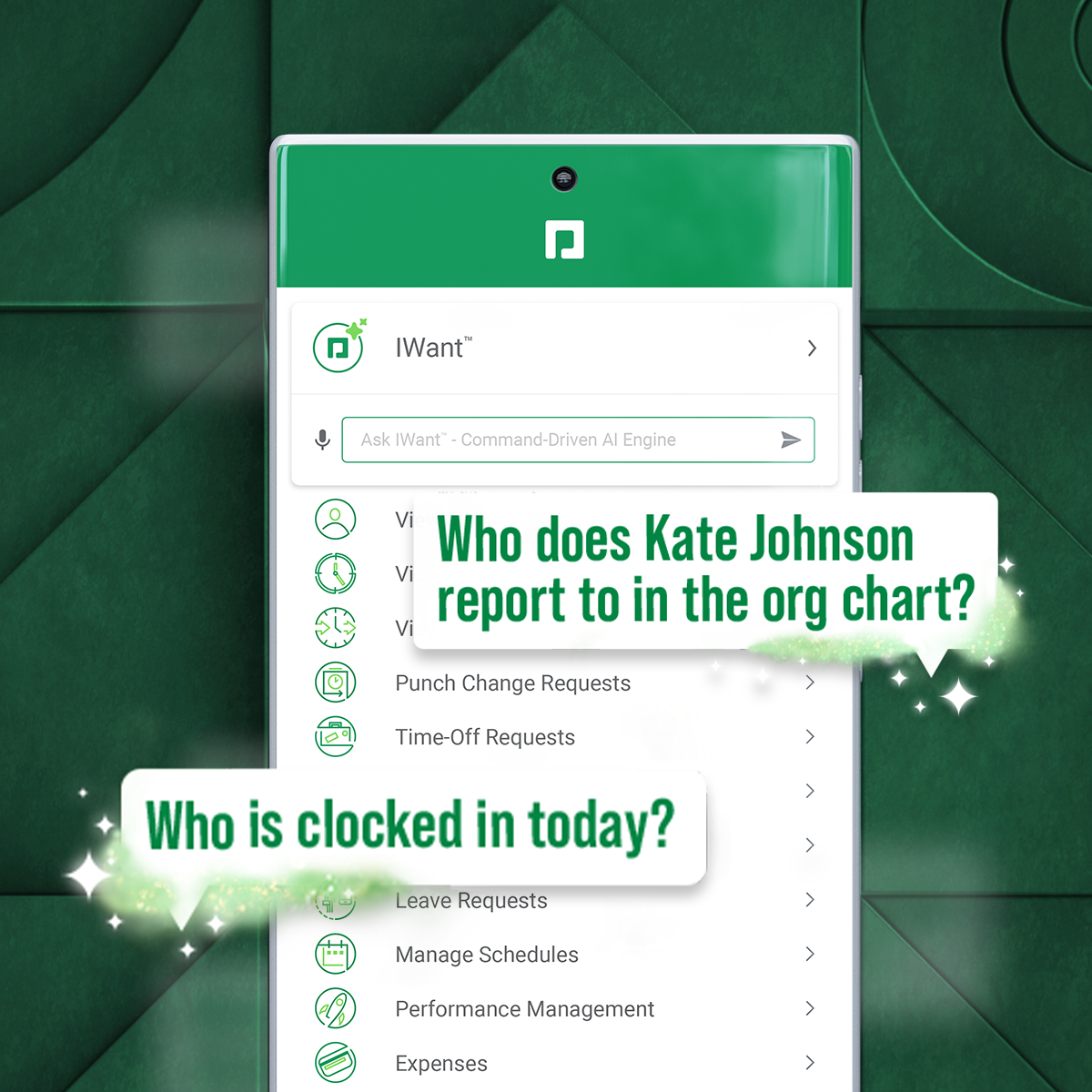
Paycom supports HR and payroll with automated, employee-first technology that supports every stage of employment. Its single database enables seamless data management, to reduce errors, endless data entry and time-consuming administrative tasks.
If a customer does not have SharePoint the entry in that kind of solution is a bit harder as the use of SharePoint can be so broad. It does not mean it is not the right solution as a company can use SharePoint LMS to start with and then expand to other functions and features. I strongly recommend to use SharePoint Standard or Enterprise and forgo the "free" SharePoint version as a) SharePoint's core functions and features are greatly enhanced in these two premium versions and b) more and more SharePoint LMS functions make use of these core Standard and Enterprise features in the future, like taxonomy, user profiles, etc. In general with all project it is as well recommended to have the full buy in by upper management and that the project initiative is fully supported. Adding such a solution (SharePoint LMS or any other LMS solution) will require the team not only to have a good plan on how the requirements can be achieved from a technical point of view, but how a training program can be rolled out to an organization of 5, 500, 5.000 or 50.000. The technical deployment of SharePoint LMS is measurable (I would say between 1-4 weeks based on the complexity, scale of the environment). 1-2 weeks of training (depending on the base knowledge of SharePoint in the company and the need to add knowledge of SharePoint LMS). That's it. Technically you are ready. If needed, any custom work, integration and development work comes on top. Where customer struggle is the availability and dedication of their own teams. Course content needs to be created, how should a course look like, what are the parameters, what are top ten things needed moving a course which was taught in a class room, but now to be delivered online. Buying the licenses is one thing, getting the solution up and running form a technical point of view is another, making it YOURS is the challenge!
It's very mobile friendly, especially for people that aren't tech savvy. We have an aged workforce where we were really concerned about how they would adapt, going from the comfort of using paper to a mobile and online application. But the training was really easy and the adaptation has been simple for us as a company.
A de minimis incentive was given to thank the reviewer for their time. The incentive was not used to bias or drive a particular response, nor was the incentive contingent on a positive endorsement. More Info
A de minimis incentive was given to thank the reviewer for their time. The incentive was not used to bias or drive a particular response, nor was the incentive contingent on a positive endorsement. More Info
I would say the communication post-implementation is amazing. Allie is our representative. She's amazing. Caitlin is amazing. I just met Travis last week at the office. Amazing. The communication is great and helpful, so if one of the team members don't have the answer, they can just jump in. For instance, I was on a call with Caitlin yesterday and she was like, "I'm not really sure about this answer. Let me see if I can go run it byTravis." I know he's on another call and instead of him saying blah, blah, he came over and looked at the screen and was like, do this, do this. It's a little different. So I would say the customer service is the best.
A de minimis incentive was given to thank the reviewer for their time. The incentive was not used to bias or drive a particular response, nor was the incentive contingent on a positive endorsement. TR verified that a representative sample of customers was invited. More Info
When the user clicks into a different portion of the file library and then needs to return to a previous class the software forces you to go all the way back to the beginning of the coursework, this isn’t that painful just annoying.
A de minimis incentive was given to thank the reviewer for their time. The incentive was not used to bias or drive a particular response, nor was the incentive contingent on a positive endorsement. More Info
I think that when we do need a response back, which is very unlikely from the contact about something that's happening or going on, it can take a little long to get back to us. Longer than we would like because obviously it's an emergency to us, but we understand they have tons of emergencies they have to solve. But I think that's the only aspect.
I know from a payroll standpoint, which I'm not really privy to because I don't work on the payroll side, there have been some little hiccups that about certain formulas used, certain credits being issued that we've already filed for tax credits that we filed for. So I know that my CFO's already on top of it and pay comes on top of it as well and it's getting resolved, but obviously that's a big issue that needs some work there.
A de minimis incentive was given to thank the reviewer for their time. The incentive was not used to bias or drive a particular response, nor was the incentive contingent on a positive endorsement. TR verified that a representative sample of customers was invited. More Info
It is very simple for me: As I said, I am (we are) selling and consulting around SharePoint LMS. SharePoint LMS is a killer application which needs to be in every company which has a vision and mission to deliver and create knowledge. So you can say Thomas (me) is biased, but I only encourage you to check out the solution to hear what we have to say and stack our solution against the other solutions out there.
Because it has everything that we need and as we grow, we are learning how robust Paycom can actually be but we need to be willing to spend the money. It's not expensive but we, as a company, are not used to spending that much on a system for HR and payroll.
A de minimis incentive was given to thank the reviewer for their time. The incentive was not used to bias or drive a particular response, nor was the incentive contingent on a positive endorsement. More Info
Ultimately, in my opinion LMS365 is a bit clunky to use. It has most of the features you need, but most need to be configured by your technology department, e.g., SSO, user groups in Entra ID, notifications through Slack, teams, etc. If you're looking for an all-in-one solution, look elsewhere, as lms365 has several catches to its proposition.
A de minimis incentive was given to thank the reviewer for their time. The incentive was not used to bias or drive a particular response, nor was the incentive contingent on a positive endorsement. More Info
The interface is very intuitive, you can navigate it pretty well. Everything's pretty much spelled out and the features just flow really well. They make it easy for you to go back and forth with the UX/UI type of interface. So I think it was built pretty well.
A de minimis incentive was given to thank the reviewer for their time. The incentive was not used to bias or drive a particular response, nor was the incentive contingent on a positive endorsement. TR verified that a representative sample of customers was invited. More Info
A de minimis incentive was given to thank the reviewer for their time. The incentive was not used to bias or drive a particular response, nor was the incentive contingent on a positive endorsement. More Info
A de minimis incentive was given to thank the reviewer for their time. The incentive was not used to bias or drive a particular response, nor was the incentive contingent on a positive endorsement. More Info
The few times we actually needed support generally were during major upgrades of the system and getting a quick handle on how the configuration changed were the primary reasons.
A de minimis incentive was given to thank the reviewer for their time. The incentive was not used to bias or drive a particular response, nor was the incentive contingent on a positive endorsement. More Info
Our TSR has been wonderful to work with. Every step of the way he was quick to respond and answer any questions we had. I knew I could reach him at any time (day or night) and he would be available to assist. Implementing a new HRIS system is obviously a huge task and I contribute all our success to our rep Kurt! Of course, with any implementation, there were bumps along the way and issues. But I always knew we would work as a team to get those issues figured out. Working in the Paycom system has been smooth and easy to learn and I enjoy the employee self-service interface. Our managers have had positive things to say and are all excited about the changes we have been able to make to our organization due to Paycom being implemented.
A de minimis incentive was given to thank the reviewer for their time. The incentive was not used to bias or drive a particular response, nor was the incentive contingent on a positive endorsement. More Info
A de minimis incentive was given to thank the reviewer for their time. The incentive was not used to bias or drive a particular response, nor was the incentive contingent on a positive endorsement. More Info
All the online training modules were short and straight to the point. Every module teach you how to use the system. If there is one thing they know how to do is training. We did implementation during the pandemic so all had to be done online or via zoom meetings.
Not at all satisfied it was a nightmare we spent over 8 months with the implementation team having issues after issues all related to the Puerto Rico regulations (half my employees are in Puerto Rico) and at the end we were moved over from the implementation team to the production team without all the issues being resolved
I will pick EdApp or Totara if you're after an all-in-one LMS solution that is feature-rich. For a university educational setting, Moodle continues to make sense. Safety Culture now owns EdApp, so over time, these platforms will likely be merged. LMS needs a huge overhaul to catch up.
A de minimis incentive was given to thank the reviewer for their time. The incentive was not used to bias or drive a particular response, nor was the incentive contingent on a positive endorsement. More Info
We really only had Paychecks and that was our biggest problem is that with several different companies, it was very hard If you had a salary employee and didn't terminate them in the prior company, they get paid twice, so this has really been definitely a big help for us.
A de minimis incentive was given to thank the reviewer for their time. The incentive was not used to bias or drive a particular response, nor was the incentive contingent on a positive endorsement. TR verified that a representative sample of customers was invited. More Info
A de minimis incentive was given to thank the reviewer for their time. The incentive was not used to bias or drive a particular response, nor was the incentive contingent on a positive endorsement. More Info
I think our fiscal team who handles the ROI would say that it has had a negative impact just because a lot of stuff is a la carte and we weren't aware of that before we went into a business relationship with Paycom. So I think it's had a negative impact.
A de minimis incentive was given to thank the reviewer for their time. The incentive was not used to bias or drive a particular response, nor was the incentive contingent on a positive endorsement. TR verified that a representative sample of customers was invited. More Info