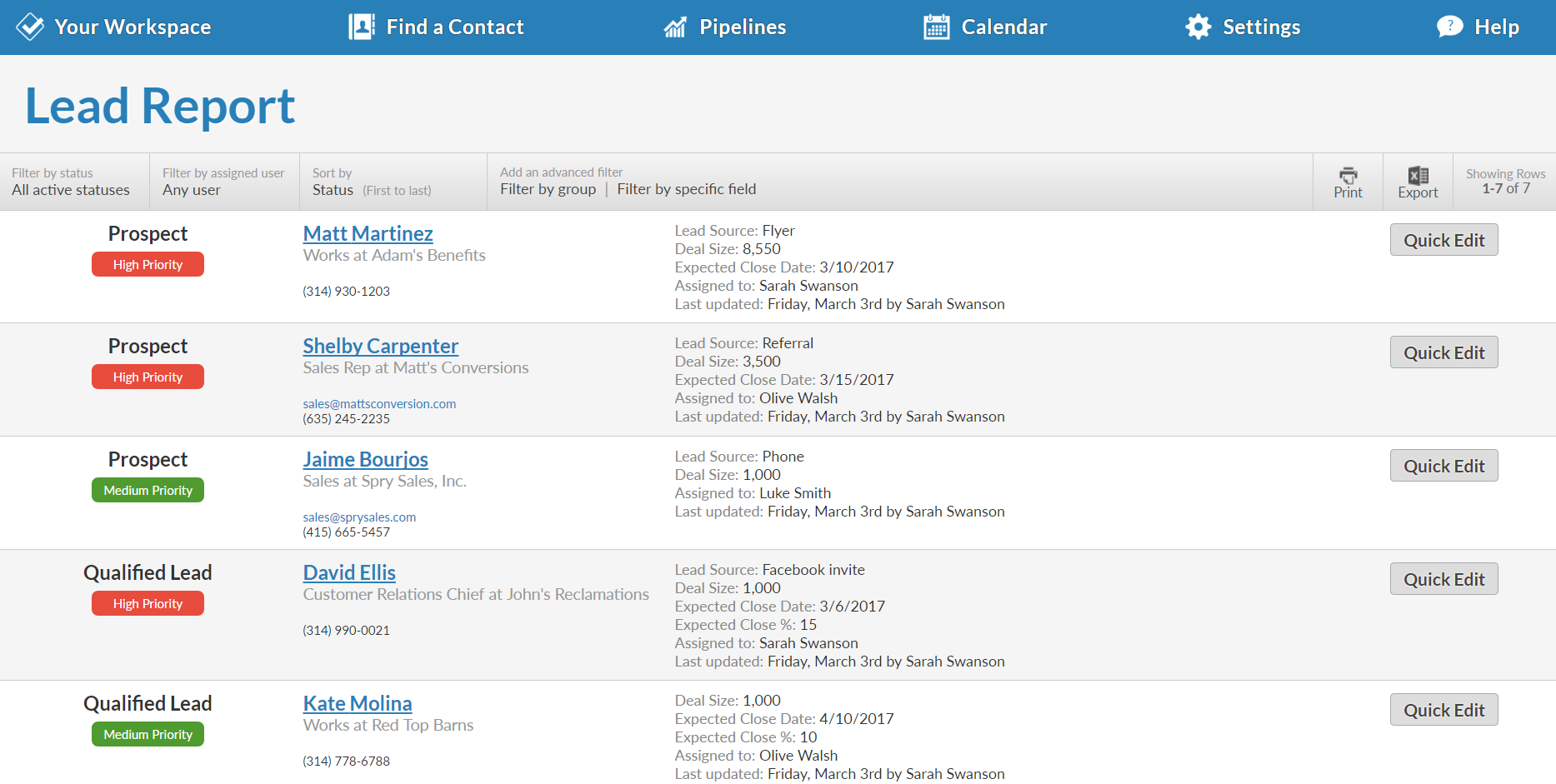
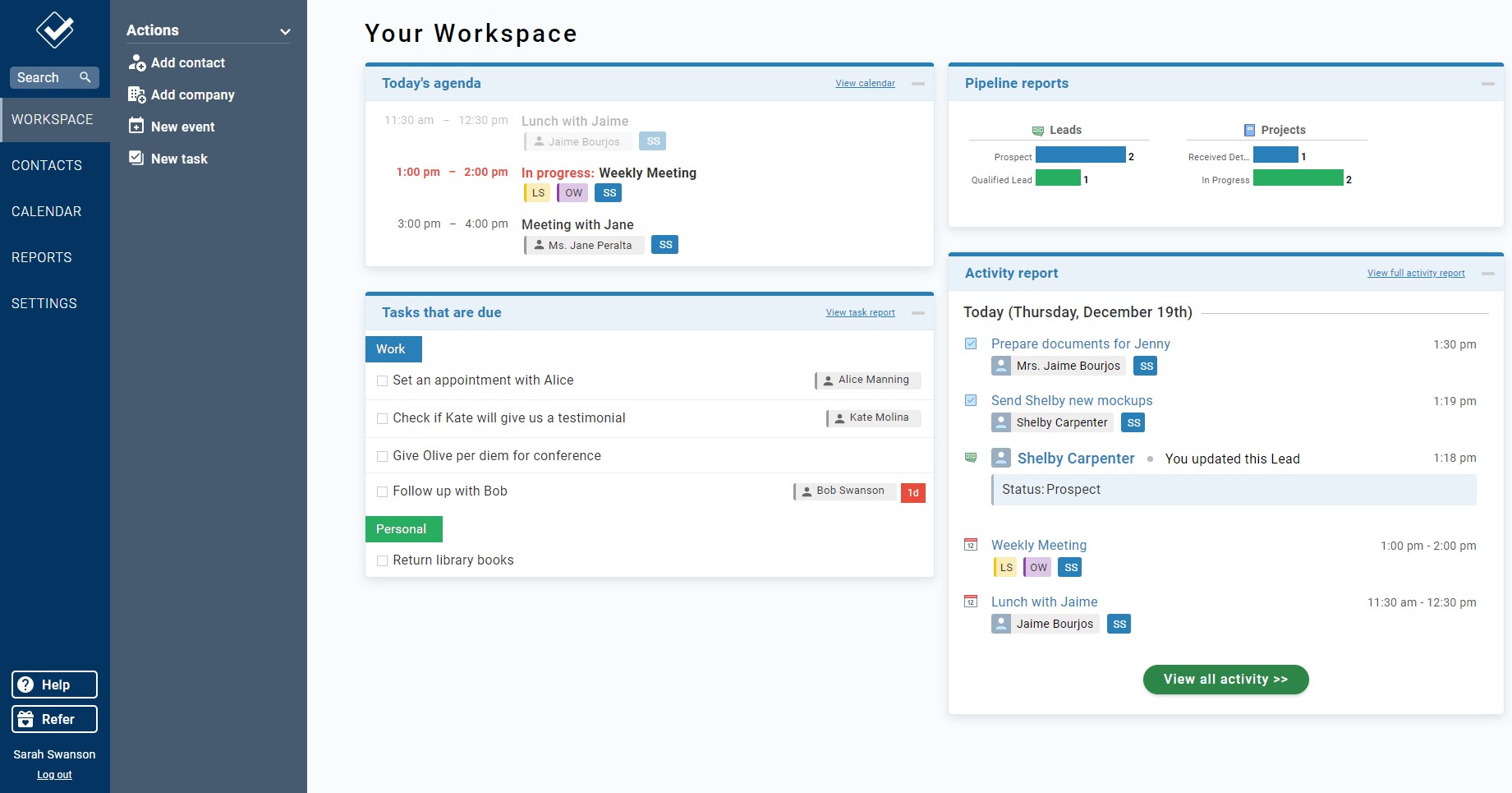
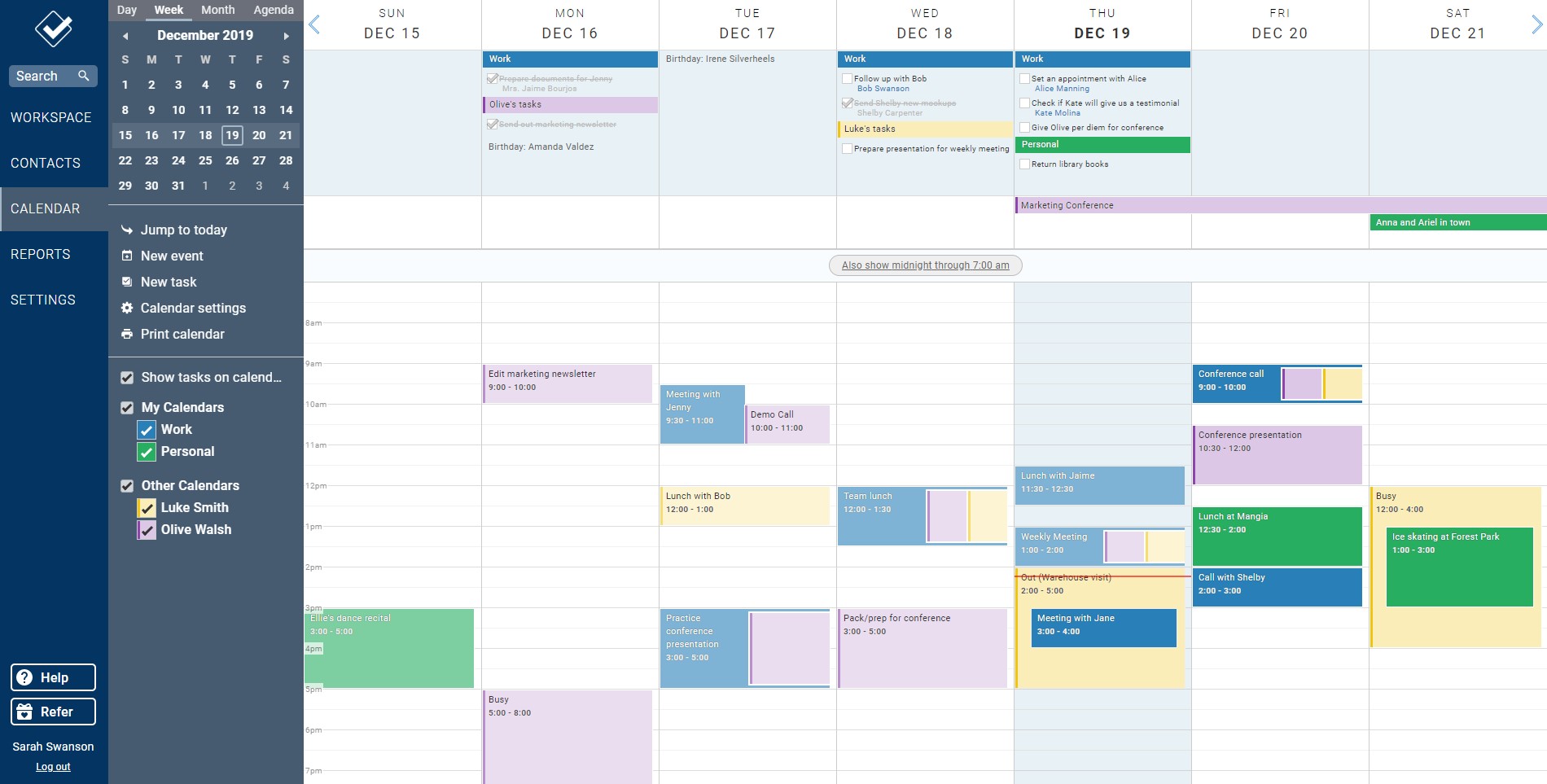
Less Annoying CRM is a customer relationship management (CRM) solution built specifically for small businesses to help clients manage contacts and track leads.
$15
per month per user
Method:CRM
Score8.4 out of 10
N/A
Method:crm is a QuickBooks-integrated, cloud-based CRM platform.
$25
per month per user
Pricing
Less Annoying CRM
Method:CRM
Editions & Modules
Always
$15
per month per user
Contact Management
$25
per month per user
CRM Pro
$44
per month per user
CRM Enterprise
$74
per month per user
CRM Multi-Entity
Custom Quote
Offerings
Pricing Offerings
Less Annoying CRM
Method:CRM
Free Trial
Yes
Yes
Free/Freemium Version
No
No
Premium Consulting/Integration Services
No
Yes
Entry-level Setup Fee
No setup fee
No setup fee
Additional Details
The system is $15 per user per month. No hidden costs or fees, or paying unused functionality. No long-term contracts. The first 30 days with the product are free, and the vendor won’t ask for payment information until that trial period ends.
Less Annoying CRM is an excellent system for us as we log everything we do with a customer and has easy access to the imfromation later. May sound "of course" but this is by far the easiest CRM I've ever worked with during my 30 years in sales. Follow-up and scheduling is easy managable as well as designing forms and fields our selves. Less Annoying CRM has a good list of plug'ins to other software for integrational puposes. Most important to us is support when needed. Less Annoying CRM excels in its support. Don't hesitate, it doesn't do everything, but get started and get surprised
Method[:CRM] is well suited when you have a large company that needs to keep track of customers. It also connects with Quickbooks and that has really been nice for our organization. Our company is small so this really helps us stay on track and build our data base of customers.
A de minimis incentive was given to thank the reviewer for their time. The incentive was not used to bias or drive a particular response, nor was the incentive contingent on a positive endorsement. More Info
Ease of moving calendar / action items around, closing out
Customer service is extremely responsive, they don't hide behind a "contact us" form on their website as so many companies seem to do. You can readily reach them by phone!
A de minimis incentive was given to thank the reviewer for their time. The incentive was not used to bias or drive a particular response, nor was the incentive contingent on a positive endorsement. More Info
The one thing I was looking for is a place to manage multiple businesses with one project. Like if I am selling a "summer camp guide," I would like to have info for sales in one place with multiple contacts and businesses. LACRM customer service provided a workaround for me by suggesting I set up a specific pipeline for each project and them put each business in there. It is working great and, actually, a much better way to manage the project than I have originally intended.
I really don't have anything else to add. LACRM is perfect for us.
The things Method does well - QuickBooks data integration and extreme customization - it does very, very well. If you are looking for a CRM product or any business process automation software that integrates with QuickBooks, you have to look at Method CRM
The biggest reason I came to Less Annoying CRM was how simple it was to use and how powerful it is. The learning curve is very small, and I was able to start using it in a productive way right from the beginning. When I had questions or asked for suggestions the CRM Coaches at the company responded immediately and made sure my questions were answered.
Method has a great overall "usability". Once we started using the software; it did not take long before we were able to start editing our own web lead forms, email templates, etc. I think there is a learning curve however the learning curve is not bad. Anyone looking for a cloud CRM should start here
A de minimis incentive was given to thank the reviewer for their time. The incentive was not used to bias or drive a particular response, nor was the incentive contingent on a positive endorsement. More Info
I can't stress enough, how Less Annoying CRM's Customer Service is the absolute best thing. You're never going to be waiting weeks for a response. You're always going to know someone will call you back. They don't forget you or lose your ticket. And If you don't THINK something can be done with Less Annoying CRM, write or call Customer Service, and they are sure to have a wealth of information and ideas to offer you. They really are about helping you find simple solutions that work! They are SMART about workflows and productivity!
A de minimis incentive was given to thank the reviewer for their time. The incentive was not used to bias or drive a particular response, nor was the incentive contingent on a positive endorsement. More Info
The Customer Support of this app is fantastic. If you ever have any questions they are there to answer you or fix whatever issue that you are having. The FAQ pages are also extremely helpful when you want to learn about the more in-depth qualities this program has to offer.
A de minimis incentive was given to thank the reviewer for their time. The incentive was not used to bias or drive a particular response, nor was the incentive contingent on a positive endorsement. More Info
After explaining that I was moving from Salesforce and the problems I was encountering, they took over and implemented the data in such a quick and efficient way, I was looking for the other shoe to drop but they did an amazing job so very impressed
Be available to learn! There is a huge learning curve to this program. You have to be willing to take it all in. Be available to the Method expert and be patient.
HubSpot has a huge selection of tools, reports, integrations and supports that Less Annoying does not have. It is not comparable in price or functionality - but I am comparing it because it was the last CRM I used before I used Less Annoying, and it made me realize that if you don't need all the bells and whistles, but you just need to track your Customers and manage your leads and you don't want to spend a lot of money, Less Annoying CRM is the way to go.
We chose Method:CRM for the QuickBooks integration. It was important for us to have integrations that allowed us to view payments, organize our contacts, and manage our sales force. There were some learning curves, however, such as creating activities, leads, customers and making sure our payments were being logged appropriately. I do wish that payments would be added to the calendar automatically so that the sales rep could view and make a phone call letting them know their invoice is due.
Not just storage of information, but utilizing that information to build stronger relationships with clients
Because it's web-based, we can be at our desk or on the road and still have the full functionality of the CRM at our fingertips, which helps us keep focusing on sales!
A de minimis incentive was given to thank the reviewer for their time. The incentive was not used to bias or drive a particular response, nor was the incentive contingent on a positive endorsement. More Info