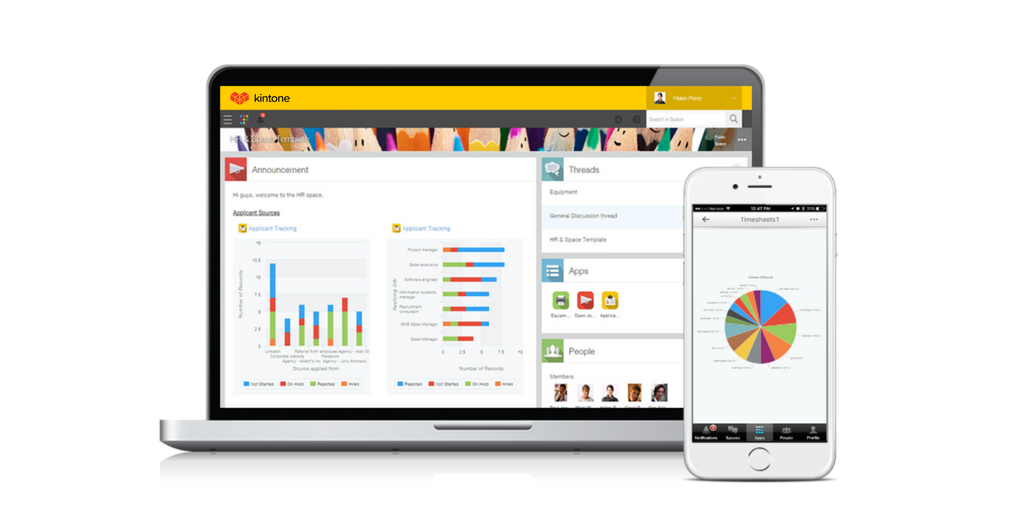
Kintone is a customizable digital workplace platform that lets the user manage data, tasks, and communication in one central place. Over 30,000 customers use Kintone’s no-code platform with more than 1.5 million database and workflow applications custom built for their businesses. The no-code drag-and-drop interface can be used to create custom database applications. Whether it’s sales leads, customer quotes, or inventory management, it can be organized in Kintone and viewed from the…
$24
per month per user
Power Apps
Score 7.7 out of 10
N/A
PowerApps is a low code / rapid application development product from Microsoft that allows users to quickly build apps.
$20
per month per user
Pricing
Kintone
Power Apps
Editions & Modules
Professional Subscription
$24
per month per user
Power Apps Premium
$20
per month per user
Offerings
Pricing Offerings
Kintone
Power Apps
Free Trial
Yes
Yes
Free/Freemium Version
No
No
Premium Consulting/Integration Services
No
No
Entry-level Setup Fee
Optional
No setup fee
Additional Details
All subscriptions have a minimum requirement of 5 users.
—
More Pricing Information
Community Pulse
Kintone
Power Apps
Features
Kintone
Power Apps
Low-Code Development
Comparison of Low-Code Development features of Product A and Product B
Kintone is great if you want a software that will help you in managing your data, and keep track of which tasks are assigned to whom. It also helps to streamline communication and information in one central place. However, it is not for you if you are looking for something complex that has to manage a lot of data.
PowerApps is well suited for "quick-wins" and fast prototypes of business solutions. It also is beneficial for situations where business partners and developers work together - it allows the business folks to provide a "quick-and-dirty" prototype which is then fleshed-out by developers that are trained experts on the platform. The interactive and easy to understand representation of the solution allows business partners to "see" the solution and add, remove, or correct aspects of it themselves. It provides a common view and understanding of the actual solution across business units and tech teams. PowerApps, being a low-code\no-code platform is not well suited for business processes that require many complex computations or large amounts of custom code - such as solutions that are better architected as Web Site or "full-blown" desktop solutions. There are solutions that are just not easy or quick to accomplish in a low-code\no-code platform. Enterprise Architects should know the difference, however business partners often try to create a solution and only when stuck because it becomes too complex do they engage a tech team for assistance - at which point there are sunk-costs involved and hinderences to re-platforming the solution
Power Apps has formats that are pre-built that don't require any coding which makes it easier to achieve your vision. This does become a challenge if your App needs don't fit into that format.
We deal with a ton of data so the fact that you can connect to any data source in addition to their pre-stablished data connections makes the process a breeze.
The online learning resources and tutorials are helpful as well for those who are tech savvy.
I feel that Kintone is not well enough known yet. This means that other apps/APIs are not necessarily easy to connect with Kintone. Yes, you can use Zapier though for interfacing with other apps.
It would be great if it could give more customized options to change the look and format of certain things. You can make price quote apps, for example, but have to rely on 3rd party apps or programming skills to customize the look and fields.
If you make a table as an input field, it cannot connect to other internal Kintone apps for lookups and such.
I think there is more potential to make more customized data graphs.
PowerApps has a great coding option, but there are some pieces of the tool that the requirement to understand code is a barrier to fun if the user doesn't code.
MUCH time can be spent looking for solutions on this young platform and the body of forum/help/lessons learned is not as robust as it will be in a few years.
Like many early-stage Microsoft products, PowerApps is a relatively blank slate that will be improved by the feedback of their users and ongoing feature development. Right now it seems that the product lacks a critical mass of use-case driven templates (there are some, but I haven't yet found one that didn't require more work to customize it to my need that it would take to build my own tool).
I still think that there's a room for Kintone's future, and high expectations for them in additional features and innovative tools and supports. Truly hope that they will support email features, and standardized supports for various plug-ins with the 3rd party software and apps. In the meantime, we will have to consider our ways of doing our work in all aspects
Kintone is agile app and most of the time we can easily come up with new apps. However, there should be more feature-based drag and drop and or a visual-based usability, as we all want to minimize the number of clicks and dropdown menu selections as much as possible. Thanks.
PowerApps is a great solution and I have spent the last year familiarizing myself with the platform and building custom applications to complete a whole range of tasks such as asset management, custom invoice generation, and item restriction tracking. We as a company have barely begun to scratch the surface of what can be achieved with PowerApps.
The support from Kintone has been excellent. On numerous occasions, customer service representatives have proactively reached out to us to see if we needed help with anything. They also scheduled Zoom calls one month after we went live to go over any questions we had. Additionally, they assigned a local account representative to check in on us periodically to provide any necessary help.
The community forums are extremely responsive to questions asked, there is a good body of online documentation and many community posts to draw from. Although the platform has changed, which means some of the posts are out of date and the solutions provided aren't relevant. Of relevance, I read over 400 articles plus documentation to get this first app built in SharePoint, move it to SQL and make it work exactly the way it should.
Everyone has their own tastes of things and way they want to work. Asking them to adapt to the changes with the new tools or apps is always difficult. We would want to start with a very small but best example within the organization, which in our case was that the employees will not be bothered by the bosses by being asked to find the documents, status of the progresses, or major things/requests/projects.
Kintone is the easiest product to create from and the cost is the lowest I believe. In addition, reconfigurability and extendability are great. If you look for a low code tool, you can try Kintone. But as same as another low code tool, don't expect too much.
1. PowerApps functionality comes with E1 over E3 License without adding extra costs 2. For Nintex you pay (at the beginning) for each workflow, so my intention would be, to do no workflows to prevent additional costs, but I want a platform with a fair price that allows me to create workflows without thinking about the price for each workflow and we use only some workflow and relative easy workflows and forms as a medium-sized company. 3. PowerApps provides a lot of functionality without needing to invest in premium features directly.