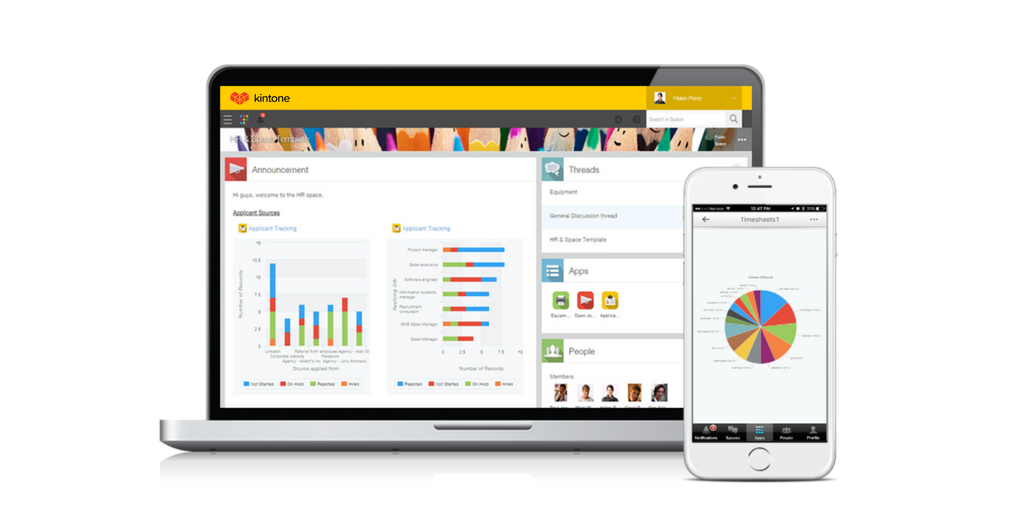
Kintone is a customizable digital workplace platform that lets the user manage data, tasks, and communication in one central place. Over 30,000 customers use Kintone’s no-code platform with more than 1.5 million database and workflow applications custom built for their businesses. The no-code drag-and-drop interface can be used to create custom database applications. Whether it’s sales leads, customer quotes, or inventory management, it can be organized in Kintone and viewed from the…
$24
per month per user
Method:CRM
Score8.4 out of 10
N/A
Method:crm is a QuickBooks-integrated, cloud-based CRM platform.
$25
per month per user
Pricing
Kintone
Method:CRM
Editions & Modules
Professional Subscription
$24
per month per user
Contact Management
$25
per month per user
CRM Pro
$44
per month per user
CRM Enterprise
$74
per month per user
CRM Multi-Entity
Custom Quote
Offerings
Pricing Offerings
Kintone
Method:CRM
Free Trial
Yes
Yes
Free/Freemium Version
No
No
Premium Consulting/Integration Services
Yes
Yes
Entry-level Setup Fee
Optional
No setup fee
Additional Details
All subscriptions have a minimum requirement of 5 users.
Kintone is great if you want a software that will help you in managing your data, and keep track of which tasks are assigned to whom. It also helps to streamline communication and information in one central place. However, it is not for you if you are looking for something complex that has to manage a lot of data.
A de minimis incentive was given to thank the reviewer for their time. The incentive was not used to bias or drive a particular response, nor was the incentive contingent on a positive endorsement. More Info
Method[:CRM] is well suited when you have a large company that needs to keep track of customers. It also connects with Quickbooks and that has really been nice for our organization. Our company is small so this really helps us stay on track and build our data base of customers.
A de minimis incentive was given to thank the reviewer for their time. The incentive was not used to bias or drive a particular response, nor was the incentive contingent on a positive endorsement. More Info
A de minimis incentive was given to thank the reviewer for their time. The incentive was not used to bias or drive a particular response, nor was the incentive contingent on a positive endorsement. More Info
A de minimis incentive was given to thank the reviewer for their time. The incentive was not used to bias or drive a particular response, nor was the incentive contingent on a positive endorsement. More Info
I feel that Kintone is not well enough known yet. This means that other apps/APIs are not necessarily easy to connect with Kintone. Yes, you can use Zapier though for interfacing with other apps.
It would be great if it could give more customized options to change the look and format of certain things. You can make price quote apps, for example, but have to rely on 3rd party apps or programming skills to customize the look and fields.
If you make a table as an input field, it cannot connect to other internal Kintone apps for lookups and such.
I think there is more potential to make more customized data graphs.
A de minimis incentive was given to thank the reviewer for their time. The incentive was not used to bias or drive a particular response, nor was the incentive contingent on a positive endorsement. TR verified that a representative sample of customers was invited. More Info
I still think that there's a room for Kintone's future, and high expectations for them in additional features and innovative tools and supports. Truly hope that they will support email features, and standardized supports for various plug-ins with the 3rd party software and apps. In the meantime, we will have to consider our ways of doing our work in all aspects
A de minimis incentive was given to thank the reviewer for their time. The incentive was not used to bias or drive a particular response, nor was the incentive contingent on a positive endorsement. More Info
The things Method does well - QuickBooks data integration and extreme customization - it does very, very well. If you are looking for a CRM product or any business process automation software that integrates with QuickBooks, you have to look at Method CRM
Kintone is agile app and most of the time we can easily come up with new apps. However, there should be more feature-based drag and drop and or a visual-based usability, as we all want to minimize the number of clicks and dropdown menu selections as much as possible. Thanks.
A de minimis incentive was given to thank the reviewer for their time. The incentive was not used to bias or drive a particular response, nor was the incentive contingent on a positive endorsement. More Info
Method has a great overall "usability". Once we started using the software; it did not take long before we were able to start editing our own web lead forms, email templates, etc. I think there is a learning curve however the learning curve is not bad. Anyone looking for a cloud CRM should start here
A de minimis incentive was given to thank the reviewer for their time. The incentive was not used to bias or drive a particular response, nor was the incentive contingent on a positive endorsement. More Info
A de minimis incentive was given to thank the reviewer for their time. The incentive was not used to bias or drive a particular response, nor was the incentive contingent on a positive endorsement. TR verified that a representative sample of customers was invited. More Info
A de minimis incentive was given to thank the reviewer for their time. The incentive was not used to bias or drive a particular response, nor was the incentive contingent on a positive endorsement. TR verified that a representative sample of customers was invited. More Info
I have had very specific questions about different aspects of the software, and I have always been able to get a hold of someone who could help. If my sales rep didn’t know the answer, he would get me in touch with someone who did know the answer. The whole team is very ready to help. It definitely feels like they view my success as their success, which is so important with this type of software.
A de minimis incentive was given to thank the reviewer for their time. The incentive was not used to bias or drive a particular response, nor was the incentive contingent on a positive endorsement. More Info
The Customer Support of this app is fantastic. If you ever have any questions they are there to answer you or fix whatever issue that you are having. The FAQ pages are also extremely helpful when you want to learn about the more in-depth qualities this program has to offer.
A de minimis incentive was given to thank the reviewer for their time. The incentive was not used to bias or drive a particular response, nor was the incentive contingent on a positive endorsement. More Info
Everyone has their own tastes of things and way they want to work. Asking them to adapt to the changes with the new tools or apps is always difficult. We would want to start with a very small but best example within the organization, which in our case was that the employees will not be bothered by the bosses by being asked to find the documents, status of the progresses, or major things/requests/projects.
A de minimis incentive was given to thank the reviewer for their time. The incentive was not used to bias or drive a particular response, nor was the incentive contingent on a positive endorsement. More Info
Be available to learn! There is a huge learning curve to this program. You have to be willing to take it all in. Be available to the Method expert and be patient.
Kintone is the easiest product to create from and the cost is the lowest I believe. In addition, reconfigurability and extendability are great. If you look for a low code tool, you can try Kintone. But as same as another low code tool, don't expect too much.
A de minimis incentive was given to thank the reviewer for their time. The incentive was not used to bias or drive a particular response, nor was the incentive contingent on a positive endorsement. More Info
We chose Method:CRM for the QuickBooks integration. It was important for us to have integrations that allowed us to view payments, organize our contacts, and manage our sales force. There were some learning curves, however, such as creating activities, leads, customers and making sure our payments were being logged appropriately. I do wish that payments would be added to the calendar automatically so that the sales rep could view and make a phone call letting them know their invoice is due.
A de minimis incentive was given to thank the reviewer for their time. The incentive was not used to bias or drive a particular response, nor was the incentive contingent on a positive endorsement. TR verified that a representative sample of customers was invited. More Info
A de minimis incentive was given to thank the reviewer for their time. The incentive was not used to bias or drive a particular response, nor was the incentive contingent on a positive endorsement. TR verified that a representative sample of customers was invited. More Info
A de minimis incentive was given to thank the reviewer for their time. The incentive was not used to bias or drive a particular response, nor was the incentive contingent on a positive endorsement. TR verified that a representative sample of customers was invited. More Info
A de minimis incentive was given to thank the reviewer for their time. The incentive was not used to bias or drive a particular response, nor was the incentive contingent on a positive endorsement. More Info