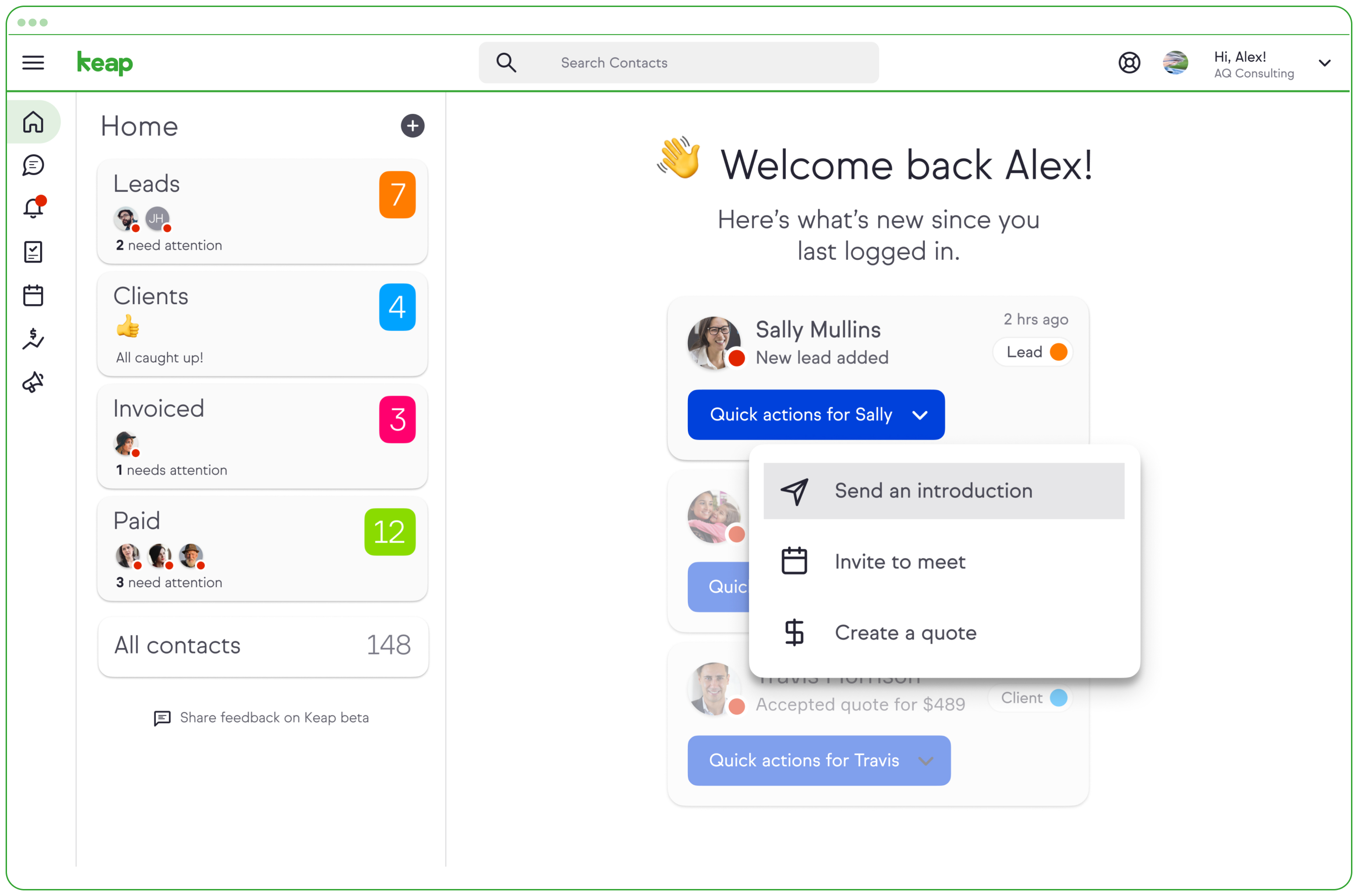
Keap is a small business-focused, comprehensive sales and marketing platform which combines basic contact management, CRM, marketing automation, and e-commerce capabilities into a single, subscription-based SaaS product.
$199
per month
Nimble
Score 9.8 out of 10
N/A
Nimble is a social customer relationship management (CRM) system with features such as contact management and data-driven analytics.
$19
Per User Per Month
Pricing
Keap
Nimble
Editions & Modules
Pro
$199.00
per month
Max
$289.00
per month
Max Classic
Contact Us
per year
Business
$19.00
Per User Per Month
Offerings
Pricing Offerings
Keap
Nimble
Free Trial
Yes
Yes
Free/Freemium Version
No
No
Premium Consulting/Integration Services
No
No
Entry-level Setup Fee
Optional
No setup fee
Additional Details
All plans with 1 user and 500 contacts. The price is $30.00 for each additional user.
—
More Pricing Information
Community Pulse
Keap
Nimble
Features
Keap
Nimble
CRM Project Management
Comparison of CRM Project Management features of Product A and Product B
Keap
7.7
Ratings
14% below category average
Nimble
8.2
Ratings
8% above category average
Task management
8.80 Ratings
8.50 Ratings
Billing and invoicing management
7.40 Ratings
8.40 Ratings
Reporting
7.10 Ratings
7.70 Ratings
Automated CRM activity logging
6.40 Ratings
00 Ratings
Sales pipeline management
9.10 Ratings
00 Ratings
Email & Online Marketing
Comparison of Email & Online Marketing features of Product A and Product B
Keap
7.0
Ratings
16% below category average
Nimble
-
Ratings
WYSIWYG email editor
9.00 Ratings
00 Ratings
Dynamic content
8.90 Ratings
00 Ratings
Landing pages
5.90 Ratings
00 Ratings
A/B testing
6.40 Ratings
00 Ratings
Mobile optimization
6.30 Ratings
00 Ratings
Email deliverability reporting
7.50 Ratings
00 Ratings
List management
8.40 Ratings
00 Ratings
Triggered drip sequences
9.00 Ratings
00 Ratings
Lead Management
Comparison of Lead Management features of Product A and Product B
Keap
7.3
Ratings
12% below category average
Nimble
-
Ratings
Lead nurturing automation
7.50 Ratings
00 Ratings
Lead scoring and grading
6.20 Ratings
00 Ratings
Data quality management
6.70 Ratings
00 Ratings
Automated sales alerts and tasks
7.30 Ratings
00 Ratings
Automated follow-ups
9.10 Ratings
00 Ratings
Campaign Management
Comparison of Campaign Management features of Product A and Product B
Keap
7.7
Ratings
10% above category average
Nimble
-
Ratings
Calendaring
8.30 Ratings
00 Ratings
Reporting & Analytics
Comparison of Reporting & Analytics features of Product A and Product B
Keap
5.2
Ratings
28% below category average
Nimble
-
Ratings
Dashboards
7.20 Ratings
00 Ratings
Standard reports
3.60 Ratings
00 Ratings
Custom reports
4.70 Ratings
00 Ratings
Platform & Infrastructure
Comparison of Platform & Infrastructure features of Product A and Product B
Keap
5.5
Ratings
39% below category average
Nimble
-
Ratings
API
4.70 Ratings
00 Ratings
Role-based workflow & approvals
6.40 Ratings
00 Ratings
Customizability
5.40 Ratings
00 Ratings
Third-party software integrations
7.30 Ratings
00 Ratings
Mobile app for sales & marketing automation
5.50 Ratings
00 Ratings
Sales Force Automation
Comparison of Sales Force Automation features of Product A and Product B
Keap
-
Ratings
Nimble
8.5
Ratings
10% above category average
Customer data management / contact management
00 Ratings
9.50 Ratings
Workflow management
00 Ratings
8.40 Ratings
Territory management
00 Ratings
8.70 Ratings
Opportunity management
00 Ratings
8.10 Ratings
Integration with email client (e.g., Outlook or Gmail)
00 Ratings
9.40 Ratings
Contract management
00 Ratings
8.50 Ratings
Quote & order management
00 Ratings
6.60 Ratings
Interaction tracking
00 Ratings
9.20 Ratings
Channel / partner relationship management
00 Ratings
8.10 Ratings
Customer Service & Support
Comparison of Customer Service & Support features of Product A and Product B
Keap
-
Ratings
Nimble
8.1
Ratings
7% above category average
Case management
00 Ratings
7.90 Ratings
Call center management
00 Ratings
8.20 Ratings
Help desk management
00 Ratings
8.30 Ratings
Marketing Automation
Comparison of Marketing Automation features of Product A and Product B
Keap
-
Ratings
Nimble
8.7
Ratings
14% above category average
Lead management
00 Ratings
8.40 Ratings
Email marketing
00 Ratings
9.00 Ratings
CRM Reporting & Analytics
Comparison of CRM Reporting & Analytics features of Product A and Product B
Keap
-
Ratings
Nimble
8.9
Ratings
16% above category average
Forecasting
00 Ratings
8.90 Ratings
Pipeline visualization
00 Ratings
8.80 Ratings
Customizable reports
00 Ratings
9.00 Ratings
Customization
Comparison of Customization features of Product A and Product B
Keap
-
Ratings
Nimble
8.6
Ratings
14% above category average
Custom fields
00 Ratings
9.00 Ratings
Custom objects
00 Ratings
8.30 Ratings
Scripting environment
00 Ratings
8.50 Ratings
API for custom integration
00 Ratings
8.80 Ratings
Security
Comparison of Security features of Product A and Product B
Keap
-
Ratings
Nimble
9.3
Ratings
11% above category average
Single sign-on capability
00 Ratings
9.40 Ratings
Role-based user permissions
00 Ratings
9.30 Ratings
Social CRM
Comparison of Social CRM features of Product A and Product B
Keap
-
Ratings
Nimble
8.4
Ratings
13% above category average
Social data
00 Ratings
8.40 Ratings
Social engagement
00 Ratings
8.40 Ratings
Integrations with 3rd-party Software
Comparison of Integrations with 3rd-party Software features of Product A and Product B
Keap
-
Ratings
Nimble
8.8
Ratings
18% above category average
Marketing automation
00 Ratings
8.70 Ratings
Compensation management
00 Ratings
8.90 Ratings
Platform
Comparison of Platform features of Product A and Product B
Keap is very good at contact management and automation creation but weaker at email campaign creation. I was particularly interested in a function where when manually entering a new contact, you are then able to email that contact using a premade HTML template. It will currently not do this. There is a workaround, but it is unnecessarily ponderous.
[Nimble] has been the best platform for us to manage contacts and information from the contacts. Great dashboard, fast UI, and complete package with all features helping us a lot. I would definitely recommend this software to other businesses to have this in their ecosystem to be more productive.
More articles and videos on how to use the various functions of Keap
Having representatives designated to certain regions or companies for a point of contact when help is needed
More options when building the emails. While the click and drop options can be a plus, they can also be negative because you are limited to image and text sizing and positions
I dont like the functionality aspect of how one of the controllers is always on standby, they dont load balance, meaning you can be on the same controller for the life of the appliance
The 4.x firmware was pretty buggy and it gave off a lot of temp alarms
We have invested a lot into Infusionsoft and are using it to automate our processes and marketing. Changing CRMs would have a HUGE cost for us and based on our evaluations, the grass isn't greener elsewhere. Infusiosoft fits most of our needs and is slowly getting better each year. Their support is great and we will continue to use them until something much better comes around or our company outgrows a small business CRM.
It's truly a great system if you get it for the right reasons. Don't expect it to do everything a mid market organization would require but for any small business or mid to large organizations which would like to integrate to it for the social insights capabilities this is a leading solution which can add value immediately
You do need to spend some time on-boarding and implementing the software in order to have full functionality. We were lucky - we had colleagues at the university with experience with Keap and then hired an intern familiar with the software to get us set up and ready to use it. We've had some functionality issues with it along the way and that has frustrated myself and the other uses in our department.
The platform has more advantages and positives as compared to challenges or negatives in comparison to other comparable products and platforms available in the marketplace. It was extremely easy to get started with the initial deployment which makes the choice much clearer. Finally its tight integration not just with Microsoft O365 suite, but also with [the] most popular social media platforms available makes it a very favorable platform in its domain.
Generally, very responsive support for even our more complicated issues. We do have some open issues that we need resolutions on and that I understand are complicated and will take longer to resolve but the open issues are significantly impacting to our business.
Nimble customer service is enjoyable. With great patience, they work tirelessly to help their customers. It was highly beneficial to employees to have access to remote support sessions. We decided to get in touch with them to learn more about any previously mentioned features. Because of this, Nimble has a strong foundation. I think it's a fantastic option.
This training is taught often to the lowest common denominator so as to help as many customers of theirs as possible. We do the training and coaching and implementations for our clients. But clients who I know who have been to their training get trained well. The gap that can exist lies in you doing your part and really investing in using and building out the application. The training and education is only as good as your willingness to apply it.
The results of training online are often based on how people learn. The training was great but with feature updates, you just have to get in there sometimes and do it! The training definitely lays a firm enough foundation for you to be successful even if its can't be updated with every feature update.
If you do this by yourself it will likely take you 6-9 months to get it entirely set up, unless you have a full-time dedicated person handling it. I recommend hiring a prof service company to implement it for you. They should be able to do it all in 90 days or less.
Keap is fast. The learning curve is shorter and they have an academy for learning with videos quite extensive that explain a lot of different scenarios, specially when you need to customize scenarios of automations and segments. Is cheaper if you consider that this services CRM + Mailing don´t come often in one package and the realiability to send mails is quite good.
I cannot regard Salesforce as a perfect tool for CRM. I found Salesforce lacks many important features that we were looking for. Moreover, [the] email marketing feature of Salesforce wasn’t working well and I didn’t like that feature. But on the other side, the email marketing feature of Nimble works excellently and Nimble is a complete package for CRM.
You get a lot of features included, but you don't need to use them all at once to start seeing an effect. When you are ready to use them, they are there. It also scales without costing too much money.
Automation has allowed us to be more engaged and invested in our customers by reminding us about birthdays and other important events in their lives so that we can celebrate with them.
We lacked the manpower to sell and distribute orders online before setting up the payments and automation features. We now collect $5k+ a week in lost sales through online ordering.
List cleaning functionality and engagment settings have allowed us to run a 40-50% email open rate that allows us to create an engaged community around local events and opportunities as well as sales and special offerings.
As the investment made with nimble is only 15 dollars per month, it is easy to return it and double profits in a short time, but this is totally relative to the number of people that are working on the platform account.
Based on the above, it is easy to deduce that nimble is a little better suited to small businesses that require a smaller number of sellers, since it does not ensure that all sellers can cover their quota.