Kaltura, headquartered in New York, offers enterprise or large scale video storage, streaming, and distribution supporting a variety of purposes such as streaming, enterprise video portal, interactive video and virtual classroom, or podcasting.
N/A
Wistia
Score9.8 out of 10
N/A
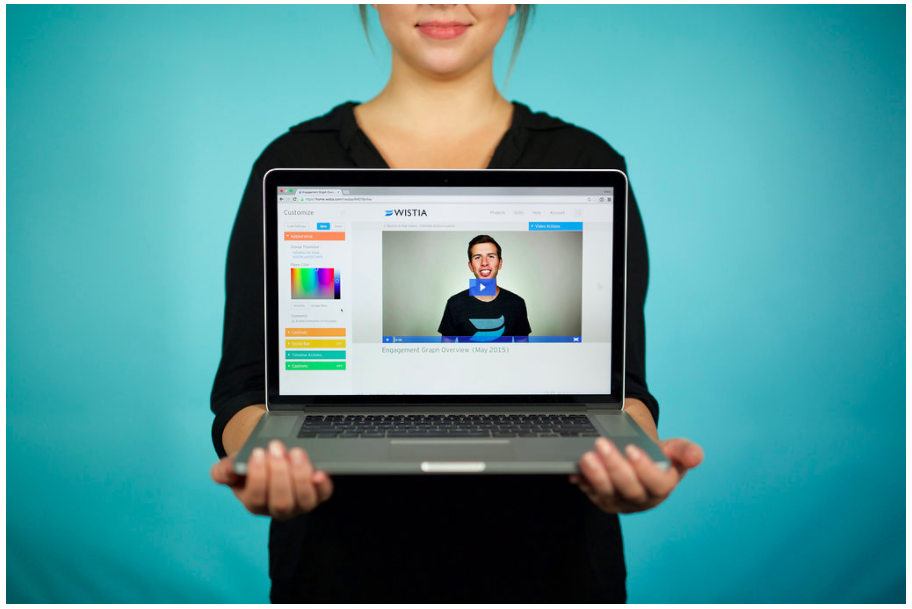
Wistia is a video marketing platform that helps teams create, host, market, and measure their videos and webinars. Wistia is used to create professional videos, host webinars, collect and send leads to a connected marketing automation platform. Wistia additionally offers customers support and educational resources.
President in Marketing at McMichen Consulting Company LLC (Marketing and Advertising, 1-10 employees)
Chose Wistia
I found that Wistia is much easier to use and the integration with Marketo is a standard product offering. Kaltura only offered a software development kit (SDK) and required that I write my own software integration.
A de minimis incentive was given to thank the reviewer for their time. The incentive was not used to bias or drive a particular response, nor was the incentive contingent on a positive endorsement. More Info
Director Digital Strategy at Wilson Dow Group (Events Services, 51-200 employees)
Chose Wistia
Wistia proved to strike a balance between features, support, reliability, and ease of use. Some offer deeper features, but require much more of executional teams, which increases drag and friction in continually distributing new content.
A de minimis incentive was given to thank the reviewer for their time. The incentive was not used to bias or drive a particular response, nor was the incentive contingent on a positive endorsement. More Info
Kaltura is an excellent tool IF you have a large library of content. It can be pretty pricey so if you are early in launching an online program you may be better off waiting a few years until you've amassed a large enough catalog to warrant the investment in such a tool. The tool is best purchased by a University or company-wide vs having a single department try to find the budget for it. The unlimited plan pays for itself in most cases if you go this route. Secondly, you must be willing to invest time and resources into on-going training for your faculty and staff, especially for those who wish to create their own media and use the quizzing features.
A de minimis incentive was given to thank the reviewer for their time. The incentive was not used to bias or drive a particular response, nor was the incentive contingent on a positive endorsement. More Info
For companies that want to integrate their videos into actionable steps like behavioral follow up through a CRM, Wistia is the best tool to use. You can automate your systems to track when a video is viewed, engaged with or how long a person has been watching along with heatmaps to show where people were most interested and least interested so you can adjust your videos to optimize their performance.
A de minimis incentive was given to thank the reviewer for their time. The incentive was not used to bias or drive a particular response, nor was the incentive contingent on a positive endorsement. More Info
Very easy to use interface for uploading videos or capturing a screen recording. There are very few clicks required to get the media up and running. The video conversion process that happens on the back-end is fast and provides videos in device agnostic formats.
Integrates well with other systems, such as our Moodle LMS. This extends the capabilities of the LMS and also allows us to keep video/multimedia content organized in a central location (the KMC).
Kaltura can be connected to various processes within your organization. For example, we have a system in place that allows a video lecture in a classroom to be uploaded to Kaltura in a very easy manner.
User/role management is very important as some people on campus have more privileges to publish content than do others. We have Kaltura connected to our Single Sign-On solution for authentication and we can assign roles to specific people within the Kaltura software.
A de minimis incentive was given to thank the reviewer for their time. The incentive was not used to bias or drive a particular response, nor was the incentive contingent on a positive endorsement. More Info
A de minimis incentive was given to thank the reviewer for their time. The incentive was not used to bias or drive a particular response, nor was the incentive contingent on a positive endorsement. More Info
Obtaining embed codes for a significantly large number of videos can be very time consuming as there is no way to automatically pull a report.
Within a project, there is no way to set the list to show a specific number of videos and you may only have a certain number of videos shown unless you click to expand the list and continue to do so.
Once the list is expanded and you click in to a video, when clicking back, the list reloads and you must expand the entire list again which can become very time consuming.
A de minimis incentive was given to thank the reviewer for their time. The incentive was not used to bias or drive a particular response, nor was the incentive contingent on a positive endorsement. More Info
The choice to renew our subscription does not belong to us, though we are able to provide input. We are aware of competitive products who have matured in the past three years, and we are aware now of alternatives to conventional plugin usage (LTI).
Wistia is super easy to use and very reliable, anytime a video needs to be updated, the existing media can be replaced, but the url remains the same so anywhere this media is shared or embedded, it is immediately updated. Their support is extremely helpful, and there is very rarely any issues with this product.
A de minimis incentive was given to thank the reviewer for their time. The incentive was not used to bias or drive a particular response, nor was the incentive contingent on a positive endorsement. More Info
Great, simple, usable product. Would have given it higher marks, but sometimes the folders and permissions aren't the most intuitive. Interface for uploading, tagging, describing videos is simple. Sharing is also relatively intuitive. Overall, a clean and simple interface and most of our marketing team had no issues using it. I think it was easier than using Vimeo.
A de minimis incentive was given to thank the reviewer for their time. The incentive was not used to bias or drive a particular response, nor was the incentive contingent on a positive endorsement. More Info
A de minimis incentive was given to thank the reviewer for their time. The incentive was not used to bias or drive a particular response, nor was the incentive contingent on a positive endorsement. More Info
I have never had any technical issues with Wistia. The service is fast and reliable. video play back begins as soon as a few seconds of video have buffered. The stats are accurate and available within a few hours of current use. I have integrated it with Marketo and found that the integration is clean and is easily incorporated into the campaign logic flow. (ex. If the user played more than 50% of the video, do Action-A, otherwise do Action-B.
A de minimis incentive was given to thank the reviewer for their time. The incentive was not used to bias or drive a particular response, nor was the incentive contingent on a positive endorsement. More Info
The first line support agents seldom are able to diagnose or troubleshoot any problems that we have. These agents simply open support tickets in their system which are escalated to a foreign level 2 support agent which creates at least a day delay between reporting a problem and getting initial feedback. Any back-and-forth questions add at least another day delay.
A de minimis incentive was given to thank the reviewer for their time. The incentive was not used to bias or drive a particular response, nor was the incentive contingent on a positive endorsement. More Info
We have only had to reach out to Wistia support a handful of times in the 4 years we have been using Wistia. They have always been quick to respond and help us solve the problem. The system is self-service so there should be very little to no need to reach out to support on a regular basis.
A de minimis incentive was given to thank the reviewer for their time. The incentive was not used to bias or drive a particular response, nor was the incentive contingent on a positive endorsement. More Info
A de minimis incentive was given to thank the reviewer for their time. The incentive was not used to bias or drive a particular response, nor was the incentive contingent on a positive endorsement. More Info
Kaltura was the best option given the sheer volume of people we needed to support digitally. Others were better in their own regard, but due to limitations in number of attendees or sessions, Kaltura was the best option
A de minimis incentive was given to thank the reviewer for their time. The incentive was not used to bias or drive a particular response, nor was the incentive contingent on a positive endorsement. More Info
Wistia is for business. Period. Vimeo has none of the benefits for a business that Wistia offers. The SEO value and SUPER FAST playback speed are essential. Wistia has it all. Personally, I can rarely get thought a video if hosted on Vimeo because of the glitchy playback and slow rendering.
A de minimis incentive was given to thank the reviewer for their time. The incentive was not used to bias or drive a particular response, nor was the incentive contingent on a positive endorsement. More Info
Managing video content with the KMC has greatly reduced the amount of hours previously needed to manage.
User issues ie: uploading video, viewing video has been greatly reduced.
Increased user engagement with using video in LMS courses. We currently have 6,929 videos on our system. Last month , 2/1/14, 17,623 videos were viewed at least 75% of the way through.
Doubled lead capture from lead magnet on website from one year to the next.
Increased email interaction on newsletters when embedding Wistia video thumbnail into email campaigns (10-15% links clicked bumped to 30-40% links clicked).
Can save us about 50+ hours of one-on-one client meeting time per year for pointing clients to video content rather than presenting the same info in a live setting.
A de minimis incentive was given to thank the reviewer for their time. The incentive was not used to bias or drive a particular response, nor was the incentive contingent on a positive endorsement. More Info