Kaltura Virtual Classroom vs. Livestorm

Overview
ProductRatingMost Used ByProduct SummaryStarting Price
Kaltura Virtual Classroom
Score 6.0 out of 10
N/A
Newrow is a virtual classroom software solution, now from Kaltura (acquired January 2020).
$23
per month
Livestorm
Score 10.0 out of 10
N/A
French company Livestorm offers their webinar platform which integrates with many other enterprise applications via Zapier and features polling, session recording and sharing, and webinar data collection and tracking.
$0
A free plan to discover Livestorm. All features included, such as unlimited webinars and instant meetings. Up to 20 minutes per webinar and up to 10 registrants per webinar.
Pricing
Kaltura Virtual ClassroomLivestorm
Editions & Modules
Standard
$23
per month
Pro
$55
per month
Enterprise
Custom Plan
Webinar Basic
$0.00
A free plan to discover Livestorm. All features included, such as unlimited webinars and instant meetings. Up to 20 minutes per webinar and up to 10 registrants per webinar.
Meet Basic
$0.00
Limited Instant and Scheduled Meetings for up to four participants
Meet Premium
$31.00
Full features for Instant and Scheduled Meetings.
Webinar Premium
$99.00
A premium experience with removed limitations to get the full benefits of Livestorm for up to 100 seats. + $99 to add 250 seats, + $209 to add 1,000 seats.
Enterprise
Contact sales
An enterprise-grade experience with premium service.
Offerings
Pricing Offerings
Kaltura Virtual ClassroomLivestorm
Free Trial
YesYes
Free/Freemium Version
NoYes
Premium Consulting/Integration Services
NoNo
Entry-level Setup FeeNo setup feeNo setup fee
Additional DetailsDiscount available for annual pricing.
More Pricing Information
Community Pulse
Kaltura Virtual ClassroomLivestorm
Features
Kaltura Virtual ClassroomLivestorm
Reporting & Analytics
Comparison of Reporting & Analytics features of Product A and Product B
Kaltura Virtual Classroom
-
Ratings
Livestorm
10.0
Ratings
29% above category average
Dashboards00 Ratings10.00 Ratings
Data exportability00 Ratings10.00 Ratings
Performance & Compatibility of Online Events Software
Comparison of Performance & Compatibility of Online Events Software features of Product A and Product B
Kaltura Virtual Classroom
-
Ratings
Livestorm
9.5
Ratings
17% above category average
High quality audio00 Ratings9.00 Ratings
Mobile support00 Ratings10.00 Ratings
Online Meetings / Events
Comparison of Online Meetings / Events features of Product A and Product B
Kaltura Virtual Classroom
-
Ratings
Livestorm
9.4
Ratings
15% above category average
Calendar integration00 Ratings10.00 Ratings
Record meetings / events00 Ratings7.50 Ratings
Slideshows00 Ratings10.00 Ratings
Event registration00 Ratings10.00 Ratings
Online Events Collaboration
Comparison of Online Events Collaboration features of Product A and Product B
Kaltura Virtual Classroom
-
Ratings
Livestorm
10.0
Ratings
19% above category average
Audience polling00 Ratings10.00 Ratings
Q&A00 Ratings10.00 Ratings
Online Events Security
Comparison of Online Events Security features of Product A and Product B
Kaltura Virtual Classroom
-
Ratings
Livestorm
10.0
Ratings
19% above category average
Participant roles & permissions00 Ratings10.00 Ratings
Confidential attendee list00 Ratings10.00 Ratings
Online Events Marketing
Comparison of Online Events Marketing features of Product A and Product B
Kaltura Virtual Classroom
-
Ratings
Livestorm
10.0
Ratings
26% above category average
Branding options00 Ratings10.00 Ratings
Integration to Marketing Automation00 Ratings10.00 Ratings
User Ratings
Kaltura Virtual ClassroomLivestorm
Likelihood to Recommend
8.5
(0 ratings)
9.5
(0 ratings)
Usability
-
(0 ratings)
9.0
(0 ratings)
Support Rating
-
(0 ratings)
10.0
(0 ratings)
User Testimonials
Kaltura Virtual ClassroomLivestorm
Likelihood to Recommend
Kaltura allows users to upload and watch content at their own pace and
convenience. This is what our entire program has been based on since we
started using Kaltura, and the performance has increased (or at least the analytics suggest that).
Read full review
Livestorm is well suited to use when you need to reach a group of more than ten people. It wouldn't be a good solution if you wanted interaction from the audience in more than the form of chat.
Read full review
Pros
  • consistent video environment.
  • share videos across platforms and also have a Netfilx style of content.
  • Asynchronus recording feature over MS stream.
Read full review
  • Easy to set up landing pages. Landing pages have great design and allow users to select which session they want to attend (if it's a recurring webinar)
  • The analytics is great and allows you to export everything, even all the info they enrich with Clearbit
  • The webinar room is super intuitive and I always feel like I have full control
Read full review
Cons
  • More authentication options
  • containerisation
  • more output formats
  • Faster processing
Read full review
  • Getting a webinar started is not super intuitive.
  • The ability to switch which screen you're sharing without stopping the screen share.
  • No longer hosting the recorded webinars.
Read full review
Usability
No answers on this topic
This platform is very user friendly. I had zero training and I was able to successfully create events, customize company emails, export data, navigate feature set, and enable integrations, etc... I had to do a little bit of research into how their on-demand events worked logistically but that took about 10 minutes
Read full review
Support Rating
No answers on this topic
I haven't used it recently, so I couldn't definitively say
Read full review
Alternatives Considered
Not evaluated anything else
Read full review
No answers on this topic
Return on Investment
  • without it the company would cease to exist
  • Stops us upgrading old hardware
  • is not scalable
  • transcoding to different formats makes us compatible with nearly anyone in the market place.
Read full review
  • Extend our reach with potential clients.
  • Platform to demonstrate our capabilities.
  • Grow our leads.
Read full review
ScreenShots

Livestorm Screenshots

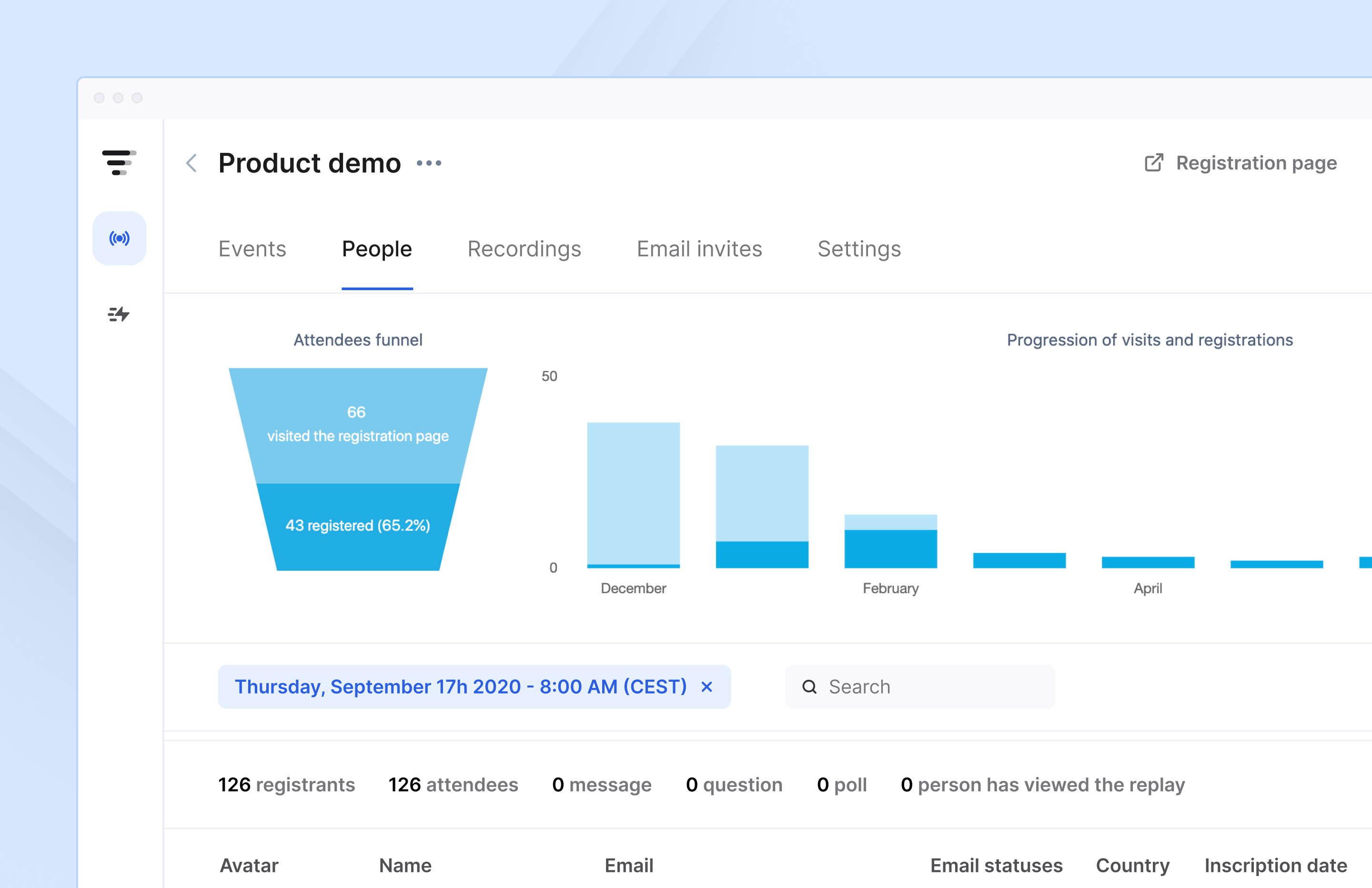
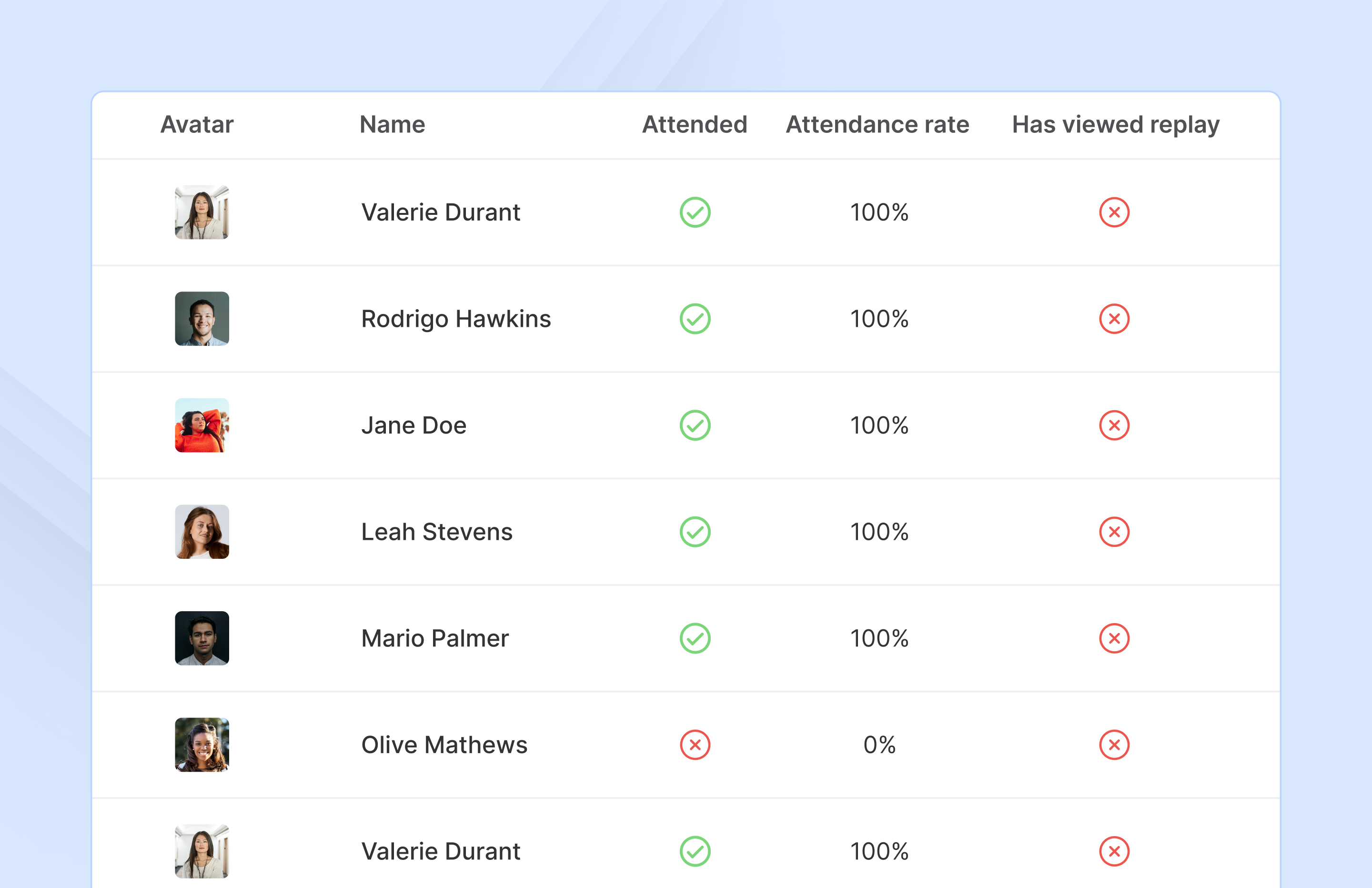
Screenshot of Access complete analytics in a built-in dashboard.Screenshot of Learn more about attendees with detailed participation reports.Screenshot of Engage with your audience in real-time with questions, chats, and polls.